


Applying a screen protector sounds easy until you see dust, fingerprints, oil, or tiny bubbles trapped underneath the glass. One of the most common questions people ask is whether an alcohol prep pad can be used to clean a phone, tablet, medical device, glucose reader, or other screen before applying a screen protector.
The answer is generally yes, an alcohol prep pad can be useful for cleaning a compatible glass or hard screen surface before installing a screen protector, but there is an important detail: you should always follow the cleaning instructions from the device and screen-protector manufacturer first.
The phrase “alcohol prep pad use screen protector” can refer to using an alcohol-based pad to remove fingerprints, skin oils, and surface residue before applying a protective film or tempered glass. Many screen-protector installation kits include an alcohol wipe for exactly this purpose. Manufacturer installation guides commonly recommend cleaning the screen with an alcohol wipe, drying it with a microfiber cloth, and removing remaining dust before application.
For people who already keep sterile alcohol prep pads at home for diabetes care, injections, or other appropriate medical routines, it is natural to wonder whether the same type of pad can help prepare a device screen.
This guide explains what alcohol prep pads are, how they can be used when appropriate, what to avoid, and how to install a screen protector with fewer bubbles and less dust.
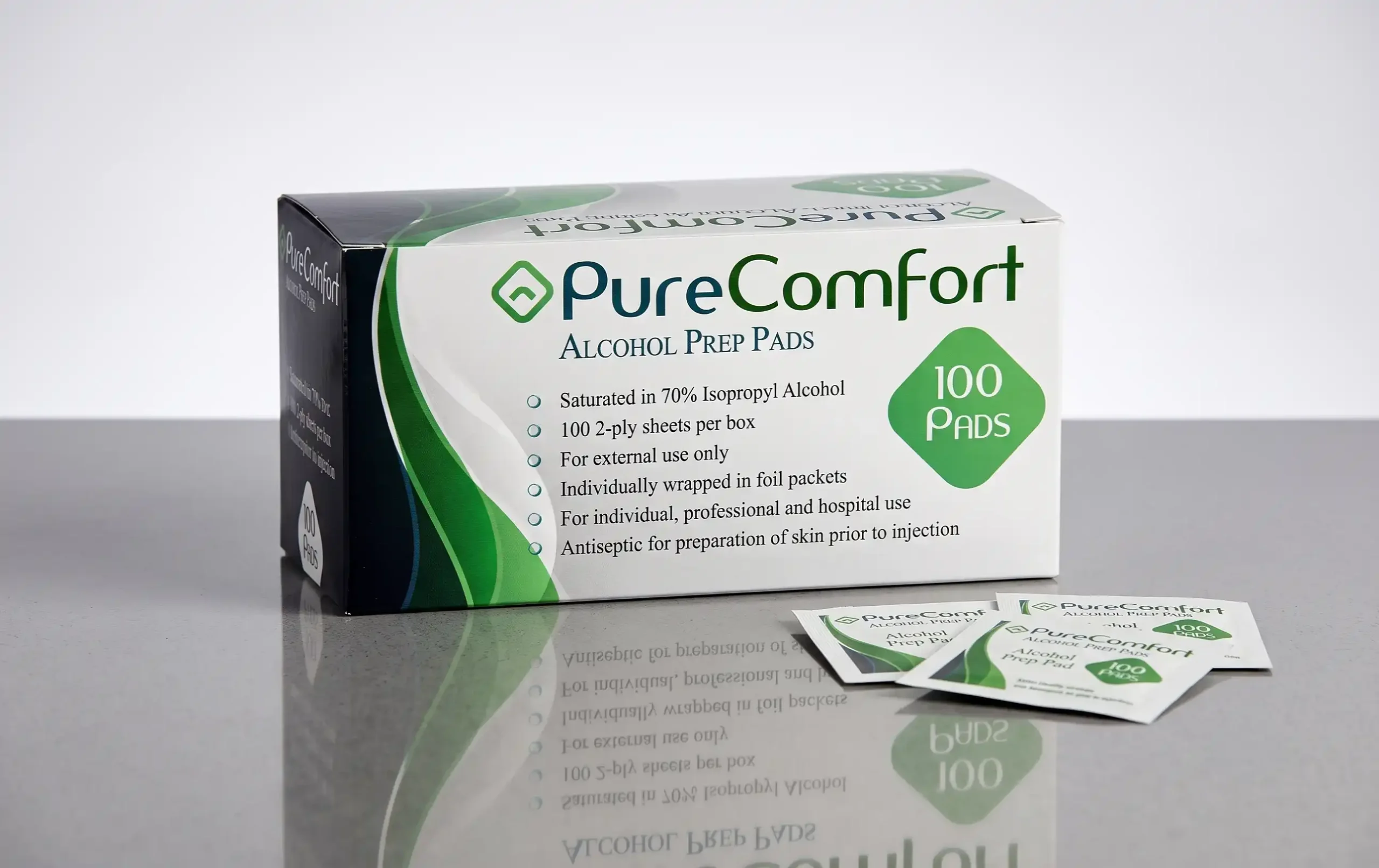
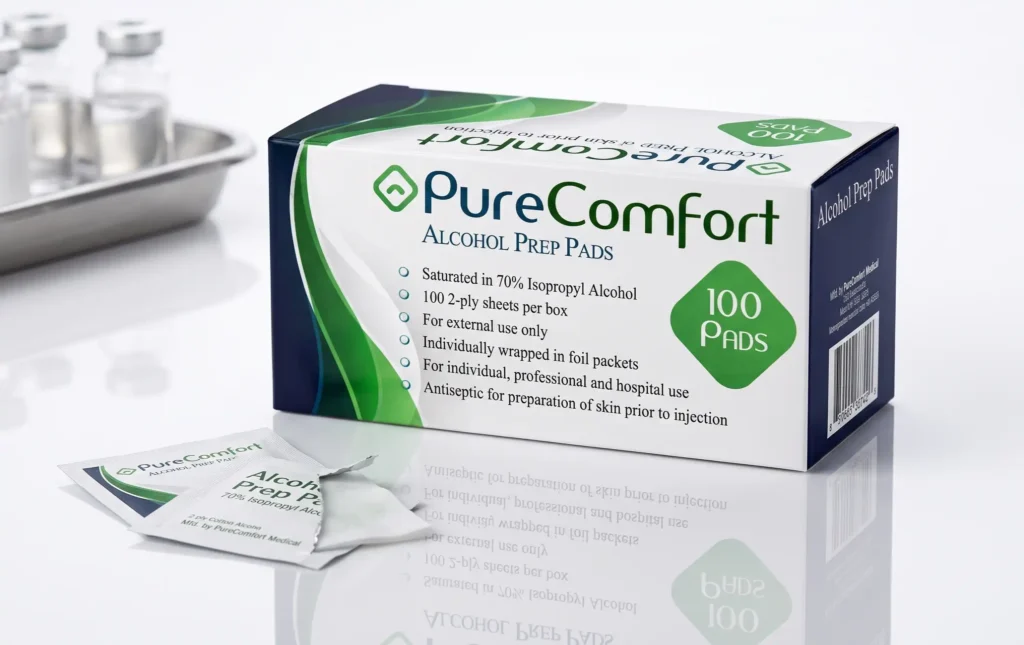
An alcohol prep pad is a small, individually packaged pad containing an alcohol solution. Many medical alcohol prep pads use 70% isopropyl alcohol as the active ingredient.
Medical alcohol prep pads are primarily labeled for preparing the skin before injections, rather than specifically for cleaning electronic screens. For example, DailyMed labeling for sterile alcohol prep pads identifies 70% isopropyl alcohol as the active ingredient and lists skin preparation before injection as the intended use.
That distinction is important.
A medical alcohol prep pad is not automatically a universal electronics-cleaning product. Before using one on a screen, check the instructions for your device and screen protector.
At the same time, many screen-protector manufacturers provide alcohol wipes as part of their installation kits. These wipes are designed to remove oils and residue from the screen before the adhesive protector is applied.
A screen protector needs a clean surface to adhere properly.
Your phone or device screen can collect:
Even a small piece of dust can create a visible bubble underneath a screen protector.
Oil can also interfere with the adhesive bond. That is why screen-protector installation instructions commonly recommend cleaning the display before application. Some manufacturers specifically recommend an alcohol wipe followed by a microfiber cloth and dust-removal sticker.
A few minutes spent preparing the screen can make a noticeable difference in the final result.
In many situations, an alcohol pad can be used to clean a compatible device screen before applying a screen protector.
However, the safest approach is to use the cleaning method recommended by the manufacturer.
If the screen-protector kit includes an alcohol wipe, use that wipe according to the included instructions.
If you are considering a medical alcohol prep pad instead, first check whether the device manufacturer permits alcohol-based cleaning on the display.
This is especially important for:
The purpose of cleaning before installation is not to soak the screen. The goal is simply to remove surface oils and residue and leave the display clean and dry.
If the manufacturer allows alcohol-based cleaning, the following general process can help.
Start with clean, dry hands.
Your fingers can transfer oil directly back onto the screen after you have cleaned it. Washing your hands first reduces the chance of leaving new fingerprints behind.
If possible, work on a clean, stable table.
Turn off the phone, tablet, reader, or other electronic device before cleaning.
This can make the installation easier and allows you to see dust and fingerprints more clearly against a dark display.
Disconnect charging cables and other accessories.
If there is already a screen protector installed, remove it carefully.
Old adhesive, dust, or pieces of glass can remain on the display.
Do not rush this step. If a tempered-glass protector has cracked, handle it carefully to avoid cuts.
If the cleaning instructions permit an alcohol wipe, open a fresh pad immediately before use.
Do not use a pad that has dried out or has damaged packaging.
Medical alcohol prep pads are generally intended for single use, and their labeling may specify external use and other precautions.
Wipe the display carefully to remove fingerprints and oily residue.
You do not need to scrub aggressively.
Move across the surface in a controlled manner and pay attention to areas where fingerprints are visible.
Avoid deliberately pushing liquid into:
The goal is to clean the display surface, not to wet the device.
Do not immediately apply the screen protector while the surface is wet.
The display should be dry before the adhesive protector is applied.
After the alcohol wipe, many screen-protector instructions recommend using a lint-free or microfiber cloth to remove remaining moisture and polish the screen.
Use gentle pressure.
A microfiber cloth can help remove streaks without leaving lint behind.
This is one of the most important steps.
Even after cleaning, tiny dust particles may remain on the display.
Use the dust-removal sticker included with the screen protector if one is provided. Several installation guides recommend this step before placing the protector.
Avoid wiping the screen repeatedly with a dusty cloth.
Before removing the final adhesive film, check the alignment.
Look at:
Make sure the protector matches the correct device model.
Carefully place the adhesive side onto the clean screen.
Many modern tempered-glass protectors are designed to bond gradually from the center outward.
Follow the installation method supplied with your particular product.
If small bubbles appear, do not panic.
Use the supplied installation card or a clean microfiber cloth and gently move the bubbles toward the edge.
Some manufacturers specifically recommend pressing from the center toward the edges to remove trapped air.
The main benefit is surface cleaning.
Skin naturally produces oils. Every time you touch your phone, some oil and residue can transfer to the glass.
Alcohol-based cleaning wipes can help remove oily fingerprints and surface residue. This leaves the display cleaner before the adhesive protector is placed.
That is why alcohol wipes are commonly included with screen-protector kits.
For example, screen-protector instructions from several manufacturers describe a similar sequence:
Alcohol wipe → dry/microfiber cloth → dust removal → screen protector installation.
This simple preparation routine can help reduce dust and installation problems.
For smartphones, the process is usually straightforward when the manufacturer permits alcohol-based cleaning.
A typical installation can include:
A clean, dust-free workspace is especially helpful.
If you have pets, carpets, fans, or strong airflow nearby, dust can easily land on the screen during installation.
The same basic idea may apply to tablets, but you should check the tablet manufacturer’s cleaning instructions first.
Tablet screens can have special coatings designed to reduce fingerprints or improve touch performance.
An alcohol-based cleaner may not be recommended for every surface or coating.
If the tablet manufacturer specifically provides cleaning instructions, those instructions should take priority over general advice.
This topic becomes more important when the screen belongs to a medical device.
Some medical devices have touchscreen displays, including certain glucose readers, controllers, pumps, monitors, and other healthcare equipment.
Do not assume that a medical alcohol prep pad is automatically appropriate for every medical-device screen.
Instead:
This is particularly important because medical equipment can have specific cleaning and maintenance requirements.
The fact that a pad is sterile does not mean it is approved for every electronic surface.
People who use diabetes supplies may already have alcohol prep pads at home.
This makes the question “alcohol prep pad use screen protector” especially relevant when protecting the screen of a glucose reader or other diabetes-related device.
However, you should distinguish between skin preparation and device cleaning.
A sterile alcohol prep pad may be labeled for preparing skin before an injection.
A screen protector, on the other hand, requires a clean surface that is compatible with the adhesive.
Before using a medical prep pad on a glucose reader or CGM receiver, check the device manufacturer’s cleaning directions.
If alcohol is allowed, use only enough to clean the surface without allowing liquid to enter openings.
Alcohol-based wipes can help remove oily fingerprints and residue from compatible surfaces.
However, you should not assume that stronger alcohol concentration is always better.
The goal is effective cleaning without damaging the screen or its coatings.
Follow the device manufacturer’s recommended cleaning method.
A screen that looks clean to your eyes may still contain a thin layer of oil. This is one reason screen-protector kits often include cleaning wipes.
Alcohol is mainly useful for removing oils and residue. It is not a replacement for a dust-removal sticker or clean microfiber cloth.
A better installation process is:
Clean → Dry → Remove Dust → Apply Protector
Trying to wipe visible dust away with an alcohol pad may simply move the particles around.
A dust-removal sticker can be especially useful immediately before installation.
These two cleaning tools serve different purposes.
An alcohol wipe can help remove:
A clean microfiber cloth can help:
A dust sticker is useful for:
Using the three appropriately can create a much cleaner surface for screen-protector installation.
Do not apply the protector while the screen is still wet.
Make sure the surface is dry.
Avoid touching the adhesive side of the protector.
Fingerprints on the adhesive can interfere with a clean installation.
A dirty microfiber cloth can put dust and oil back onto the screen.
Use a clean, lint-free cloth.
A single dust particle can create a small bubble.
Use a dust-removal sticker immediately before application.
More liquid does not mean better cleaning.
Keep moisture controlled and away from device openings.
Modern displays can have coatings that require gentle care.
Follow the device manufacturer’s cleaning instructions.
Do not assume every household cleaner is safe for a touchscreen.
Avoid experimenting with window cleaner, bleach, harsh chemicals, or other products unless the manufacturer specifically approves them.
A used alcohol prep pad should not be reused.
Use a fresh pad when a cleaning procedure calls for one.
Not necessarily.
“Sterile” refers to the product’s medical packaging and intended use; it does not automatically mean that the pad is better for electronic-screen cleaning.
If you are installing a phone screen protector, the most important question is whether the cleaning product is compatible with the device and recommended by the manufacturer.
For medical procedures, sterility can be important.
For screen-protector installation, surface compatibility and proper cleaning technique are more important considerations.
This distinction helps prevent confusion.
Alcohol prep pads commonly contain isopropyl alcohol and require sensible handling.
Keep these precautions in mind:
Medical alcohol prep-pad labeling commonly warns that isopropyl alcohol is flammable and intended for external use.
Nobody wants to spend money on a screen protector only to see bubbles underneath it.
Here is a simple routine:
Choose a clean table with good lighting.
A low-dust environment can make installation easier.
Wash and dry your hands before beginning.
Use the manufacturer-approved wipe.
Use a clean microfiber cloth.
Use the included dust sticker.
Take a moment to check alignment.
Do not rush.
Allow the adhesive to contact the screen as instructed.
Gently push bubbles toward the edges.
This approach is consistent with screen-protector installation guidance from several manufacturers.
There is no single schedule that applies to every device.
Clean your screen when it becomes visibly dirty or before installing a new screen protector.
For everyday cleaning, follow the device manufacturer’s instructions.
For a new screen-protector installation, the important part is making sure the surface is clean and dry immediately before application.
This depends on the screen protector.
Some protectors may tolerate alcohol-based cleaning, while others may have special coatings or manufacturer-specific cleaning recommendations.
Check the instructions for the protector.
Do not assume that because alcohol was acceptable before installation, every alcohol product is suitable for repeated cleaning afterward.
A gentle microfiber cloth may be sufficient for routine fingerprints, depending on the manufacturer’s guidance.
If you need alcohol prep pads for appropriate healthcare-related uses, choosing a reputable medical-supply provider can make the purchasing process easier.
Alfa Healthcare Supply Inc. provides medical supplies for patients, caregivers, and home healthcare needs. Its selection includes sterile alcohol prep pads and other diabetes and home-care supplies.
For medical use, always check the product label, intended use, packaging, and expiration information before using a product.
You can explore healthcare supplies through Alfa Healthcare Supply Inc. at its official website.
Finding the right medical supplies is not always just about buying a product. People often want to know that the supplier understands everyday healthcare needs.
Alfa Healthcare Supply Inc. is a medical supply provider serving customers with a range of healthcare products, including diabetic supplies and other home medical equipment.
The company focuses on making healthcare supplies easier to access and offers products for patients and caregivers who manage medical routines at home.
When buying alcohol prep pads, look at important product details such as:
Taking a few seconds to check these details can help you select a product that fits your needs.
The phrase “alcohol prep pad use screen protector” describes a practical question with a simple but important answer.
An alcohol wipe may be appropriate for cleaning a compatible screen before applying a screen protector, but you should first follow the device and screen-protector manufacturer’s cleaning instructions.
Many screen-protector manufacturers recommend an alcohol wipe followed by drying and dust removal before installation.
At the same time, medical alcohol prep pads are generally labeled for specific medical uses, such as skin preparation before injections.
So, do not confuse a medical pad’s intended skin use with approval for every electronic screen.
For the best installation:
Check the instructions → clean gently → dry completely → remove dust → align carefully → apply the protector slowly.
A little preparation can make the difference between a screen protector covered with bubbles and one that looks clean and professional.
For healthcare-related alcohol prep pads and other medical supplies, Alfa Healthcare Supply Inc. can be a convenient source for patients, caregivers, and home healthcare needs.
Installing a screen protector does not have to be frustrating. The secret is good preparation.
Start with clean hands, use an appropriate cleaning method, remove oils and fingerprints, dry the screen, remove every visible particle of dust, and then apply the protector carefully.
If you are using a medical alcohol prep pad, remember that its primary labeled purpose may be skin preparation rather than electronics cleaning. For a screen, manufacturer instructions always come first.
Whether you are protecting a smartphone, tablet, glucose reader, or another touchscreen device, taking a few extra minutes to prepare the surface can help you achieve a cleaner and smoother installation.
For medical alcohol prep pads and other healthcare supplies, Alfa Healthcare Supply Inc. provides products designed to support everyday healthcare needs for patients and caregivers.
In many cases, an alcohol wipe can be used to clean a compatible screen before applying a protector. However, always check the device and screen-protector manufacturer’s instructions first.
It can help remove fingerprints, oils, and surface residue. A microfiber cloth and dust-removal sticker can then help prepare the surface further.
No. Do not assume every screen is compatible with 70% isopropyl alcohol. Follow the manufacturer’s cleaning instructions.
Yes. The screen should be dry before you apply the protector. Many installation instructions recommend using a microfiber cloth after the alcohol wipe.
It may remove some surface residue, but it is not the best tool for loose dust. Use the dust-removal sticker supplied with your screen protector when available.
Only if the phone manufacturer’s cleaning instructions allow that type of alcohol-based cleaning. A medical pad being sterile does not automatically mean it is approved for every electronic surface.
Check the glucose reader manufacturer’s cleaning instructions first. Medical devices may have specific requirements for cleaning and maintenance.
Bubbles can result from trapped air, dust, improper alignment, or an unclean screen. Cleaning the surface carefully and removing dust immediately before installation can help.
No. Medical alcohol prep pads are generally designed for single use. Follow the product label.
Use caution. A cracked display may have exposed or damaged areas, and liquid should not be allowed to enter openings. Follow the device manufacturer’s instructions and consider professional repair if the screen is damaged.
Not necessarily. A medical alcohol prep pad may be labeled specifically for skin preparation, while a screen-cleaning wipe may be designed for electronics. Always check the intended use.
Alfa Healthcare Supply Inc. offers sterile alcohol prep pads among its healthcare products. Always review the product label and intended use before purchasing or using any medical supply.