


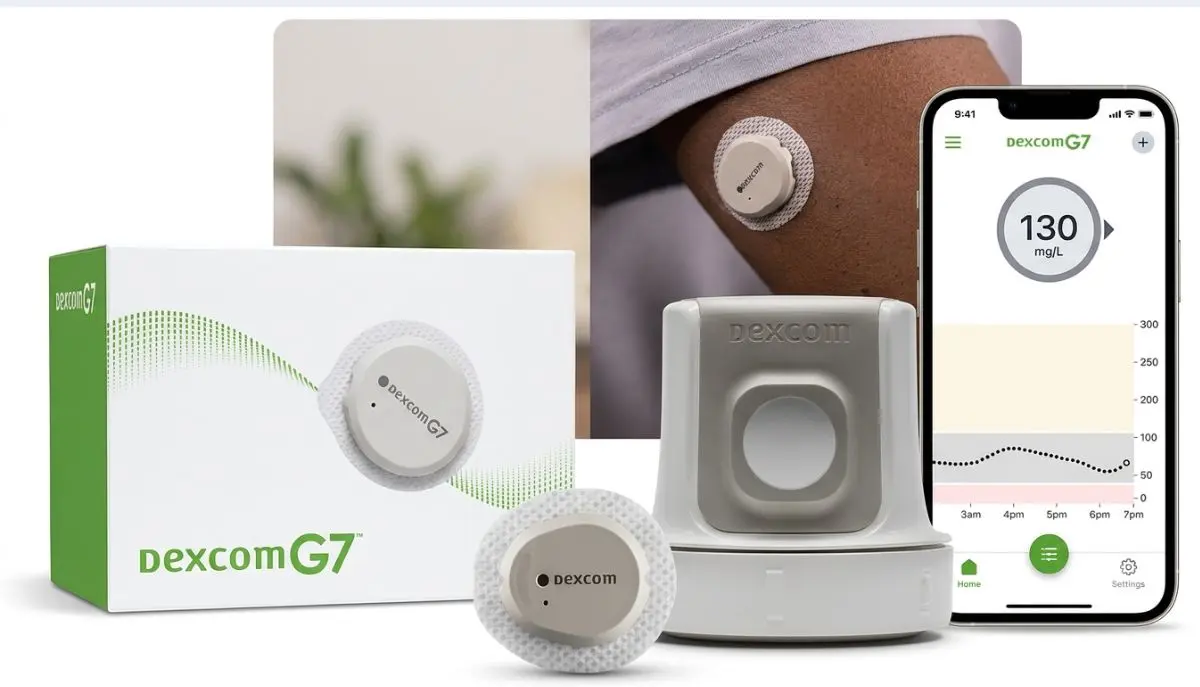
If you have searched for “how to restart Dexcom G7 sensor,” you may be hoping to continue using the same sensor after its normal wear period. This is a common question, especially when a sensor still appears to be attached securely or seems to be working normally.
However, there is an important point to understand before trying anything: the standard Dexcom G7 system is not designed to be restarted after its sensor session ends. Dexcom states that the G7 sensor provides readings for up to 10 days, followed by a 12-hour grace period, and that restarts are not allowed after that period.
This guide from Alfa Healthcare Supply Inc. explains what “restart” means, what you can safely do when your sensor expires, how to replace it, and what to do if your G7 stops working unexpectedly.
No. A standard Dexcom G7 sensor cannot be restarted after its 10-day session and 12-hour grace period.
Dexcom specifically states that no restarts are allowed. Once the grace period has finished, the sensor needs to be replaced with a new sensor to continue receiving glucose readings and alerts.
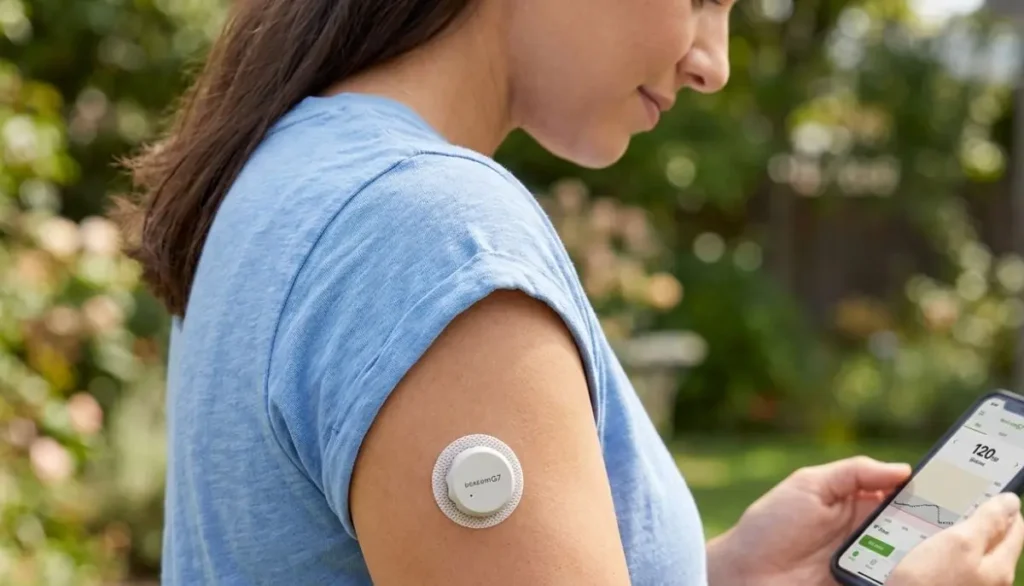
This is different from simply restarting your phone, restarting the Dexcom app, or turning a receiver off and back on.
A device restart may solve a communication or software issue, but it does not extend the life of an expired G7 sensor. Dexcom also explains that powering off the receiver does not extend sensor life.
People can mean several different things when they search for how to restart Dexcom G7 sensor.
For example, you might be asking:
These situations are not the same.
If your G7 sensor has reached the end of its approved session, Dexcom’s instructions are to replace it rather than restart it.
If your problem is an app, receiver, pairing, or communication issue, the troubleshooting steps can be different.
The standard Dexcom G7 sensor is designed for:
Up to 10 days of sensor use + a 12-hour grace period.
The grace period is provided to give you additional time to replace your sensor at a convenient time. During the grace period, the sensor continues to operate as it did during the sensor session.
For example, if your sensor reaches the end of its normal 10-day session in the evening, you may have another 12 hours before the system requires replacement.
This can be helpful if you are:
The important distinction is that the grace period is part of the Dexcom-designed sensor experience—not a sensor restart.
No.
According to Dexcom’s current guidance, the G7 sensor cannot be restarted after 10 days. Once the 12-hour grace period has ended, you need a new sensor to continue receiving glucose readings and alerts.
This means you should not rely on unofficial methods that claim to reset the sensor’s internal timer.
You may find online discussions describing different techniques involving apps, Bluetooth settings, removing and reapplying sensors, or manipulating the sensor session. Those methods are not the manufacturer’s approved way to extend the G7 sensor session.
For diabetes technology, following the manufacturer’s instructions is particularly important because the sensor provides information that may be used as part of diabetes management.
Instead of trying to restart the old sensor, follow the normal replacement process.
In the Dexcom G7 app, you can check your sensor information through the sensor settings.
Dexcom indicates that the remaining sensor time can be viewed through the app’s sensor information, while the receiver provides sensor information through its menu.
If your sensor is still within its normal session or grace period, you may continue using it according to the instructions.
You don’t necessarily have to wait until the grace period ends.
Dexcom allows you to end the sensor session early if you are ready to replace the sensor. Step 3: Remove the Old Sensor
When the sensor session is finished, remove the sensor according to the manufacturer’s instructions.
Dexcom describes removing the G7 by peeling the adhesive patch away from the skin.
Take your time if the adhesive is firmly attached. Avoid aggressively pulling at the skin.
Use a new Dexcom G7 sensor and applicator.
Prepare the new insertion site according to the instructions supplied with your system. Dexcom recommends cleaning the new site and allowing it to dry before insertion.
Follow the instructions provided with your G7 system for sensor insertion.
Don’t try to reuse an old applicator.
When starting a new sensor, follow the app or receiver instructions and use the pairing information associated with the new sensor.
Dexcom’s replacement instructions describe entering the pairing code from the new sensor applicator.
Once the new sensor is paired, the system will begin its warm-up period.
The app or receiver will show the progress and notify you when readings are available.
If you’re searching how to restart Dexcom G7 sensor because your current sensor has expired, the correct approach is replacement.
The basic process is:
Dexcom’s official replacement guidance supports this approach.
Stopping a sensor session is different from restarting it.
For example, Dexcom provides an option to stop a sensor session. Once you stop the session, the system will no longer provide sensor glucose readings from that sensor, and you need to insert and pair a new sensor to continue.
In the app, Dexcom provides options such as:
If you want to immediately move to a new sensor, the replacement option is intended for that purpose.
So, don’t select “Stop Sensor Session” expecting to reset the old sensor’s clock.
Restarting or powering off your receiver is not the same as restarting the sensor.
Dexcom explains that the receiver’s Power Off option temporarily shuts down communication between the receiver and sensor. It does not extend the sensor’s life.
If your receiver is temporarily turned off, you can turn it back on and allow it to reconnect.
But if your sensor has already reached the end of its approved session, restarting the receiver will not give the sensor another wear period.
This situation is different from an expired sensor.
If your G7 stops working unexpectedly before the end of its normal session, don’t assume that it needs to be restarted.
Possible reasons for an interruption can include:
First, check the message displayed in your Dexcom app or receiver and follow the troubleshooting instructions provided by Dexcom.
If the system reports a sensor failure, contact Dexcom support for guidance.
Avoid attempting to physically modify the sensor or trying to force an expired or failed sensor back into operation.
A sensor that falls off before the end of its session is not the same as a sensor that has reached its normal expiration.
Dexcom’s patient counseling material states that if a sensor comes off, it must be replaced with a new one.
If your sensor becomes loose:
If the sensor has fallen off and you need assistance, keep the applicator and relevant packaging if possible. These details may be useful when discussing the issue with customer support.
A CGM sensor is designed and tested for a specified wear period.
The G7 is not simply a reusable electronic device that can be reset indefinitely. Its approved sensor session is part of the system’s design and labeling.
For the standard G7, Dexcom states:
10-day sensor session + 12-hour grace period.
Once the sensor reaches the end of its approved session and grace period, the manufacturer’s instructions call for replacement.
That is why trying to find a way to “reset the timer” is not the same as troubleshooting a normal technical problem.
No.
This is one of the most important points for anyone searching how to restart Dexcom G7 sensor.
The grace period is an official part of the Dexcom G7 system.
A restart would mean trying to use the same sensor beyond its intended session.
Dexcom states that the sensor continues to work during the 12-hour grace period, giving users extra time to replace it.
So you can think of it this way:
| Situation | What it means |
| Normal 10-day session | Standard G7 sensor use |
| 12-hour grace period | Additional manufacturer-provided replacement time |
| Sensor session ended | Replace the sensor |
| Grace period ended | Replace the sensor |
| Restarting expired sensor | Not allowed |
| Turning receiver off/on | Does not extend sensor life |
A little preparation can make sensor changes much less stressful.
Keep your replacement supplies together in a convenient location.
You may want to have:
Before removing your current sensor, make sure you know where your replacement sensor is.
This can be especially useful if your sensor is approaching the end of its grace period.
Follow the insertion-site recommendations included with your particular Dexcom G7 system.
The skin should be prepared properly before applying the sensor.
Dexcom’s educational materials recommend that the sensor site be clean, dry, and suitable for the sensor. They also advise avoiding areas where the skin folds or where waistbands may repeatedly rub against the patch.
Good site preparation can help the adhesive remain attached throughout the intended wear period.
If you have questions about approved placement for your specific age group or version of the G7 system, consult the current Dexcom instructions for use.
For the standard Dexcom G7, Dexcom indicates a sensor session of up to 10 days, followed by a 12-hour grace period.
Therefore, users should not assume that because a sensor remains physically attached it is approved for continued use.
The adhesive staying on your skin and the sensor being authorized to provide readings are two different things.
Once the approved period has ended, use a new sensor.
It’s also important not to confuse the standard G7 with the Dexcom G7 15 Day CGM System.
Dexcom now provides separate information for the G7 15 Day system. Its sensor is designed for up to 15 days, with a 12-hour grace period.
That means information about one version should not automatically be applied to another.
Always check the exact product and instructions you are using.
If your box says Dexcom G7 15 Day, use the instructions specifically provided for that system.
When your G7 session ends, the app can notify you that it is time to start a new sensor.
Dexcom explains that after the grace period ends, users receive an alert to start a new sensor.
At this point:
This is the manufacturer’s intended transition from one sensor to another.
Don’t panic.
Ending a session early doesn’t mean you have to restart the same sensor.
If you intentionally select Replace Sensor, Dexcom provides the option to move directly to a new sensor.
If you accidentally stopped a session, follow the instructions displayed in your app or receiver. If the system does not allow you to start another sensor or gives an error message, contact Dexcom technical support rather than trying unofficial reset methods.
A few simple habits can make your sensor changes easier.
Don’t wait until the last possible moment to discover that you need another sensor.
Having a new sensor ready can reduce gaps in CGM use.
The Dexcom app provides alerts as the sensor session and grace period approach their end.
A clean, dry site can help the adhesive perform properly.
Each new sensor has its own pairing information. Dexcom advises using the code associated with that sensor rather than a code from another sensor.
If Dexcom says the sensor cannot be restarted, use the replacement process instead.
This distinction can save you a lot of confusion.
You may close and reopen an app when troubleshooting an app problem.
You can power the receiver off and on. This does not extend sensor life.
This may sometimes be relevant to communication troubleshooting, depending on the device and error.
This is not supported for the standard Dexcom G7.
If the sensor has completed its 10-day session plus 12-hour grace period, replace it.
Consider contacting Dexcom technical support when:
Dexcom provides official user guides and support resources for its G7 systems.
For safety-related decisions, follow your healthcare professional’s instructions and the manufacturer’s labeling.
A CGM is an important diabetes-management tool, but your symptoms and readings should not be ignored.
If your symptoms don’t match what your CGM is showing, follow the instructions provided with your Dexcom system regarding blood glucose meter testing and treatment decisions.
Dexcom educational material notes that fingerstick testing may be required for treatment decisions when symptoms or expectations do not match CGM readings.
If you are experiencing symptoms of severe hypoglycemia, severe hyperglycemia, or another medical emergency, seek appropriate medical help rather than attempting to troubleshoot the sensor.
If you searched how to restart Dexcom G7 sensor because your sensor has reached the end of its life, the key message is simple: don’t try to reset or reuse an expired standard G7 sensor.
Dexcom states that the standard G7 provides sensor readings for up to 10 days, followed by a 12-hour grace period, and no sensor restarts are allowed after that period.
The safer approach is to:
At Alfa Healthcare Supply Inc., we understand that diabetes supplies are part of everyday life, not simply products on a shelf. Having the right supplies available when you need them can make sensor changes feel much less stressful.
For official product instructions, always refer to the current Dexcom user guide and the instructions supplied with your specific G7 system. Dexcom maintains a dedicated library of G7 user guides and support materials.
No. Dexcom states that the standard G7 sensor cannot be restarted after its 10-day session. It has a 12-hour grace period, after which the sensor should be replaced.
The grace period is not a restart. It is additional time built into the system for replacing the sensor. The sensor continues to operate during that period.
No. Restarting your phone can sometimes help with general device or application issues, but it does not reset or extend the G7 sensor’s approved wear period.
No. Dexcom specifically states that powering the receiver off does not extend the sensor’s life.
Dexcom’s patient guidance says that if a sensor comes off, it must be replaced with a new sensor.
The sensor eventually stops providing readings after its approved session and grace period. You should remove the old sensor and start a new sensor according to the manufacturer’s instructions.
Yes. Dexcom provides an option to end the sensor session early through the app or receiver.
The standard Dexcom G7 sensor lasts up to 10 days, followed by a 12-hour grace period.
No. Dexcom provides separate instructions for the G7 15 Day system. The 15 Day version is designed for up to 15 days plus a 12-hour grace period.
Medical disclaimer: This article is for general educational information and is not a substitute for the Dexcom instructions for use or advice from your healthcare professional. Product instructions can change, and different Dexcom G7 versions may have different labeling. Follow the instructions provided with your specific system.