


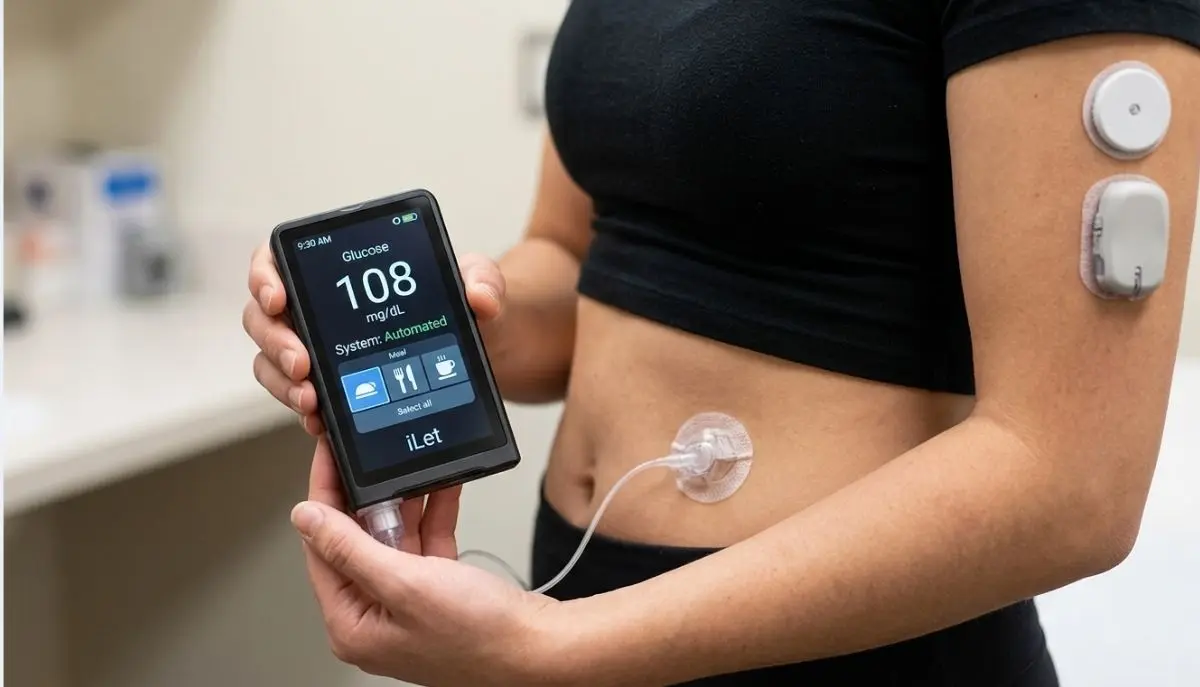
Living with type 1 diabetes can involve many daily decisions—insulin doses, glucose levels, meals, infusion sets, sensors, alerts, and supplies. The iLet Bionic Pancreas is designed to reduce some of that day-to-day decision-making by automatically adjusting insulin delivery based on continuous glucose monitoring (CGM) information.
If you are looking for an iLet Bionic Pancreas User Guide, this article explains the system in simple language and helps you understand what the official guide covers, how the system works, what users should know about meals and CGM connectivity, and where to find reliable support.
Important: This article is an educational overview, not a replacement for the official iLet Bionic Pancreas User Guide, diabetes education, or instructions from your healthcare professional. The manufacturer states that users should receive adequate training before using the iLet system.
The iLet Bionic Pancreas is an automated insulin delivery system from Beta Bionics. The system includes the iLet device, its dosing decision software, compatible disposables, a compatible continuous glucose monitor, and an infusion set. The official user guide provides instructions for setting up, operating, maintaining, and safely using the system.
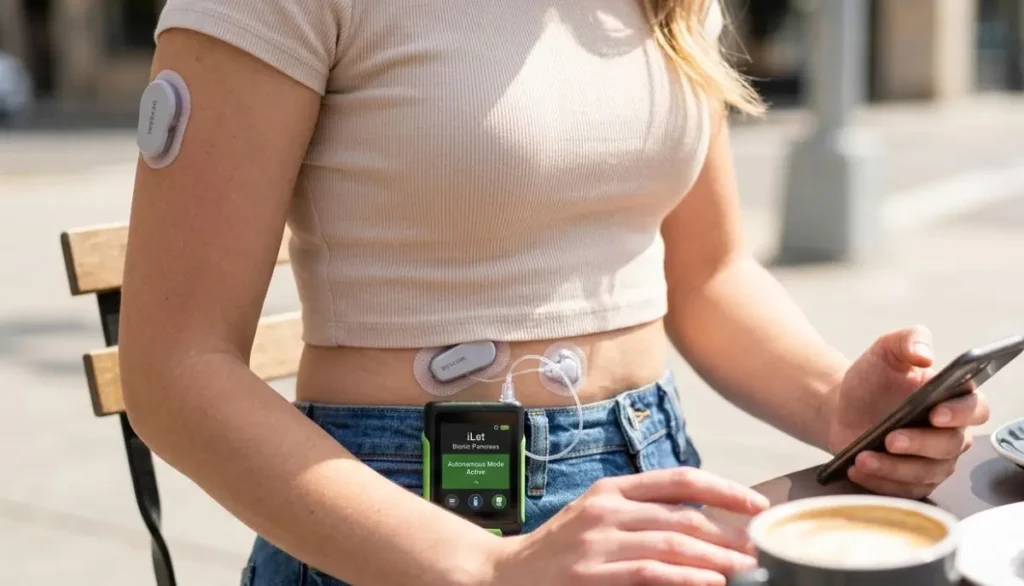
Unlike traditional insulin pumps that may require users or clinicians to enter several insulin settings, the iLet is designed around automated insulin dosing. Beta Bionics describes the system as requiring one starting input—body weight—and says that users do not need to program traditional preset basal rates, insulin-to-carbohydrate ratios, or correction factors in the same way as conventional pumps. Users still need to be carb aware and announce meals.
The system is intended for people with type 1 diabetes age 6 and older and requires a prescription.
A medical device that delivers insulin should never be treated like an ordinary electronic gadget.
The iLet Bionic Pancreas User Guide contains important information about:
The official guide specifically warns users not to begin using the system before reading the guide and participating in training. Incorrect use can result in too much or too little insulin being delivered, potentially causing dangerously high or low blood glucose.
For that reason, an online article such as this one should be viewed as a learning resource, not as a substitute for the official instructions.
Understanding the main parts makes the iLet system easier to understand.
The iLet device is the central part of the system. It contains the dosing decision software and controls insulin delivery.
The touchscreen allows users to view information, notifications, glucose status, trends, and other system information.
The iLet works with a compatible CGM to receive glucose information.
The CGM provides the glucose data that the system uses for automated insulin dosing. Beta Bionics currently provides resources for compatible CGM options, including Dexcom G7 and FreeStyle Libre 3 Plus-related resources.
Because CGM information is important to automated dosing, users should understand what to do if the CGM becomes unavailable or disconnected.
Insulin is loaded into a cartridge that connects with the iLet system.
Cartridge changes are an important part of routine maintenance. The manufacturer’s resources include specific cartridge-fill and cartridge-change instructions.
The infusion set connects the insulin cartridge and pump to the user’s body.
Different infusion-set resources are available from Beta Bionics, including Inset and Contact Detach instructions.
The iLet Mobile App can connect with the iLet device through Bluetooth and provides additional data-sharing functionality. Beta Bionics provides separate instructions for downloading, registering, pairing, and syncing the app.
The iLet system uses automated insulin dosing based on glucose information from the compatible CGM.
Instead of requiring the user to calculate every insulin dose manually, the system uses its dosing decision software to make automated dosing decisions.
This does not mean that the user can simply forget about diabetes management.
Users still need to:
Beta Bionics emphasizes that the iLet learns and adapts to changing insulin needs over time.
Starting a new insulin delivery system can feel like a lot at first.
It is normal to have questions such as:
Where do I start?
When do I change the cartridge?
What happens if my CGM stops working?
How do I announce a meal?
What does this alert mean?
The best starting point is the official training provided for the iLet system.
Beta Bionics says new users should receive training and provides clinical trainer resources.
A new user should become familiar with the following before relying on the system:
The iLet user guide explains the touchscreen and home screen.
Depending on the system status, the display can provide information about glucose, trends, notifications, insulin delivery, and other important system conditions.
The FDA’s publicly available quick-reference documentation also identifies sections covering the home screen, status bar, notifications, glucose status, glucose trend arrows, graphs, therapy summaries, menu screens, and settings.
A useful habit is to become comfortable with the screen before you need to respond to an urgent alert.
Take time during training to understand:
One of the important differences new users should understand is the role of meal announcements.
The iLet does not require traditional carbohydrate counting in the same way as many conventional insulin pumps. However, users are still expected to be carb aware and announce meals.
Beta Bionics advises users to announce meals when they sit down to eat and to be consistent with their meal announcements. The company also advises against using “fake meals” simply to try to correct a high glucose level because the iLet is already working to adjust insulin delivery.
The iLet needs information about the meal so its automated dosing system can respond appropriately.
Think of a meal announcement as telling your system:
“I am about to eat.”
The device then uses that information along with glucose data and its dosing algorithm.
Your healthcare professional or iLet trainer can teach you how to use the appropriate meal announcement settings.
Forgetting something occasionally can happen. However, users should follow the instructions provided during their iLet training.
Beta Bionics’ current educational guidance says that if 30 minutes have passed after starting a meal, users should not announce that meal as though it were about to begin.
Do not create an additional or “fake” meal announcement to compensate for a high glucose reading.
If you are uncertain about what to do after forgetting a meal announcement, follow your healthcare professional’s instructions or contact iLet support.
The CGM is an important part of the iLet system.
The device needs glucose information to support automated insulin dosing. Beta Bionics specifically advises users to always have their CGM available because CGM readings allow the iLet to dose insulin.
A CGM issue can happen for many reasons:
The manufacturer’s user resources include instructions for CGM replacement and situations where the CGM is offline.
CGM interruptions are something every iLet user should understand before starting.
Beta Bionics provides a specific CGM Offline (BG-Run Mode) resource. The official documentation should be followed for your particular situation.
The FDA quick-reference documentation also includes information on entering blood glucose values and managing the system when CGM information is unavailable.
Do not guess about insulin dosing during a CGM interruption.
If you are unsure what your system is asking you to do, contact your diabetes care team or appropriate technical support.
Cartridge replacement is part of regular iLet maintenance.
Before changing a cartridge or performing procedures involving the insulin delivery path, follow the exact instructions in your official user guide.
One important safety point from Beta Bionics is to disconnect the tubing from your body while changing the cartridge or filling the tubing to prevent unintended insulin delivery.
The official resources cover:
The FDA quick-reference guide also identifies cartridge, tubing, and infusion-set replacement as core maintenance procedures.
An infusion set needs to be replaced according to the instructions provided for the particular set you use.
Your healthcare professional or trained educator can show you how to:
Beta Bionics provides separate resources for its infusion sets, including Inset and Contact Detach systems.
If glucose remains unexpectedly high, do not automatically assume that the iLet itself is the problem.
Beta Bionics’ new-user guidance notes that an infusion-set problem can sometimes be responsible and recommends changing the infusion set when appropriate.
Follow your healthcare provider’s instructions for managing unexpected high glucose.
Like other electronic medical devices, the iLet needs adequate battery power.
Charging should become part of your normal routine.
Beta Bionics provides a dedicated Charging Your iLet resource in its user-resource library.
A practical habit is to avoid waiting until the battery is nearly empty before thinking about charging.
Keep your charging equipment available and understand what the battery alerts mean.
The FDA quick-reference guide includes a dedicated section for charging and battery alerts.
Alerts are an important safety feature.
An alert can indicate that the system needs your attention.
The official documentation covers different categories of alerts, including:
Do not ignore repeated alerts.
Instead:
Beta Bionics’ 2026 educational guidance also emphasizes responding promptly to iLet alerts and alarms.
Being prepared can make diabetes management less stressful.
Your healthcare team can help you determine the supplies appropriate for you, but iLet users may need access to items such as:
Beta Bionics also recommends having extra supplies available.
For families and caregivers, having supplies organized in one place can make unexpected situations easier to manage.
This is an especially important safety question.
Beta Bionics’ new-user guidance advises users not to use “outside” insulin, such as additional injections or inhaled insulin, because the iLet is intended to provide the user’s insulin doses and additional insulin may increase the risk of hypoglycemia or interfere with the system’s dosing process.
However, individual medical situations can differ.
If your healthcare provider has given you a specific emergency plan, follow that plan.
Never create your own additional-insulin strategy based only on an online article.
Low blood glucose can be concerning, particularly when starting a new automated insulin delivery system.
Beta Bionics notes that during the first couple of weeks, the iLet is learning the user’s insulin needs. The company’s educational guidance recommends avoiding over-treatment of lows with excessive fast-acting carbohydrates.
This does not mean that a low should be ignored.
Users should follow their personalized hypoglycemia treatment plan from their healthcare professional.
If you experience severe, repeated, or unexplained low blood glucose, contact your healthcare provider.
For emergencies, seek immediate medical assistance.
Starting the iLet can feel different from using multiple daily injections or another insulin pump.
Beta Bionics explains that the iLet learns and adapts to a user’s insulin needs during the early period.
During this period, consistency matters.
Try to:
It may take time to become comfortable with a system that makes more automated dosing decisions.
The iLet Mobile App can communicate with the iLet through Bluetooth.
Beta Bionics’ current pairing instructions include:
Exact app screens can change with software updates, so check the latest manufacturer’s instructions when pairing or updating the application.
When something does not seem right, take a moment before troubleshooting.
Ask:
Check whether the iLet is receiving glucose information.
Check for problems described in your training materials.
An empty or improperly prepared cartridge can affect insulin delivery.
Review the battery indicator and alerts.
Read the notification carefully.
If you cannot resolve the problem safely, contact your healthcare provider or Beta Bionics technical support.
Beta Bionics currently lists 24/7 technical support at 1-855-745-3800, Option 1, and provides support by email.
The safest place to find the current official documentation is the Beta Bionics User Resources page.
The resource library includes the:
The official PDF user guide is also available from Beta Bionics.
These two resources serve different purposes.
| Resource | Main purpose |
| iLet Bionic Pancreas User Guide | Detailed instructions, safety information, operation, maintenance, and system information |
| iLet Quick Reference Guide | Shorter reference for commonly used functions and procedures |
| Educational Guide | Helps users learn important concepts |
| Mobile App User Guide | Covers app-related functions |
| Supply Change Guides | Focus on cartridge, infusion set, and other supply procedures |
For learning the system from the beginning, the full user guide and professional training are especially important.
For a quick reminder after training, the quick-reference materials can be useful.
The iLet is a prescription medical device with specific indications and requirements.
Beta Bionics states that the iLet Bionic Pancreas System is indicated for people with type 1 diabetes age 6 and older.
Whether it is appropriate for a particular person depends on individual medical circumstances, compatible equipment, insulin requirements, insurance, clinical considerations, and healthcare-provider guidance.
A person considering the iLet should discuss it with their diabetes care team rather than choosing a system based only on online information.
Here are some simple habits that can make learning the system easier.
Don’t skip the official user guide.
The manufacturer specifically says users should not start using the system without adequate training.
The CGM is an essential source of glucose information for automated dosing.
Meal announcements are an important part of using the iLet.
Do not use meal announcements as a shortcut for correcting high glucose.
Unexpected sensor or infusion-set problems can happen.
Knowing what different alerts mean can reduce stress.
Save your healthcare provider’s contact information and the appropriate technical support number.
Insulin is powerful. Follow your prescribed treatment plan.
There is no need to feel embarrassed about asking your diabetes educator to explain something again.
For people managing diabetes, having reliable access to supplies can be just as important as understanding the equipment.
Alfa Healthcare Supply Inc. provides medical supplies and DME products for patients and caregivers. Its product categories include diabetes supplies and other home healthcare equipment.
When looking for diabetes products, check product compatibility, prescription requirements, insurance coverage, and manufacturer instructions before ordering.
For prescription medical devices such as an insulin delivery system, speak with your healthcare provider and confirm the appropriate ordering process.
Managing type 1 diabetes can sometimes feel like a full-time job.
There are sensors to remember, supplies to organize, alerts to understand, meals to announce, and appointments to attend. If you are learning the iLet and feel overwhelmed during the first few days or weeks, give yourself time to learn.
You do not need to memorize everything on day one.
Keep the official iLet Bionic Pancreas User Guide available. Work with your diabetes care team. Learn one procedure at a time. Keep backup supplies ready. And when something does not make sense, ask for help instead of guessing.
A good medical device is only helpful when the person using it understands how to use it safely.
The iLet Bionic Pancreas User Guide is an essential resource for anyone using or preparing to use the iLet system. It covers the device, CGM connection, insulin cartridge, infusion sets, meal announcements, alerts, charging, maintenance, troubleshooting, and important safety information.
The iLet is designed to automate much of insulin dosing, but it does not remove the need for user participation. Users still need to monitor their system, announce meals, maintain supplies, respond to alerts, and follow their healthcare team’s instructions.
For the most accurate and current information, always use the latest official documentation from Beta Bionics rather than relying only on third-party articles.
Alfa Healthcare Supply Inc. aims to help patients and caregivers find medical supplies and educational information that make everyday healthcare a little easier. For product availability, prescription requirements, and compatible supplies, consult the appropriate healthcare professional and supplier.
The iLet Bionic Pancreas is an automated insulin delivery system that uses dosing decision software and compatible CGM information to automatically adjust insulin delivery.
Yes. Beta Bionics states that the iLet Bionic Pancreas requires a physician’s prescription.
The manufacturer states that the system is indicated for people with type 1 diabetes age 6 and older.
The iLet is designed to reduce the need for traditional carbohydrate calculations, but users still need to be carb aware and announce meals.
Yes. The iLet system uses compatible CGM technology as part of its automated insulin delivery system. Beta Bionics provides current resources for compatible CGM options.
Beta Bionics advises users not to use additional “outside” insulin because it can increase the risk of hypoglycemia and interfere with the system’s automated dosing.
The official guide is available through Beta Bionics’ User Resources page.
Read the alert and follow the instructions in your official guide and training materials. If you cannot resolve the issue, contact your healthcare provider or Beta Bionics technical support.
The iLet Mobile App can connect with the iLet through Bluetooth. Current pairing instructions are available from Beta Bionics.
This article is for general educational purposes only and is not medical advice. The iLet Bionic Pancreas is a prescription medical device. Do not begin, stop, or change insulin therapy based on this article. Always follow the official iLet Bionic Pancreas User Guide and instructions from your healthcare professional. In an emergency or severe glucose event, seek appropriate medical care.