


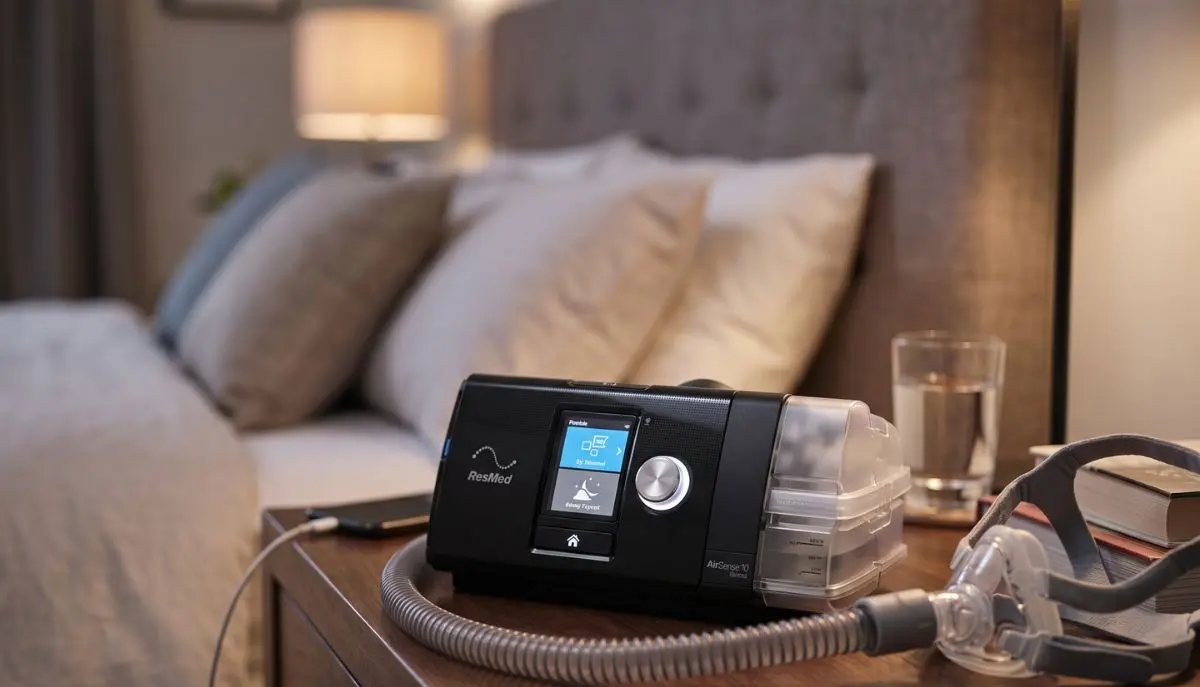
How to Use AirSense 10 CPAP Machine:
It may take some time to get used to using CPAP. You may wonder if you’re setting up the machine, tubing, humidifier and mask properly. Fortunately, it’s not hard to learn how to use AirSense 10 CPAP machine.
The ResMed AirSense 10 is designed to make breathing at night easier. Depending on the model, it can provide fixed CPAP pressure or automatically adjust pressure during sleep. In addition, many AirSense 10 products come with a variety of humidification and comfort functions, including HumidAir heated humidification and expiratory pressure relief and AutoRamp.
This step-by-step guide to using AirSense 10 CPAP machine from Alfa Healthcare Supply Inc. covers everything from setting up to wearing your mask, starting CPAP therapy, using the humidifier, to caring for your supplies.
Important: Prescription and/or adjustment of any CPAP pressure and other clinical settings should be done by your healthcare professional. General operation and normal use is explained here; be sure to follow the user’s guide provided with your AirSense 10 model.
What is the ResMed AirSense 10?
ResMed AirSense 10 is a positive airway pressure (PAP) treatment machine for sleep that uses a mask to provide positive pressure.
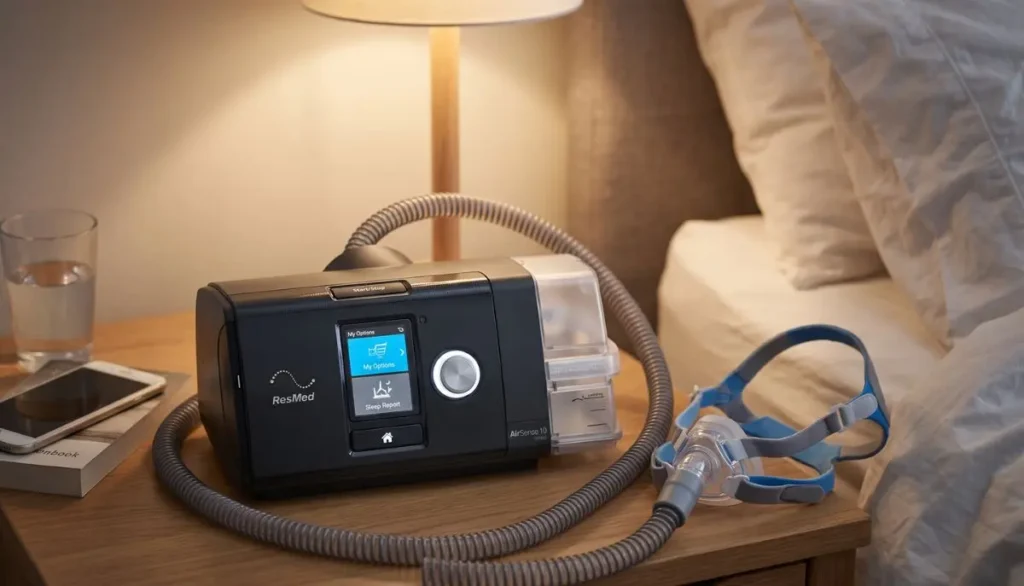
AirSense 10 models have fixed-pressure and AutoSet models. Fixed-pressure CPAP machines will deliver the pressure you set and AutoSet models will self adjust to the pressure set in the treatment range.
The basic system includes:
- AirSense 10 machine
- Power supply and power cord
- Air tubing
- CPAP mask
- Humidifier and water tub, if included with your model
- Air filter
- Optional heated tubing, such as ClimateLineAir
The machine is used to blow air into the tubing and into the mask. If your device has a humidifier, humidifier will help make therapy more comfortable by adding moisture to the air flow.
How to Use AirSense 10 CPAP Machine Step by Step
Learning how to use AirSense 10 CPAP machine becomes much easier when you follow the same routine each night.
Step 1: Place the AirSense 10 on a Stable Surface
First, set the machine on a level, stable surface, close to your bed.
Place it in an area that will circulate air around it. Do not place blankets, clothing or other materials over the machine.
The power outlet should also be within easy reach so the power cord can be safely plugged in.
As part of the set up, ResMed suggests that the device be set up on a stable level surface.
Step 2: Connect the Power Supply
Plug power connector into the back of the AirSense 10.
Next plug the power cord into the power supply and into a suitable electrical outlet.
After giving power to the machine, the display should be available.
Do not use a damaged power cord or damaged electrical parts.
Step 3: Connect the CPAP Tubing
Get your air tubing and firmly connect one end to the air hole on the back of the machine.
The bond needs to be strong, yet not strained.
Connect the second end of the tubing to your CPAP mask set-up.
ResMed’s rapid set-up instructions explicitly advise to attach the tubing securely to the machine and then attach the end of the tubing to the completed mask.
Step 4: Fill the Humidifier, If Your Machine Has One
If the AirSense 10 is with the HumidAir humidifier, either remove or open the water tub as per the user guide.
Fill with water to the max water level mark.
Please do not fill the water tub more than half full. When the humidifier is overfilled it can cause water to enter the machine or tubing.
Close the water tub and insert it into the device.
Humidification can help alleviate some problems experienced by some CPAP users, including a dry nose, dry throat or nasal congestion.
Please use the water recommendations in the user guide for your machine and location.
Step 5: Put on Your CPAP Mask
Make up your mask ahead of time following the instructions in the mask.
Cover nose with the mask (or nose and mouth for face mask)
Fit the mask in a way that it fits and feels comfortable to wear.
One of the common mistakes is to tie it too tightly. If the mask is too tight, it could get uncomfortable and may cause leakages.
Strive for a comfortable fit, but don’t make the straps as tight as possible.
ResMed advises to try out the masks and get comfortable with them before starting routine therapy.
Step 6: Start Your AirSense 10
Therapy can begin once the mask is in place and connected to the tubing and is comfortably seated on the face.
Press the Start/Stop button.
With AirSense 10 setups that are compatible, therapy may start when you inhale through the mask. The exact behavior can differ, depending on your mask and settings, if you have SmartStart enabled.
Therapy will start when the air will be moving through the tubing and the mask.
For most people, the airflow sounds strange the first few nights you use CPAP. Allow yourself some time to get used to the sensation.
Step 7: Use Ramp or AutoRamp for Easier Sleep
Ramp Time is one of the helpful Airsense 10 features.
The machine automatically starts at a lower pressure and climbs towards the target pressure in Ramp. This can be helpful for some to sleep.
Some AirSense 10 models also come with AutoRamp.
If you have trouble falling asleep or have an uncomfortable experience with Ramp or AutoRamp, talk to your healthcare professional, and don’t adjust the clinical pressure setting.
Step 8: Adjust Humidity for Comfort
If you have a humidifier in your AirSense 10, it may be possible to change the humidity in My Options.
Depending on the configuration, ResMed says AirSense 10’s Humidity Level can be adjusted from Off to level 8.
The rule of thumb to use when creating a comfort guide is:
Dry nose or dry mouth: More humidity may be required.
Poorly fitting the mask or tubing: A different tubing or mask may need to be used.
This precipitation is known as “rainout.”
ClimateControl is available to help control the humidity and tube temperature automatically, if ClimateLineAir heated tubing is used. In addition, AirSense 10 setups are compatible and offer a manual Climate Control mode on the ResMed.
Avoid changing the amount of medication pressure you’re on unless you’re advised by a professional.
Step 9: Sleep With the Machine
After starting therapy, attempt to sleep as normal as possible.
Don’t let the tubing become too bent or wrap around your body.
Turn while sleeping, allow the tubing to move as you turn.
Taking time to get used to CPAP therapy can take several nights – or more! This doesn’t necessarily indicate that the treatment isn’t working.
If the mask continues to leak, is painful to wear or interferes with your sleep, reach out to your CPAP supplier or health care professional to assist you in fitting the mask or choosing a different device.
Step 10: Stop Therapy in the Morning
Remove mask when waking up.
Press Start/Stop to end therapy.
With SmartStart/SmartStop on, therapy may be terminated automatically after removing the mask, depending on the device settings. ResMed’s user documentation explains how to stop and restart it manually as well as how to stop it automatically if SmartStart is activated.
Once therapy has been discontinued, check the machine’s sleep report, if available.
The report can provide information such as usage hours and mask seal information.
How to Clean an AirSense 10 CPAP Machine
AirSense 10 CPAP machine knowledge entails also how to maintain the machine.
Cleaning on a regular basis will help maintain your CPAP system.
Pay particular attention to:
- CPAP mask and cushion
- Air tubing
- Humidifier water tub
- Air filter
- Connections and seals
Use the cleaning instructions provided with your machine, mask, tubing and humidifier.
Inspect tubing for cracks, holes or damage on a regular basis. ResMed recommends replacing tubing if it becomes damaged. The manufacturer also suggests air filter replacement every six months or as needed if it becomes dirty or clogged.
The water tub should be checked on a regular basis, too. If the tub is cracked, is leaking, has cloudy water or is damaged, it might need replacing.
What If My AirSense 10 Is Too Loud?
Although the AirSense 10 is designed to operate quietly, sometimes the mask, tubing or connections produce the noise and not the machine.
If you notice unusual noise:
- Check that the tubing is properly connected.
- Inspect the tubing for cracks or holes.
- Check the mask seal.
- Make sure the water tub is correctly installed.
- Check the air filter.
- Contact your equipment supplier if the problem continues.
Do not ignore a sudden change in machine performance or unusual mechanical noise.
What If My Mask Is Leaking?
One of the most frequent complaints of CPAP users is mask leaks.
Always ensure that the mask is properly fitted.
Then slowly increase the headgear. Do not tighten all straps as soon as possible.
Alternatively, the Sleep Report or the mask-seal information can be accessed on compatible AirSense 10 devices.
If the leakage persists you might need to use a different mask size, a different cushion or a different type of mask.
There are various mask styles available for ResMed AirSense 10 systems; compatibility and the correct setting of the machine to use a mask type should be checked for your mask and device.
Can You Track AirSense 10 Therapy?
Most AirSense 10 machines can be connected to ResMed’s digital platform, myAir.
myAir can present information about therapy, as well as a daily score, therapy data, reports, and personalized coaching. Compliant Air10 machines can automatically upload therapy information to myAir.
Monitoring can help you and your health care provider know how often you are using your CPAP machine.
Keep in mind that a score or app report is not a substitute for medical care.
Common Mistakes to Avoid With AirSense 10
When learning how to use AirSense 10 CPAP machine, avoid these common mistakes:
1. Filling the water tub above the maximum line
Excessive water may cause the humidifier and tubing issues.
2. Over-tightening the mask
Excessive water may cause the humidifier and tubing issues.
3. Ignoring mask leaks
Therapy may be uncomfortable if there are small leaks or they become frustrating.
4. Changing prescribed pressure without professional guidance
Your treatment pressure is an integral part of your treatment. Ask your healthcare professional before making clinical setting changes.
5. Forgetting regular cleaning
Mask cushions, tubing, humidifier components, and filters need routine care.
6. Continuing to use damaged equipment
Cracked tubing, damaged seals, or a damaged water tub should be replaced as appropriate.
How to Make AirSense 10 CPAP Therapy More Comfortable
Getting used to CPAP is a process. Be patient with yourself.
Try these simple habits:
- Put your mask on while relaxing before bedtime.
- Practice breathing with the machine while awake.
- Keep your tubing positioned comfortably.
- Use humidification if dryness is a problem.
- Check your mask seal before sleeping.
- Clean your equipment regularly.
- Keep a consistent bedtime routine.
- Talk to your healthcare provider about ongoing problems.
If the discomfort is ongoing, the air leakages are more than normal, breathing is difficult, there is heavy nasal irritation or other issues, reach out to your healthcare professional or CPAP equipment provider.
Final Thoughts: How to Use AirSense 10 CPAP Machine
Learning how to use AirSense 10 CPAP machine is mostly about creating a simple, repeatable nighttime routine.
Place the machine correctly, connect the power and tubing, prepare the humidifier if you use one, fit your mask comfortably, and press Start/Stop to begin therapy. In the morning, stop therapy, remove your mask, and take care of your equipment.
The first few nights may feel different. That is normal for many new CPAP users. With the right mask fit, comfortable humidity, regular cleaning, and consistent use, CPAP can become a much more natural part of your bedtime routine.
At Alfa Healthcare Supply Inc., we understand that choosing and using respiratory equipment can raise practical questions. A qualified medical equipment supplier can help you understand your equipment, replacement supplies, mask options, and everyday CPAP care.
For the most accurate instructions, always refer to the user guide for your exact AirSense 10 model and follow the treatment plan provided by your healthcare professional.
Frequently Asked Questions About How to Use AirSense 10 CPAP Machine
Do I have to use water in my AirSense 10?
If you are using the HumidAir humidifier, water is used for humidification. However, ResMed states that the device can operate without water in the tub when the humidification function is turned off and the water tub is properly inserted.
Follow your specific model’s instructions.
Should I turn on my AirSense 10 before putting on my mask?
You can prepare your mask and connect the tubing first. Once the mask is comfortably fitted, press Start/Stop to begin therapy. Some configurations may support automatic starting when you breathe into the mask.
Why does my AirSense 10 start with low pressure?
If Ramp or AutoRamp is enabled, the machine may begin with lower airflow and gradually increase toward the prescribed treatment pressure.
How often should I clean my CPAP equipment?
Follow the cleaning instructions for your specific AirSense 10, mask, humidifier, and tubing. Regular cleaning is an important part of CPAP equipment care.
Can I change the pressure on my AirSense 10?
Do not change your prescribed therapeutic pressure on your own. If your pressure feels too strong or too weak, speak with your healthcare professional or equipment provider.
Can I use a different CPAP mask with AirSense 10?
Many CPAP masks can be used with AirSense 10 systems, but you should confirm compatibility and the correct mask setting for your particular machine and mask. ResMed provides compatibility information for its masks and AirSense systems.
Medical disclaimer: This article is for general educational purposes and is not a substitute for medical advice, diagnosis, or treatment. If you have questions about your CPAP pressure, symptoms, mask problems, or sleep-apnea treatment, speak with your healthcare professional.