


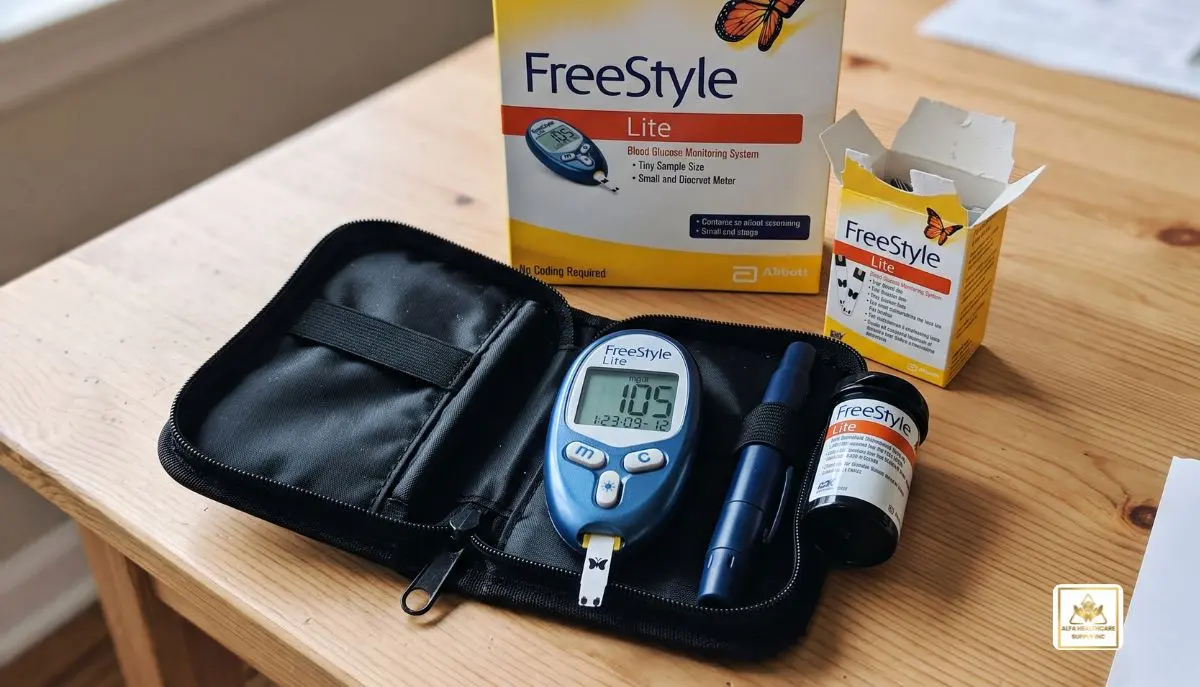
FreeStyle Lite Blood Glucose Monitoring System Instructions:
Using a blood glucose meter properly can make it easier to test blood sugar every day that you have diabetes. The FreeStyle Lite blood glucose monitoring system instructions will guide the user in the preparation, application, reading, and caring for the blood glucose monitoring system.
Abbott’s FreeStyle Lite system is a blood glucose monitoring system designed for the measurement of blood glucose. Abbott offers user manuals for the FreeStyle Lite and other blood glucose meters via its diabetes-care support resources.
At Alfa Healthcare Supply Inc., we know that instructions for medical equipment must be easy to follow and simple to use. This is a basic reference for people who are new to using a FreeStyle Lite meter, or just need a review of how to use it.
Please Note: This article is for educational purposes only and does not substitute for the official instructions or recommendations of the product or your health-care provider. Please follow the instructions provided with your particular meter, test strips and lancing device.
What is the FreeStyle Lite Blood Glucose Monitoring System?
Blood Glucose Meter, FreeStyle Lite, measures blood glucose. The system is compatible with FreeStyle Lite test strips and lancing device.
The meter has a test-strip port, display, buttons and data port. The meter will turn on with a system-check screen when the new test strip is in place.
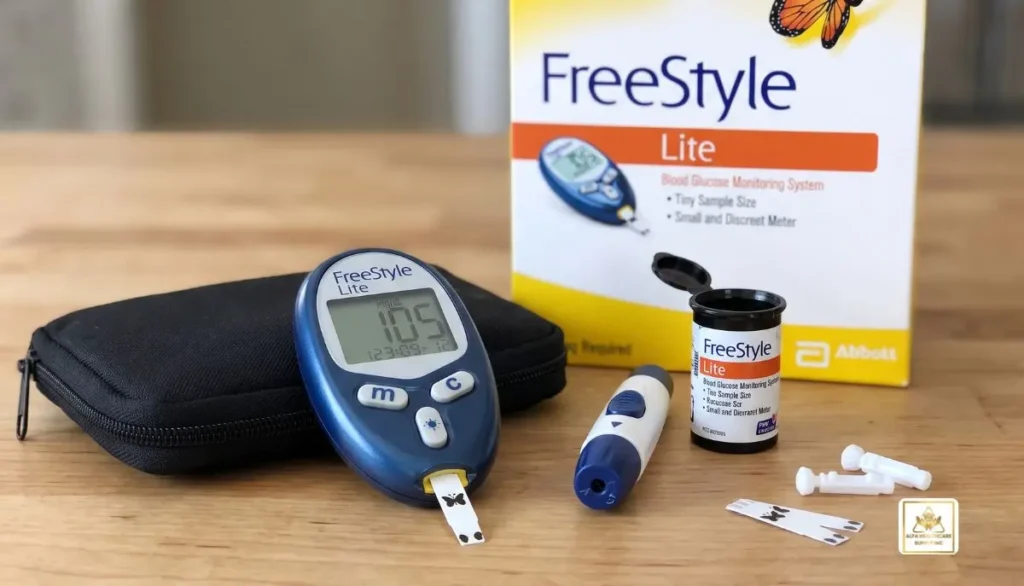
In the instructions for using the FreeStyle Lite blood glucose monitoring system, an important item of advice is to use the right test strips. Abbott’s documentation specifies that only FreeStyle Lite test strips and the correct control solution are compatible with the meter, and other test strips and control solutions might not give accurate readings.
What You Need Before Testing
Before following the FreeStyle Lite blood glucose monitoring system instructions, gather everything you need:
- FreeStyle Lite blood glucose meter
- FreeStyle Lite test strip
- Compatible lancing device
- New lancet
- Clean hands
- A suitable place to perform the test
- Control solution when a control-solution test is required
Ensure that test equipment is clean, dry and stored correctly. Test strips are particularly crucial as they can be impacted by the wrong temperature or dampness.
FreeStyle Lite test strips should be stored as directed by the manufacturer, based on the temperature and storage directions provided with the test strips.
FreeStyle Lite Blood Glucose Monitoring System Instructions:
Step 1 — Prepare Your Hands
First wash hands with soap and water. Thoroughly dry before testing.
When food, moisture, dirt, or other materials are on hands it is less likely that they will affect the sample, therefore clean and dry hands is a key consideration.
When you cannot wash your hands, use the cleaning guidelines recommended by your health care professional and according to the instructions on the product.
With a little extra effort in preparation, testing can be made more comfortable and uniform.
Step 2 — Prepare the Lancing Device
Put in the new lancet as directed on the lancing device.
Follow manufacturer’s instructions and set-up the device for collecting a blood sample.
The lancing procedure may vary from one lancing device to another, so be sure to follow the instructions provided with that specific lancing device.
Step 3 — Insert the FreeStyle Lite Test Strip
If using a new FreeStyle Lite test strip, take it out of the container and if necessary, slam the container closed immediately.
Place the test strip with the right side up into the test-strip slot of the meter.
When the test strip is inserted the meter should illuminate. To confirm that the meter display is OK, the system-check screen will appear when the meter turns on.
If the screen is not displayed or there is an error on the meter, stop testing the device until the troubleshooting information is checked in the appropriate manual.
Step 4 — Obtain a Blood Sample
When the meter indicates that it is ready for a blood sample, use your prepared lancing device.
Follow the instructions for your specific lancing device to obtain a blood drop.
The FreeStyle Lite documentation describes testing from approved blood-sampling sites. However, alternative-site testing can have limitations. For example, the manufacturer’s instructions recommend finger testing when checking for possible low blood glucose or when a person has hypoglycemia unawareness.
If you are unsure which testing site is appropriate for you, ask your healthcare professional.
Step 5 — Apply Blood to the Test Strip
This is one of the most important parts of the FreeStyle Lite blood glucose monitoring system instructions.
Bring the test strip to the blood drop at the recommended angle. The sample area of the strip is designed to draw blood into the strip.
Do not scrape blood across the strip or press the strip against your skin. The instructions describe allowing the test strip to pull the blood into the sample area.
Apply blood only to the appropriate sample area.
The meter will indicate that it has received enough blood and is processing the sample. Depending on the meter version and settings, you may hear a beep or see an indicator on the display.
Step 6 — Wait for the Glucose Result
Once the meter has enough blood, wait for the test to finish.
The glucose result will appear on the display.
The FreeStyle Lite meter displays blood glucose results in the unit configured for the meter, with U.S. versions commonly displaying mg/dL.
Do not make treatment decisions based only on an unexpected number without considering your symptoms and the guidance provided by your healthcare professional.
What If the Reading Seems Wrong?
Sometimes a glucose result may not match how you feel.
If a result seems unusually high or low, first review the testing procedure. Make sure:
- Your hands were clean and dry.
- The test strip was appropriate for the meter.
- The test strip was stored correctly.
- There was enough blood for the test.
- The test was performed according to the manufacturer’s instructions.
When an unusual result is obtained, the FreeStyle Lite documentation recommends repeating the test with a new test strip, if appropriate, especially if the result does not match the symptoms.
If the outcome is still not as expected or you feel unwell, seek medical advice and adhere to it.
FreeStyle Lite Blood Glucose Monitoring System Instructions for LO and HI Results
If the level of glucose is outside of the meter’s measuring range, a special message may appear on the meter.
Always consider a LO or HI reading as a meter problem, unless there is a reason to believe otherwise. Refer to the FreeStyle Lite instructions for your specific model and, if necessary, retest with a new strip.
When using the meter, if you experience symptoms of severe hyperglycemia or hypoglycemia, contact the appropriate medical care and guidance, not just the meter.
How to Use Control Solution
Control solution can be used to check whether the meter and test strips are working together properly.
A control-solution test can be useful when:
- You are using the meter for the first time.
- You open a new package of test strips.
- You suspect the meter or strips may not be working correctly.
- Your results repeatedly do not match how you feel.
- You want to practice the testing procedure.
The control-solution result should fall within the range printed on the test-strip container or supplied documentation.
If the result is outside the expected range, do not assume your blood glucose results are accurate until you identify and resolve the issue.
How to Care for Your FreeStyle Lite Meter
Good meter care can help keep your equipment in usable condition.
Keep the meter away from excessive moisture, dirt, and extreme temperatures. Do not immerse the meter in water.
Clean the meter according to the official manufacturer’s instructions. Avoid using cleaning products or methods that are not approved for the device.
Also remember that the test strips need special care. Keep them in their original container and follow the storage requirements provided with your test strips.
Common Mistakes to Avoid
Understanding what not to do is just as useful as knowing the correct procedure.
Using the Wrong Test Strips
Always check that your strips are specifically intended for your FreeStyle Lite meter.
Applying Blood Before the Meter Is Ready
Do not apply blood until the meter and test strip are ready for the sample.
Touching the Test Area
Avoid unnecessary contact with the sample area of the test strip.
Using Wet Fingers
Water can dilute the blood sample and potentially affect the result. Make sure your hands are completely dry.
Reusing Lancets
Use a new lancet according to the instructions for your lancing device and dispose of used lancets safely.
Ignoring Storage Instructions
Test strips can be sensitive to environmental conditions. Follow the storage requirements on the test-strip packaging.
Understanding the FreeStyle Lite Meter Memory
The meter can store blood glucose results, allowing users to review previous readings. Depending on the model and version, the memory features can include viewing individual results and averages.
This can be helpful when discussing your glucose patterns with your healthcare professional.
Keeping track of your readings may help you and your healthcare team understand how your glucose levels change over time.
FreeStyle Lite Blood Glucose Monitoring System Instructions: Troubleshooting
If the meter does not work as expected, do not immediately assume it is defective.
First check:
- Is the test strip inserted correctly?
- Is the strip compatible with the meter?
- Is the strip damaged?
- Has the strip been stored correctly?
- Is there enough blood?
- Is the battery working?
- Is the meter displaying an error message?
FreeStyle Lite manuals include troubleshooting and error-code information to help users identify common problems.
For an error that you cannot resolve, consult the official Abbott support information or contact the appropriate product support service.
Why Correct Testing Technique Matters
A glucose meter can only provide useful information when it is used correctly.
Something as simple as testing with wet hands, using an unsuitable strip, applying too little blood, or not following the meter’s instructions can create problems.
That is why following the FreeStyle Lite blood glucose monitoring system instructions each time is important.
You do not need to make the process complicated. With practice, the routine can become simple:
Wash → Dry → Insert strip → Obtain blood sample → Apply blood → Wait → Read result → Dispose of used supplies.
FreeStyle Lite Blood Glucose Monitoring System Instructions: Quick Checklist
For everyday reference, here is a simple checklist:
- Wash and dry your hands.
- Prepare the lancing device with a new lancet.
- Remove a compatible FreeStyle Lite test strip.
- Insert the strip into the meter.
- Confirm that the meter is ready.
- Obtain a blood sample.
- Apply the blood to the correct sample area.
- Wait for the meter to display the result.
- Record or review the result if needed.
- Remove the used strip and dispose of used supplies appropriately.
Where Can You Get Diabetes Testing Supplies?
Having the right supplies available makes regular glucose testing easier.
Alfa Healthcare Supply Inc. provides medical and diabetes-related supplies for patients and caregivers. The company serves customers with a range of healthcare supply needs and focuses on making access to everyday medical products more convenient.
When purchasing diabetes testing supplies, always confirm that the product is compatible with your specific meter before ordering.
Final Thoughts
The FreeStyle Lite blood glucose monitoring system instructions are easier to follow when broken into a simple routine. Prepare your hands, insert the correct test strip, obtain a blood sample, apply it correctly, wait for the result, and safely dispose of used testing supplies.
Most importantly, take your time when learning. Accurate glucose monitoring is not about rushing—it is about developing a consistent and careful routine.
For the most accurate and current information, always compare your procedure with the official instructions supplied with your specific FreeStyle Lite meter and test strips. Abbott maintains a dedicated resource for blood glucose monitor user manuals, including FreeStyle Lite documentation.
Alfa Healthcare Supply Inc. is committed to helping patients and caregivers find dependable healthcare supplies and practical information for everyday care.
Frequently Asked Questions
How do I use the FreeStyle Lite blood glucose meter?
Insert a compatible FreeStyle Lite test strip into the meter, prepare a blood sample with your lancing device, and apply the blood to the test strip’s sample area when the meter is ready. Wait for the meter to display the glucose result.
What test strips work with FreeStyle Lite?
Use test strips specifically designed for the FreeStyle Lite meter. Abbott’s documentation recommends using compatible FreeStyle Lite test strips rather than other products.
Can I use wet fingers for a glucose test?
It is best to wash and thoroughly dry your hands before testing. Moisture can interfere with the blood sample and make testing less reliable.
What should I do if my glucose reading seems incorrect?
Review your testing technique and consider repeating the test with a new test strip when appropriate. If the result remains inconsistent with your symptoms, contact your healthcare professional.
Where should I apply blood on a FreeStyle Lite test strip?
Apply the blood to the designated sample area of the test strip while it is inserted in the meter and ready for testing. Do not scrape blood onto the strip or apply it to an incorrect surface.
Can I use alternative testing sites?
Some FreeStyle Lite documentation allows certain alternative blood-sampling sites, but alternative-site testing may not be appropriate in every situation. Finger testing is recommended when testing for possible hypoglycemia or when hypoglycemia awareness is reduced.
How often should I check my blood glucose?
Your testing schedule should be based on your diabetes treatment plan and your healthcare professional’s recommendations. Different people require different testing schedules.