


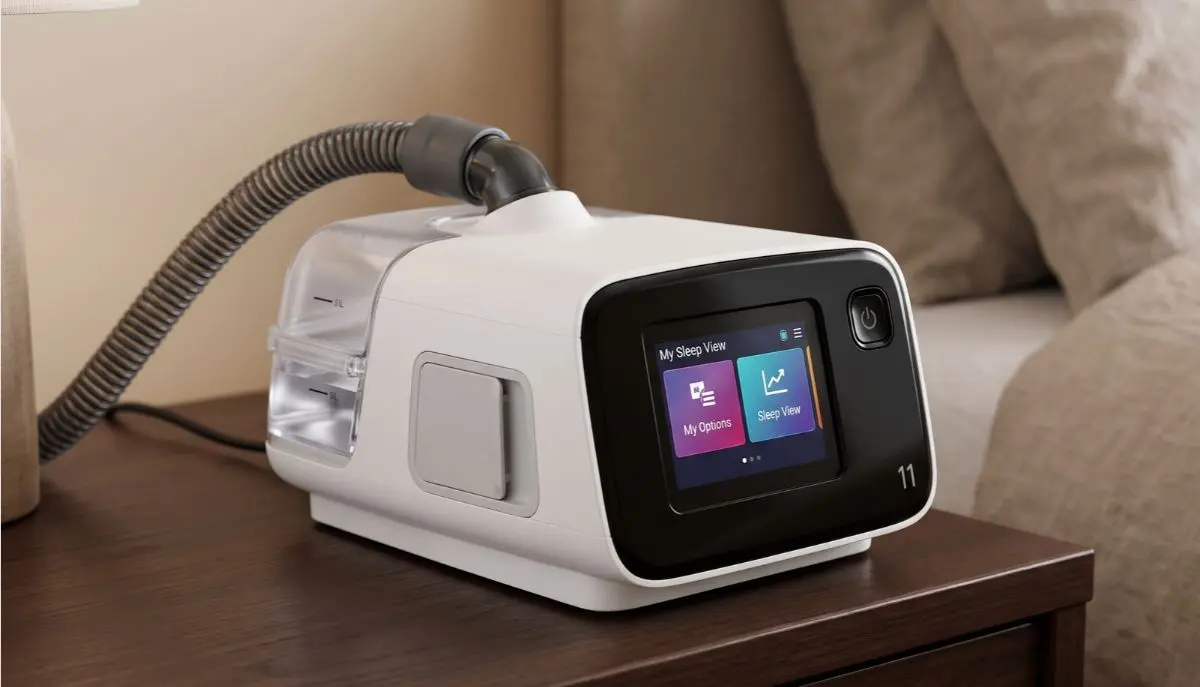
ResMed AirSense 11 AutoSet CPAP Machine:
Starting CPAP therapy can feel unfamiliar at first. You may have questions about connecting the mask, filling the humidifier, choosing comfort settings, and knowing when to start the machine. The good news is that learning how to use your device can become much easier with a clear routine.
If you are searching for resmed airsense 11 autoset cpap machine how to use, this guide explains the essential steps in simple language. Whether you are beginning sleep apnea treatment or helping a family member use a CPAP machine, you will learn how to prepare the equipment, wear the mask, start therapy, and care for the device.
Alfa Healthcare Supply Inc. understands that finding the right medical supplies and learning how to use them correctly are both important parts of home care. This article provides general educational information to help you understand your equipment. Always follow your prescription, the manufacturer’s instructions, and your healthcare professional’s advice.
What is the ResMed AirSense 11 AutoSet CPAP Machine?
The ResMed AirSense 11 AutoSet is an automatic positive airway pressure device designed to treat obstructive sleep apnea. It delivers pressurized air through a tube and mask to help keep the airway open during sleep.
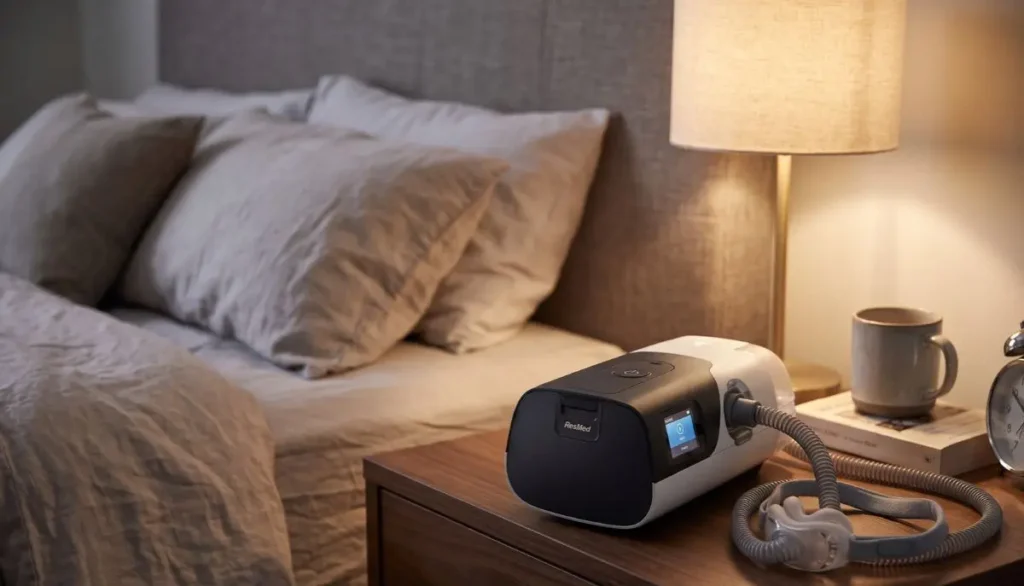
Unlike a fixed-pressure CPAP machine, the AutoSet model can automatically adjust treatment pressure within the limits prescribed by your healthcare professional. The device also includes an integrated HumidAir humidifier, a touchscreen, and access to compatible myAir app features.
The main components include:
- CPAP machine: Produces the airflow used during therapy.
- Humidifier water tub: Adds moisture to the air to help reduce dryness.
- Air tubing: Carries air from the device to your mask.
- CPAP mask: Creates a seal around your nose, or your nose and mouth, depending on the mask style.
- Power supply: Provides electricity to operate the machine.
- Air filter: Helps prevent dust and other particles from entering the device.
Understanding these components is the first step when learning resmed airsense 11 autoset cpap machine how to use it safely and comfortably.
How to Use the ResMed AirSense 11 AutoSet CPAP Machine
Follow the steps below to prepare your device for a typical night of sleep apnea therapy.
Step 1: Place the Machine on a Suitable Surface
Put your AirSense 11 on a stable, level surface near your bed. Choose a location where the machine will not fall, get wet, or be covered by bedding.
Keep the device’s air inlet clear and ensure that the power cord does not create a tripping hazard. When using the humidifier, position the machine below your head level to reduce the risk of water entering the tubing or mask.
Before connecting the equipment, check that the machine, power supply, tubing, and mask appear clean and undamaged.
Step 2: Connect the Power Supply
Connect the approved power supply to the power inlet on the back of the machine. Then connect it to a suitable electrical outlet.
Once the device receives power, the touchscreen should become available. Follow the on-screen instructions if prompted.
Use the manufacturer’s approved power supply and compatible accessories. Do not connect or disconnect equipment with wet hands, and never use a damaged power cord.
Step 3: Fill the Humidifier Water Tub
The integrated humidifier can help make therapy more comfortable by adding moisture to the airflow.
To prepare it:
- Remove the water tub from the machine.
- Open the tub according to the user guide.
- Fill it with the correct type of water for your specific tub.
- Stop at the maximum fill line.
- Close the tub securely and slide it back into the device.
Some AirSense 11 water tubs require distilled water, while certain cleanable tubs may permit drinking-quality water. Check the instructions for your exact tub before filling it.
Never add essential oils, perfumes, or other additives. Do not overfill the tub or use hot water.
If you prefer not to use humidification, follow your device instructions and prescribed treatment plan for operating the machine without the water tub.
Step 4: Attach the Air Tubing
Connect one end of the compatible air tube to the machine’s air outlet. Attach the other end to the appropriate connection on your CPAP mask.
Check both connections to make sure they fit securely. Avoid twisting, sharply bending, or crushing the tubing.
If you use compatible heated tubing, connect it as described in the manufacturer’s instructions. Heated tubing may help manage condensation and can work with supported Climate Control settings.
Correctly connecting the tubing is an essential part of resmed airsense 11 autoset cpap machine how to use without unnecessary air leaks.
Step 5: Fit Your CPAP Mask
Your mask should fit securely without causing pain or excessive pressure on your face.
Common mask styles include:
- Nasal masks: Cover the nose.
- Nasal pillow masks: Rest at the entrance of the nostrils.
- Full-face masks: Cover the nose and mouth.
Choose the mask prescribed or recommended for your therapy and ensure it is compatible with your machine.
To fit the mask, position the cushion correctly, place the headgear over your head, and adjust the straps according to the mask instructions. The cushion should create a comfortable seal without being pulled excessively tight.
If you notice air leaking around your eyes or cheeks, reposition the mask and check the cushion. If leaks continue, ask your equipment supplier or healthcare professional for help with fit.
Keep the mask’s vent openings clear. Do not block them, as they are important for safe breathing during therapy.
Step 6: Review Your Comfort Settings
The AirSense 11 has a touchscreen with a section called My Options. Depending on your configuration, this area may include comfort settings such as humidity and Ramp Time.
Here is what some common features do:
Humidity Level: Adjusts how much moisture the humidifier adds to the airflow. If you experience a dry nose or mouth, ask whether increasing humidity may help. If water collects in the tube or mask, a lower humidity setting or a compatible heated tube may help.
Ramp Time: Starts therapy at a more comfortable pressure and allows it to increase gradually when this feature is enabled. AutoRamp may also use sleep-onset detection, depending on your settings.
Climate Control: With compatible heated tubing, supported automatic settings can help manage humidity and tube temperature.
These features are designed to improve comfort, but they do not replace your prescribed treatment settings. Do not change the therapeutic pressure range, treatment mode, or other clinical settings without guidance from your healthcare professional.
Step 7: Start Your CPAP Therapy
Once the machine is assembled, the humidifier is ready if you are using it, and your mask is fitted, you can begin therapy.
- Sit or lie in a comfortable position.
- Put on your CPAP mask and check the seal.
- Press the Start/Stop button on the device, or use the supported automatic-start feature if it has been enabled.
- Breathe normally through the mask.
- Check for unusual air leaks, discomfort, or problems with the airflow.
The machine will deliver air according to its configured treatment settings. With AutoSet mode, pressure can adjust automatically within the prescribed range.
If breathing against the airflow feels unfamiliar, give yourself time to adjust. Your healthcare professional or equipment supplier may be able to help you use supported comfort features or practise with the mask.
Step 8: Use the Machine Consistently While Sleeping
For the best chance of benefiting from CPAP therapy, use your machine whenever you sleep, including naps, unless your healthcare professional advises otherwise.
It can take time to become comfortable with a mask. You may need to try a different size or style if the current one causes discomfort or repeated leaks.
Try to develop a simple bedtime routine:
- Clean your face and fit the mask.
- Check the tubing and mask connections.
- Confirm that the humidifier is ready if you use it.
- Start therapy and settle into a comfortable sleeping position.
- If you wake during the night, check whether your mask has shifted.
Consistent use helps you and your care team assess how well your treatment is working.
Step 9: Stop Therapy in the Morning
When you wake up, press the Start/Stop button to end therapy if automatic stopping is not enabled or preferred.
Remove your mask carefully and disconnect it from the tubing if needed for cleaning. Empty the humidifier tub, following the cleaning instructions for your equipment.
Check the mask cushion, tube, and water tub for moisture, dirt, or visible damage. Allow cleaned parts to dry fully before reassembling them.
A consistent morning routine helps keep your equipment ready for the next night.
How to Use the Humidifier for Better Comfort
Dryness and condensation are two common concerns for new CPAP users. The humidifier can help make airflow feel less dry, but the right setting varies from person to person.
If you wake up with a dry nose or mouth, review your humidity settings and mask fit. Mouth leaks can also contribute to dryness, so increasing humidity may not solve every problem.
If you find water droplets inside the tube or mask, this is often called rainout. Consider adjusting the humidity or temperature settings supported by your equipment. A compatible heated tube may also help.
Always use the type of water specified for your water tub, and never add scented products or oils.
How to Clean and Maintain Your AirSense 11
Regular cleaning helps keep your equipment in good condition. Follow the cleaning schedule and instructions supplied with your specific machine, mask, and tubing.
Daily Care
- Empty the humidifier water tub.
- Clean and dry the mask cushion according to its instructions.
- Inspect the equipment for visible dirt, moisture, or damage.
Weekly Care
- Disconnect the machine from power before cleaning components.
- Wash compatible tubing and washable mask parts with warm water and mild detergent.
- Clean the humidifier tub according to the manufacturer’s instructions.
- Rinse washable parts thoroughly and let them air-dry away from direct sunlight and heat.
- Wipe the outside of the machine with a dry cloth.
Do not immerse the machine or power supply in water. Do not use harsh chemicals or unapproved ozone-cleaning devices. Check the air filter regularly and replace it as directed; the filter itself should not be washed unless the instructions for your particular replacement explicitly allow it.
Regular maintenance is an important part of learning resmed airsense 11 autoset cpap machine how to use it for long-term home therapy.
Common AirSense 11 Problems and Simple Checks
The Mask Is Leaking Air
Check the cushion position, headgear adjustment, and tubing connections. Facial hair, sleeping position, or the wrong mask size may affect the seal. Ask your supplier about a different mask size if leaks continue.
The Air Feels Too Dry
Review the humidity setting and check for mouth leaks. If dryness continues, speak with your healthcare professional or equipment supplier before making significant changes.
Water Is Collecting in the Tube
Check the humidifier and temperature settings. Make sure you are using compatible tubing and follow the manufacturer’s recommendations for condensation.
The Machine Does Not Turn On
Confirm that the power supply is connected properly and that the outlet works. Inspect the cord for damage. Do not open the machine or attempt internal repairs.
Therapy Feels Uncomfortable
A mask that fits poorly, nasal congestion, or difficulty adjusting to pressure can make therapy challenging. Contact your healthcare professional or equipment supplier for support. Do not change prescribed pressure settings on your own.
Can You Track Your CPAP Therapy?
The AirSense 11 can work with the ResMed myAir app, subject to device compatibility, regional availability, connectivity, and setup requirements.
The app may provide information about your therapy, including usage and mask-related feedback, along with educational guidance. These tools can help you understand your routine and identify issues to discuss with your care team.
However, an app score alone cannot confirm that your sleep apnea is fully controlled. Continue attending follow-up appointments and share persistent symptoms or concerns with your healthcare professional.
Safety Tips for New CPAP Users
Keep these important points in mind when learning resmed airsense 11 autoset cpap machine how to use it:
- Use the device only as prescribed for your diagnosed condition.
- Do not change clinical pressure settings without professional guidance.
- Use compatible masks, tubing, filters, and power supplies.
- Keep air inlets and mask vents unobstructed.
- Disconnect power before cleaning the machine or its components.
- Keep the machine away from water and excessive heat.
- Contact your healthcare professional if you continue to experience significant discomfort, persistent symptoms, or problems with therapy.
If you experience severe breathing difficulty, chest pain, or another medical emergency, seek urgent medical care rather than relying on your CPAP device to resolve the problem.
Final Thoughts: ResMed AirSense 11 AutoSet CPAP Machine
Learning to use a CPAP machine is a process, and it is normal to have questions during the first few nights. Taking time to connect the equipment correctly, find a comfortable mask fit, manage humidification, and follow a cleaning routine can make home therapy easier to maintain.
If you are looking for guidance on resmed airsense 11 autoset cpap machine how to use, remember that correct setup and consistent use go hand in hand. Follow your prescribed treatment plan, keep your equipment clean, and ask for professional help when you experience persistent leaks, discomfort, or other concerns.
Alfa Healthcare Supply Inc. aims to help customers find medical supplies that meet their needs. For product information and CPAP supply assistance, visit Alfa Healthcare Supply Inc. and explore the available resources.
Frequently Asked Questions: ResMed AirSense 11 AutoSet CPAP Machine
1. How do I start the ResMed AirSense 11 AutoSet?
Connect the power supply, attach compatible tubing and your mask, prepare the humidifier if needed, and put on the mask. Press the Start/Stop button to begin therapy using your prescribed settings.
2. Do I need to add water every night?
If you use the humidifier, check the water level before each session and refill it as needed. Empty and clean the tub according to the manufacturer’s instructions. Use the correct type of water for your specific tub.
3. Can I use the AirSense 11 without a humidifier?
The machine has an integrated humidifier, but operating configurations may vary. Follow the user guide for your exact model and water-tub arrangement to determine the correct setup when humidification is not being used.
4. How many hours should I use my AirSense 11?
Use CPAP whenever you sleep, including naps, unless your healthcare professional gives different instructions. Your individual treatment needs and follow-up plan determine how your therapy should be monitored.
5. How do I adjust the pressure on my AirSense 11 AutoSet?
The machine automatically adjusts pressure within its prescribed range when operating in AutoSet mode. Pressure ranges and clinical settings should be managed by your healthcare professional, not changed casually through the touchscreen.
6. How often should I clean the mask and tubing?
Clean the mask cushion as directed, typically daily, and clean the tubing and other washable components regularly, commonly weekly. Follow the instructions for your particular mask, humidifier tub, and machine.
7. What should I do if I cannot tolerate the mask?
Check the fit and strap adjustment, and consider whether the mask style is suitable for you. Your equipment supplier or healthcare professional can help you explore other compatible options and comfort settings.
Medical disclaimer: This article is for general educational purposes only. It does not replace the ResMed user guide, a sleep specialist’s advice, or individualized medical instructions. Treatment settings and equipment requirements should be confirmed with a qualified healthcare professional.