


When Should You Replace Your AirFit P10 Nasal Pillows?
CPAP mask components experience regular contact with facial oils, moisture, and everyday handling. With time, the material may become worn or lose its ability to maintain a comfortable seal.
ResMed recommends regular inspection and replacement of mask components according to their condition and the applicable replacement schedule. According to the general guidelines, it is recommended to replace the nasal pillows up to twice a month, depending on the situation. Your supplier’s recommendations and insurance coverage may differ.
Look for these common signs:
- Visible wear: The silicone looks damaged, stretched, or discolored.
- Frequent air leaks: Air escapes around the nostrils even after you check the mask fit.
- Reduced comfort: The pillows feel less comfortable than they did when new.
- Persistent buildup: The pillows remain dirty despite proper cleaning.
- Difficulty maintaining a seal: You repeatedly need to reposition the mask during the night.
A leak can have several causes, including incorrect positioning, loose headgear, or a worn mask component. Replacing the pillow may help if the pillow is damaged, but it will not necessarily solve every mask-fit problem.
How to Replace the ResMed AirFit P10 Nasal Pillow
Replacing the nasal pillows is a straightforward maintenance task when you follow the manufacturer’s instructions.
Step 1: Prepare Your Mask
Turn off your CPAP machine and disconnect the mask from the machine tubing as appropriate. Place the mask on a clean, dry surface so you can handle the components easily.
Step 2: Remove the Old Nasal Pillows
Carefully remove the existing nasal pillows from the mask frame using the method described in your AirFit P10 user guide. Avoid pulling forcefully on the frame or tubing.
Step 3: Check the Replacement Size
Before installing the resmed airfit p10 nasal pillow replacement medium, confirm that the packaging identifies the correct size and that the component is intended for your particular mask.
For the standard AirFit P10, ResMed has listed the medium nasal pillow under part number 62932. Verify the manufacturer’s part number against the product you intend to order.
Step 4: Install the New Pillows
Position the replacement pillows according to the fitting instructions. ResMed’s design uses a key-clip connection to make assembly easier. Ensure that the pillows are seated securely and oriented correctly.
Step 5: Check the Fit
Place the mask on your face and make sure the pillows sit comfortably at the nostril openings. Both pillows should be positioned upright and fit securely.
Step 6: Test Before Sleeping
Reconnect the mask and tubing, then start your CPAP machine according to its instructions. Check for unusual leaks or discomfort before settling down for the night.
If the mask continues to leak or feels uncomfortable, review the fit instructions or ask your equipment supplier for help.
How to Clean and Maintain Your Nasal Pillows
Regular cleaning helps remove facial oils, dirt, and residue that can affect mask comfort. A simple daily routine can also help you notice damage before it becomes a bigger problem.
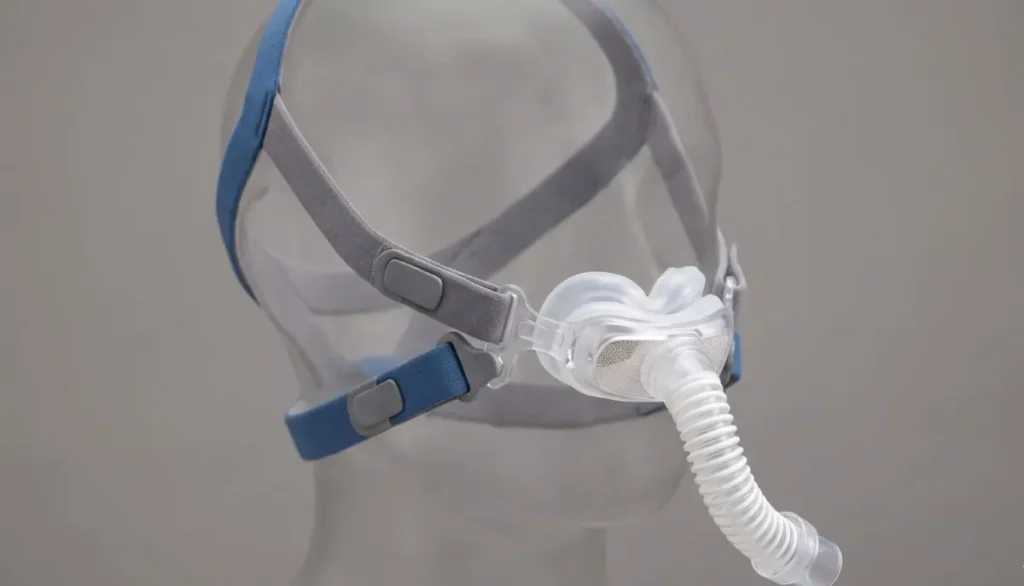
Follow these care tips for the resmed airfit p10 nasal pillow replacement medium:
- Remove the nasal pillows from the frame according to the manufacturer’s instructions.
- Gently wash the pillows using lukewarm water and a mild liquid soap.
- Pay attention to the small openings and areas that contact your skin.
- Rinse thoroughly with clean water to remove all traces of soap.
- Allow the parts to air-dry, away from direct sunlight.
- Inspect the pillows before reinstalling them.
Avoid harsh cleaning chemicals and abrasive tools. Do not use ozone-based cleaning devices unless ResMed specifically approves their use for your equipment; consult the manufacturer’s instructions before choosing any cleaning method.
Clean your mask daily or after every use, following the instructions provided in the user guide. It is especially important to keep the nasal pillows clean, as facial oils can interfere with the mask’s seal.
Common Fit Problems and How to Address Them
Even when you choose the correct replacement size, you may need to make small adjustments to achieve a comfortable fit.
Air Leaks Around the Nose
Check that the nasal pillows are upright and correctly positioned. Make sure the mask frame is assembled properly and the headgear is not excessively loose.
Do not overtighten the headgear to compensate for leaks. Excessive tension can cause discomfort and may make the seal less reliable.
Soreness Around the Nostrils
Persistent soreness may indicate that the pillows are not fitting properly, the mask is overtightened, or your skin needs attention. Check the sizing and positioning, and speak with your healthcare professional if the problem continues.
The Mask Moves During Sleep
Check the headgear for stretching and make sure the mask frame is fitted correctly. If movement continues, your supplier can help determine whether you need a different size or another mask style.
Difficulty Finding the Correct Size
The medium size is not automatically right for every user. If your existing medium pillows are uncomfortable, compare the available sizes using the manufacturer’s fitting guide. Ask your equipment supplier or sleep-care professional for assistance if needed.
How to Choose the Right Replacement Product
Before ordering a replacement, take a moment to confirm a few important details.
- Mask model: Make sure you use a compatible ResMed AirFit P10 system.
- Pillow size: Select medium only if it is the correct size for your fit.
- Part number: Check that the listing and packaging identify the appropriate replacement component.
- Package contents: Confirm whether the purchase includes only the nasal pillows or additional mask components.
- Condition of other parts: Inspect the frame and headgear to determine whether they also need replacement.
- Insurance requirements: Check with your supplier or insurance provider about coverage and replacement frequency.
One important detail: the standard AirFit P10 and the AirFit P10 for AirMini are not interchangeable in every configuration. The AirMini version has specific system requirements, so confirm compatibility before purchasing a replacement.
Taking these steps can help you avoid ordering the wrong component and make your regular CPAP maintenance easier.
Why Shop at Alfa Healthcare Supply Inc.?
Choosing a dependable medical supply provider can make it easier to find the replacement components you need for your ongoing care routine.
Alfa Healthcare Supply Inc. provides medical supply products for patients and caregivers. When looking for a resmed airfit p10 nasal pillow replacement medium, check the product listing for the correct model, size, and package details before placing an order.
Our website, Alfa Healthcare Supply Inc., is a starting point for exploring available medical supplies. If you are uncertain whether a replacement fits your mask, contact the supplier before ordering.
A little attention to compatibility can help you make a more informed purchase and avoid unnecessary delays.
Final Thoughts: When Should You Replace Your AirFit P10 Nasal Pillows?
A well-maintained CPAP mask can make your nightly therapy routine more comfortable and manageable. Replacing worn nasal pillows, cleaning the mask regularly, and checking the fit can help you maintain your equipment properly.
The resmed airfit p10 nasal pillow replacement medium may be a suitable choice if you use a compatible AirFit P10 mask and medium is the correct size for you. Before ordering, verify the model, part number, and package details.
At Alfa Healthcare Supply Inc., we encourage patients and caregivers to make informed choices when selecting medical supplies. If you are unsure about fit or compatibility, consult your equipment supplier or healthcare professional before purchasing.
Frequently Asked Questions: When Should You Replace Your AirFit P10 Nasal Pillows?
1. What is a ResMed AirFit P10 nasal pillow replacement medium?
It is a medium-size replacement nasal pillow component for a compatible ResMed AirFit P10 nasal pillows mask. It replaces the existing pillow when the component becomes worn or needs to be changed.
2. What is the part number for the AirFit P10 medium nasal pillows?
ResMed lists part number 62932 for the medium nasal pillows. Always verify the part number and compatibility with the product listing before ordering.
3. How often should I replace my AirFit P10 nasal pillows?
Replacement frequency depends on wear, cleanliness, and your supplier’s recommendations. ResMed’s general guidance lists nasal pillows for replacement as often as twice a month, depending on condition. Insurance schedules may differ.
4. Can I replace the nasal pillows without buying a new mask?
Yes. If your mask frame and headgear are still in good condition, you may be able to replace only the nasal pillows. Confirm that the replacement is compatible with your existing mask.
5. How do I know whether medium is the correct size?
The pillows should fit securely at the entrance of your nostrils without painful pressure. If the fit is uncomfortable or you experience frequent leaks, review the manufacturer’s sizing guide or ask your equipment supplier for help.
6. How should I clean the medium nasal pillows?
Wash them gently with warm water and mild liquid soap, rinse thoroughly, and allow them to air-dry away from direct sunlight. Follow the official instructions for your specific mask.
7. Will new nasal pillows automatically stop air leaks?
Not necessarily. Worn pillows can contribute to leaks, but incorrect positioning, stretched headgear, or other fit problems can also be responsible. Check the complete mask fit if leaks continue.
8. Are standard AirFit P10 nasal pillows compatible with AirMini?
Do not assume that every AirFit P10 configuration is interchangeable with the AirMini-specific system. Check the manufacturer’s compatibility instructions for your exact mask and device.
9. What should I check before buying a replacement?
Confirm the mask model, medium size, part number, package contents, and any applicable prescription or insurance requirements. Contact the supplier if you are unsure about compatibility.
10. Where can I find medical supplies from Alfa Healthcare Supply Inc.?
Visit Alfa Healthcare Supply Inc. to explore available products and review the relevant product information. Confirm availability and specifications before ordering.
Medical information note: This article provides general product and equipment-maintenance information. It does not replace the manufacturer’s instructions or individualized advice from your healthcare professional.
ResMed AirFit N20 Cushion Large:
Selecting the right CPAP mask cushion is crucial to having a comfortable night’s sleep. If your existing cushion doesn’t feel comfortable, leaks or is showing wear, you might need to replace it to get a better fit for your mask. Resmed airfit n20 cushion large is an alternative to the resmed airfit n20 nasal mask cushion for the users who are in need of a large-sized cushion.
The idea at Alfa Healthcare Supply Inc. is to make things easy and convenient for you to find the right CPAP supplies. You’ll discover what the large cushion is for, how to test to ensure mask fit, the proper ways to clean the mask, and indications that it’s time for a replacement.
It can help you decide which option is right for you, and how to take care of your equipment.
What is the ResMed AirFit N20 Cushion Large?
The resmed airfit n20 cushion large is a replacement silicone cushion for the ResMed AirFit N20 nasal CPAP mask. The cushion is located around the nose and acts as the contact point between the face and the mask.
The machine blows air through the mask to keep your airways open during sleep during CPAP therapy. The correct fit cushion will facilitate that airflow to the designated path, and will minimize air leaks.
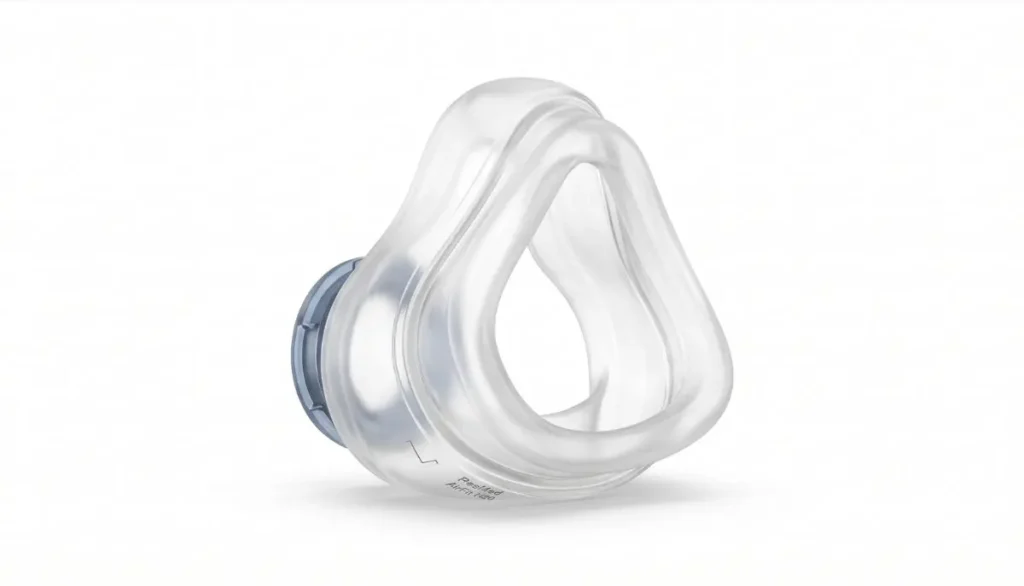
ResMed’s AirFit N20 features a silicone cushion called the InfinitySeal that provides flexibility to ensure a steady seal during CPAP therapy at various pressure levels.
AirFit N20 comes three sizes: Large, small, and medium. It is essential to choose a suitable size as if the cushion is too small or too large, it can lead to reduced comfort, leakage, and impact overall mask performance.
Product details at a glance
- Product: ResMed AirFit N20 replacement cushion
- Size: Large
- Material: Silicone
- Product type: Replacement CPAP nasal mask cushion
- Compatible mask: ResMed AirFit N20
- Also compatible with: ResMed AirFit N20 for Her mask systems, where the cushion size is appropriate
- Purpose: To provide the mask’s facial seal during CPAP therapy
Always confirm the exact mask model and replacement part before ordering.
Why Choose the ResMed AirFit N20 Cushion Large?
If the mask cushion is worn out or ill-fitting, there may be discomfort during CPAP use. Replacing just the cushion may be an easy and inexpensive way to replace the mask if the rest of the mask is still in good shape without having to purchase a new mask.
Below are some of the reasons why users may find the resmed airfit n20 cushion big.
1. Designed for a Secure Seal
The soft silicone cushion fits around the nose to ensure a comfortable fit. It fits securely to reduce air leaks while you’re using CPAP.
But both the correct size of cushion and the correct adjustment of the mask play important roles. Not all users can use a large cushion to get a good seal.
2. Soft Silicone Contact
Silicone cushion gently envelops your nose. Regular cleaning and routine checks can help keep it comfortable and ensure a proper fit.
If this persistent redness, soreness or discomfort continues, see how the mask fits and consult your sleep expert or equipment supplier.
3. Replaceable Design
If the cushion is worn out, you might not have to replace the mask as a whole. Designed to replace in the compatible ResMed AirFit N20 mask frame.
You don’t have to replace any components of the equipment that are still usable, and you’ll only replace the cushion.
4. Supports Your Regular CPAP Routine
A properly fitted cushion can help you maintain your prescribed CPAP routine more comfortably and consistently. Before going to bed, take a moment to check your mask and clean it regularly to keep your equipment in good condition.
How to Know If You Need the Large Cushion Size
When replacing a cushion, it’s crucial to get the right size. The ResMed AirFit N20 Cushion Large is intended for those users whose facial size and mask fitting instructions suggest that the larger size will be more appropriate for the mask.
Consider these practical steps:
- Check your current cushion. If your existing AirFit N20 cushion fits comfortably and seals well, confirm its size before ordering.
- Use the official sizing guide. ResMed provides a sizing template to help users identify the appropriate cushion size.
- Check the fit around your nose. The cushion should sit securely without excessive pressure, folding, or obvious gaps.
- Look for repeated air leaks. Leaks may indicate an incorrect size, poor positioning, worn silicone, or headgear that needs adjustment.
- Ask for professional guidance if unsure. Your CPAP equipment provider or sleep specialist can help you assess the fit.
Remember that facial shape and individual comfort vary. The best size is the one that fits correctly according to the manufacturer’s guidance.
ResMed AirFit N20 Cushion Large vs. Medium and Small
The AirFit N20 cushion is available in three sizes. Understanding the differences can help you select the appropriate replacement.
Small Cushion
The small cushion is designed for users who are in the small size. It might work for individuals with a smaller nasal region, but it should be properly fitted with the help of sizing guide.
Medium Cushion
The medium cushion is designed for those whose measurements are in the medium range. If one’s present medium cushion feels good, one might want to use the same size cushions.
Large Cushion
The resmed n20 cushion large is designed to be used by those who need a large size based on the sizing guide of the mask. It gives an alternative fit profile to the small and medium variants.
If the cushion is too small it will feel constricting or not cover the area that is supposed to be covered. If it’s too big, it will either not fit properly or become separated. The headgear should not be tightened to solve either of these problems.
Use ResMed’s official sizing template for the most reliable sizing, rather than making educated guesses.
How to Replace the ResMed AirFit N20 Cushion Large
Replacing the cushion is generally straightforward. Follow the instructions in the user guide for your exact mask model.
Step 1: Remove the Mask
Turn off your CPAP machine and remove the mask according to the manufacturer’s instructions. Place it on a clean surface.
Step 2: Detach the Old Cushion
Hold the mask frame securely and gently pull the old cushion away from the frame. Avoid using sharp tools or excessive force that could damage the frame.
Step 3: Inspect the Mask Frame
Check the frame for cracks, damage, or other visible wear. If any component appears damaged, consult your equipment provider before using the mask again.
Step 4: Fit the New Cushion
Take your replacement cushion and align it with the mask frame. Press it into place according to the AirFit N20 assembly instructions. The cushion is shaped to fit the frame in the correct orientation.
Step 5: Check the Assembly
Make sure the cushion is seated evenly and securely. Reconnect the other mask components if you removed them.
Step 6: Test the Fit
Put the mask on and adjust the headgear according to the user guide. Connect the tubing and start the CPAP machine. Check for unusual leaks and make sure the cushion sits comfortably around your nose.
If the mask continues to leak or feels uncomfortable, review the fit and sizing before tightening the straps further.
How to Clean the ResMed AirFit N20 Cushion Large
Regular cleaning helps remove facial oils, dirt, and residue that can affect the cushion’s condition and seal.
ResMed’s guidance for the silicone AirFit N20 cushion includes daily cleaning.
Follow these general steps:
- Remove the cushion from the mask frame if required by the cleaning instructions.
- Wash it in warm water with a mild liquid detergent.
- Gently clean the surface without stretching or damaging the silicone.
- Rinse thoroughly with clean, drinking-quality water.
- Inspect the cushion for remaining residue.
- Allow it to air-dry away from direct sunlight before using it again.
Avoid harsh cleaning chemicals, strong solvents, and products that are not approved for your equipment. Follow the official instructions for cleaning the rest of the mask as well.
Never use a cushion that remains wet, visibly damaged, or contaminated with cleaning residue.
When Should You Replace Your AirFit N20 Cushion?
The condition of your cushion is an important part of CPAP equipment maintenance. ResMed’s published replacement guidance recommends replacing the AirFit N20 silicone cushion approximately once a month, although individual replacement needs may vary.
Consider replacing your cushion if you notice:
- Visible tears, cracks, or other damage.
- Silicone that has become worn or deformed.
- Persistent air leaks despite correct fitting.
- A cushion that no longer sits securely in the frame.
- Discoloration or buildup that does not come off with proper cleaning.
- A noticeable decline in comfort or mask performance.
Do not wait for a scheduled replacement date if the cushion becomes damaged or stops fitting correctly. Follow your equipment provider’s advice and any applicable replacement schedule.
AirFit N20 Cushion vs. AirTouch N20 Cushion
The AirFit N20 and AirTouch N20 are related mask systems, but their cushions use different materials.
The AirFit N20 uses a silicone cushion, while the AirTouch N20 uses a memory foam cushion. ResMed states that the compatible N20 frame design allows the AirTouch N20 memory foam cushion to be used with the AirFit N20 system.
Even so, make sure you understand which replacement you are buying.
If you prefer a silicone cushion that can be washed according to the manufacturer’s daily-cleaning instructions, the resmed airfit n20 cushion large may be the appropriate choice when the large size fits your mask.
If you are considering memory foam instead, check the AirTouch N20 product details and its different care instructions before purchasing.
Common Problems and Helpful Tips
Air Leaks Around the Nose
Check that the cushion is correctly positioned and seated in the frame. Review the size and headgear adjustment. Persistent leaks may require professional fitting assistance.
Red Marks or Skin Irritation
Excessive strap tension, incorrect sizing, or prolonged pressure may contribute to discomfort. Clean the cushion as directed and review the fit. Seek advice from a healthcare professional if irritation continues.
Cushion Keeps Coming Loose
Inspect the frame and cushion for damage and confirm that the cushion is fully seated. Replace damaged components as needed.
Reduced Comfort During Sleep
Check for wear, residue, incorrect positioning, and headgear tension. If the problem continues, ask your equipment provider whether a different cushion size or mask style may be suitable.
Where to Buy the ResMed AirFit N20 Cushion Large
When purchasing a replacement, confirm the manufacturer, model, size, and compatibility before placing your order.
Alfa Healthcare Supply Inc. provides medical supplies and home healthcare products. You can visit the Alfa Healthcare Supply website to explore available products and check whether the ResMed AirFit N20 large cushion is currently listed.
Before completing your purchase, verify:
- The product is the AirFit N20 silicone cushion.
- The selected size is large.
- The cushion is compatible with your existing mask.
- The listing clearly identifies the replacement part.
- The current price, shipping information, and return policy meet your needs.
Product availability and pricing may change, so confirm these details directly with the supplier. If the item is not listed, contact Alfa Healthcare Supply Inc. to ask about availability.
Conclusion: ResMed AirFit N20 Cushion Large
A properly fitted CPAP cushion is an important part of a comfortable and reliable sleep therapy routine. The resmed airfit n20 cushion large is a replacement option for users whose AirFit N20 mask requires the large silicone cushion.
Choosing the correct size, cleaning the cushion regularly, checking for damage, and replacing worn parts can help you maintain your equipment. You do not need to replace the entire mask when only the cushion requires replacement, provided the other components remain in good condition.
For your next replacement, confirm the size and compatibility before ordering. Visit Alfa Healthcare Supply Inc. to explore available medical supplies and check current product availability.
Medical information note: This article provides general product information and is not a substitute for medical advice. Follow the manufacturer’s instructions and consult your healthcare provider or CPAP equipment supplier if you have ongoing mask leaks, discomfort, or questions about your therapy.
Frequently Asked Questions: ResMed AirFit N20 Cushion Large
1. What is the ResMed AirFit N20 Cushion Large?
It is a replacement silicone cushion designed for the ResMed AirFit N20 nasal CPAP mask. The large size is intended for users whose measurements correspond to that size.
2. Is the large cushion compatible with the AirFit N20 for Her?
The AirFit N20 cushion system offers interchangeable sizes, but you should verify the specific mask model and sizing requirements before ordering. The large cushion is not the standard size supplied with every version of the mask.
3. How often should I replace my AirFit N20 cushion?
ResMed’s published guidance recommends replacing the silicone cushion approximately once a month. Replace it sooner if it becomes damaged or no longer fits correctly.
4. Can I clean the AirFit N20 large cushion every day?
Yes. The silicone cushion should be cleaned daily according to the manufacturer’s instructions. Use mild liquid detergent and warm water, rinse thoroughly, and let it air-dry away from direct sunlight.
5. How do I know if I need a large cushion?
Use the official ResMed sizing template and check the fit of your current mask. If you experience repeated leaks or discomfort, consult your equipment provider rather than automatically choosing a larger size.
6. Can I replace only the cushion instead of buying a complete mask?
Yes, if the existing mask frame and other components remain in good condition and the replacement cushion is compatible with your mask.
7. Is the AirFit N20 cushion made from silicone or memory foam?
The AirFit N20 cushion is made from silicone. The related AirTouch N20 cushion uses memory foam, so check the product description carefully before buying.
8. Where can I find the ResMed AirFit N20 Cushion Large?
Visit Alfa Healthcare Supply Inc. to review its product catalog or contact the supplier to confirm current availability, pricing, and compatibility.
9. What should I do if my new cushion still leaks?
Check that it is correctly installed, the size is appropriate, and the headgear is adjusted according to the user guide. If leaks continue, seek assistance from your CPAP equipment provider.
10. Do I need a prescription to buy a replacement cushion?
Requirements can depend on the supplier, location, and applicable rules. Check with the seller before purchasing.
Introduction: Replacement Cushion for N20 Medium
A well-fitting, comfortable CPAP mask can greatly improve your sleep quality and help you enjoy a more restful night. If you use a ResMed AirFit N20 nasal mask, you may notice over time that the cushion is no longer as soft, air begins to leak, or it simply isn’t as comfortable as it once was. Such changes may indicate that it is time for a replacement.
Choosing the correct cushion for your medium-sized N20 mask helps ensure a comfortable fit without replacing the entire CPAP mask system. The medium replacement cushion is intended for users who require a medium size and is compatible with the ResMed AirFit N20 mask frame. It comes in three sizes: small, medium, and large.
At Alfa Healthcare Supply Inc., we aim to make finding the right medical supplies easy and convenient. In this guide, you’ll learn about the N20 medium cushion, when to replace it, how to install a new cushion, and how to care for it to maintain comfort and performance
Whether you are replacing a part for the first time or performing routine maintenance on your existing CPAP equipment, this article will help you make the right decision.
What is a Replacement Cushion for N20 Medium?
A replacement cushion is the soft component of a CPAP nasal mask that rests against your nose. It helps create a comfortable seal between the mask and your face, allowing air from your CPAP machine to flow effectively during sleep.
The ResMed AirFit N20 features a flexible silicone cushion designed to provide a secure fit while you sleep.It comes in three sizes: small, medium, and large.
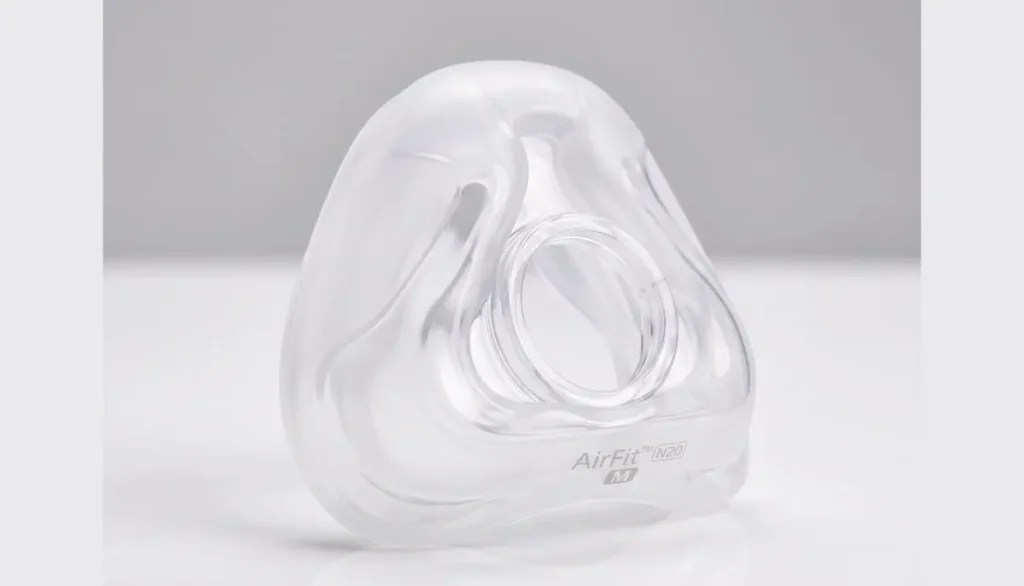
The Replacement Cushion for N20 Medium is designed for users who already use a medium-sized ResMed AirFit N20 nasal mask and need to replace their existing cushion due to regular wear, damage, or reduced sealing performance.
Instead of purchasing an entire mask system, you can simply replace an old or worn-out cushion while continuing to use the rest of the mask components, provided they are still in good condition.
Key Product Features
- Medium size: Intended for users who require the medium AirFit N20 cushion.
- Soft silicone material: Designed to provide a soft, comfortable contact surface against the face.
- Replaceable design: Allows you to replace the cushion separately without needing to purchase an entirely new mask system.
- Designed for a nasal mask: Covers the nose rather than the mouth.
- Easy Installation: Designed to fit securely into the compatible mask frame for simple replacement.
- Reliable Mask Seal: Helps maintain a proper seal when the cushion is correctly positioned and fitted.
These features make the replacement cushion a convenient choice for users who want to continue using their existing CPAP equipment.
Why Replace Your AirFit N20 Medium Cushion?
During sleep, your CPAP mask cushion is regularly exposed to facial oils, moisture, and movement. Over time, these factors can cause the cushion to wear out, making it harder to maintain a comfortable and secure seal.
Here are some key signs that indicate it may be time to replace your cushion.
1. Air Leaks Around the Mask
If you feel air escaping from the sides of your nose, it could be because the cushion is worn out, positioned incorrectly, or is the wrong size. Replacing a damaged cushion might help, but first, check whether it is fitted properly and if the headgear is adjusted correctly.
2. Visible Wear and Tear
Regularly inspect your cushion for cracks, tears, misshapen areas, or damage to the sealing surface. If you notice any damage, replace the cushion instead of attempting to repair it.
3. Reduced Comfort
If the cushion is not sitting properly or comfortably on your nose, it may require attention. Skin irritation can also occur due to straps being too tight, an incorrect size, or other issues related to the mask fit.
If your current cushion has worn out, replacing it with a new one may help; however, if the problem persists, further investigation is needed.
4. Regular Equipment Maintenance
According to ResMed’s guidelines, the AirFit N20 cushion should be replaced approximately once a month. This is a general recommendation, not a guarantee that every cushion will wear out at the same rate. Follow the instructions provided with your mask and heed the advice of your equipment supplier.
Replacing the cushion at the recommended intervals helps maintain your equipment’s performance and condition.
How to Choose the Correct N20 Medium Replacement Cushion
Before purchasing a replacement cushion for N20 Medium, make sure to verify your current mask model and cushion type to ensure compatibility.
Check Your Existing Mask
Check the product information or packaging for the name ‘ResMed AirFit N20’. Do not rely solely on appearance, as different ResMed mask models may look similar.
Confirm the Size
If your current AirFit N20 cushion is marked ‘Medium’ and fits well, then choosing a new ‘Medium’ sized cushion is generally a good place to start.
However, if you frequently experience air leaks from your mask or have difficulty wearing it, it may be worth re-evaluating how it fits. A ‘Medium’ cushion is not necessarily the best choice for everyone.
Distinguish AirFit N20 From AirTouch N20
Before purchasing, it’s important to understand the difference between the two cushions.
The AirFit N20 features a silicone cushion, while the AirTouch N20 uses a memory foam cushion. According to ResMed, the cushions are interchangeable within the N20-compatible frame; however, you should verify the correct model and compatibility before completing your purchase.
If you prefer the original silicone design, ensure that you select the AirFit N20 cushion—be careful not to accidentally order a replacement for the AirTouch N20 instead.
How to Replace Your N20 Medium Cushion
Replacing the cushion is generally straightforward. Follow these steps to remove the old component and install the new one.
Step 1: Remove Your Mask
Turn off your CPAP machine and, if necessary, detach the mask from the air tubing. Remove the mask from your face and place it in a clean spot.
Step 2: Remove the Old Cushion
Hold the mask frame firmly. Gently pull the existing cushion away from the frame until it detaches.
Avoid using sharp tools or applying excessive force, as doing so could damage the frame.
Step 3: Inspect the Frame
Check the frame for cracks, damage, or any residue (such as dirt). If the frame is damaged, simply replacing the cushion may not resolve the issues with your mask.
Step 4: Prepare the New Cushion
Remove the new medium cushion from its packaging. Before attaching it, ensure that it is the correct model and size.
Step 5: Attach the Replacement Cushion
Align the cushion with the mask frame and press it into place according to the manufacturer’s assembly instructions. The AirFit N20 frame is designed so that the cushion can only be fitted in the correct orientation.
Check that the cushion is seated evenly and is securely attached.
Step 6: Reconnect and Check the Fit
Reconnect the mask to the tubing and put it on according to the instructions provided in the user guide. Adjust the headgear so that the mask fits securely, but ensure it is not too tight.
Turn on your CPAP machine and check for any air leaks. If air continues to leak from the mask or if you experience difficulty wearing it, refer back to the fitting instructions and seek assistance from your equipment provider or a healthcare professional.
How to Clean and Maintain Your N20 Cushion
Proper care can help keep your cushion clean and in good condition.
Clean It Regularly
For the AirFit N20 silicone cushion, ResMed recommends daily cleaning. Remove the cushion as instructed, wash it using a mild liquid detergent and lukewarm water, rinse thoroughly, and allow it to air dry away from direct sunlight.
Follow the manufacturer’s current instructions regarding the appropriate temperature, cleaning methods, and products that can be used.
Avoid Harsh Cleaning Products
Do not use harsh household cleaners, abrasive materials, or any other products that could damage the silicone. Before reassembling the mask, always thoroughly rinse off any detergent residue.
Store It Properly
Keep the cushion in a clean, dry place away from direct sunlight, excessive heat, and potential damage.
Inspect It Before Use
Check the cushion for tears, deformation, soiling, or any other visible damage. If its condition deteriorates or it no longer seals properly, replace it.
Keep in mind that cleaning and replacement serve different purposes. Even a thoroughly cleaned cushion will eventually need to be replaced.
Benefits of Buying a Replacement Instead of a Complete Mask
When the cushion is the only worn component, purchasing a compatible replacement may be more practical than replacing the entire mask.
Potential benefits include:
- Convenience: You can replace the worn part without changing your complete mask setup.
- Less waste: Keeping compatible, undamaged components in use can reduce unnecessary disposal.
- Familiar fit: You can continue using a mask frame and headgear that already work well for you.
- Routine maintenance: A replacement helps you address cushion wear as part of regular CPAP care.
These benefits depend on the condition of your existing equipment. If the frame, headgear, or other components are also damaged, additional replacements may be necessary.
Where to Find a Replacement Cushion for N20 Medium
If you are looking for a replacement cushion for n20 medium, start by confirming the exact product name, size, and compatibility with your current mask.
Alfa Healthcare Supply Inc. provides medical supplies and durable medical equipment products. Visit the website to explore available CPAP products and related supplies:
Website: https://alfahealthcaresupplyinc.com/
Before placing an order, ensure that the product listing specifically mentions the ‘Medium AirFit N20 cushion.’ Check the website for current availability, pricing, shipping details, and other terms of purchase.
If the specific item is not listed, contact the supplier to inquire about its availability and any compatible alternatives. Do not assume that a different nasal mask cushion will fit your existing frame.
Common Problems and Helpful Solutions
My New Cushion Still Leaks. What Should I Do?
Check that the cushion is positioned correctly and that the mask sits properly on your nose. Avoid overtightening the headgear. If leakage persists, check your size and seek assistance from your equipment provider.
Can I Reuse the Old Cushion?
You may continue using the cushion as long as it remains suitable for use according to the manufacturer’s instructions. However, do not use a cushion that is damaged, worn out, or unable to form a proper seal.
Does a New Cushion Come With the Complete Mask?
A replacement cushion is typically a separate component, rather than the entire mask system. Read the product details carefully to see exactly what it includes.
Can I Use a Medium Cushion if My Mask Currently Uses a Small Size?
Do not change the size simply because a different size is available. Choose a cushion based on a proper fit and the manufacturer’s sizing guidance. If your current size is causing issues, consult your equipment provider or a healthcare professional for assistance.
Final Thoughts
Caring for your CPAP mask is an essential part of a consistent sleep therapy routine. When your current cushion begins to show signs of wear, you don’t need to replace the entire system; instead, you can simply select the appropriate replacement cushion to continue using your familiar, trusted mask.
Before purchasing a replacement cushion for the N20 (medium size), be sure to verify your mask’s model and size. Additionally, confirm whether you require the silicone ‘AirFit N20’ cushion or the memory foam ‘AirTouch N20’ version.
Alfa Healthcare Supply Inc. aims to help customers find medical supplies tailored to their specific needs. Please read the product information carefully, follow the manufacturer’s care instructions, and consult a professional if you experience persistent leaks, discomfort, or difficulty achieving a proper fit.
Frequently Asked Questions
1. What Is a Replacement Cushion for N20 Medium?
It is a medium-sized replacement component for a compatible ResMed AirFit N20 nasal CPAP mask. It replaces the cushion that rests against the nose and helps create the mask seal.
2. How Often Should I Replace My AirFit N20 Cushion?
ResMed generally recommends replacing the AirFit N20 cushion monthly. Replace it sooner if it becomes damaged or deteriorated, and follow your provider’s recommendations.
3. Is the Medium Cushion Compatible With the AirFit N20 Mask?
Yes. The medium cushion is designed for the compatible AirFit N20 mask system. Always confirm the model and size before ordering.
4. Is the AirFit N20 Cushion Made From Silicone?
Yes. The standard AirFit N20 cushion uses silicone. The AirTouch N20 is a different version that uses memory foam.
5. Can I Replace the Cushion Without Buying a New Mask?
Yes, if your existing mask frame and other components are compatible and remain in good condition. A replacement cushion allows you to maintain your existing mask setup.
6. How Do I Know if My Cushion Needs Replacing?
Look for tears, deformation, visible deterioration, persistent leaks, or a decline in comfort. Check the mask fit as well, because leaks do not always mean the cushion needs replacement.
7. How Should I Clean the AirFit N20 Cushion?
Wash the silicone cushion using warm water and mild liquid detergent according to the manufacturer’s instructions. Rinse it thoroughly and allow it to dry away from direct sunlight.
8. Where Can I Purchase an N20 Medium Replacement Cushion?
Visit Alfa Healthcare Supply Inc. at https://alfahealthcaresupplyinc.com/ to explore its available medical supplies. Confirm the exact model, size, current stock, and product details before purchasing.
Medical disclaimer: This article is for general educational purposes only and is not a substitute for professional medical advice. Follow your CPAP manufacturer’s instructions and consult your healthcare professional about persistent mask problems or concerns with your therapy.
ResMed AirFit P10 How to Use:
Starting CPAP therapy can feel unfamiliar, especially when you are learning how to wear a new mask. You may wonder how to position the nasal pillows, adjust the headgear, prevent air leaks, or clean the mask after sleeping. The good news is that the ResMed AirFit P10 is designed with a simple, lightweight structure that makes daily use easier.
If you are searching for resmed airfit p10 how to use, this guide explains the process in clear, simple steps. Whether you are using the mask for the first time or replacing an older CPAP mask, learning the correct fitting and cleaning methods can help you maintain comfort during your prescribed sleep therapy.
At Alfa Healthcare Supply Inc., we understand that choosing and using medical equipment can raise questions. Our goal is to help you understand your CPAP supplies so you can follow your healthcare provider’s instructions with greater confidence.
What is the ResMed AirFit P10?
The ResMed AirFit P10 is a nasal pillows CPAP mask designed to deliver pressurized air from a compatible CPAP or bilevel device. Instead of covering the nose and mouth, it uses two soft nasal pillows that sit at the entrance of the nostrils.
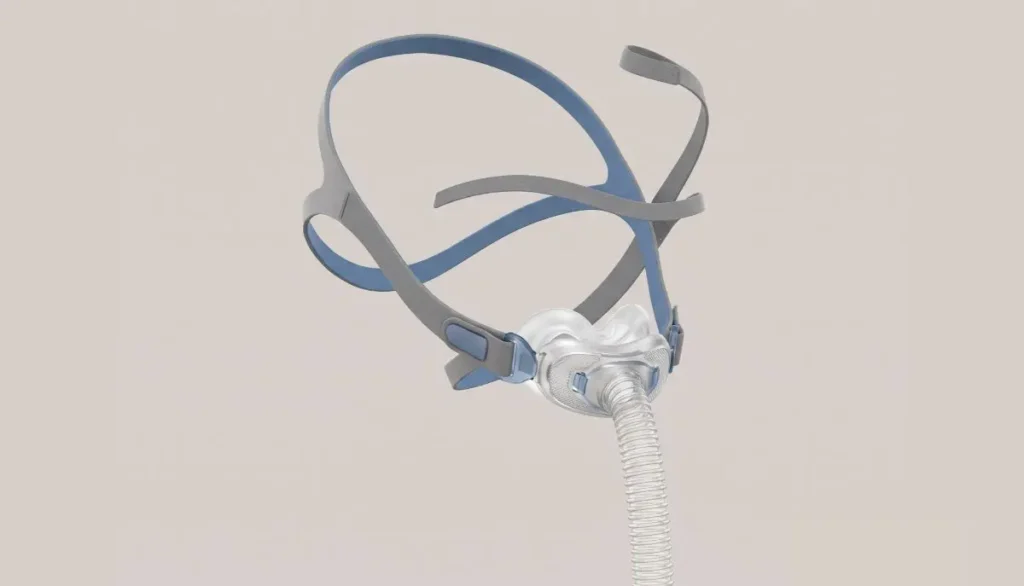
Its lightweight design and minimal facial coverage make it an option for people who prefer a less bulky mask. The AirFit P10 also features elastic headgear and a vent system that disperses exhaled air.
Before learning resmed airfit p10 how to use, remember that this mask is intended for people who have been prescribed positive airway pressure therapy. Your healthcare provider can help determine whether a nasal pillows mask is appropriate for your needs.
What Comes With the ResMed AirFit P10?
The standard AirFit P10 mask system has three main components:
- Nasal pillows: These soft parts rest at the entrance of your nostrils and create the seal.
- Mask frame and tubing: These components connect the nasal pillows to the CPAP air tubing.
- Headgear: The elastic straps hold the mask in position while you sleep.
The standard mask package commonly includes small, medium, and large nasal pillows, although the included sizes may vary by model or package. The AirFit P10 for Her may include extra-small, small, and medium sizes.
Check your product packaging and user guide to confirm the components supplied with your specific mask.
ResMed AirFit P10 How to Use: Step-by-Step Instructions
Putting on the AirFit P10 becomes easier with practice. Follow these steps each evening, while also following the instructions supplied with your mask and CPAP machine.
Step 1: Choose the Correct Nasal Pillow Size
Before wearing your mask, make sure the nasal pillows fit your nostrils properly. The correct size should feel secure without causing uncomfortable pressure.
A pillow that is too small may not create a reliable seal, while one that is too large may feel uncomfortable or irritate the nostrils.
Try the available sizes according to the manufacturer’s fitting instructions. Choose the size that sits comfortably and maintains a good seal. Do not assume that the smallest size will always be the most comfortable.
Step 2: Position the Mask Correctly
Hold the mask near your nose. Check the left and right orientation markings and the pillow-size indicator so the nasal pillows are positioned correctly.
Place the two pillows gently at the entrance of your nostrils. They should sit upright and securely without being forced deeply into your nose.
Correct positioning is an important part of resmed airfit p10 how to use because poorly positioned pillows can cause discomfort or air leaks during therapy.
Step 3: Put on the Headgear
Hold the lower elastic strap and gently stretch it around the back of your head. The upper strap should rest comfortably over the crown of your head.
Make sure the straps are not twisted. The mask should stay in place without pulling tightly against your nostrils.
The AirFit P10 is designed to slip on and off easily. If your particular version includes an adjustment buckle, use it to make small changes to the fit.
Step 4: Reseat the Nasal Pillows
Once the headgear is in place, gently move the mask away from your face and then bring it back toward your nose. This helps the nasal pillows settle into a comfortable position.
Check that both pillows remain upright and that the mask does not pull to one side.
Avoid overtightening the headgear to solve a fitting problem. A comfortable, well-positioned mask is generally preferable to one that presses firmly against the face.
Step 5: Connect the Mask to Your CPAP Machine
Connect the mask tubing to the compatible CPAP air tubing according to the equipment instructions. Check that the connection is secure and that the tubing is not twisted or pinched.
Make sure your CPAP machine is set up according to your healthcare provider’s directions. Do not change your prescribed pressure settings on your own.
Step 6: Turn on the Machine and Check the Fit
Start your CPAP therapy using the machine’s normal operating instructions. Breathe naturally and check how the mask feels.
Look for these signs of a comfortable fit:
- The nasal pillows remain in place.
- You do not feel uncomfortable pressure inside your nostrils.
- The mask does not pull strongly against your nose.
- Air is not escaping around the nasal pillows.
- The headgear stays in position without feeling excessively tight.
The AirFit P10 has intentional vent openings that release exhaled air. A gentle flow from the vent is normal; do not block these openings.
If air leaks occur elsewhere, turn off the machine if necessary, reposition the pillows, and check the connections. Persistent leaks may require a different pillow size or professional fitting assistance.
Tips for Comfortable AirFit P10 Use During Sleep
Learning resmed airfit p10 how to use involves more than putting the mask on. Small habits can make your nightly routine more comfortable.
Keep your face clean. Facial oils can affect the seal, so wash your face before putting on the mask.
Avoid excessive strap tension. Tightening the headgear too much can create pressure and discomfort. Adjust it only as needed to maintain a comfortable fit.
Position the tubing carefully. Keep the air tubing free from twists and avoid pulling it in a way that shifts the mask.
Check your sleeping position. If the mask moves when you turn onto your side, adjust your pillow or tubing position without tightening the straps excessively.
Allow time to adjust. If you are new to CPAP therapy, the sensation of pressurized air may take some getting used to. Follow the acclimation advice given by your sleep specialist.
If you regularly experience nasal irritation, dryness, persistent leaks, or difficulty tolerating the mask, contact your healthcare provider or sleep therapist for advice.
How to Clean the ResMed AirFit P10
Regular cleaning removes facial oils, dirt, and residue that can affect the mask seal. It also helps keep the equipment in good condition.
ResMed recommends daily cleaning of the nasal pillows, frame, and mask tubing, along with weekly cleaning of the headgear. Always check the instructions for your exact model.
Daily Cleaning
- Disconnect the mask from the CPAP equipment as directed in the user guide.
- Separate the nasal pillows, frame, and mask tubing according to the manufacturer’s instructions.
- Wash the components gently by hand in warm water, approximately 86°F (30°C), using mild liquid soap.
- Pay attention to the nasal pillows and vent openings.
- Rinse the parts thoroughly with clean, drinking-quality water.
- Leave the components to air-dry away from direct sunlight.
- Reassemble the mask only after all parts are completely dry.
Do not use harsh cleaning products, strong fragrances, or unapproved cleaning devices. Avoid blocking or damaging the vent openings.
Weekly Headgear Cleaning
Wash the headgear by hand using warm water and mild soap. Rinse it thoroughly and allow it to air-dry away from direct sunlight.
Avoid using excessive heat to dry the elastic straps because it may damage the material or affect the fit.
Common ResMed AirFit P10 Problems and Solutions
Even when you understand resmed airfit p10 how to use, you may need to make small adjustments as you become familiar with the mask.
Problem 1: Air Leaking Around the Nose
Possible cause: The pillows may be the wrong size, incorrectly positioned, or not seated properly.
What to do: Reseat the pillows, check the left and right orientation, and try another size if appropriate. If the leak continues, ask your healthcare provider or equipment supplier about a fitting assessment.
Problem 2: Soreness or Irritation in the Nostrils
Possible cause: The pillows may be too large, the headgear may be too tight, or the skin may be reacting to friction.
What to do: Recheck the pillow size and loosen the headgear if necessary. Persistent soreness, broken skin, or pain should be discussed with your healthcare provider.
Problem 3: The Mask Slips Off During Sleep
Possible cause: The straps may be too loose, stretched, twisted, or incorrectly positioned.
What to do: Reposition the upper and lower straps and inspect the headgear for wear. Replace damaged components when needed rather than relying on excessive tightening.
Problem 4: The Mask Feels Uncomfortable
Possible cause: You may need time to adjust, or the nasal pillows may not suit your facial shape or breathing needs.
What to do: Check the fit and speak with your sleep therapist if discomfort continues. A different mask style may be worth discussing.
Problem 5: Airflow Seems Restricted
Possible cause: The tubing may be kinked, the mask may not be assembled correctly, or the vent may be obstructed.
What to do: Check the tubing and connections, and clean the mask according to the manufacturer’s instructions. Never block the vent openings. If you still cannot breathe comfortably or suspect equipment failure, stop and seek appropriate medical or equipment support.
When Should You Replace AirFit P10 Parts?
CPAP mask components gradually wear out through regular use, cleaning, and exposure to facial oils. Nasal pillows may become discolored, lose their shape, or stop sealing properly. Headgear may stretch, and the frame or tubing may show signs of damage.
Inspect your mask regularly and follow the replacement schedule recommended by your supplier, insurer, and manufacturer. Replace parts sooner if they become damaged or cannot maintain a reliable seal.
When ordering replacement nasal pillows, make sure they are compatible with your specific AirFit P10 model and select the appropriate size. Not every ResMed nasal pillow or mask component is interchangeable.
Where Can You Find CPAP Supplies?
If you need replacement CPAP mask components or other home medical equipment, Alfa Healthcare Supply Inc. provides medical supply resources for patients and caregivers.
Visit Alfa Healthcare Supply Inc. to explore available products and contact the supplier with questions about product compatibility, availability, and ordering requirements.
Before purchasing a replacement, confirm the exact mask model, pillow size, and component you need. If your prescription, insurance plan, or supplier has specific requirements, verify those details before ordering.
Final Thoughts: ResMed AirFit P10 How to Use
Learning resmed airfit p10 how to use can make your nightly CPAP routine easier and more predictable. Start with the correct nasal pillow size, position the headgear properly, check the seal, and connect the mask to your compatible CPAP equipment. Clean the components regularly and replace worn parts when necessary.
Most importantly, comfort should not come at the expense of proper therapy. If you experience ongoing leaks, discomfort, or breathing difficulties, ask your healthcare provider for help rather than changing your prescribed settings yourself.
Alfa Healthcare Supply Inc. is a resource for patients and caregivers looking for medical supplies and compatible CPAP accessories. Choosing the right components and caring for them properly can help you maintain a consistent equipment routine.
Frequently Asked Questions: ResMed AirFit P10 How to Use
1. How do I put on the ResMed AirFit P10 correctly?
Position the nasal pillows at the entrance of your nostrils, check the left and right markings, and pull the headgear over your head. Rest the upper strap on the crown and the lower strap behind your head. Reseat the pillows gently, connect the mask to your CPAP tubing, and start therapy as directed.
2. Should the AirFit P10 nasal pillows go deep inside my nose?
No. The pillows should sit comfortably at the entrance of your nostrils. Do not force them deeply into your nose. If they cause pressure or soreness, check the size and fit.
3. How tight should the AirFit P10 headgear be?
The headgear should hold the mask securely without pulling excessively on your nostrils. Avoid overtightening. Small adjustments and correct pillow positioning can often improve the seal.
4. How often should I clean my ResMed AirFit P10?
Clean the nasal pillows, frame, and mask tubing daily according to the manufacturer’s instructions. Wash the headgear weekly and allow all components to dry completely before use.
5. Why does my AirFit P10 leak air?
Leaks can occur when the nasal pillows are the wrong size, are not positioned correctly, or have become worn. Check the fit, inspect the components, and seek help if leaks continue.
6. Can I use the AirFit P10 with any CPAP machine?
Not necessarily. Compatibility depends on the specific mask and device. The standard AirFit P10 and AirFit P10 for AirMini are different configurations. Check the official compatibility information and your equipment instructions before connecting the mask.
7. Can I replace only the nasal pillows?
Replacement nasal pillows may be available separately for compatible AirFit P10 models. Confirm the correct replacement part and size before ordering.
8. What should I do if I cannot get a comfortable fit?
Recheck the pillow size, orientation, and strap position. If you continue to experience leaks, pain, skin irritation, or difficulty tolerating therapy, contact your sleep therapist or healthcare provider for a fitting assessment.
Introduction: How to Remove AirFit N20 Cushion
Keeping your CPAP mask clean is an important part of maintaining a comfortable sleep routine. If you use the ResMed AirFit N20 nasal mask, you may occasionally need to remove its cushion for cleaning, inspection, or replacement. Fortunately, the process is straightforward when you know which parts to hold and how to release them.
If you have been searching for how to remove airfit n20 cushion, this guide will walk you through the process in simple steps. You will learn how to disconnect the mask components, remove the cushion without unnecessary force, clean the parts, and put everything back together correctly.
At Alfa Healthcare Supply Inc., we understand that maintaining CPAP equipment can feel confusing at first. Our goal is to help you understand your equipment so you can care for it with greater confidence.
What is the ResMed AirFit N20 Cushion?
The ResMed AirFit N20 is a nasal CPAP mask designed to deliver pressurized air through a cushion that rests around your nose. The cushion creates a seal between the mask and your skin to help reduce unwanted air leaks during sleep.
The cushion is a separate component of the mask. This means you can remove it for regular cleaning and replace it when it becomes worn, damaged, or difficult to fit properly.
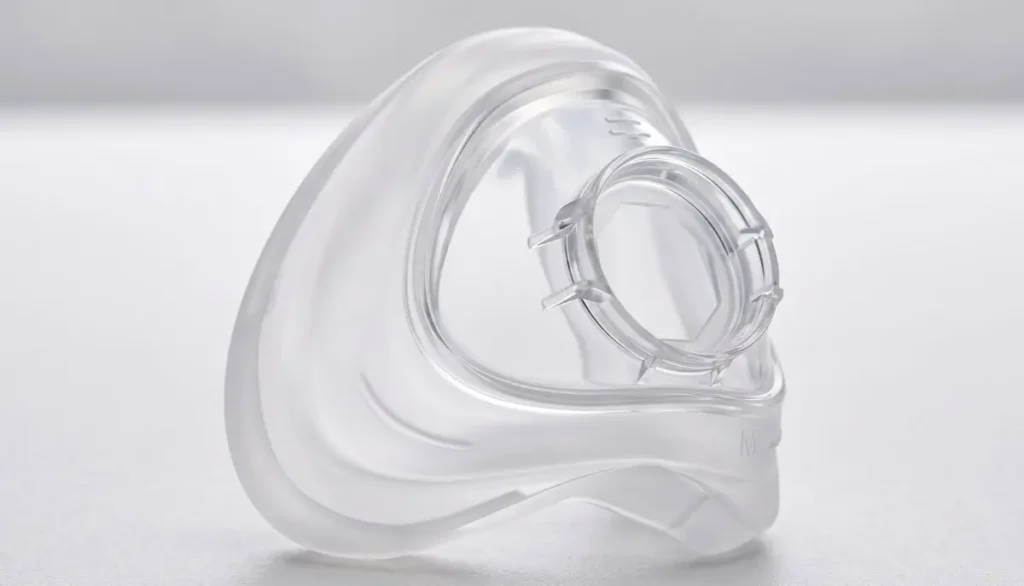
Learning how to remove airfit n20 cushion correctly helps you maintain your mask without pulling unnecessarily on the silicone cushion or the surrounding frame.
Before starting, remember that the AirFit N20 is different from full-face masks such as the AirFit F20. Make sure you are following instructions for your exact mask model.
How to Remove AirFit N20 Cushion: Step-by-Step Instructions
Follow these steps to remove the cushion safely. These instructions are based on the manufacturer’s AirFit N20 disassembly guidance.
Step 1: Turn Off Your CPAP Machine
Before disassembling the mask, turn off your CPAP machine. Disconnect the machine’s air tubing from the short tube attached to the mask.
Place the mask on a clean, flat surface with enough room to work comfortably. If you are removing the cushion for cleaning, washing your hands first is also a good idea.
Starting with the machine disconnected helps prevent you from pulling on the tubing while handling the mask.
Step 2: Remove the Mask Elbow
The elbow is the connector that attaches the mask frame to the short tube. On the AirFit N20, it has a quick-release connection.
Press the buttons on the sides of the elbow and gently pull it away from the mask frame.
Set the elbow aside. Avoid twisting the connector aggressively or pulling on the tubing itself.
Removing this component gives you better access to the remaining parts of the mask.
Step 3: Release the Upper Headgear Straps
Next, locate the fastening tabs on the upper headgear straps. Undo these tabs and carefully pull the straps out of the slots in the mask frame.
You do not need to remove every headgear component to take off the cushion, but separating the upper straps can make the mask easier to handle during a complete cleaning.
ResMed recommends keeping the magnetic clips attached to the lower headgear straps during disassembly. This can make reassembly easier because you can distinguish the upper and lower straps.
Step 4: Hold the Mask Frame Firmly
This is the most important part of learning how to remove airfit n20 cushion.
Hold the mask frame securely, placing your thumb over the side slot as described in the manufacturer’s instructions. Support the frame with your other fingers.
Make sure you are holding the frame itself rather than squeezing or pulling the soft silicone cushion.
A stable grip helps prevent the lightweight frame from bending or slipping while you remove the cushion.
Step 5: Gently Pull the Cushion Away
With the frame held securely, gently pull the silicone cushion away from the frame.
The cushion should separate from its fitted position. Use controlled pressure rather than sudden force.
If the cushion feels stuck, stop and check that you are holding the correct components. Reposition your hands and try again gently. Do not use sharp tools, screwdrivers, or other objects to pry the cushion loose.
Once the cushion has been removed, inspect it for visible damage, residue, or changes in shape.
Important: The goal is to separate the cushion from the frame without stretching, tearing, or distorting the silicone.
What Should You Do After Removing the Cushion?
Once you understand how to remove airfit n20 cushion, you can clean the separate components or prepare to install a replacement.
Clean the Cushion Properly
For routine cleaning, follow the instructions supplied with your AirFit N20. ResMed recommends cleaning the cushion with warm, drinking-quality water and a mild liquid detergent.
A practical cleaning routine includes:
- Place the cushion in warm water with mild liquid detergent.
- Gently rub the surface to remove facial oils and residue.
- Use a soft-bristle brush if needed and appropriate for the component.
- Rinse thoroughly to remove all detergent.
- Inspect the cushion for remaining residue.
- Leave it to air-dry away from direct sunlight.
Do not use harsh chemicals or cleaning products that may damage the cushion or leave unwanted residue. Avoid reassembling the mask while its components are still wet.
Inspect the Cushion for Damage
After cleaning, examine the cushion carefully.
Look for:
- Tears, cracks, or small holes.
- Silicone that appears stretched or misshapen.
- Areas that feel unusually stiff or sticky.
- Persistent residue that does not come off with normal cleaning.
- Signs that the cushion no longer fits securely in the frame.
A damaged cushion may affect comfort and the mask seal. If you notice deterioration, consider replacing the cushion with a compatible part.
How to Reinstall the AirFit N20 Cushion
After cleaning or obtaining a replacement, you will need to put the cushion back into the mask frame.
Step 1: Check the Cushion and Frame
Make sure both components are clean and completely dry. Check that the frame is not cracked and that the cushion has no visible damage.
If you are using a replacement cushion, confirm that it is intended for the ResMed AirFit N20 or the compatible AirFit N20 for Her mask.
Step 2: Align the Cushion
Position the cushion against the frame and align its shape with the frame opening.
The AirFit N20 frame is shaped so that the cushion fits in the correct orientation. Avoid forcing it into place if the edges do not line up.
Step 3: Press the Cushion Into Place
Gently push the cushion into the frame until it sits securely in its intended position.
Check around the edges to make sure the cushion is evenly seated. An incorrectly positioned cushion may cause discomfort or air leakage.
Step 4: Reattach the Headgear and Elbow
Thread the upper headgear straps through the appropriate frame slots and fasten the tabs securely. Keep the headgear oriented correctly, with the ResMed logo facing outward and upright.
Reconnect the elbow to the mask frame, making sure it clicks into place. Reconnect the machine’s air tubing.
Before using the mask, inspect all connections and confirm that the cushion is seated evenly.
Common Mistakes to Avoid When Removing the AirFit N20 Cushion
Even though the process is simple, a few mistakes can make mask maintenance harder.
Pulling too hard: Excessive force may stretch or damage the silicone. Hold the frame firmly and use gentle pressure.
Using tools to pry the cushion loose: Sharp objects can damage the cushion or frame. Remove it by hand.
Confusing the elbow with the cushion: The elbow connects the mask to the short tube. The cushion is the soft silicone component that contacts your face. They are separate parts.
Skipping cleaning: Facial oils, sweat, and residue can build up on the cushion. Regular cleaning helps maintain hygiene and mask comfort.
Reinstalling a wet cushion: Allow the components to dry completely before putting the mask back together.
Using an incompatible replacement: Not every ResMed cushion fits every ResMed mask. Confirm the model before purchasing a replacement.
When Should You Replace Your AirFit N20 Cushion?
Removing the cushion for cleaning does not automatically mean you need a new one. However, replacement may be appropriate when the cushion becomes damaged, loses its shape, or no longer provides a comfortable seal despite proper cleaning and adjustment.
You may notice:
- Frequent air leaks around the nose.
- A cushion that looks worn or deformed.
- Reduced comfort even after cleaning.
- Difficulty keeping the cushion seated correctly.
- Visible damage that cannot be corrected with cleaning.
Replacement timing depends on the condition of the cushion, your cleaning routine, and your equipment supplier’s recommendations. Follow the manufacturer’s guidance and any applicable insurance or replacement-supply schedule.
If your mask continues to leak after installing a new cushion, check the size, fit, headgear adjustment, and frame condition. Contact your sleep-care provider if the problem persists.
How to Choose the Right Replacement Cushion
When shopping for a replacement, check the exact model and size of your existing cushion. The AirFit N20 is available in different sizes, and choosing the correct size is important for a secure and comfortable fit.
Before ordering, confirm:
- Your mask is the ResMed AirFit N20 or a compatible N20 version.
- The replacement cushion matches your mask model.
- The size is appropriate for your existing mask and fit.
- The product description clearly identifies the included component.
If you are unsure which size you need, consult your mask’s sizing guide or ask your healthcare provider or equipment supplier for help.
Alfa Healthcare Supply Inc. helps customers find medical supplies and equipment for their care needs. When exploring replacement CPAP supplies, verify the product details before placing an order.
Final Thoughts
Learning how to remove airfit n20 cushion can make routine CPAP maintenance easier and less stressful. The key is to disconnect the tubing, remove the elbow, release the upper headgear straps when needed, hold the frame securely, and gently pull the cushion away.
Clean the cushion regularly, inspect it for wear, and reinstall it carefully after it has dried. If you need a replacement, verify the model and size before purchasing.
At Alfa Healthcare Supply Inc., we believe that clear information helps people feel more confident about managing their medical supplies. For detailed model-specific instructions, consult the official ResMed AirFit N20 user guide or contact your CPAP equipment provider.
Frequently Asked Questions
1. How to remove AirFit N20 cushion without damaging it?
Hold the mask frame securely near the side slot and gently pull the cushion away from the frame. Avoid pulling sharply on the silicone or using tools to pry it loose.
2. Do I need to remove the elbow before removing the cushion?
Removing the elbow first is part of the manufacturer’s recommended disassembly process. Disconnect the air tubing, press the elbow’s side buttons, and gently pull it away from the frame before removing the cushion.
3. Can I clean the cushion without removing it?
You may clean accessible surfaces according to the manufacturer’s instructions, but removing the cushion makes it easier to clean and inspect the component thoroughly. Follow the AirFit N20 cleaning guidance for your mask.
4. How often should I clean my AirFit N20 cushion?
ResMed recommends daily cleaning of the cushion. Regular cleaning helps remove facial oils and residue that can affect comfort and mask performance.
5. How do I know if the cushion is installed correctly?
The cushion should sit evenly and securely in the frame, without folded edges or visible gaps. If you experience persistent leaks or discomfort, check the fit and consult your equipment provider.
6. Can I use an AirFit F20 cushion in my AirFit N20 mask?
No. The AirFit F20 is a different mask model, and its cushion is not interchangeable with the AirFit N20 cushion. Always select a replacement designed for your specific mask.
7. What should I do if the cushion will not come out?
Stop pulling and check your grip. Make sure you are holding the frame rather than the silicone cushion. Follow the manufacturer’s disassembly instructions, and contact your equipment provider if the cushion remains stuck.
8. Can I use the mask immediately after washing the cushion?
Wait until the cushion and other washed components are completely dry. Reassemble the mask correctly and check the fit before using it for therapy.
Medical equipment note: This article provides general equipment-care information and does not replace the manufacturer’s instructions or advice from your healthcare professional.
Replacement Cushion for AirFit N20:
Using a CPAP machine every night can become an important part of your sleep routine. However, even a comfortable mask may not feel the same forever. Over time, its cushion can collect skin oils, lose its shape, or develop small signs of wear. When this happens, replacing the cushion may help restore a comfortable fit without purchasing an entirely new mask.
A replacement cushion for AirFit N20 is designed for people who already use the ResMed AirFit N20 nasal CPAP mask and need a fresh cushion. Choosing the correct size, cleaning it properly, and replacing it when necessary can help support a consistent CPAP routine.
At Alfa Healthcare Supply Inc., we understand that finding the right CPAP supplies should be straightforward. This guide explains what to look for when buying a replacement cushion for AirFit N20, how to identify the correct size, and how to care for your cushion.
What is a Replacement Cushion for AirFit N20?
The replacement cushion is the soft silicone component of the ResMed AirFit N20 nasal mask. It rests against your face and forms a seal around your nose while your CPAP machine delivers prescribed air pressure.
Instead of replacing the entire mask when the cushion becomes worn, you can replace this individual component, provided the rest of your mask remains in good condition.
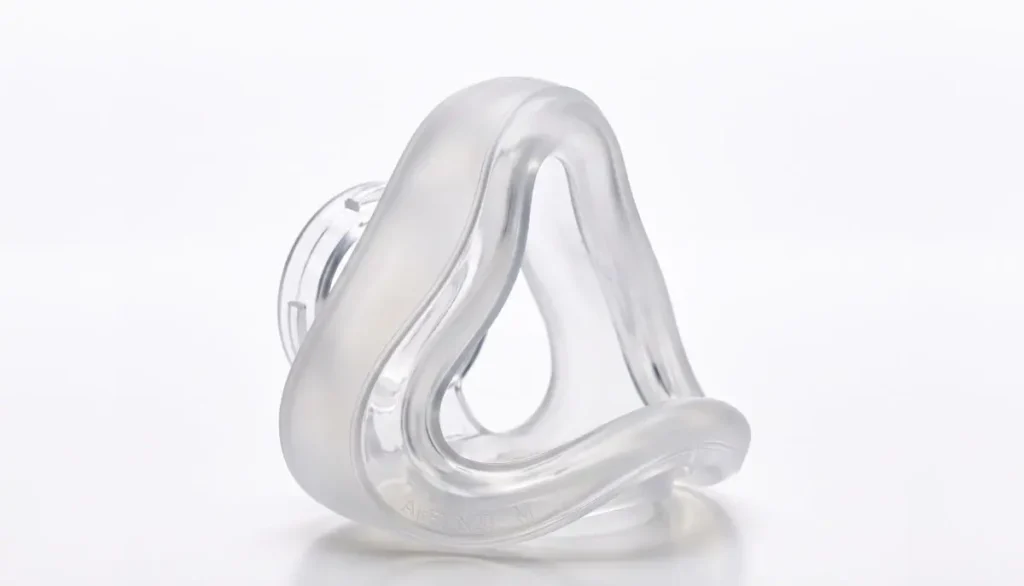
The AirFit N20 cushion features ResMed’s InfinitySeal technology. Its flexible silicone design is intended to accommodate different facial features and help maintain a seal during sleep.
A replacement cushion for AirFit N20 is available in Small, Medium, and Large sizes. The right choice depends on your facial shape and the size that fits your mask comfortably.
Important: This cushion is designed for the AirFit N20 and AirFit N20 for Her nasal masks. It is not a universal cushion for every ResMed CPAP mask.
Why Should You Replace Your AirFit N20 Cushion?
Your CPAP cushion works closely with your skin throughout the night. Regular cleaning helps maintain it, but everyday use can eventually affect its condition.
Here are several reasons to consider a replacement cushion for AirFit N20.
1. To Help Maintain a Reliable Seal
A properly fitted cushion helps keep air from escaping around the edges of your mask. When silicone becomes worn, damaged, or misshapen, leaks may become more noticeable.
If you experience repeated leaks despite cleaning and correctly adjusting your mask, inspect the cushion for signs of deterioration.
2. To Improve Wearing Comfort
A cushion that has lost its flexibility may feel different against your skin. You might notice more pressure around your nose or find that your mask no longer sits as comfortably as before.
Replacing a worn cushion may help restore its intended fit. Persistent discomfort can also indicate that your mask size or adjustment needs attention.
3. To Maintain a Clean CPAP Routine
Skin oils, sweat, and other residue can collect on the cushion during regular use. Daily cleaning helps remove this buildup, but a cushion that remains dirty or becomes difficult to clean may need replacement.
4. To Avoid Replacing the Entire Mask Unnecessarily
If your mask frame, headgear, and other components remain in good condition, replacing only the cushion can be a practical option.
Before purchasing a replacement cushion for AirFit N20, check the condition of your existing mask to determine whether any other components also need attention.
How Often Should You Replace an AirFit N20 Cushion?
ResMed recommends replacing the AirFit N20 cushion monthly as part of its replacement guidance. The actual condition of your cushion also matters, and you should replace it sooner if it becomes damaged or visibly deteriorated.
Common signs that it may be time for a new cushion include:
- Visible tears, cracks, or damage to the silicone.
- A cushion that has become misshapen or no longer sits correctly.
- Persistent air leaks after proper cleaning and refitting.
- A cushion that remains dirty despite appropriate cleaning.
- Reduced comfort that appears related to cushion wear.
Replacement schedules can vary depending on usage, equipment condition, and insurance or supplier policies. Follow your mask’s instructions and ask your equipment supplier or healthcare professional about an appropriate replacement schedule.
Remember that a new cushion cannot correct every mask problem. Leaks may also result from incorrect sizing, loose or overly tight headgear, an incorrectly assembled mask, or movement during sleep.
How to Choose the Right AirFit N20 Cushion Size
Choosing the correct size is essential for comfort and mask performance. A cushion that is too small or too large may not seal properly.
The AirFit N20 cushion is offered in three sizes.
Small AirFit N20 Cushion
A Small cushion may suit people whose facial measurements fit the smaller sizing range. It can be a good option when the correct fit is confirmed using the manufacturer’s sizing guidance.
Do not choose Small simply because you prefer a smaller mask. The cushion needs to fit your nose correctly.
Medium AirFit N20 Cushion
The Medium cushion is another option for users whose facial measurements correspond to this size. If your current Medium cushion fits well and remains comfortable, choosing the same size is a sensible starting point.
However, if you continue to experience leaks or pressure, check your fit rather than automatically ordering the same size again.
Large AirFit N20 Cushion
The Large cushion is intended for users who require the larger sizing option according to the manufacturer’s fitting guidance.
A larger cushion is not necessarily more comfortable for everyone. Your facial measurements and the way the mask sits on your face are more important than the size label alone.
How to Confirm Your Size
Before ordering a replacement cushion for AirFit N20:
- Check the size marking on your existing cushion.
- Confirm that your current mask is an AirFit N20 or AirFit N20 for Her.
- Use the manufacturer’s sizing guide if you are unsure about your size.
- Consult your healthcare professional or CPAP equipment supplier if the mask repeatedly leaks or feels uncomfortable.
If your current cushion fits correctly, matching its size is usually the easiest place to start.
How to Replace Your AirFit N20 Cushion
One useful feature of the AirFit N20 design is that its cushion can be removed from the mask frame.
Follow these general steps:
Step 1: Turn off your CPAP machine.
Disconnect the mask from your airflow setup as directed in your equipment instructions.
Step 2: Remove the old cushion.
Hold the mask frame securely and gently pull the cushion away from it.
Step 3: Inspect the frame.
Check for visible damage or residue before installing the replacement.
Step 4: Fit the new cushion.
Align the replacement cushion with the frame and press it into place. Its shape is designed to guide correct installation.
Step 5: Check the assembly.
Make sure the cushion sits evenly in the frame and that all mask components are connected correctly.
Step 6: Test the fit.
Wear the mask by following the manufacturer’s instructions. Adjust the headgear without overtightening it, then check for leaks while using your prescribed therapy.
Always refer to the official AirFit N20 user guide for the complete fitting and assembly instructions.
How to Clean and Care for Your AirFit N20 Cushion
Regular cleaning helps keep your cushion in good condition between replacements.
ResMed recommends cleaning the AirFit N20 cushion after each use. Follow the instructions supplied with your mask.
Daily Cleaning Routine
- Remove the cushion from the mask as instructed.
- Gently clean it using warm water and a mild liquid detergent.
- Use gentle rubbing to remove oils and residue.
- Wash thoroughly with clean water to remove all traces of detergent.
- Place it on a clean towel and allow it to air-dry away from direct sunlight.
Avoid harsh cleaning products, strong chemicals, and cleaning methods that are not approved for your mask. These may damage the silicone or leave unwanted residue.
Additional Care Tips
- Handle the cushion gently when removing and installing it.
- Check it regularly for cracks, tears, or changes in shape.
- Keep it in a cool, dry place, away from direct sunlight.
- Avoid pulling or stretching the silicone unnecessarily.
- Keep the mask’s vent openings clear and follow the recommended cleaning schedule for the other components.
Proper care may help maintain the cushion’s condition, but cleaning does not eliminate the need for regular replacement.
Common AirFit N20 Cushion Problems and Solutions
Problem: Air Leaks Around the Nose
Start by adjusting the mask’s position and checking that the cushion is properly aligned. Inspect the silicone for damage and adjust the headgear according to the fitting instructions.
If the leaks persist, the cushion may be worn out or may not be the right size for your mask. Consult your equipment supplier or healthcare professional if the problem persists.
Problem: Red Marks or Pressure on the Nose
Excessively tight headgear can contribute to discomfort. Adjust the straps carefully without compromising the seal.
If discomfort continues, check your cushion size and overall mask fit. Persistent skin irritation should be discussed with your healthcare professional.
Problem: The Cushion Looks Worn
Inspect the silicone regularly. If you notice cracks, tears, distortion, or other visible deterioration, replace the cushion rather than relying on it to continue sealing properly.
Problem: The Mask Feels Uncomfortable After Replacement
Confirm that you purchased the correct model and size and installed it properly. If the cushion is not positioned evenly, it may affect the mask’s fit.
If the new cushion still feels uncomfortable, ask a CPAP equipment supplier or healthcare professional to assess the fit.
Where to Buy a Replacement Cushion for AirFit N20
When shopping for a replacement cushion for AirFit N20, check the product description carefully before placing an order.
Consider these points:
- Compatibility: The product should specifically identify the ResMed AirFit N20 or AirFit N20 for Her.
- Size: Choose Small, Medium, or Large according to your existing fit or the manufacturer’s sizing guide.
- Product details: Confirm whether the listing includes only the cushion or any additional components.
- Supplier information: Look for clear product details and customer support options.
- Replacement needs: Check your current mask to determine whether the cushion alone needs replacing.
Alfa Healthcare Supply Inc. provides medical supply information to help customers explore equipment and replacement parts for their care needs.
Visit Alfa Healthcare Supply Inc. to explore the website and check product availability. Confirm that the specific AirFit N20 cushion size you need is listed before ordering.
If you’re unsure whether the product is compatible with your equipment, check with the supplier before placing your order. This simple step can help you avoid ordering a cushion that does not fit your mask.
Is It Better to Replace the Cushion or the Entire Mask?
The answer depends on the condition of your equipment.
| Situation | What to consider |
| Cushion is worn, but the frame and headgear are in good condition | A replacement cushion may be sufficient. |
| Cushion is clean and undamaged, but the mask leaks | Check sizing, positioning, and headgear adjustment first. |
| Frame or elbow is damaged | The affected component may also need replacement. |
| Several mask components are worn | Replacing the complete mask may be more practical. |
| Mask discomfort continues despite correct fitting | Ask your healthcare professional about fit or an alternative mask. |
You do not necessarily need a completely new mask every time the cushion wears out. Assess the condition of the whole system before deciding.
Final Thoughts: Replacement Cushion for AirFit N20
A comfortable CPAP mask can make your nightly routine easier to maintain. When your existing cushion becomes worn, choosing the correct replacement can help restore the intended fit without replacing every part of your mask.
Before purchasing a replacement cushion for AirFit N20, verify compatibility, select the correct size, and inspect the condition of your other mask components. Clean the cushion regularly and replace it according to the manufacturer’s recommendations or sooner if it deteriorates.
Alfa Healthcare Supply Inc. encourages customers to review product information carefully and seek professional guidance whenever they are uncertain about their CPAP equipment. With the right replacement part and proper care, you can take a practical step toward maintaining a comfortable and consistent sleep therapy routine.
Frequently Asked Questions: Replacement Cushion for AirFit N20
1. What is a replacement cushion for AirFit N20 used for?
It replaces the silicone cushion on a compatible ResMed AirFit N20 nasal CPAP mask. The cushion rests against your face and helps create a seal during prescribed CPAP therapy.
2. Which sizes are available for the AirFit N20 cushion?
The cushion is available in Small, Medium, and Large. Check your current cushion’s size marking or use the manufacturer’s sizing guide to determine the appropriate fit.
3. How often should I replace my AirFit N20 cushion?
ResMed recommends monthly replacement. Replace it sooner if it becomes damaged or visibly deteriorated, and follow your supplier’s guidance for your individual circumstances.
4. Can I use an AirFit N20 cushion with another ResMed mask?
No. The AirFit N20 cushion is designed for the AirFit N20 and AirFit N20 for Her masks. It is not universally compatible with other ResMed mask models.
5. Can I replace the cushion without buying a new mask?
Yes, if the rest of your mask is compatible and remains in good condition. You can replace the cushion separately instead of buying a complete mask system.
6. Why does my AirFit N20 mask leak even with a new cushion?
Possible reasons include incorrect sizing, improper installation, poor positioning, or incorrectly adjusted headgear. Check the manufacturer’s fitting instructions. If leaks continue, seek help from your equipment supplier or healthcare professional.
7. How should I clean my replacement cushion?
Clean the AirFit N20 cushion after each use with warm water and mild liquid detergent, rinse it thoroughly, and allow it to air-dry away from direct sunlight. Follow the official user guide for complete instructions.
8. Is the AirFit N20 cushion the same as the AirTouch N20 cushion?
No. The AirFit N20 uses a silicone cushion, while the AirTouch N20 uses a memory foam cushion. Although they share the N20 name and use the same sizing, they have different materials and care requirements. Confirm the exact model before ordering.
Medical disclaimer: This article is for general educational purposes and is not a substitute for medical advice. Follow your prescribed CPAP treatment plan and the manufacturer’s instructions for your equipment.
Introduction: ResMed AirFit N20 Cushion Small
A comfortable CPAP mask can make a big difference in your nightly sleep routine. If your mask starts leaking air, feels uncomfortable around your nose, or shows signs of wear, replacing the cushion may help improve your experience. The resmed airfit n20 cushion small is designed for people who use the ResMed AirFit N20 nasal CPAP mask and need a smaller cushion size.
The cushion is the soft part of the mask that rests against your nose. It helps create a seal so your prescribed CPAP therapy can deliver airflow as intended. Choosing the right size and keeping the cushion clean are important steps in maintaining a comfortable mask fit.
At Alfa Healthcare Supply Inc., we understand that finding the right replacement medical supplies should be simple. This guide explains the features, compatibility, sizing, cleaning, and replacement considerations for the resmed airfit n20 cushion small in easy-to-understand language.
What is the ResMed AirFit N20 Cushion Small?
The ResMed AirFit N20 Cushion Small is a replacement silicone nasal cushion designed to fit the ResMed AirFit N20 CPAP mask. It is designed to sit around the nose and help form a seal during sleep apnea therapy.
Instead of replacing your entire mask when the cushion becomes worn or damaged, you may be able to replace only this component. This can be a convenient option for people whose existing mask frame and other parts remain in good condition.
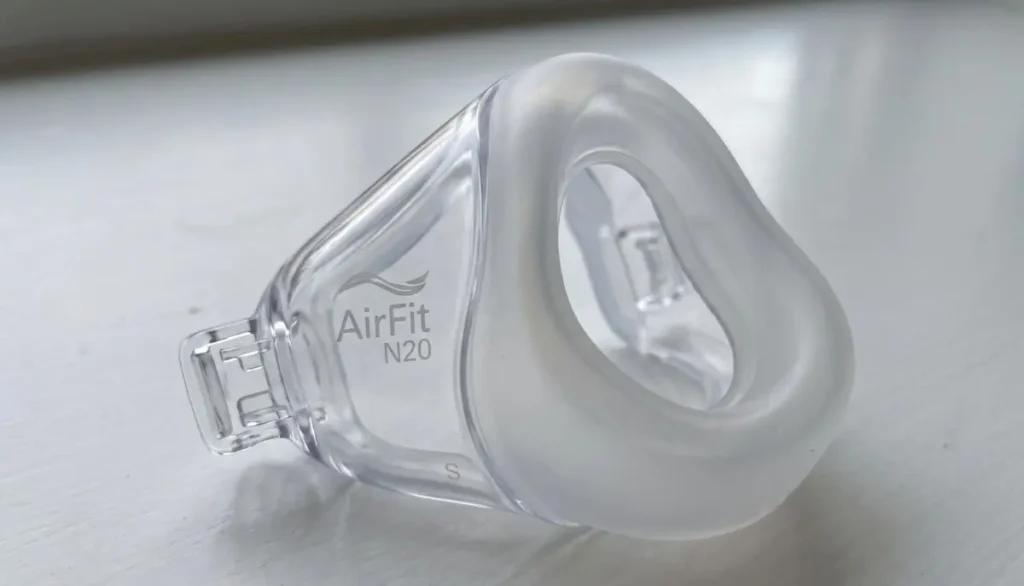
The ResMed AirFit N20 small cushion is designed with ResMed’s InfinitySeal technology to provide a comfortable fit and a reliable seal. This design is intended to adapt to different facial contours and help maintain a reliable seal as the user moves during sleep.
Before purchasing, check your current mask model and cushion size to make sure you select the correct replacement.
Key Features of the ResMed AirFit N20 Cushion Small
Understanding the main features can help you decide whether this replacement part suits your existing CPAP equipment.
1. Soft Silicone Material
The cushion uses silicone designed to rest against the skin while creating a seal around the nose. Silicone is commonly used in CPAP mask cushions because it is flexible, lightweight, and easy to clean when cared for according to the manufacturer’s instructions.
2. InfinitySeal Cushion Technology
The AirFit N20 cushion incorporates InfinitySeal technology, designed to accommodate facial contours and help maintain a seal across different therapy pressure settings.
A proper fit is still essential. The technology does not guarantee that every user will experience a leak-free fit, so check your mask regularly and seek fitting assistance if problems continue.
3. Small Size for a Suitable Fit
The resmed airfit n20 cushion small is intended for users who need the small cushion size. A smaller cushion may be appropriate for a narrower nasal profile, but size should be determined by the manufacturer’s sizing guide and your individual fit.
Choosing a cushion based only on age, gender, or appearance is not recommended. Measure and fit the cushion according to the official ResMed instructions.
4. Convenient Replacement
A replacement cushion allows you to keep using a compatible mask frame when the cushion itself needs attention. This can reduce the need to purchase a complete mask when other components remain serviceable.
5. Designed for Nightly CPAP Use
When properly fitted and maintained, the cushion helps support the seal needed for prescribed CPAP therapy. Regular cleaning and inspection can help you identify wear before it becomes a bigger problem.
Benefits of Choosing the Correct Cushion Size
The cushion is a small part of your CPAP equipment, but its fit can influence your comfort throughout the night.
Helps Support a Proper Seal
A cushion that fits correctly can help reduce unwanted air leaks around the nose. A poor fit may allow air to escape, interrupt sleep, or make the mask feel less secure.
If you notice persistent leaks after fitting the cushion, check the mask position and headgear adjustment. Do not overtighten the straps, as excessive pressure can cause discomfort.
Supports Everyday Comfort
A properly sized cushion should sit comfortably without excessive pressure on the skin. The small size may be suitable for people whose nasal measurements match the manufacturer’s small-size guide.
If the cushion presses painfully against your nose or does not sit securely, consider checking your size with a CPAP equipment professional.
Makes Routine Maintenance Easier
Replacing a worn cushion can help maintain a clean, serviceable mask setup. It also gives you an opportunity to inspect the frame, headgear, and connecting parts for damage.
The ResMed AirFit N20 Small Cushion is a replacement part designed for the mask, not a complete CPAP mask system. Check the product listing carefully to confirm what is included.
Is the ResMed AirFit N20 Cushion Small Compatible With Your Mask?
Compatibility is one of the most important things to check before placing an order.
This silicone cushion is specifically designed for use with the ResMed AirFit N20 nasal mask. It is also used with the AirFit N20 for Her mask series, subject to the exact product and regional model.
However, it should not be assumed to fit every ResMed mask simply because the products have similar names.
Keep these points in mind:
- Confirm that your current mask is an AirFit N20 model.
- Check whether you currently use the small cushion size.
- Do not confuse the AirFit N20 silicone cushion with other replacement parts.
- Review the manufacturer’s instructions if you use a different mask frame or cushion type.
The AirTouch N20 is a related mask system that uses a memory foam cushion option. ResMed identifies compatible N20 frame configurations for certain AirTouch cushions, but you should verify the specific product before ordering.
How to Check Whether You Need a Small Cushion
Not every CPAP user needs the small size. A cushion should be selected according to fit rather than preference alone.
Here are a few helpful steps:
Step 1: Check your current cushion. Look for the size marking on the cushion. If your existing small cushion fits well, this can help you identify the replacement size.
Step 2: Use the official sizing guide. ResMed provides sizing resources to help users select a suitable cushion based on their nasal measurements.
Step 3: Test the fit according to the instructions. Position the mask as directed and check whether the cushion sits securely without excessive pressure.
Step 4: Review any ongoing problems. Frequent leaks, discomfort, or difficulty keeping the mask in place may indicate that the size or mask adjustment needs attention.
The resmed airfit n20 cushion small may be a suitable replacement when the small size matches your existing mask and facial measurements.
How to Replace Your ResMed AirFit N20 Cushion Small
Replacing the cushion is generally straightforward when you follow the manufacturer’s instructions.
- Remove the mask from your face and disconnect it from the CPAP tubing as directed.
- Hold the mask frame securely.
- Gently remove the old cushion from the frame.
- Inspect the frame for cracks, damage, or residue.
- Align the replacement cushion with the frame’s designated opening.
- Press the cushion into place until it fits securely.
- Reassemble the mask and check that all components are properly connected.
- Put on the mask and check its fit according to the manufacturer’s instructions.
Do not force the cushion into place. If it does not fit correctly, confirm that you have the correct replacement part.
After installation, check for air leaks and make sure the mask feels comfortable. If the fit remains poor, consult your equipment provider or healthcare professional.
How to Clean and Care for Your Cushion
Regular cleaning helps remove facial oils, dirt, and residue that can affect comfort and mask performance.
For the silicone resmed airfit n20 cushion small, follow these general care steps alongside the official product instructions.
Daily Cleaning
- Remove the cushion from the mask as directed.
- Wash it gently in warm water with a mild liquid detergent.
- Use your fingers or a suitable soft brush to remove residue without damaging the material.
- Rinse thoroughly with clean water.
- Check that no soap remains on the cushion.
- Place it on a clean surface and allow it to dry away from direct sunlight.
Weekly Mask Care
Clean the mask frame and headgear according to ResMed’s recommended schedule. Inspect the components for dirt, wear, and damage before putting the mask back together.
Avoid harsh chemicals, abrasive cleaning tools, and unapproved cleaning devices. These may damage the materials or leave residue.
Always consult the user guide for the exact cleaning instructions for your mask model.
When Should You Replace the Cushion?
There is no single replacement schedule that suits every CPAP user. Replacement needs can depend on how often the mask is used, how it is cleaned, and how quickly the material wears.
Consider inspecting your cushion regularly for the following signs:
- Visible cracks, tears, or other damage.
- A cushion that has become misshapen.
- Persistent air leaks despite correct positioning.
- A loose fit or difficulty attaching the cushion securely.
- Noticeable deterioration or buildup that does not come off with proper cleaning.
If you notice these problems, review the manufacturer’s replacement guidance and consider obtaining a new cushion.
Replacing the resmed airfit n20 cushion small when needed may help maintain a comfortable, well-maintained mask. Do not wait for a particular date if the cushion is visibly damaged.
Common Fit Problems and Practical Tips
Air Leaks Around the Nose
Check that the cushion is positioned correctly and that the headgear is adjusted according to the instructions. If the problem continues, your cushion size or mask fit may need professional review.
Red Marks or Skin Discomfort
Avoid tightening the headgear excessively. Clean the cushion regularly and check that it is not damaged. Persistent irritation or pain should be discussed with a healthcare professional.
Cushion Does Not Stay in Place
Check that the cushion is fully attached to the frame and that you have the correct replacement model. A damaged frame can also affect the fit.
Discomfort When Changing Sleeping Positions
Try fitting the mask while lying in your usual sleeping position, following the manufacturer’s guidance. If movement repeatedly causes leaks, ask your CPAP provider about fitting adjustments or other suitable mask options.
Why Choose Alfa Healthcare Supply Inc.?
Alfa Healthcare Supply Inc. helps customers find medical supplies and durable medical equipment for everyday healthcare needs. Our goal is to make it easier for patients and caregivers to identify the supplies that match their requirements.
When shopping for the resmed airfit n20 cushion small, check the product details carefully before ordering. Confirm the mask model, size, and package contents so you can select the appropriate replacement.
For product availability, pricing, shipping information, and ordering assistance, visit Alfa Healthcare Supply Inc..
Choosing the right replacement part is an important step in maintaining your CPAP equipment. If you are unsure about compatibility, contact your supplier before purchasing.
Final Thoughts: ResMed AirFit N20 Cushion Small
Maintaining your CPAP mask is an important part of building a consistent and comfortable sleep routine. A cushion that fits properly, receives regular cleaning, and is replaced when worn can help support the intended performance of your equipment.
The resmed airfit n20 cushion small is designed for compatible AirFit N20 nasal masks and may be a practical replacement when your current small cushion shows signs of wear. Before ordering, confirm your mask model, check the sizing guide, and follow the manufacturer’s instructions.
Alfa Healthcare Supply Inc. aims to help customers find suitable medical supplies with clear product information. If you need help identifying the right replacement, review the product details or contact your supplier for assistance.
Frequently Asked Questions: ResMed AirFit N20 Cushion Small
1. What is the ResMed AirFit N20 Cushion Small used for?
It is a replacement silicone cushion for compatible ResMed AirFit N20 nasal CPAP masks. It rests around the nose and helps create the seal needed for prescribed CPAP therapy.
2. Is the small cushion suitable for every AirFit N20 user?
No. The correct size depends on your nasal measurements and mask fit. Use the official ResMed sizing guide to determine which size is appropriate.
3. Can I replace only the cushion instead of buying a new mask?
Yes, if the cushion is the only part that needs replacement and your existing mask frame and other components remain in good condition. Make sure the replacement is compatible with your mask.
4. How often should I clean the cushion?
ResMed recommends cleaning the AirFit N20 cushion daily. Use warm water and a mild liquid detergent, rinse thoroughly, and let it dry away from direct sunlight.
5. How do I know when the cushion needs replacing?
Look for cracks, tears, deformation, persistent leaks, or other visible deterioration. Follow the manufacturer’s replacement guidance and replace damaged components when necessary.
6. Will a small cushion stop all air leaks?
Not necessarily. A correctly sized cushion can help create a good seal, but leaks may also result from mask positioning, headgear adjustment, wear, or other fitting issues.
7. Is the AirFit N20 cushion the same as the AirTouch N20 cushion?
No. The AirFit N20 cushion is made from silicone, while the AirTouch N20 cushion uses memory foam. Certain cushions may work with compatible N20 frames, but verify the exact model before ordering.
8. Where can I find the ResMed AirFit N20 Cushion Small?
Visit Alfa Healthcare Supply Inc. to explore available medical supplies and check whether the replacement cushion is listed. Confirm current stock, pricing, and compatibility before purchasing.
Medical note: This article provides general product information and is not a substitute for medical advice. Follow your CPAP device and mask instructions, and speak with your healthcare professional if you experience persistent leaks, pain, skin irritation, or problems with your therapy.
ResMed AirFit N20 Cushion Medium:
Choosing the right CPAP mask cushion can make a noticeable difference in your nightly sleep therapy. If you use a ResMed AirFit N20 nasal mask, the resmed airfit n20 cushion medium may be the replacement part you need to maintain a comfortable fit and a reliable seal.
The cushion is the soft part of the mask that rests against your nose. Over time, regular use can cause it to lose its original feel, collect oils, or become worn. Replacing a damaged or worn cushion can help you maintain your usual CPAP routine without necessarily purchasing an entirely new mask.
At Alfa Healthcare Supply Inc., we understand that choosing medical equipment parts can sometimes feel confusing. This guide explains what the medium cushion does, how to check compatibility, how to care for it, and when replacement may be necessary.
What is the ResMed AirFit N20 Cushion Medium?
The resmed airfit n20 cushion medium is a replacement silicone cushion designed for the ResMed AirFit N20 nasal CPAP mask. It sits around the nose and creates the seal needed to direct airflow from the CPAP machine through the mask.
ResMed designed the AirFit N20 cushion with InfinitySeal technology. Its flexible silicone construction is intended to adapt to different facial contours and help maintain a secure seal during sleep.
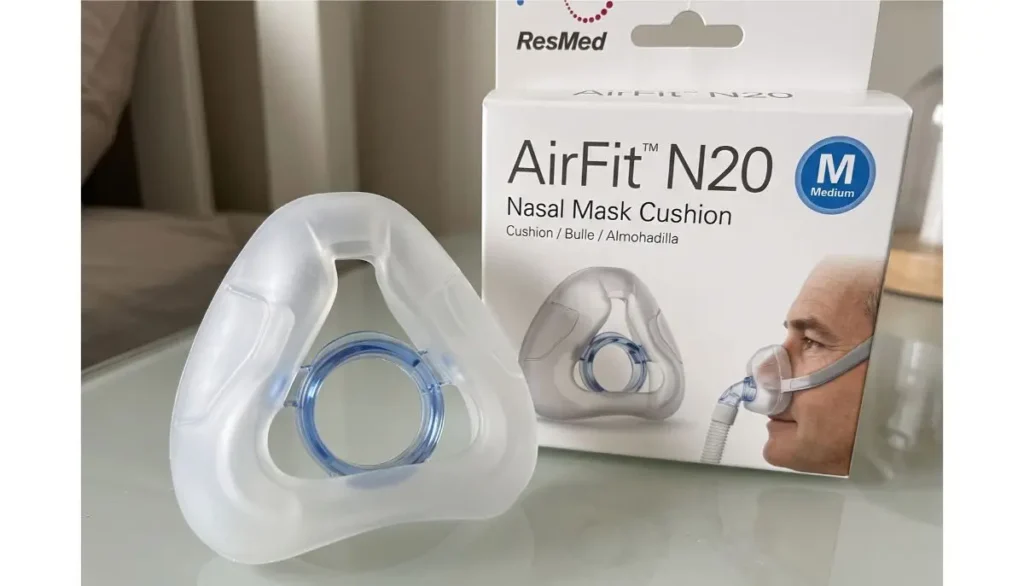
The medium size is one of three standard cushion sizes available for the AirFit N20: small, medium, and large. The best option depends on your facial shape and the fit of your existing mask, rather than your general clothing size or body weight.
If your current medium cushion fits correctly, replacing it with the same size can be a practical starting point.
Key Features of the ResMed AirFit N20 Medium Cushion
Understanding the cushion’s features can help you decide whether it is the right replacement for your mask.
1. Soft Silicone Construction
The cushion is made from silicone, a flexible material designed to rest against the skin while maintaining contact around the nose.
A properly fitted cushion should feel secure without requiring you to tighten the headgear excessively. If you experience persistent discomfort, check the fit and follow the manufacturer’s adjustment instructions.
2. InfinitySeal Cushion Technology
The AirFit N20 uses InfinitySeal technology to help the cushion adapt to facial contours and maintain a seal during CPAP therapy.
A reliable seal is important because significant air leaks can affect comfort and interfere with effective therapy. However, no cushion can guarantee a perfect fit for every person.
3. Medium Size for a Suitable Fit
The medium size provides an option for users whose measurements and fitting experience indicate that this size is appropriate.
Do not choose medium simply because it is the most common size you see online. Use the official sizing guide or consult your equipment provider if you are unsure.
4. Replaceable Design
One practical advantage of the AirFit N20 system is that the cushion can be replaced separately from the mask frame.
If the frame and other components remain in good condition, replacing only the worn cushion may be more economical than purchasing a complete mask.
5. Designed for AirFit N20 Masks
The cushion is made for the AirFit N20 mask system. Before ordering, confirm that your existing mask is an AirFit N20 and that the replacement listing specifies the correct cushion type.
Is the ResMed AirFit N20 Cushion Medium Right for You?
The resmed airfit n20 cushion medium may be a suitable choice if you already use an AirFit N20 mask and your current medium cushion fits comfortably.
Consider these points before buying:
- Your current size: If your existing medium cushion fits well and seals properly, the same size may be appropriate for replacement.
- Your mask model: Check the model name before ordering. A cushion made for a different mask may not fit correctly.
- Your comfort: The cushion should sit comfortably around your nose without causing excessive pressure or persistent skin irritation.
- Your mask seal: Frequent air leaks may indicate that the cushion is worn, the headgear needs adjustment, or the mask size requires reassessment.
A cushion that is too small or too large can affect the seal and comfort. If you are changing sizes, use ResMed’s fitting template rather than guessing.
How to Tell When Your CPAP Cushion Needs Replacement
CPAP cushions experience regular contact with skin and repeated cleaning. With time, their condition may change.
Here are common signs that it may be time to replace your cushion.
Visible Wear or Damage
Look for tears, cracks, permanent deformation, or other visible damage. A damaged cushion may no longer create a dependable seal.
Frequent Air Leaks
If your mask starts leaking more often despite correct positioning and reasonable headgear adjustment, inspect the cushion. Also check the frame, tubing, and headgear, because the cushion is not the only possible cause of leaks.
Changes in Cushion Feel
A cushion that has become unusually stiff, sticky, misshapen, or difficult to position may need replacement.
Persistent Skin Discomfort
Redness or irritation can occur for several reasons, including excessive strap tension, moisture, skin sensitivity, or an unsuitable fit. Inspect the cushion and adjust the mask according to the manufacturer’s instructions.
If discomfort continues, seek advice from your healthcare professional or CPAP equipment provider.
How often should you replace it? Replacement schedules depend on the manufacturer’s instructions, the cushion’s condition, your cleaning routine, and any applicable insurance or supplier guidelines. Follow the instructions for your specific mask and replace damaged parts promptly.
How to Replace the ResMed AirFit N20 Cushion Medium
Replacing the cushion is generally straightforward. Always refer to the official instructions for your mask model.
Step 1: Remove the Mask
Turn off or disconnect your CPAP equipment as appropriate. Remove the mask from your face and place it on a clean surface.
Step 2: Remove the Old Cushion
Carefully detach the existing cushion from the mask frame according to the manufacturer’s instructions. Avoid pulling or twisting the frame unnecessarily.
Step 3: Inspect the Frame
Check the frame for cracks, damage, or residue. If another component is damaged, replacing the cushion alone may not solve the problem.
Step 4: Attach the New Cushion
Align the new medium cushion with the compatible frame and secure it as instructed. Make sure the cushion is seated evenly and securely.
Step 5: Check the Fit
Put on the mask and adjust the headgear according to the user guide. The cushion should sit comfortably around your nose.
Step 6: Check for Leaks
Reconnect your CPAP equipment and check the mask seal using your device’s normal fitting procedure. If air continues to leak, reposition the mask and check the cushion installation.
Do not overtighten the straps to compensate for a poor seal. If the problem continues, consult your equipment provider.
How to Clean and Care for Your Medium Cushion
Proper care can help keep your cushion clean and comfortable.
- Clean regularly: Follow the cleaning frequency and method specified in the AirFit N20 user guide.
- Use suitable products: Use mild soap and water as directed by the manufacturer.
- Avoid harsh chemicals: Solvents, strong cleaners, and unsuitable disinfectants may damage the cushion.
- Rinse thoroughly: Remove soap residue after cleaning.
- Air-dry completely: Allow the cushion to dry away from direct heat and sunlight.
- Inspect before use: Check for damage, residue, or changes in shape.
Avoid using products such as oily lotions immediately before wearing your mask if they affect the seal or are discouraged by the manufacturer’s instructions.
Regular cleaning is important, but cleaning does not restore a cushion that is already damaged or worn out.
ResMed AirFit N20 Cushion Medium vs. Other Sizes
Choosing the right size is more important than choosing the largest or smallest option.
| Feature | Small | Medium | Large |
| Intended use | Suitable for a smaller nasal fit | Suitable for a medium nasal fit | Suitable for a larger nasal fit |
| Compatibility | AirFit N20 system | AirFit N20 system | AirFit N20 system |
| Replacement | Available separately | Available separately | Available separately |
These descriptions are general guidance, not a substitute for the official fitting template. Facial shape and mask positioning affect which size works best.
If you have been comfortable with a medium cushion, there may be no reason to change sizes. If your mask has started leaking or causing discomfort, reassess the fit instead of automatically moving to another size.
Where to Buy the ResMed AirFit N20 Cushion Medium
When buying a replacement CPAP cushion, check the product name, size, compatibility, seller information, and return policy before placing an order.
Alfa Healthcare Supply Inc. provides medical supplies and durable medical equipment to support patients and caregivers. You can visit Alfa Healthcare Supply Inc. to explore the website and check whether the replacement cushion is available.
Before purchasing, confirm the following:
- The listing specifies the ResMed AirFit N20 cushion.
- The selected size is medium.
- The product is intended for your exact mask model.
- The package contents and return conditions are clear.
- Any prescription, insurance, or ordering requirements have been confirmed where applicable.
Availability, pricing, and insurance coverage can vary. Contact the supplier directly if you need help confirming a product listing or order requirements.
Why Choose a Genuine Compatible Replacement?
A replacement cushion should fit the mask frame correctly and meet the manufacturer’s specifications.
An incompatible or poorly fitting part may create air leaks, discomfort, or difficulties during therapy. Before buying, check the manufacturer’s product information and confirm that the item is designed for your particular mask.
If you are unsure whether you have an AirFit N20, AirFit N20 Classic, or another ResMed mask, check the label, packaging, or original product documentation.
The name matters because different mask systems can use different replacement components, even when their designs look similar.
Final Thoughts: ResMed AirFit N20 Cushion Medium
A well-fitting cushion is an important part of a comfortable CPAP routine. The resmed airfit n20 cushion medium offers a replaceable silicone option for people using the compatible AirFit N20 nasal mask.
By checking compatibility, selecting the correct size, cleaning the cushion properly, and replacing worn parts when needed, you can help maintain a more comfortable mask fit.
For additional product information, visit Alfa Healthcare Supply Inc. and verify the available replacement options before ordering. If you experience persistent leaks, discomfort, or concerns about your sleep therapy, consult your CPAP equipment provider or healthcare professional.
Frequently Asked Questions: ResMed AirFit N20 Cushion Medium
1. What is the resmed airfit n20 cushion medium used for?
The resmed airfit n20 cushion medium is a replacement silicone cushion for the ResMed AirFit N20 nasal CPAP mask. It rests around the nose and helps create a seal for airflow during therapy.
2. Is the medium cushion compatible with the AirFit N20 mask?
Yes. The medium cushion is designed for the AirFit N20 nasal mask system. Confirm the exact mask model and replacement product details before ordering.
3. Can I replace only the cushion instead of buying a new mask?
Yes, if the cushion is the part that needs replacement and the remaining mask components are in good condition. Check the frame, headgear, and other parts before deciding.
4. How do I know whether I need a medium cushion?
Check your current cushion size and use the manufacturer’s sizing template. If the medium cushion seals comfortably without excessive strap tension, it may remain the right size for you.
5. How often should I replace my AirFit N20 cushion?
There is no single schedule that suits every user. Follow the manufacturer’s replacement guidance, inspect the cushion regularly, and replace it sooner if it becomes damaged or cannot maintain a suitable seal.
6. Can I wash the silicone cushion?
Yes. Follow the cleaning instructions for your specific mask. Use the recommended cleaning method and products, rinse thoroughly, and allow the cushion to dry completely.
7. What should I do if my new cushion leaks?
Check that the cushion is installed correctly, the mask is positioned properly, and the headgear is adjusted according to the user guide. If leaks continue, inspect other mask components and contact your CPAP equipment provider.
8. Is the AirFit N20 cushion the same as the AirTouch N20 cushion?
They are different cushion types. The AirFit N20 uses silicone, while the AirTouch N20 uses memory foam. ResMed describes compatible interchangeable options for these mask systems, but you should verify the exact cushion and frame combination before purchasing.
9. Can I use a medium cushion with any ResMed CPAP mask?
No. Cushion compatibility depends on the mask model. Do not assume that a cushion designed for the AirFit N20 will fit another ResMed mask.
10. Where can I check availability?
Visit Alfa Healthcare Supply Inc. and check the relevant product listing or contact the supplier to confirm availability, pricing, and ordering requirements.
Medical information note: This article is for general product education and does not replace the manufacturer’s instructions or advice from a qualified healthcare professional.
Introduction: How Often to Replace AirFit N20 Cushion
Using a CPAP machine every night can make a big difference in managing obstructive sleep apnea. However, your therapy depends on more than the machine itself. Your mask cushion also plays an important role in comfort, fit, and airflow.
If you use the ResMed AirFit N20 nasal mask, you may wonder how often to replace AirFit N20 cushion to maintain a comfortable fit and dependable seal. The cushion rests against your nose throughout the night, so it is exposed to facial oils, sweat, moisture, and regular movement.
The good news is that replacing this small part is simple once you understand the recommended schedule and warning signs.
At Alfa Healthcare Supply Inc., we believe that understanding your CPAP supplies helps you make informed decisions about your daily care. This guide explains when to replace your cushion, how to clean it, which signs to watch for, and how to choose the right replacement.
How Often to Replace AirFit N20 Cushion?
ResMed recommends replacing the standard AirFit N20 nasal mask cushion about once a month. This is a general replacement guideline, not a guarantee that every cushion will last exactly 30 days. Your cushion may need replacing sooner if it becomes damaged, worn, or difficult to seal properly.
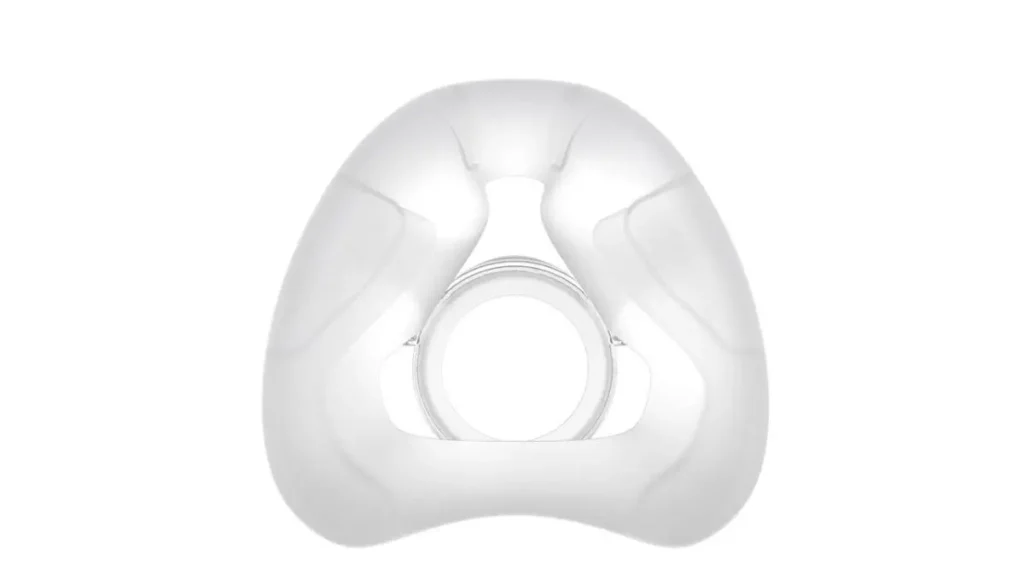
Knowing how often to replace AirFit N20 cushion can help you plan ahead and avoid discovering a problem just before bedtime.
Here is a simple guide:
- Every month: Follow ResMed’s general replacement recommendation.
- Earlier when needed: Replace a cushion that is cracked, stiff, misshapen, or visibly deteriorated.
- When leaks continue: Check the cushion, fit, and headgear. Replace the cushion if wear is contributing to the problem.
- When irritation develops: Inspect the cushion and clean it properly. Replace it if deterioration is present, and seek professional advice if irritation continues.
Your replacement needs may vary with cleaning habits, frequency of use, and the condition of your equipment. Insurance coverage may also follow a specific replacement schedule, so check your plan before ordering supplies.
Why is It Important to Replace Your AirFit N20 Cushion?
The AirFit N20 uses a soft silicone cushion designed to sit around your nose and help create a seal during CPAP therapy. Over time, daily use can change the cushion’s condition.
Understanding how often to replace AirFit N20 cushion is important for several reasons.
1. Helps Maintain a Proper Seal
A cushion in good condition helps keep the mask sealed against your face. If the silicone becomes worn or distorted, air may escape around the edges.
You might notice air blowing toward your eyes, hear unexpected leaking sounds, or find yourself adjusting the mask during the night.
However, not every leak means your cushion needs replacing. Incorrect sizing, loose or overly tight headgear, and sleeping position can also cause leaks.
2. Supports Comfortable Sleep
A new, properly fitted cushion should feel comfortable against your nose. As silicone wears down, it may become less flexible or fit differently.
This can lead to pressure marks, discomfort, or repeated adjustments before you fall asleep.
If your mask suddenly feels different, inspect the cushion and check the fit rather than tightening the straps excessively.
3. Helps Maintain Good Mask Hygiene
Facial oils, sweat, and skin residue can build up on the cushion. Daily cleaning helps remove this buildup, but cleaning cannot restore damaged silicone.
Replacing the cushion according to the recommended schedule and keeping it clean are two separate parts of proper CPAP care.
4. Helps Reduce Unnecessary Adjustments
When your cushion fits well, you may spend less time repositioning the mask. This can make your nightly routine easier and more comfortable.
If you find yourself repeatedly adjusting the cushion, check for damage, residue, incorrect sizing, and worn headgear before deciding which component needs replacement.
Signs Your AirFit N20 Cushion Needs Replacing
Even if you follow a monthly schedule, it is important to inspect your cushion regularly. The following signs can help you decide when it may be time for a replacement.
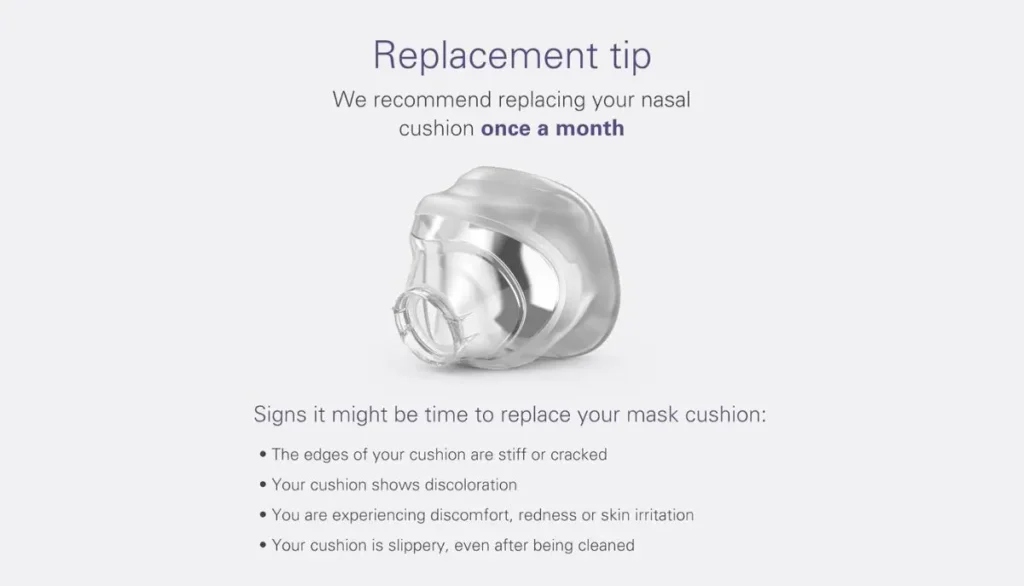
1. Cracks or visible damage
Look for tears, cracks, thin areas, or damaged edges. A cushion with visible deterioration should be replaced rather than repaired.
2. Stiffness or loss of shape
The silicone should remain flexible and retain its intended shape. If the cushion feels unusually stiff or looks distorted, consider replacing it.
3. Persistent air leaks
Repeated leaks may indicate that the cushion is worn. Check the fit and headgear first, then replace the cushion if it is damaged or no longer seals properly.
4. New discomfort or skin irritation
Redness or discomfort can occur because of pressure, poor fit, or residue. Clean the mask, check its fit, and replace a deteriorated cushion. Persistent skin problems should be discussed with a healthcare professional.
A change in color or a cushion that remains dirty after proper cleaning can also be a reason to inspect it closely. When in doubt, refer to the manufacturer’s instructions or ask your equipment supplier for help.
How to Clean Your AirFit N20 Cushion Properly
Good cleaning habits help keep your cushion in better condition between replacements. ResMed recommends cleaning the cushion daily using warm water and mild soap.
Follow these steps:
- Disconnect the mask. Remove the cushion from the mask frame according to the user guide.
- Prepare warm water. Use clean, drinking-quality water and a mild liquid detergent.
- Wash gently. Rub the cushion carefully to remove facial oils, sweat, and residue.
- Rinse thoroughly. Make sure no soap remains on the silicone.
- Inspect the cushion. Check for cracks, tears, stiffness, and changes in shape.
- Allow it to air-dry. Place it on a clean, flat surface or towel away from direct sunlight.
- Reassemble when dry. Follow the manufacturer’s instructions to fit the cushion securely into the mask frame.
Avoid harsh chemicals and cleaning methods that are not approved for your mask. Do not use direct heat to speed up drying.
Remember that cleaning does not eliminate the need to replace the cushion. Even a clean cushion may eventually lose its flexibility and sealing ability.
How to Replace Your AirFit N20 Cushion
Replacing the cushion is usually straightforward and does not require replacing the entire mask if the other components remain in good condition.
If you are learning how often to replace AirFit N20 cushion, it is also helpful to understand how to install the new part correctly.
Follow these general steps:
- Wash your hands. Start with clean hands before handling your CPAP equipment.
- Remove the old cushion. Gently pull it away from the mask frame.
- Inspect the frame. Check for dirt, cracks, or other damage before installing the replacement.
- Select the correct cushion. Make sure the replacement is designed for the standard ResMed AirFit N20 mask.
- Install the new cushion. Press it into the frame in the correct orientation, following the manufacturer’s instructions.
- Check the fit. Place the mask over your nose and adjust the headgear comfortably.
- Test for leaks. Turn on your CPAP machine and check that the mask seals properly.
Do not overtighten the headgear to compensate for a poor seal. Excessive tightening can cause discomfort and pressure marks.
How to Choose the Right AirFit N20 Replacement Cushion
Selecting the correct replacement is just as important as knowing how often to replace AirFit N20 cushion.
The standard AirFit N20 nasal mask is available with different cushion sizes. Your replacement should match your mask model and the size you need for a comfortable fit.
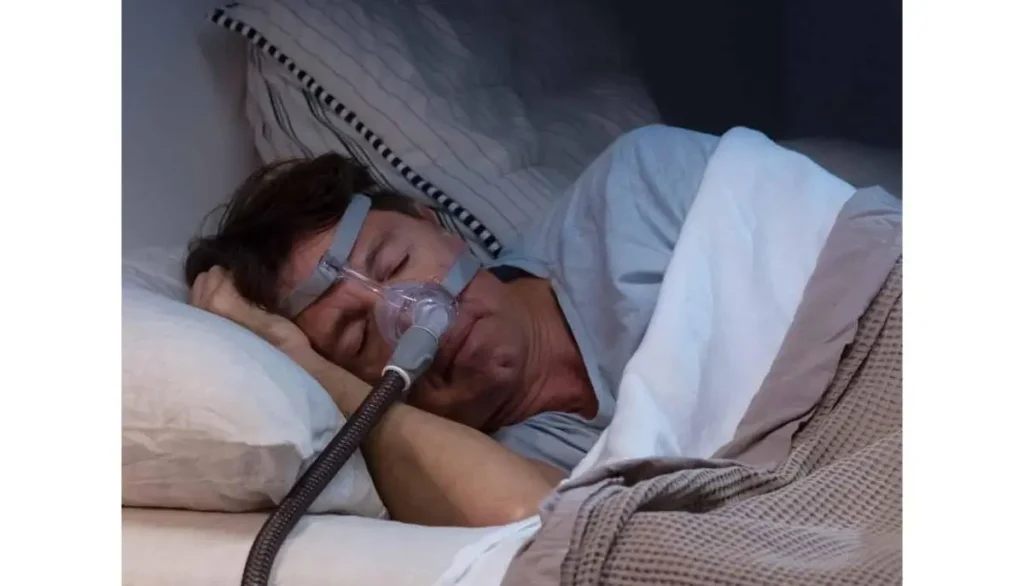
Consider these points before purchasing:
- Check the mask model: Confirm that you use the standard AirFit N20 rather than a different ResMed mask.
- Check the size: Choose the appropriate small, medium, or large cushion for your existing mask and facial fit.
- Inspect the packaging: Confirm that the product is the correct replacement cushion and that its packaging is intact.
- Review compatibility: Do not assume that cushions from other ResMed mask models will fit your AirFit N20.
- Ask for assistance: If your current mask leaks or feels uncomfortable, your CPAP supplier or healthcare professional can help you determine whether you need a different size.
A cushion that is too small or too large may not seal properly. If you experience repeated leaks despite installing a new cushion, consider having your mask fit checked.
AirFit N20 Cushion Replacement Schedule
The following table provides a simple reference for planning your CPAP maintenance routine.
| CPAP component | General replacement guideline |
| AirFit N20 silicone cushion | About once a month |
| AirFit N20 mask frame system | About every 3 months |
| CPAP mask headgear | About every 6 months |
| CPAP tubing | Check regularly and follow the manufacturer’s guidance |
These are general guidelines published by ResMed; actual replacement needs and insurance coverage can vary. Inspect your equipment regularly and follow the instructions for your specific model.
Knowing how often to replace AirFit N20 cushion helps you plan ahead, but the condition of your equipment should always be considered.
Common Mistakes to Avoid
Some everyday habits can shorten cushion life or affect your mask’s performance.
1. Skipping daily cleaning
Facial oils and residue can build up quickly. Make cleaning part of your morning routine.
2. Waiting for the cushion to break completely
You do not need to wait until the cushion tears. Replace it when it shows clear deterioration or no longer seals properly.
3. Using harsh cleaning products
Strong chemicals may damage mask materials or leave unwanted residue. Use mild soap and follow the manufacturer’s cleaning instructions.
4. Tightening the mask too much
Overtightening may cause discomfort without fixing the underlying leak. Check the cushion, sizing, and headgear instead.
5. Buying an incompatible replacement
A cushion designed for another mask model may not fit correctly. Always verify compatibility before ordering.
6. Ignoring ongoing leaks
If leaks continue after replacing the cushion and checking the fit, speak with your equipment supplier or sleep care professional. Your mask size, headgear, or other equipment may need attention.
Final Thoughts: How Often to Replace AirFit N20 Cushion
Understanding how often to replace AirFit N20 cushion is a simple but important part of maintaining your CPAP routine. ResMed’s general recommendation is to replace the standard silicone cushion about once a month, while checking regularly for damage, stiffness, and persistent leaks.
Keep your cushion clean, allow it to dry away from direct sunlight, and make sure it fits correctly. If you continue to experience discomfort or air leaks, seek help with mask fitting rather than relying on repeated adjustments.
At Alfa Healthcare Supply Inc., our goal is to help patients and caregivers make informed decisions about their medical supplies. Taking a few minutes to inspect and care for your CPAP equipment can help make your nightly routine more comfortable and manageable.
Frequently Asked Questions: How Often to Replace AirFit N20 Cushion
1. How often to replace AirFit N20 cushion if I use CPAP every night?
ResMed recommends replacing the standard AirFit N20 cushion about once a month. Replace it sooner if you notice damage, deterioration, or persistent sealing problems.
2. Can I use my AirFit N20 cushion for longer than one month?
A cushion may appear usable after a month, but ResMed’s general recommendation is monthly replacement. Inspect it regularly and follow the manufacturer’s guidance rather than extending its use solely because it looks clean.
3. How do I know if my AirFit N20 cushion is worn out?
Look for cracks, stiff silicone, distorted edges, visible deterioration, or repeated leaks. New discomfort may also indicate a fit or equipment problem that needs attention.
4. Does cleaning make my AirFit N20 cushion last longer?
Regular cleaning helps remove oils and residue and supports good hygiene. However, it cannot reverse material wear or restore a damaged cushion. Follow the recommended replacement schedule.
5. Can I replace only the cushion instead of buying a complete mask?
Yes. If your mask frame, headgear, and other components are still in good condition, you can generally replace the cushion separately. Make sure the replacement is compatible with your exact mask model.
6. What should I do if my new cushion still leaks?
Check that the cushion is installed correctly, the size is appropriate, and the headgear is adjusted comfortably. If the leak continues, contact your CPAP supplier or healthcare professional for help with fitting and troubleshooting.
7. Will insurance cover my replacement cushion?
Coverage depends on your insurance plan, supplier, and applicable replacement guidelines. Contact your insurer or medical equipment supplier to confirm eligibility, documentation requirements, and your next replacement date.
8. Where can I buy a replacement AirFit N20 cushion?
You can check with a reputable CPAP equipment supplier, verify compatibility, and compare available sizes. Alfa Healthcare Supply Inc. is a medical supply resource where customers can explore available products and contact the supplier with questions about product details and ordering.
Visit the Alfa Healthcare Supply Inc. website to explore its medical supply offerings.
Medical disclaimer: This article is for general educational purposes and does not replace advice from your healthcare professional, equipment supplier, or the manufacturer’s instructions. Follow your prescribed CPAP treatment plan.