


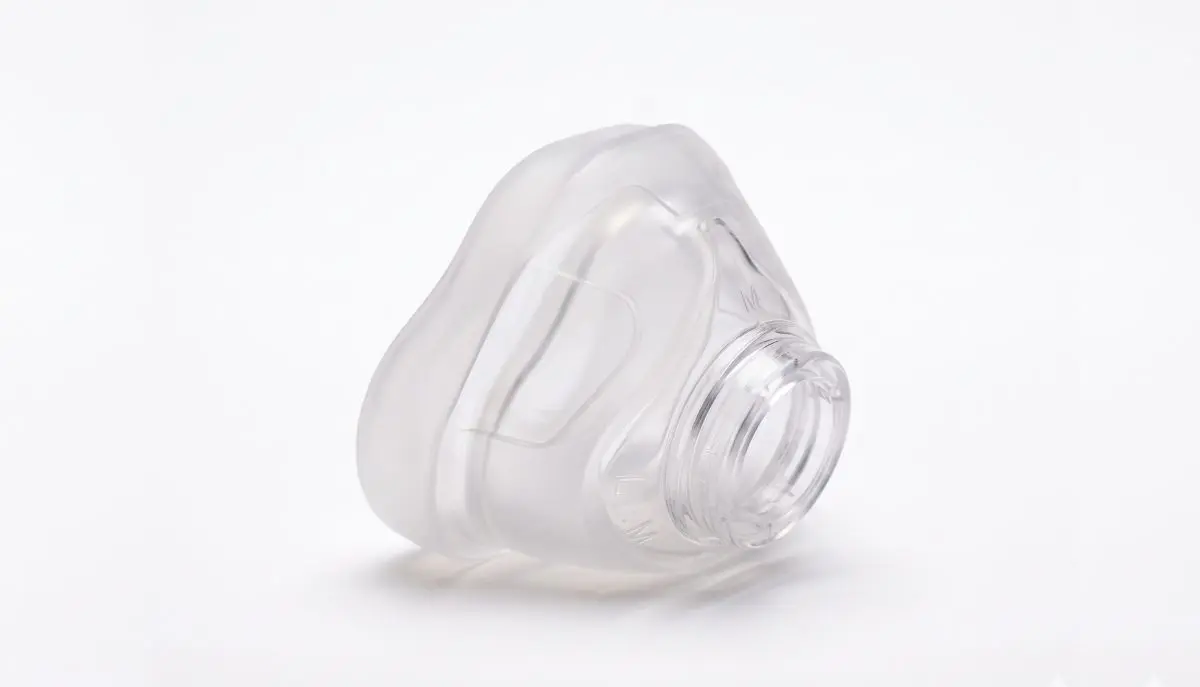
Introduction: How to Remove AirFit N20 Cushion
Keeping your CPAP mask clean is an important part of maintaining a comfortable sleep routine. If you use the ResMed AirFit N20 nasal mask, you may occasionally need to remove its cushion for cleaning, inspection, or replacement. Fortunately, the process is straightforward when you know which parts to hold and how to release them.
If you have been searching for how to remove airfit n20 cushion, this guide will walk you through the process in simple steps. You will learn how to disconnect the mask components, remove the cushion without unnecessary force, clean the parts, and put everything back together correctly.
At Alfa Healthcare Supply Inc., we understand that maintaining CPAP equipment can feel confusing at first. Our goal is to help you understand your equipment so you can care for it with greater confidence.
What is the ResMed AirFit N20 Cushion?
The ResMed AirFit N20 is a nasal CPAP mask designed to deliver pressurized air through a cushion that rests around your nose. The cushion creates a seal between the mask and your skin to help reduce unwanted air leaks during sleep.
The cushion is a separate component of the mask. This means you can remove it for regular cleaning and replace it when it becomes worn, damaged, or difficult to fit properly.
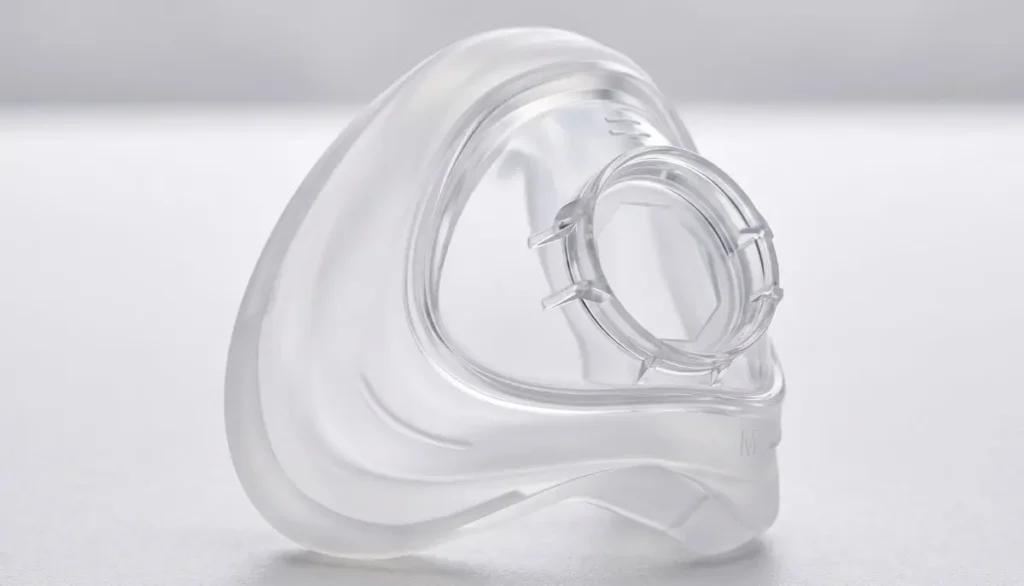
Learning how to remove airfit n20 cushion correctly helps you maintain your mask without pulling unnecessarily on the silicone cushion or the surrounding frame.
Before starting, remember that the AirFit N20 is different from full-face masks such as the AirFit F20. Make sure you are following instructions for your exact mask model.
How to Remove AirFit N20 Cushion: Step-by-Step Instructions
Follow these steps to remove the cushion safely. These instructions are based on the manufacturer’s AirFit N20 disassembly guidance.
Step 1: Turn Off Your CPAP Machine
Before disassembling the mask, turn off your CPAP machine. Disconnect the machine’s air tubing from the short tube attached to the mask.
Place the mask on a clean, flat surface with enough room to work comfortably. If you are removing the cushion for cleaning, washing your hands first is also a good idea.
Starting with the machine disconnected helps prevent you from pulling on the tubing while handling the mask.
Step 2: Remove the Mask Elbow
The elbow is the connector that attaches the mask frame to the short tube. On the AirFit N20, it has a quick-release connection.
Press the buttons on the sides of the elbow and gently pull it away from the mask frame.
Set the elbow aside. Avoid twisting the connector aggressively or pulling on the tubing itself.
Removing this component gives you better access to the remaining parts of the mask.
Step 3: Release the Upper Headgear Straps
Next, locate the fastening tabs on the upper headgear straps. Undo these tabs and carefully pull the straps out of the slots in the mask frame.
You do not need to remove every headgear component to take off the cushion, but separating the upper straps can make the mask easier to handle during a complete cleaning.
ResMed recommends keeping the magnetic clips attached to the lower headgear straps during disassembly. This can make reassembly easier because you can distinguish the upper and lower straps.
Step 4: Hold the Mask Frame Firmly
This is the most important part of learning how to remove airfit n20 cushion.
Hold the mask frame securely, placing your thumb over the side slot as described in the manufacturer’s instructions. Support the frame with your other fingers.
Make sure you are holding the frame itself rather than squeezing or pulling the soft silicone cushion.
A stable grip helps prevent the lightweight frame from bending or slipping while you remove the cushion.
Step 5: Gently Pull the Cushion Away
With the frame held securely, gently pull the silicone cushion away from the frame.
The cushion should separate from its fitted position. Use controlled pressure rather than sudden force.
If the cushion feels stuck, stop and check that you are holding the correct components. Reposition your hands and try again gently. Do not use sharp tools, screwdrivers, or other objects to pry the cushion loose.
Once the cushion has been removed, inspect it for visible damage, residue, or changes in shape.
Important: The goal is to separate the cushion from the frame without stretching, tearing, or distorting the silicone.
What Should You Do After Removing the Cushion?
Once you understand how to remove airfit n20 cushion, you can clean the separate components or prepare to install a replacement.
Clean the Cushion Properly
For routine cleaning, follow the instructions supplied with your AirFit N20. ResMed recommends cleaning the cushion with warm, drinking-quality water and a mild liquid detergent.
A practical cleaning routine includes:
- Place the cushion in warm water with mild liquid detergent.
- Gently rub the surface to remove facial oils and residue.
- Use a soft-bristle brush if needed and appropriate for the component.
- Rinse thoroughly to remove all detergent.
- Inspect the cushion for remaining residue.
- Leave it to air-dry away from direct sunlight.
Do not use harsh chemicals or cleaning products that may damage the cushion or leave unwanted residue. Avoid reassembling the mask while its components are still wet.
Inspect the Cushion for Damage
After cleaning, examine the cushion carefully.
Look for:
- Tears, cracks, or small holes.
- Silicone that appears stretched or misshapen.
- Areas that feel unusually stiff or sticky.
- Persistent residue that does not come off with normal cleaning.
- Signs that the cushion no longer fits securely in the frame.
A damaged cushion may affect comfort and the mask seal. If you notice deterioration, consider replacing the cushion with a compatible part.
How to Reinstall the AirFit N20 Cushion
After cleaning or obtaining a replacement, you will need to put the cushion back into the mask frame.
Step 1: Check the Cushion and Frame
Make sure both components are clean and completely dry. Check that the frame is not cracked and that the cushion has no visible damage.
If you are using a replacement cushion, confirm that it is intended for the ResMed AirFit N20 or the compatible AirFit N20 for Her mask.
Step 2: Align the Cushion
Position the cushion against the frame and align its shape with the frame opening.
The AirFit N20 frame is shaped so that the cushion fits in the correct orientation. Avoid forcing it into place if the edges do not line up.
Step 3: Press the Cushion Into Place
Gently push the cushion into the frame until it sits securely in its intended position.
Check around the edges to make sure the cushion is evenly seated. An incorrectly positioned cushion may cause discomfort or air leakage.
Step 4: Reattach the Headgear and Elbow
Thread the upper headgear straps through the appropriate frame slots and fasten the tabs securely. Keep the headgear oriented correctly, with the ResMed logo facing outward and upright.
Reconnect the elbow to the mask frame, making sure it clicks into place. Reconnect the machine’s air tubing.
Before using the mask, inspect all connections and confirm that the cushion is seated evenly.
Common Mistakes to Avoid When Removing the AirFit N20 Cushion
Even though the process is simple, a few mistakes can make mask maintenance harder.
Pulling too hard: Excessive force may stretch or damage the silicone. Hold the frame firmly and use gentle pressure.
Using tools to pry the cushion loose: Sharp objects can damage the cushion or frame. Remove it by hand.
Confusing the elbow with the cushion: The elbow connects the mask to the short tube. The cushion is the soft silicone component that contacts your face. They are separate parts.
Skipping cleaning: Facial oils, sweat, and residue can build up on the cushion. Regular cleaning helps maintain hygiene and mask comfort.
Reinstalling a wet cushion: Allow the components to dry completely before putting the mask back together.
Using an incompatible replacement: Not every ResMed cushion fits every ResMed mask. Confirm the model before purchasing a replacement.
When Should You Replace Your AirFit N20 Cushion?
Removing the cushion for cleaning does not automatically mean you need a new one. However, replacement may be appropriate when the cushion becomes damaged, loses its shape, or no longer provides a comfortable seal despite proper cleaning and adjustment.
You may notice:
- Frequent air leaks around the nose.
- A cushion that looks worn or deformed.
- Reduced comfort even after cleaning.
- Difficulty keeping the cushion seated correctly.
- Visible damage that cannot be corrected with cleaning.
Replacement timing depends on the condition of the cushion, your cleaning routine, and your equipment supplier’s recommendations. Follow the manufacturer’s guidance and any applicable insurance or replacement-supply schedule.
If your mask continues to leak after installing a new cushion, check the size, fit, headgear adjustment, and frame condition. Contact your sleep-care provider if the problem persists.
How to Choose the Right Replacement Cushion
When shopping for a replacement, check the exact model and size of your existing cushion. The AirFit N20 is available in different sizes, and choosing the correct size is important for a secure and comfortable fit.
Before ordering, confirm:
- Your mask is the ResMed AirFit N20 or a compatible N20 version.
- The replacement cushion matches your mask model.
- The size is appropriate for your existing mask and fit.
- The product description clearly identifies the included component.
If you are unsure which size you need, consult your mask’s sizing guide or ask your healthcare provider or equipment supplier for help.
Alfa Healthcare Supply Inc. helps customers find medical supplies and equipment for their care needs. When exploring replacement CPAP supplies, verify the product details before placing an order.
Final Thoughts
Learning how to remove airfit n20 cushion can make routine CPAP maintenance easier and less stressful. The key is to disconnect the tubing, remove the elbow, release the upper headgear straps when needed, hold the frame securely, and gently pull the cushion away.
Clean the cushion regularly, inspect it for wear, and reinstall it carefully after it has dried. If you need a replacement, verify the model and size before purchasing.
At Alfa Healthcare Supply Inc., we believe that clear information helps people feel more confident about managing their medical supplies. For detailed model-specific instructions, consult the official ResMed AirFit N20 user guide or contact your CPAP equipment provider.
Frequently Asked Questions
1. How to remove AirFit N20 cushion without damaging it?
Hold the mask frame securely near the side slot and gently pull the cushion away from the frame. Avoid pulling sharply on the silicone or using tools to pry it loose.
2. Do I need to remove the elbow before removing the cushion?
Removing the elbow first is part of the manufacturer’s recommended disassembly process. Disconnect the air tubing, press the elbow’s side buttons, and gently pull it away from the frame before removing the cushion.
3. Can I clean the cushion without removing it?
You may clean accessible surfaces according to the manufacturer’s instructions, but removing the cushion makes it easier to clean and inspect the component thoroughly. Follow the AirFit N20 cleaning guidance for your mask.
4. How often should I clean my AirFit N20 cushion?
ResMed recommends daily cleaning of the cushion. Regular cleaning helps remove facial oils and residue that can affect comfort and mask performance.
5. How do I know if the cushion is installed correctly?
The cushion should sit evenly and securely in the frame, without folded edges or visible gaps. If you experience persistent leaks or discomfort, check the fit and consult your equipment provider.
6. Can I use an AirFit F20 cushion in my AirFit N20 mask?
No. The AirFit F20 is a different mask model, and its cushion is not interchangeable with the AirFit N20 cushion. Always select a replacement designed for your specific mask.
7. What should I do if the cushion will not come out?
Stop pulling and check your grip. Make sure you are holding the frame rather than the silicone cushion. Follow the manufacturer’s disassembly instructions, and contact your equipment provider if the cushion remains stuck.
8. Can I use the mask immediately after washing the cushion?
Wait until the cushion and other washed components are completely dry. Reassemble the mask correctly and check the fit before using it for therapy.
Medical equipment note: This article provides general equipment-care information and does not replace the manufacturer’s instructions or advice from your healthcare professional.