


FreeStyle Libre 3 Reader How to Use:
Using a Continuous Glucose Monitoring (CGM) system can seem a bit confusing at first—especially when you hold the reader for the first time and wonder what all the numbers, arrows, alerts, and screen elements mean. If you are looking for information on FreeStyle Libre 3 Reader How to Use, you are not alone. Learning the basic steps can make the system feel much easier and more convenient to use.
The FreeStyle Libre 3 system works with a compatible sensor and reader to help users monitor their glucose levels. It provides glucose information without requiring you to perform a traditional “fingerstick” (pricking your finger for a blood test) every time you want to check your sensor glucose reading. Abbott provides a Quick Start Guide, Quick Reference Guide, and User Manual for the FreeStyle Libre 3 reader that contain detailed instructions.
In this guide, Alfa Healthcare Supply Inc. explains the basic processes in simple language. This includes starting the sensor, checking glucose levels, understanding trend arrows, using alarms, viewing data, and handling common situations.
Important: This article is provided for general informational purposes only and should not replace the instructions that come with your device or guidance from your healthcare professional. Always follow Abbott’s latest instructions for your specific FreeStyle Libre system. If your glucose reading does not match how you feel, Abbott may recommend checking your blood glucose with a blood glucose meter before making treatment decisions in certain situations.
What is the FreeStyle Libre 3 Reader?
The FreeStyle Libre 3 Reader is a compact handheld device designed to work with the FreeStyle Libre 3 continuous glucose monitoring (CGM) system. When used with a compatible sensor, the reader receives glucose information from the sensor and displays it clearly on its screen.
With a CGM system, users can check the glucose information collected by the sensor without needing to perform a fingerstick test every time they want to view their sensor readings.
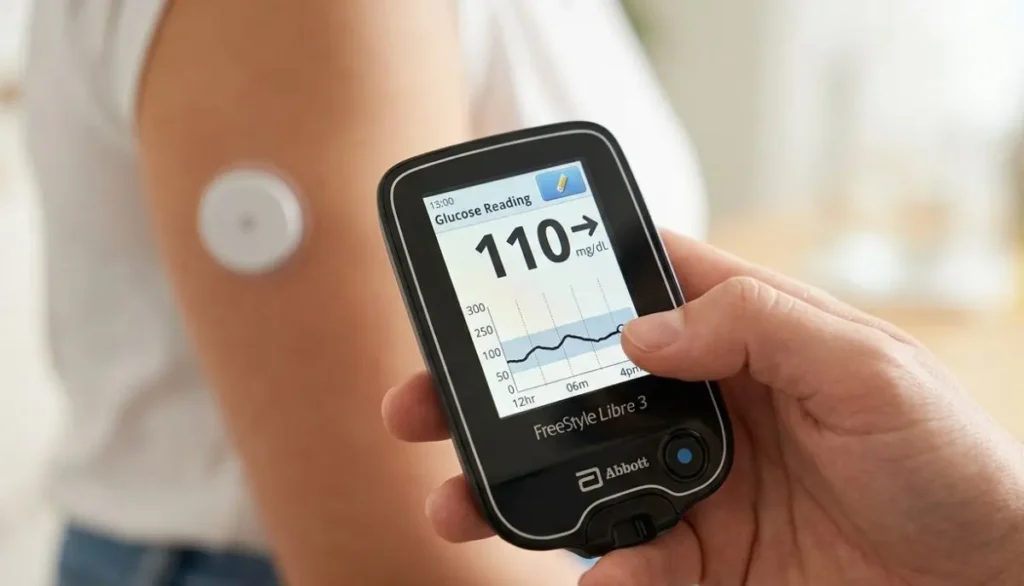
Depending on the specific system, settings, and available features, the reader may display information such as:
- Current glucose readings
- Glucose trends and direction
- Previous glucose readings and history
- A visual glucose graph
- High and low glucose alarms
- Notifications and system alerts
- Notes and other supported features
Abbott also provides U.S. support materials for the FreeStyle Libre 3 Reader, including resources such as a quick-start guide, quick-reference guide, and user manual. These materials can help users understand the device and learn how to use its available functions.
One important detail to understand is that the FreeStyle Libre 3 Reader and the FreeStyle Libre 3 smartphone app are not designed to be used interchangeably with the same sensor at the same time. Abbott’s documentation explains that users should not use both the reader and the FreeStyle Libre 3 app simultaneously with the same sensor.
FreeStyle Libre 3 Reader How to Use: Getting Started
Before using your FreeStyle Libre 3 Reader, make sure you have the correct sensor that is compatible with your system. It is also important to read the instructions included with your device and sensor before getting started.
The setup and first use can be broken down into five easy steps:
- Prepare and apply the sensor – Follow the provided instructions to safely prepare and place the sensor.
- Turn on the FreeStyle Libre 3 Reader – Power on the reader and get it ready for sensor setup.
- Start the new sensor – Use the reader to activate your newly applied sensor.
- Allow the sensor to warm up – Wait for the required warm-up period before checking your glucose readings.
- View your glucose information – Once the sensor is ready, use the reader to scan and review your glucose data.
Let’s take a closer look at each step so you can understand how the process works.
Step 1: Prepare Before Applying Your Sensor
The reader does not attach directly to your body. Instead, the sensor is the part of the FreeStyle Libre 3 system that is applied to your skin.
Before you begin, choose the sensor application site recommended by Abbott for your specific FreeStyle Libre system. For the FreeStyle Libre 3 system, Abbott recommends applying the sensor to the back of the upper arm and following the manufacturer’s application instructions carefully. Preparing the skin properly before application is an important part of the process.
Prepare Your Skin Before Applying the Sensor
- Wash the selected area: Clean the skin with soap and clean water to remove dirt, oils, or residue.
- Dry the skin thoroughly: Make sure the area is completely dry before continuing.
- Clean with an alcohol wipe: Use an alcohol wipe as directed in the manufacturer’s instructions.
- Let the area air-dry: Allow the skin to dry completely before applying the sensor.
- Choose an appropriate site: Avoid placing the sensor on areas that Abbott identifies as unsuitable for sensor application.
Proper skin preparation can help the sensor adhesive attach securely and remain in place during use. Take a few extra moments to clean and completely dry the application area. Careful preparation can make the sensor application process easier and more comfortable.
Step 2: Apply the FreeStyle Libre Sensor
After preparing the skin, use the sensor applicator by following the instructions provided with your specific sensor.
According to Abbott’s setup guidance, place the applicator over the prepared area on the back of the upper arm and press down as directed. After applying the sensor, gently check around the edges to ensure it is securely attached to the skin.
Do not alter, tamper with, or attempt to modify the sensor or applicator in any way.
If you have any questions or are unsure about the application process, review Abbott’s latest sensor application instructions before applying the sensor.
A few practical tips
You may find applying the sensor easier when:
- Your skin is clean and fully dry before application.
- You have enough time to apply the sensor carefully without feeling rushed.
- You choose a suitable, relatively flat area that stays comfortable during your normal daily activities.
- You carefully follow the manufacturer’s instructions for sensor placement.
- You avoid repeatedly touching, moving, or adjusting the sensor once it has been applied.
Step 3: Turn On the FreeStyle Libre 3 Reader
Applying the sensor may be easier and more comfortable when:
- Your skin is clean and completely dry before you begin.
- You have enough time to apply the sensor carefully without rushing.
- You select a suitable, fairly flat area that remains comfortable during your usual activities.
- You follow the manufacturer’s instructions carefully when positioning and applying the sensor.
- Once applied, avoid repeatedly touching, shifting, or adjusting the sensor.
Step 4: Start a New Sensor With the Reader
How to Activate the FreeStyle Libre 3 Sensor
After applying the sensor to your skin, follow these steps to activate it with the FreeStyle Libre 3 Reader:
- Turn on the FreeStyle Libre 3 Reader.
- Select “Start New Sensor” on the reader.
- Hold the reader close to the newly applied sensor as directed.
- Keep the reader in the recommended position while it detects and connects with the sensor.
- Wait for the reader to display a confirmation that the sensor has been successfully activated.
According to Abbott’s instructions, during the activation process, the reader should be positioned with its screen touching the sensor. If the sound feature is turned on, the reader may also provide an audible signal when the sensor has been detected successfully.
If the reader does not detect the sensor correctly, check the instructions shown on the reader’s screen and refer to the official user manual for additional guidance. Avoid repeatedly pressing buttons or removing the sensor simply because the first attempt does not work. Follow the troubleshooting instructions provided for your device instead.
Step 5: Wait for the Sensor Warm-Up Period
After you activate the sensor, it needs a little time before it begins displaying glucose readings. According to Abbott’s instructions, the sensor has a 60-minute warm-up period before you can use it to check your glucose level.
During this time, the reader may display a message saying that the sensor is warming up. This is completely normal.
What Should You Do During the Warm-Up Period?
Simply follow the instructions shown on the reader and allow the sensor to complete its warm-up. There is no need to remove or replace the sensor if a glucose reading does not appear right away.
Once the 60-minute warm-up period is finished, the system can begin providing glucose information.
How to Check Glucose With the FreeStyle Libre 3 Reader
Once the sensor is activated and working, viewing your glucose information is simple and convenient. The reader receives data from the sensor and displays it on the screen.
Depending on your device and current glucose status, the reader may show:
- Your current glucose reading
- A trend arrow showing whether glucose is rising, falling, or staying steady
- A glucose graph showing recent changes
- Alerts or notifications
- Additional information about your glucose history
Remember that the current glucose number is just one part of the information your reader provides. The trend arrow is also useful because it helps you understand the direction your glucose level is moving and can provide helpful context for your current reading.
Understanding the Glucose Number
The large number displayed on your reader shows your current sensor glucose level. Depending on your recent readings, the number may be:
- Higher than your usual glucose level
- Lower than your usual glucose level
- Similar to your recent readings
- Trending upward
- Trending downward
A single glucose reading does not always tell the complete story. It is helpful to consider the overall glucose trend and other information available on your reader, along with the treatment plan recommended by your healthcare professional.
Glucose targets are personal and can vary from one person to another. For this reason, avoid comparing your reading with someone else’s glucose level. Instead, follow the glucose targets and guidance provided by your healthcare professional.
What Does the Trend Arrow Mean?
One useful feature of a continuous glucose monitoring (CGM) system is the trend indicator. A trend arrow provides extra information about how glucose levels are changing over time. It may show that glucose is:
- Rising
- Falling
- Staying relatively steady
- Changing rapidly in either direction
This information can give you more context than a single glucose reading alone. For example, two people may have the same glucose number, but their trend arrows could point in different directions. One person’s glucose may be rising, while the other person’s glucose may be falling.
That is why it can be helpful to consider both the glucose reading and the trend information rather than focusing only on the number displayed on the screen. Together, they provide a broader picture of how glucose levels are changing.
Remember
Do not use this article to decide how much insulin or medication to take.
Use the treatment plan provided by your healthcare professional and the instructions for your specific system.
How to Use FreeStyle Libre 3 Reader Alarms
FreeStyle Libre 3 Glucose Alarms
The FreeStyle Libre 3 system can provide glucose alarms when the available alarm features are properly configured. Abbott explains that optional real-time glucose alarms can alert users when their glucose reaches a selected high or low level. The exact alarm features may vary depending on the system, settings, and compatible device being used.
These alerts can be helpful because you do not need to constantly check your reader to stay aware of your glucose levels. When configured appropriately, an alarm may notify you when your glucose is:
- Too high
- Too low
- Affected by another system-related condition
How to Set Up Glucose Alarms
You can use the reader’s settings menu and follow the instructions displayed on the screen to configure the available glucose alarms. If you are unsure which glucose thresholds are suitable for you, speak with your healthcare professional for guidance based on your individual care plan.
Remember that an alarm is an alert, not a substitute for medical advice. Do not make changes to your diabetes treatment solely because an alarm occurs. Consider the alert along with your healthcare plan and the guidance provided by your medical team.
Why Glucose Alarms Matter
Whether you are sleeping, working, exercising, cooking, traveling, or enjoying time with your family, you may not be able to monitor your glucose readings every minute.
A glucose alarm can help get your attention when your glucose level reaches a situation that may require you to check your readings and follow your personal diabetes-management plan.
Keep in mind that glucose alarms are a helpful monitoring feature, but they should not replace professional medical care. If you experience concerning symptoms or your glucose reading does not match how you feel, follow the guidance provided by your healthcare professional.
How to Read the FreeStyle Libre 3 Glucose Graph
A glucose graph can help you see how your blood sugar changes over time instead of focusing on just one reading. By looking at the overall trend, you may be able to notice patterns that are not obvious from a single number.
You may see changes in glucose levels during different situations, such as:
After eating
It is common for glucose to increase after a meal. The amount and timing of the rise can differ from person to person and may be influenced by the type of food, physical activity, medications, and other individual factors.
During exercise
Physical activity can cause glucose levels to change in different ways. The effect may depend on the type of exercise, how long you are active, and your individual circumstances.
Overnight
Glucose levels can also change while you sleep. Reviewing your previous readings may help you recognize nighttime patterns that you can discuss with your healthcare professional.
During stressful periods
Stress and other everyday factors may influence glucose levels. Looking at your glucose history can help you understand whether certain situations are associated with changes in your readings.
The key is to look at the bigger picture rather than relying on one reading alone. Reviewing glucose trends over time can provide helpful information for conversations with your healthcare team and may help you better understand how your glucose responds to different activities and daily situations.
How to Review Glucose History
The reader may allow you to view past glucose readings, depending on the specific system and device settings. Looking back at your glucose history can help you identify patterns and understand how your levels may change over time.
For example, you may notice changes in glucose levels:
- After eating certain meals or foods
- During or after specific activities
- At particular times of the day
- During the night or overnight hours
- Around your medication or insulin schedule
Glucose graphs can provide useful information, but they should not be used to diagnose a condition on your own. Instead, consider sharing these patterns with your healthcare professional. They can help you interpret your glucose history and determine what the trends may mean in relation to your individual health and treatment plan.
Can You Add Notes?
Depending on the features available with your FreeStyle Libre system, you may be able to add notes about meals, insulin, exercise, and other daily activities or events.
Adding these details can give you a better understanding of your glucose history by helping you connect changes in glucose levels with what was happening at the time.
For example:
- 8:00 AM: Breakfast
- 10:00 AM: Exercise
- 12:30 PM: Lunch
Later, you and your healthcare professional may be able to review these notes alongside your glucose readings. This can provide useful context and make your glucose records more informative than numbers alone.
FreeStyle Libre 3 Reader vs. Traditional Glucose Meter
A traditional blood glucose meter typically measures blood sugar using a small blood sample collected through a fingerstick. In contrast, a continuous glucose monitoring (CGM) system uses a sensor to gather glucose readings from the body and sends that information to a compatible reader or display device.
While both methods help people monitor glucose levels, they work differently and are intended for different uses, so they should not be treated as interchangeable.
The FreeStyle Libre 3 Reader is specifically designed to work with the compatible FreeStyle Libre 3 sensor system. For safe and proper use, always use the recommended compatible components and follow the manufacturer’s instructions.
Does the FreeStyle Libre 3 Reader Need a Fingerstick Every Time?
A CGM system is designed to provide ongoing sensor glucose readings, reducing the need for frequent traditional fingerstick tests. However, Abbott explains that a fingerstick blood glucose test may still be necessary for making treatment decisions in certain situations. This can include times when the system displays a “Check Blood Glucose” symbol or when the glucose reading or alarm does not match how you feel or what you expect.
This is an important safety consideration when using a CGM system.
If your glucose reading does not match how you feel, do not ignore the difference. Follow the instructions provided with your specific CGM system and contact or follow the advice of your healthcare professional when needed.
What If the FreeStyle Libre 3 Reader Cannot Find the Sensor?
Sometimes, the reader may not detect the sensor right away. If this happens, there is usually no need to worry.
- Stay calm and make sure the sensor is securely attached to your skin.
- Follow the instructions shown on the reader screen.
- Try scanning the sensor again as instructed.
- If the issue continues, check the User Manual for troubleshooting guidance.
- When necessary, contact Abbott Support or speak with your healthcare professional for further assistance.
According to Abbott’s instructions, if the reader does not successfully scan the sensor within the required time, it may prompt you to scan again. A single unsuccessful scan does not necessarily mean there is a problem with the sensor.
Do not remove a properly applied sensor simply because one scan attempt was unsuccessful. Follow the device instructions and try again as directed.
What If the Sensor Falls Off?
If the sensor becomes detached, follow the latest Abbott instructions provided for your specific sensor model. Never try to reinsert a sensor that has come out of the skin.
If you are unsure about the next steps, contact Abbott or speak with your healthcare professional for guidance. If the sensor repeatedly fails to stay securely attached, discuss the problem with your healthcare professional and review Abbott’s recommended sensor application and adhesion instructions.
Keeping Your FreeStyle Libre 3 Reader Ready
Taking care of your reader can make everyday use easier.
Consider these simple habits:
Keep it charged
Charge the reader according to the manufacturer’s instructions so that it is available when you need it.
Keep the screen clean
A clean touchscreen can make navigation easier.
Store it safely
Avoid exposing the reader to conditions outside the manufacturer’s specified operating and storage limits.
Keep instructions available
If you are new to the system, save the User Manual or bookmark Abbott’s official support resources.
Abbott currently provides FreeStyle Libre 3 Reader support materials online, including user manuals and quick-reference resources.
FreeStyle Libre 3 Reader How to Use: Common Mistakes to Avoid
Learning a new medical device takes time. Here are several common mistakes worth avoiding.
1. Starting without reading the instructions
Even if the system looks simple, read the instructions before using it.
2. Applying the sensor to an inappropriate location
Follow Abbott’s recommended placement instructions for your specific sensor.
3. Activating the sensor incorrectly
Use the compatible reader or app according to the manufacturer’s instructions.
4. Forgetting the warm-up period
The sensor does not provide usable glucose readings immediately after activation. Abbott’s instructions specify a 60-minute warm-up for the referenced system.
5. Ignoring alarms
An alarm is designed to bring your attention to a situation. Follow your personal diabetes-management plan.
6. Making treatment decisions from this article
Online articles can explain how a device works, but your healthcare professional should guide your individual treatment decisions.
7. Ignoring symptoms
If your symptoms and sensor readings do not agree, follow the manufacturer’s guidance regarding blood glucose testing and contact your healthcare professional when appropriate.
Can the FreeStyle Libre 3 Reader Be Used With the FreeStyle Libre 3 Plus Sensor?
Abbott’s current information states that the FreeStyle Libre 3 Plus sensor is compatible with the FreeStyle Libre 3 Reader.
However, product compatibility can depend on the specific system, region, software, and device.
Always check the current manufacturer’s information before purchasing or combining components.
This is especially important because Abbott has updated its FreeStyle Libre product lineup and support resources. Abbott’s U.S. support page currently states that the original FreeStyle Libre 3 sensor is being discontinued and directs users toward the FreeStyle Libre 3 Plus sensor.
For that reason, it is a good idea to confirm the exact sensor model you have before starting a new sensor.
FreeStyle Libre 3 Reader and Smartphone Apps
Some users choose a smartphone app instead of a dedicated reader.
Abbott provides both reader and app resources, but the available features are not necessarily identical.
Abbott’s U.S. support page currently says that the FreeStyle Libre 3 app is being phased out and recommends transitioning to the newer Libre app with the next sensor.
If you are deciding between a reader and smartphone, check:
- Your sensor model
- Smartphone compatibility
- Current Abbott app availability
- Reader compatibility
- Alarm requirements
- Your healthcare professional’s recommendations
For some people, a dedicated reader can be convenient because it provides a separate device specifically for glucose monitoring.
How to Make Daily FreeStyle Libre 3 Reader Use Easier
Once you understand the basics, using the reader can become part of your normal routine.
Here are some simple habits.
Check your glucose at meaningful times
Rather than becoming focused on constantly checking numbers, use your system according to your healthcare professional’s recommendations.
Look at trends
A single glucose number is only one piece of information.
Pay attention to alarms
Make sure your alarm settings are configured according to your treatment plan.
Keep your reader accessible
If you depend on the reader for glucose information, avoid leaving it somewhere you cannot easily reach it.
Keep your supplies organized
Keep your sensors and other diabetes supplies together so you can find them when needed.
FreeStyle Libre 3 Reader How to Use: A Quick Example
Suppose you have just received a new compatible sensor.
Your general process would look like this:
- First: Prepare the back of your upper arm according to Abbott’s instructions.
- Second: Apply the sensor using the supplied applicator.
- Third: Turn on your FreeStyle Libre 3 Reader.
- Fourth: Select Start New Sensor.
- Fifth: Hold the reader against the sensor as instructed to activate it.
- Sixth: Wait for the required warm-up period.
- Seventh: Once the sensor is ready, use the reader to view your glucose information.
- Eighth: Review the glucose number, trend information, graph, and any relevant alerts.
- Ninth: Follow your personal diabetes-management plan.
This basic sequence is what makes the system approachable for many new users.
Where to Get Help With FreeStyle Libre 3 Products
If you are having trouble understanding your reader, sensor, or setup process, the manufacturer’s resources are an important place to start.
Abbott provides official FreeStyle Libre support materials, including:
- FreeStyle Libre 3 Reader User Manual
- Quick Start Guide
- Quick Reference Guide
- Sensor application information
- App support
- Compatibility information
- Troubleshooting resources
The official FreeStyle Libre support center currently provides these reader resources and additional product information.
For questions about your personal glucose targets, medication, insulin, or treatment decisions, speak with your healthcare professional.
FreeStyle Libre 3 Reader From Alfa Healthcare Supply Inc.
At Alfa Healthcare Supply Inc., we understand that medical equipment is not simply another product that someone puts into a shopping cart.
For a person managing diabetes, the right supplies can become part of everyday life.
That is why understanding how to use the FreeStyle Libre 3 Reader matters.
Alfa Healthcare Supply Inc. is a medical supply provider based in Floral Park, New York, serving customers in the surrounding New York area. Our website provides information about diabetes supplies and other home medical equipment.
When looking for a FreeStyle Libre product, it is important to confirm the exact model, sensor compatibility, prescription requirements, insurance requirements, and current availability before ordering.
You can learn more about diabetes and medical supply products through the Alfa Healthcare Supply Inc. website.
Final Thoughts: FreeStyle Libre 3 Reader How to Use
Learning a new glucose-monitoring device does not have to happen all at once.
Start with the basics:
- Apply the sensor correctly.
- Activate it with the compatible reader.
- Wait for the warm-up period.
- Check your glucose information.
- Understand the trend information.
- Pay attention to alarms.
- Follow your healthcare professional’s treatment plan.
The most important thing is not simply knowing where to press on the screen. It is understanding how the reader fits into your overall diabetes-management routine.
If you are new to the FreeStyle Libre 3 Reader, keep the official Abbott User Manual nearby and take your time learning each feature. Abbott continues to update its FreeStyle Libre products, apps, sensors, and support resources, so checking the latest manufacturer information is especially important.
For people searching online for “freestyle libre 3 reader how to use,” the goal should be simple: understand the device, use it according to the manufacturer’s instructions, and work with your healthcare team when making decisions about your diabetes care.
Frequently Asked Questions About FreeStyle Libre 3 Reader How to Use
How do I start a FreeStyle Libre 3 sensor with the reader?
Turn on the reader, select Start New Sensor, and hold the reader against the sensor as instructed. Abbott states that the sensor requires a 60-minute warm-up before it can be used to check glucose.
How long does FreeStyle Libre 3 sensor activation take?
The referenced Abbott setup instructions specify a 60-minute warm-up period after activation.
Do I have to scan the FreeStyle Libre 3 sensor every time I want a glucose reading?
The activation scan is different from repeatedly scanning for every glucose value. Abbott’s FreeStyle Libre 3 documentation describes the sensor as providing glucose information continuously once activated and connected to a compatible device.
Can I use the FreeStyle Libre 3 Reader and app at the same time?
For a given sensor, Abbott documentation indicates that the FreeStyle Libre 3 Reader cannot be used simultaneously with the FreeStyle Libre 3 app.
Can I use the FreeStyle Libre 3 Reader with FreeStyle Libre 3 Plus?
Abbott states that the FreeStyle Libre 3 Plus sensor is compatible with the FreeStyle Libre 3 Reader. Always verify current compatibility for your exact product before use.
What should I do if the reader does not detect my sensor?
Follow the instructions displayed on the reader and attempt the scan again as directed. If the problem continues, consult the Abbott User Manual or contact Abbott support.
Can I shower while wearing the sensor?
Follow the water-resistance instructions for your exact sensor model. Do not assume that every sensor or device has identical water-exposure limits.
Should I make insulin changes based only on the reader?
No. Your medication and insulin decisions should follow the treatment plan provided by your healthcare professional and the manufacturer’s instructions.
What if my glucose reading does not match my symptoms?
Follow Abbott’s instructions. Abbott states that fingerstick testing may be required for treatment decisions when the system indicates a blood glucose check is needed or when readings and symptoms do not match.
Large Alcohol Prep Pads:
When you manage diabetes, give routine injections, prepare for certain medical procedures, or keep a home healthcare kit ready, small supplies can make a big difference. One of those simple but useful products is large alcohol prep pads.
Large alcohol prep pads are pre-moistened, disposable pads commonly used to prepare the skin before an injection or other appropriate procedure. Many medical products in this category contain 70% isopropyl alcohol, although exact formulation, size, packaging, and labeling can vary by manufacturer. Official product labeling for large alcohol prep pads commonly identifies their purpose as preparing the skin before an injection.
For someone who uses insulin, injectable medications, lancets, or other medical supplies regularly, having the right preparation supplies close by can make a healthcare routine more organized and convenient.
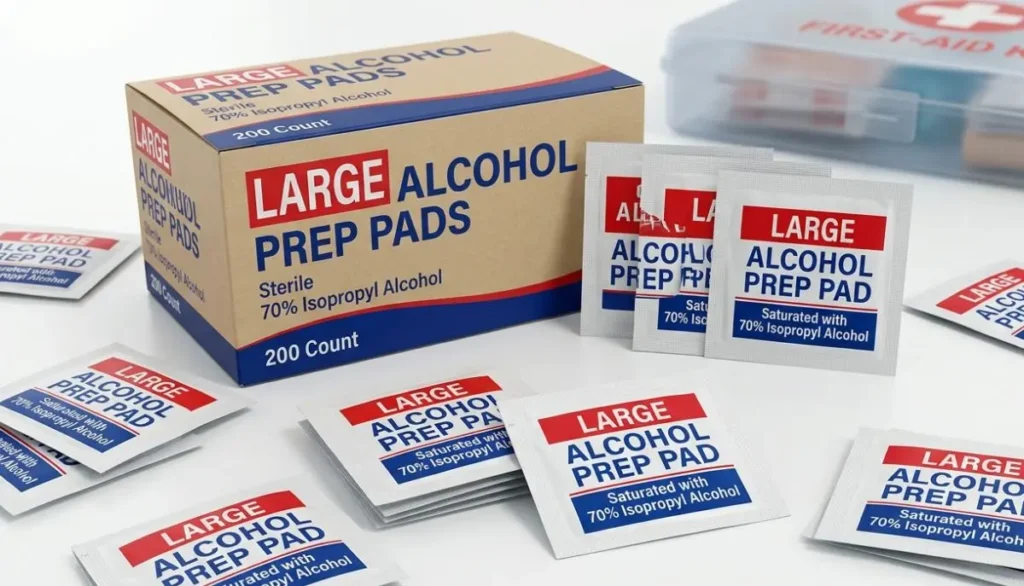
At Alfa Healthcare Supply Inc., we understand that medical supplies are not simply products on a shelf. They can become part of someone’s everyday routine. A person may need a dependable supply of diabetic products, injection-related supplies, DME, incontinence products, orthopedic supplies, or other home healthcare essentials.
This guide explains what large alcohol prep pads are, how they are commonly used, what to look for when buying them, important safety considerations, and how they can fit into a well-organized home medical supply kit.
What are Large Alcohol Prep Pads?
Large alcohol prep pads are disposable pads saturated with an alcohol-based solution, commonly 70% isopropyl alcohol.
They are designed to provide a convenient way to prepare an appropriate area of skin before an injection or another use specifically stated on the product label.
The word “large” generally refers to the physical size of the pad. A larger pad can provide more surface area than a smaller prep pad, which may be useful when the recommended preparation area requires broader coverage.
For example, PDI offers a large alcohol prep pad measuring approximately 1.7 inches by 3.5 inches, while its medium version measures approximately 1.1 inches by 2.6 inches. Product dimensions differ between manufacturers, so shoppers should always check the individual product specifications rather than assuming that every “large” pad has the same dimensions.
Many large alcohol prep pads are individually packaged. This makes them convenient for home use, clinical environments, travel medical kits, and other situations where a ready-to-use pad is helpful.
Common Features of Large Alcohol Prep Pads
Depending on the product, large alcohol prep pads may include:
- 70% isopropyl alcohol
- Absorbent pad material
- Large-format design
- Individual packaging
- Single-use construction
- Sterile packaging for products specifically labeled sterile
- Easy-open packets
- External-use labeling
These features can vary. Always read the product packaging and manufacturer’s instructions before use.
Why are Large Alcohol Prep Pads Used?
The main reason people use alcohol prep pads is convenience.
Instead of opening a bottle of alcohol and applying it to cotton or gauze, an individually packaged prep pad is already saturated and ready to use.
This can make a routine easier, especially for people who need to prepare their skin regularly.
For example, a person who takes routine injections may keep alcohol prep pads alongside their medication and other supplies. A healthcare worker may keep them in an organized clinical supply area. A caregiver may include them in a home healthcare kit.
The purpose is simple: prepare the appropriate skin area according to the instructions for the specific procedure and product.
The CDC recognizes alcohol-based skin preparation as one option for certain healthcare procedures. For example, its infection-control guidance recommends appropriate antiseptic skin preparation before peripheral venous catheter insertion and identifies 70% alcohol as one option in specified circumstances.
However, an alcohol prep pad should not automatically be considered suitable for every medical cleaning task.
That distinction is important.
Large Alcohol Prep Pads and 70% Isopropyl Alcohol
One of the most common questions about large alcohol prep pads is why so many products contain 70% isopropyl alcohol.
The answer is related to the antimicrobial properties of alcohol.
The CDC explains that alcohols such as ethanol and isopropyl alcohol have rapid activity against many microorganisms. It also notes that their activity drops significantly below 50% concentration, with an optimum bactericidal concentration generally described within the 60%–90% range.
This helps explain why 70% isopropyl alcohol is commonly found in products intended for skin preparation.
However, higher alcohol concentration does not automatically mean that a product is appropriate for every use.
A medical alcohol prep pad is a specific healthcare product with specific labeling. Users should follow the product’s intended purpose rather than assuming that the pad can be used as a universal disinfectant.
Large Alcohol Prep Pads for Diabetes Care
People managing diabetes often have several supplies to organize.
Depending on their treatment plan, these may include:
- Blood glucose meters
- Blood glucose test strips
- Lancets
- Insulin pens
- Insulin syringes
- Pen needles
- Continuous glucose monitoring supplies
- Injection supplies
- Alcohol prep pads
- Sharps containers
For someone who performs regular injections, having appropriate skin-preparation supplies nearby can make the routine easier to manage.
An alcohol prep pad can be used for skin preparation when its labeling and the instructions for the specific procedure call for it.
For example, many alcohol prep pad labels state that the product is intended for preparation of the skin before an injection.
It is important not to treat an alcohol prep pad as a replacement for proper diabetes care. Good hand hygiene, correct injection technique, proper medication storage, appropriate sharps disposal, and following the instructions of your healthcare professional remain important parts of safe diabetes management.
Large Alcohol Prep Pads for Injection Preparation
Injection preparation is one of the most common applications for alcohol prep pads.
The basic process is straightforward, but users should always follow the directions supplied with their medication and instructions from their healthcare professional.
A typical routine may include:
1. Wash or Clean Your Hands
Start with clean hands according to the instructions for your medication or procedure.
Hand hygiene is an important part of reducing contamination during healthcare tasks.
2. Prepare Your Supplies
Have the necessary medication, needle or other supplies, and alcohol prep pad ready before beginning.
Keeping supplies together can help make the process more organized.
3. Open a Fresh Pad
Open the individual packet immediately before use.
Avoid unnecessarily touching the pad.
4. Clean the Intended Skin Area
Use the pad according to its label and the instructions provided for your injection or procedure.
Some product labels instruct users to wipe the injection site thoroughly before the injection.
5. Allow the Area to Dry as Directed
Follow the instructions for your particular procedure regarding drying time.
Avoid touching the prepared area unnecessarily.
6. Dispose of the Used Pad
After use, discard the pad appropriately.
Alcohol prep pads are intended to be disposable and should not be reused.
Why Choose a Large Alcohol Prep Pad?
The size of an alcohol prep pad may seem like a minor detail, but it can affect convenience.
A larger pad offers more material for wiping a preparation area compared with a smaller pad.
For healthcare professionals, caregivers, and people managing regular medical routines, this can make the preparation process more convenient.
However, bigger does not automatically mean better for every situation.
The appropriate size depends on the procedure, product instructions, personal preference, and healthcare professional guidance.
Potential Advantages of a Large Format
Large alcohol prep pads may offer:
More surface area:
A larger pad can cover a broader area during skin preparation.
Easy handling:
Some people find a larger pad easier to hold and use.
Convenient packaging:
Individually wrapped pads can be stored and carried without bringing a bottle of liquid alcohol.
Simple disposal:
After use, the pad can be discarded instead of storing reusable materials.
Useful for supply organization:
Boxes of individually packaged pads are easy to keep with other medical supplies.
Individually Wrapped Large Alcohol Prep Pads
Individual packaging is an important feature to consider when purchasing large alcohol prep pads.
Each packet protects the pad from outside exposure until it is opened.
PDI, for example, describes its large alcohol prep pads as individually wrapped and packaged for single use. Its listed large format is available in a box of 100 pads.
Individual packaging can be particularly convenient for:
- Home healthcare
- Diabetes care
- Clinics
- Physician offices
- Caregiver supply kits
- Travel
- Workplace first-aid or medical supply areas
- Mobile healthcare routines
It also means you can carry a few individual packets without bringing an entire bottle of alcohol.
Sterile vs. Non-Sterile Alcohol Prep Pads
When shopping for large alcohol prep pads, you may see both sterile and non-sterile products.
This distinction matters.
A product labeled sterile has undergone a specific sterilization process and is packaged according to its labeling requirements. A product that is not labeled sterile should not automatically be assumed to be sterile.
For a medical procedure where sterility is specifically required, follow the instructions of the healthcare professional performing or directing the procedure.
Some large alcohol prep pads are specifically marketed as sterile 70% isopropyl alcohol pads for skin cleansing before injections, blood draws, or minor procedures.
Always check the actual package before use.
What Should You Look for When Buying Large Alcohol Prep Pads?
If you are shopping for large alcohol prep pads, several details are worth checking.
1. Alcohol Concentration
Check the active ingredient and concentration.
Many medical prep pads contain 70% isopropyl alcohol, but formulations can vary.
2. Pad Size
Look at the actual dimensions instead of relying only on the word “large.”
For example, one manufacturer’s large pad may have different dimensions from another manufacturer’s large pad.
3. Sterility
If sterile supplies are required for your procedure, confirm that the product is specifically labeled sterile.
4. Packaging
Individually wrapped pads are convenient for single-use applications and storage.
5. Pad Construction
Some products use 2-ply material or other absorbent designs.
The material can influence handling and how much liquid the pad holds.
6. Count Per Box
Large alcohol prep pads may be sold in different quantities.
A larger box can be useful for regular users, while a smaller package may be more convenient for occasional use.
7. Manufacturer Instructions
Always review the label.
Medical supplies can look similar while having different intended uses and warnings.
Large Alcohol Prep Pads vs. Small Alcohol Pads
The primary difference is usually size.
Small pads can be convenient for quick, targeted skin preparation.
Large pads provide more surface area and may be easier to handle for certain preparation tasks.
Neither size should automatically be considered appropriate for every procedure.
Think about your routine.
If you perform a simple injection and prefer a compact pad, a smaller format may be sufficient when permitted by the product instructions.
If you prefer more coverage or find a larger pad easier to handle, a large alcohol prep pad may be more convenient.
The important thing is using the product according to its intended purpose.
Can You Use Large Alcohol Prep Pads on Wounds?
This is an important question.
Do not assume that an alcohol prep pad is appropriate for an open wound.
Many alcohol prep pad labels are specifically intended for skin preparation before injection and include warnings against use on irritated skin. Cardinal Health’s large alcohol prep pad labeling, for example, says it is intended for preparation of skin before injection and warns against use on irritated skin and mucous membranes.
Alcohol can be irritating to damaged tissue.
If you have a deep wound, puncture wound, significant burn, infected area, or another concerning skin injury, seek appropriate medical advice rather than using an alcohol prep pad based on assumption.
Can Large Alcohol Prep Pads Be Used on Medical Devices?
Not automatically.
This is another area where people sometimes assume that “alcohol” means “safe for everything.”
It does not.
Some medical devices may have manufacturer-specific cleaning instructions. Certain plastics, coatings, adhesives, screens, sensors, or other materials may be affected by alcohol.
An alcohol prep pad intended for skin preparation should be used according to its product labeling.
If you need to clean a medical device, check the device manufacturer’s cleaning instructions first.
Can You Use Large Alcohol Prep Pads on a CGM Site?
People who use continuous glucose monitors sometimes have questions about skin preparation.
CGM products can have specific application instructions, and recommendations may vary by device.
If your CGM manufacturer’s instructions recommend a particular skin-cleaning method before sensor application, follow those instructions.
Do not assume that every alcohol prep pad is appropriate for every CGM system.
Also consider that adhesive performance can be affected by skin products, moisture, oils, and other substances.
When using a CGM, follow the current instructions supplied with your specific device.
Safety Tips for Large Alcohol Prep Pads
Large alcohol prep pads are simple to use, but they still contain alcohol and should be handled responsibly.
For External Use Only
Many medical alcohol prep pad labels specify external use only.
Do not ingest the product.
Keep Away From Fire
Isopropyl alcohol is flammable.
Keep alcohol prep pads away from flames, sparks, heat sources, and other ignition sources. Product labeling specifically warns that these products are flammable.
Avoid the Eyes
Do not use an alcohol prep pad in the eyes.
Many labels also specify avoiding mucous membranes.
Avoid Irritated Skin
Do not use the product on irritated skin unless a qualified healthcare professional specifically directs you otherwise.
Do Not Reuse
Use a new pad each time it is required.
Keep Away From Children
Store alcohol prep pads safely away from children.
Watch for Skin Irritation
If redness, irritation, or another concerning reaction develops, stop using the product and consult a healthcare professional as appropriate. Product labels commonly include this warning.
How to Store Large Alcohol Prep Pads
Proper storage helps maintain the condition of your medical supplies.
A good storage location should be:
- Clean
- Dry
- Away from excessive heat
- Away from direct flames
- Away from children
- Easily accessible when needed
- Protected from damage to the individual packets
Some product labeling specifies room-temperature storage, such as 15°C–30°C (59°F–86°F), but storage requirements can differ. Always follow the product package.
Check the Packaging Before Use
Before opening a pad, inspect the packet.
Do not use a product if the packaging is damaged or compromised when the label states that package integrity is required.
This is especially important when a product is labeled sterile.
Large Alcohol Prep Pads for Home Healthcare
Home healthcare works best when essential supplies are easy to find.
Imagine needing to give a routine injection and discovering that your supplies are scattered between different cabinets.
It is a small problem, but small problems can make healthcare routines more stressful.
Keeping large alcohol prep pads together with appropriate injection or diabetes supplies can help create a simple, organized setup.
A small home healthcare station might include:
- Prescribed medications
- Appropriate needles or syringes
- Blood glucose supplies
- CGM supplies
- Alcohol prep pads
- Gauze when appropriate
- A sharps disposal container
- Other supplies recommended by your healthcare professional
The exact contents will depend on the person’s healthcare needs.
Large Alcohol Prep Pads for Travel
Medical routines do not stop when you leave home.
For people who travel regularly, individually packaged large alcohol prep pads can be convenient because they are compact and ready to use.
You can place a reasonable supply in an organized medical travel pouch along with other necessary healthcare products.
When traveling, remember that alcohol products are flammable and should be stored and transported responsibly according to applicable rules.
Keep medications and medical supplies in their original packaging whenever appropriate, and follow travel requirements.
Why Convenience Matters in Healthcare
Healthcare can involve many small steps.
Take medication.
Prepare supplies.
Clean the appropriate area.
Complete the procedure.
Dispose of used materials.
Repeat.
When a product removes unnecessary complexity from one of those steps, it can make the routine feel easier.
That is one reason individually packaged large alcohol prep pads remain useful.
They do not replace professional medical care, but they can support a well-organized routine when used for their intended purpose.
Large Alcohol Prep Pads from Alfa Healthcare Supply Inc.
At Alfa Healthcare Supply Inc., we understand the importance of convenient access to everyday healthcare supplies.
Alfa Healthcare Supply serves customers looking for medical supplies and durable medical equipment, with a focus on making healthcare products easier to find and obtain.
Our product range includes categories such as diabetic supplies, DME equipment, incontinence supplies, orthopedic products, foot care products, COPD/asthma supplies, urinary supplies, and other medical supplies.
For customers looking for alcohol prep pads, it is important to select a product that matches the intended use, size, packaging, and labeling requirements of their healthcare routine.
Alfa Healthcare Supply also offers medical supply services from its location in Floral Park, New York, with delivery options for customers in the surrounding service area.
Product availability, packaging, pricing, and specifications can change, so customers should review the current product information before placing an order.
How to Choose the Right Alcohol Prep Pad Size
Choosing the right size does not need to be complicated.
Start by asking:
What will I use it for?
If the product is for routine skin preparation before an injection, check the instructions for your medication and the prep pad.
Does my healthcare professional recommend a specific product?
If so, follow that recommendation.
Do I need a sterile product?
If sterility is required, select a product specifically labeled sterile.
Would a larger pad be easier for me to handle?
If yes, compare the actual dimensions of large-format products.
How often will I use them?
Regular users may prefer larger box quantities.
These simple questions can help you choose a product based on your actual needs rather than simply choosing the largest package.
Common Mistakes to Avoid
Even simple medical products can be misused.
Here are several common mistakes to avoid.
Mistake 1: Assuming Every Alcohol Pad Is the Same
Different products can have different sizes, concentrations, packaging, sterility, and intended uses.
Read the label.
Mistake 2: Using an Alcohol Pad on Every Type of Skin Injury
Alcohol prep pads are not automatically appropriate for open wounds, burns, or damaged tissue.
Follow the product labeling and seek professional advice when needed.
Mistake 3: Reusing a Pad
Alcohol prep pads are generally intended for single use.
Use a fresh pad when needed.
Mistake 4: Ignoring Fire Safety
Alcohol is flammable.
Keep prep pads away from fire and ignition sources.
Mistake 5: Ignoring Device Instructions
If you are cleaning or preparing a medical device, follow the device manufacturer’s instructions rather than assuming an alcohol pad is appropriate.
Final Thoughts on Large Alcohol Prep Pads
Sometimes the simplest medical supplies are the ones people use most often.
Large alcohol prep pads can be a convenient part of an organized healthcare routine, particularly when skin preparation is required before an injection or another appropriate procedure.
Their individually packaged design makes them easy to store, carry, and use. Many products contain 70% isopropyl alcohol, and large-format versions provide additional surface area compared with smaller pads.
But convenience should always come with responsible use.
- Read the label.
- Use the pad only for its intended purpose.
- Do not use it on inappropriate areas such as the eyes or irritated skin.
- Keep it away from flames.
- Do not reuse it.
And when you are unsure whether an alcohol prep pad is appropriate for a particular medical procedure, ask your doctor, nurse, pharmacist, or another qualified healthcare professional.
For people building a reliable home medical supply kit, the goal is not simply to have more supplies. It is to have the right supplies, in the right quantity, stored safely and ready when they are needed.
For medical supplies and durable medical equipment, Alfa Healthcare Supply Inc. is here to help customers find practical healthcare products for everyday needs.
Always review the current product label and manufacturer instructions before use because product specifications, packaging, and labeling may change.
Frequently Asked Questions About Large Alcohol Prep Pads
What are large alcohol prep pads?
Large alcohol prep pads are disposable pads saturated with an alcohol solution, commonly 70% isopropyl alcohol. They are often labeled for preparing the skin before injections.
What are large alcohol prep pads used for?
They are commonly used for skin preparation before injections or other procedures when the product labeling specifically allows that use.
Are large alcohol prep pads sterile?
Some are sterile and some may not be. Always check the product packaging and specifications.
Do large alcohol prep pads contain 70% alcohol?
Many medical alcohol prep pads contain 70% isopropyl alcohol, but users should check the actual product label because formulations can vary.
Why choose large alcohol prep pads instead of small ones?
Large pads provide more surface area and may be easier for some users to handle. The correct size depends on the specific procedure and product instructions.
Can I use large alcohol prep pads before an insulin injection?
Many alcohol prep pads are specifically labeled for preparing skin before an injection. Follow the instructions for your medication and the prep pad, along with guidance from your healthcare professional.
Can I use alcohol prep pads on an open wound?
Do not assume that they are appropriate for open wounds. Many products are specifically labeled for injection-site skin preparation and warn against use on irritated skin.
Can I reuse an alcohol prep pad?
No. Alcohol prep pads are designed as disposable, single-use products.
Can I use an alcohol prep pad to clean a medical device?
Only if the device manufacturer specifically permits it. A skin-preparation pad is not automatically suitable for every medical device.
Are alcohol prep pads flammable?
Yes. Products containing isopropyl alcohol are flammable. Keep them away from fire, sparks, and other ignition sources.
How should I store large alcohol prep pads?
Store them according to the manufacturer’s instructions, generally in a clean, dry location away from heat and ignition sources and out of children’s reach.
How many large alcohol prep pads should I buy?
That depends on how often you use them. People with regular injection routines may need a larger supply, while occasional users may prefer a smaller package.
Are individually wrapped alcohol pads better?
Individual packaging offers convenience and helps protect each pad until it is opened. Whether a specific product is right for you depends on its labeling and intended use.
Where can I buy large alcohol prep pads?
Large alcohol prep pads are available from medical supply providers, pharmacies, and other healthcare retailers. Alfa Healthcare Supply Inc. provides a range of medical and DME products and can be a convenient option for customers looking for healthcare supplies.
How Do I Get a FreeStyle Libre 3 Reader?
If you are searching for “how do I get a FreeStyle Libre 3 reader,” you are probably looking for a simple answer: where to get the reader, whether you need a prescription, whether insurance can help, and how to make sure you purchase a reader that works with your FreeStyle Libre system.
For many people, a dedicated glucose reader can be useful when they do not want to depend entirely on a smartphone. It can provide a convenient way to view glucose information from a compatible sensor.
However, there is an important update to understand in 2026: Abbott’s U.S. FreeStyle Libre website says the original FreeStyle Libre 3 sensor is being discontinued and directs current users to ask their doctor about the FreeStyle Libre 3 Plus sensor. Abbott describes the current Libre 3 system around the Libre 3 Plus sensor and Libre app.
This guide from Alfa Healthcare Supply Inc. explains the practical steps to take if you want to get a FreeStyle Libre 3 Reader, what to ask your healthcare provider, how prescriptions and insurance may work, and what to check before ordering.
What is a FreeStyle Libre 3 Reader?
The FreeStyle Libre 3 Reader is a portable handheld device designed to work with compatible FreeStyle Libre continuous glucose monitoring (CGM) components.
A CGM system is different from a traditional blood glucose meter. Instead of taking a fingerstick every time you want a glucose reading, a compatible sensor collects glucose information and communicates with a compatible reader or other supported device.
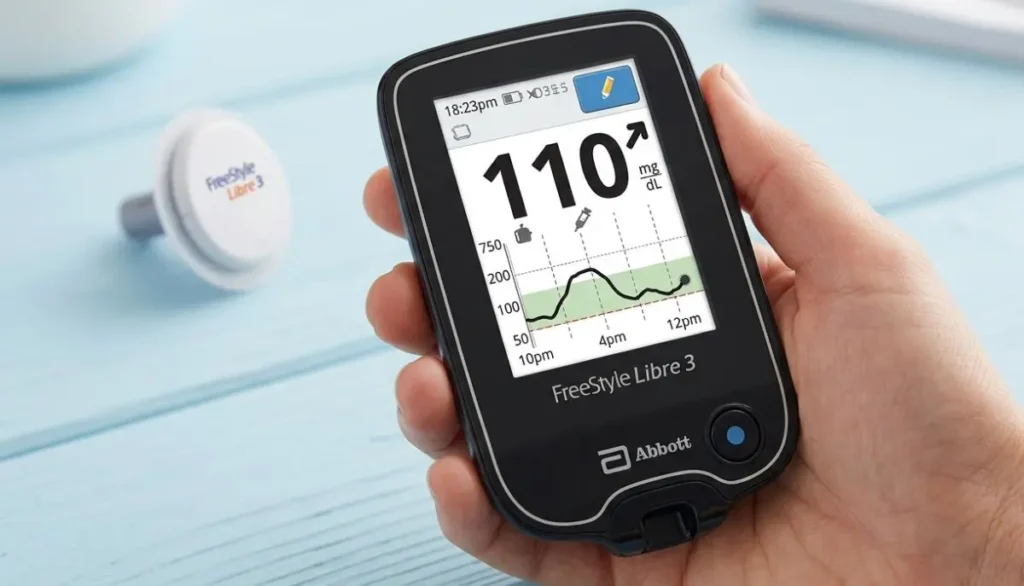
A dedicated reader may be helpful for someone who:
- Does not want to use a smartphone for glucose monitoring
- Does not have a compatible smartphone
- Prefers a separate medical device
- Wants a dedicated screen for checking glucose
- Is helping a family member or caregiver monitor glucose
- Wants another option for accessing CGM information
Abbott provides separate support resources for FreeStyle Libre readers, including a reader quick-start guide and user materials.
The reader and sensor are not the same product. The sensor is the wearable component, while the reader is the reusable handheld device.
That distinction is important when ordering.
How Do I Get a FreeStyle Libre 3 Reader?
If you are wondering how do I get a FreeStyle Libre 3 reader, the process generally starts with confirming which FreeStyle Libre system you currently use or plan to use.
Step 1: Talk With Your Healthcare Provider
Start by speaking with your doctor, diabetes care provider, or another qualified healthcare professional.
Tell them that you are interested in using a FreeStyle Libre CGM system and that you want to know whether a compatible reader is appropriate for you.
Your provider can help determine:
- Which Libre system is appropriate
- Which sensor you should use
- Whether you need a reader
- Whether a prescription is required
- What should be included on the prescription
- Whether your insurance may cover the equipment
For Medicare beneficiaries, Abbott specifically states that the prescription must include both the reader and sensors for Medicare coverage eligibility. Coverage requirements and documentation can apply.
This is one reason it is helpful to discuss the reader and sensor together rather than ordering one component without checking compatibility.
Do I Need a Prescription for a FreeStyle Libre 3 Reader?
In the United States, FreeStyle Libre systems are prescription products. Abbott’s U.S. website identifies the product as prescription-only.
Your exact prescription and coverage requirements can depend on your insurance and the way the product is being supplied.
For example, Abbott’s prescribing information distinguishes between pharmacy and DME pathways. For Medicare-eligible patients, the process can involve determining the type of Medicare coverage, confirming eligibility requirements, completing documentation, and working with a DME supplier.
What should you ask your doctor?
You can keep the conversation simple:
“I am interested in using a FreeStyle Libre continuous glucose monitoring (CGM) system. Can you tell me which current Libre sensor and reader are appropriate for me, and can you send the prescription to my pharmacy or DME supplier?”
Your healthcare provider can then determine the appropriate prescription based on your individual situation.
Can I Get a FreeStyle Libre Reader Through Insurance?
Possibly.
Insurance coverage varies, so there is no single answer that applies to every patient.
Your coverage can depend on:
- Your insurance company
- Your specific insurance plan
- Whether you have Medicare or commercial insurance
- Your medical eligibility
- Prescription requirements
- Documentation requirements
- Whether the product is supplied through a pharmacy or DME provider
Abbott’s Medicare information explains that Medicare coverage requires a prescription that includes both the reader and sensors, while additional coverage and documentation criteria may apply.
If you are using private insurance, your provider, pharmacy, or DME supplier can help determine what your plan requires.
Before ordering, ask:
- Is the reader covered?
- Are the sensors covered?
- Do I have a deductible?
- What is my copay or coinsurance?
- Does my insurance require a specific supplier?
- Does the prescription need prior authorization?
- Does my plan require documentation?
- Is the product supplied through a pharmacy or DME benefit?
Getting these answers first can help prevent unexpected costs.
Can I Buy a FreeStyle Libre Reader Directly?
Availability can change, and the appropriate purchasing route depends on the current Libre system and your prescription and coverage situation.
If you are purchasing through a medical supply company, check whether the supplier currently has the exact reader you need and whether the reader is compatible with your sensor.
Alfa Healthcare Supply Inc. lists the FreeStyle Libre 3 Reader among its diabetic supplies. Its online diabetic-supplies catalog currently displays the reader, along with FreeStyle Libre sensors and other glucose-monitoring products.
Because product availability, pricing, prescription requirements, and insurance rules can change, it is a good idea to verify these details before placing an order.
Getting a FreeStyle Libre 3 Reader From Alfa Healthcare Supply Inc.
If you are considering Alfa Healthcare Supply Inc. for your diabetic supplies, the company is a DME and medical supply provider based in Floral Park, New York.
Alfa Healthcare Supply Inc
Alfa Healthcare Supply Inc Web Address: 261-12 E Williston Ave, Queens, NY 11001, United States Phone: +1 718-343-3860
The company’s diabetic-supplies catalog includes glucose monitoring products such as the FreeStyle Libre 3 Reader and FreeStyle Libre 3 Sensor.
When contacting a medical supply provider, have useful information available, such as:
- Your name and contact information
- Your insurance information
- Your prescription, if already available
- The name of your healthcare provider
- The Libre sensor you currently use
- The reader you were prescribed or instructed to obtain
This can make the ordering process easier.
You can also visit Alfa Healthcare Supply Inc. to review available medical and diabetic supplies.
Why Does the Reader Need to Match the Sensor?
This is one of the most important questions to ask before buying.
CGM systems are made up of components that are designed to work together. A reader intended for one system should not automatically be assumed to work with another sensor.
For example, a FreeStyle Libre reader and a FreeStyle Libre sensor should be checked for compatibility before purchase.
This becomes especially important because Abbott’s U.S. product lineup is changing. Abbott currently promotes the FreeStyle Libre 3 Plus sensor as the current Libre 3 system sensor and states that the original FreeStyle Libre 3 sensor is being discontinued.
Before purchasing, confirm:
Reader:
Which reader are you receiving?
Sensor:
Which sensor are you using?
Compatibility:
Are the reader and sensor compatible?
Prescription:
Does your prescription specify the correct products?
Insurance:
Will your insurance cover the specific combination?
If you are unsure, ask your healthcare professional or the supplier before opening the package.
FreeStyle Libre 3 Reader vs. Smartphone
One common question is:
“Do I really need the reader if I have a smartphone?”
Not necessarily.
Abbott’s current Libre 3 Plus system is designed to send glucose readings automatically to a compatible smartphone using the Libre app.
However, a dedicated reader can still be useful for people who prefer a separate device.
A reader may be useful if:
- Your smartphone is not compatible
- You do not want to use your personal phone
- You prefer a dedicated screen
- You are helping another person monitor glucose
- You want a separate device for diabetes management
On the other hand, if you have a compatible smartphone and your healthcare provider recommends the current Libre app and sensor combination, you may not need a separate reader.
The right choice depends on your specific Libre system and personal circumstances.
What Information Can a FreeStyle Libre Reader Provide?
Depending on the specific Libre system and configuration, a compatible reader can provide glucose information such as:
- Current glucose level
- Glucose trend
- Glucose history
- Graphs
- High and low glucose information
- Other information associated with the CGM system
The reader is designed to help you view information collected by the compatible sensor.
However, glucose information should always be interpreted according to your healthcare professional’s instructions.
Abbott also emphasizes that if glucose readings or alarms do not match your symptoms or expectations, you should use an appropriate blood glucose meter for treatment decisions and seek medical advice when appropriate.
How Do I Start Using the Reader?
Once you have the correct reader and compatible sensor, follow the instructions supplied with your specific system.
A typical setup involves:
1. Read the user instructions
Do not skip the manufacturer’s instructions, especially if this is your first CGM.
2. Charge the reader if required
Make sure the device has sufficient battery power before beginning setup.
3. Apply the compatible sensor
Follow the manufacturer’s instructions for sensor placement and application.
4. Start the sensor
Use the compatible reader or app according to the current instructions for your system.
5. Complete the startup process
Some CGM sensors have a startup or warm-up period before glucose information becomes available.
6. Check the screen
Once the sensor is active, the reader can display the information available from the sensor.
Abbott provides setup guides, reader support, user manuals, and other resources through its FreeStyle Libre support center.
What If I Already Have a FreeStyle Libre 3 Sensor?
If you already have FreeStyle Libre 3 sensors, do not assume that every newer reader or sensor is interchangeable.
Check the exact product name and model.
This is particularly important in 2026 because Abbott states that the original FreeStyle Libre 3 sensor is being discontinued and encourages existing users to ask their doctor about moving to the FreeStyle Libre 3 Plus sensor.
If you have older unopened sensors at home, ask your healthcare professional or Abbott support whether they remain appropriate for your intended use.
What If I Cannot Find a FreeStyle Libre 3 Reader?
Don’t immediately assume that you need to purchase a different device.
First, check:
- The exact name of your sensor
- The exact reader name
- Whether the reader is currently available
- Whether your prescription specifies a reader
- Whether your insurance requires a particular supplier
- Whether your doctor intended you to use the smartphone app instead
- Whether your system has transitioned to a newer sensor
You can also contact Abbott’s customer support for current product and compatibility information. Abbott lists customer support through its FreeStyle Libre support center, including chat and telephone assistance.
How Much Does a FreeStyle Libre 3 Reader Cost?
The price can vary based on the supplier, insurance, coverage, product availability, and current retail pricing.
For example, Alfa Healthcare Supply’s online diabetic-supplies page currently lists the FreeStyle Libre 3 Reader at $159.00, but prices and availability can change.
A cash price is not necessarily the same as your insurance-covered price.
If you are paying out of pocket, ask the supplier to confirm the current price before ordering.
If you are using insurance, ask about your expected out-of-pocket cost rather than assuming the online retail price will be your final cost.
What Should I Have Ready When Ordering?
Having your information ready can save time.
Personal information
You may need:
- Full name
- Date of birth
- Shipping address
- Telephone number
Insurance information
If using insurance, have:
- Insurance card
- Member ID
- Group number, if applicable
- Medicare information, if applicable
Prescription information
If your provider has already written a prescription, you may need:
- Prescription
- Provider name
- Provider contact information
- Required clinical documentation
Your supplier can tell you what documentation is needed for your particular order.
FreeStyle Libre 3 Reader for Caregivers
A reader can also be useful for caregivers.
For example, a caregiver may be helping an older adult or family member who does not regularly use a smartphone.
A dedicated reader can provide a straightforward device for viewing glucose information when it is appropriate for the person’s prescribed system.
Caregivers should still follow the patient’s healthcare plan and should not make medication changes based only on information from an online article.
If you are assisting someone with a CGM, ask their healthcare professional:
- How often should glucose be checked?
- What readings require attention?
- What should be done for high glucose?
- What should be done for low glucose?
- When should a fingerstick be used?
- When should medical help be requested?
Having these instructions in advance can make CGM use less stressful.
Common Mistakes to Avoid When Getting a FreeStyle Libre Reader
Mistake 1: Buying the wrong reader
Don’t buy a reader simply because the name looks similar.
Confirm compatibility with your sensor.
Mistake 2: Forgetting the prescription
If the product requires a prescription, trying to order without the required documentation can delay the process.
Mistake 3: Assuming insurance covers everything
Insurance coverage varies.
Confirm your benefits before ordering.
Mistake 4: Confusing the reader with the sensor
The reader is reusable hardware. The sensor is the wearable component.
They have different roles and different replacement schedules.
Mistake 5: Ignoring product updates
CGM product lines change.
As of 2026, Abbott says the original FreeStyle Libre 3 sensor is being discontinued and directs users toward the FreeStyle Libre 3 Plus sensor.
Mistake 6: Relying on an old online article
CGM products, compatibility information, insurance policies, and availability can change.
For current information, check the manufacturer’s instructions and speak with your healthcare provider or supplier.
A Simple Checklist: How Do I Get a FreeStyle Libre 3 Reader?
If you want the process in the simplest possible format, use this checklist:
1. Talk to your healthcare provider.
Ask whether a FreeStyle Libre system is appropriate for you.
2. Confirm the current sensor.
Ask which Libre sensor you should use.
3. Ask about a reader.
Tell your provider if you prefer a dedicated reader rather than relying on a smartphone.
4. Get the appropriate prescription.
Follow your provider’s instructions.
5. Check your insurance.
Find out whether the reader and sensors are covered.
6. Choose an appropriate pharmacy or DME supplier.
Confirm availability and ordering requirements.
7. Verify compatibility.
Make sure the reader and sensor are intended to work together.
8. Confirm your cost.
Ask about insurance, copay, deductible, or cash price.
9. Follow the manufacturer’s setup instructions.
Do not rely only on general online instructions.
10. Keep your healthcare team involved.
Use their guidance when interpreting glucose information or making treatment decisions.
Why Choosing the Right Supplier Matters
Getting a CGM device is more than simply finding a product online.
For many patients, the process includes prescriptions, insurance questions, product compatibility, delivery, and ongoing supplies.
A medical supply provider can be useful when you need help navigating those practical details.
Alfa Healthcare Supply Inc. serves patients and caregivers with medical supplies and DME, including diabetic products. Its online catalog includes FreeStyle Libre products as well as other glucose-monitoring supplies.
For someone looking for how do I get a FreeStyle Libre 3 reader, the most important thing is to make sure you are getting the correct current product for your prescribed Libre system, rather than simply choosing a device based on its name or price.
Final Thoughts: How Do I Get a FreeStyle Libre 3 Reader?
So, how do I get a FreeStyle Libre 3 reader?
The simplest approach is to begin with your healthcare provider. Discuss your need for a FreeStyle Libre CGM system and whether a dedicated reader is appropriate. If a prescription is required, have your provider send the appropriate prescription to a participating pharmacy or DME supplier.
Then verify insurance coverage, product availability, pricing, and—most importantly—compatibility between the reader and your sensor.
If you are shopping through Alfa Healthcare Supply Inc., the company’s diabetic-supplies catalog currently lists the FreeStyle Libre 3 Reader.
Because Abbott’s Libre product lineup is changing, it is especially important in 2026 to confirm whether you need the original FreeStyle Libre 3 components or the newer FreeStyle Libre 3 Plus system. Abbott currently directs users toward the Libre 3 Plus sensor as the original Libre 3 sensor is being discontinued.
A little preparation before ordering can save you time, avoid compatibility problems, and help you get the CGM equipment that matches your healthcare plan.
About Alfa Healthcare Supply Inc.
Alfa Healthcare Supply Inc. is a medical supply and DME provider based in Floral Park, New York. The company offers diabetic supplies and other home healthcare products for patients, caregivers, and healthcare needs.
If you are looking for a FreeStyle Libre reader, sensor, or other diabetes-management supplies, you can review the company’s current product selection at Alfa Healthcare Supply Inc..
Frequently Asked Questions
1. How do I get a FreeStyle Libre 3 reader?
Start by talking with your healthcare provider about the FreeStyle Libre system you should use. Ask whether you need a dedicated reader and request the appropriate prescription if required. You can then work with a pharmacy or DME supplier to obtain the product.
2. Does the FreeStyle Libre 3 Reader require a prescription?
FreeStyle Libre products in the United States are prescription products. Your exact prescription and coverage requirements may depend on your insurance and the product being supplied.
3. Can I get a FreeStyle Libre reader through Medicare?
Medicare coverage may be available for eligible beneficiaries who meet applicable requirements. Abbott states that the prescription must include both the reader and sensors for Medicare coverage eligibility.
4. Can I get a FreeStyle Libre reader through a DME supplier?
Yes, DME suppliers can be part of the distribution process for eligible patients. Abbott’s prescribing information describes a DME pathway for Medicare-eligible patients.
5. Does Alfa Healthcare Supply carry the FreeStyle Libre 3 Reader?
Alfa Healthcare Supply’s diabetic-supplies catalog currently lists the FreeStyle Libre 3 Reader. Availability and pricing should be confirmed before ordering.
6. How much is the FreeStyle Libre 3 Reader?
Alfa Healthcare Supply currently displays a $159.00 price for the FreeStyle Libre 3 Reader on its online diabetic-supplies page. Prices can change, so confirm the current price before purchasing.
7. Can I use my smartphone instead of a reader?
For current compatible Libre systems, a smartphone with the appropriate Libre app may be used when the phone meets compatibility requirements. Abbott’s current Libre 3 Plus system is designed to send readings automatically to a compatible smartphone.
8. Is the FreeStyle Libre 3 sensor still available?
Abbott’s U.S. support page currently says that the FreeStyle Libre 3 sensor is being discontinued and advises users to ask their doctor about the FreeStyle Libre 3 Plus sensor.
9. Can I use a FreeStyle Libre 3 Reader with any Libre sensor?
Do not assume that all Libre products are interchangeable. Confirm compatibility between the exact reader and sensor before purchase or use.
10. What if my reader or sensor is not working?
Check the manufacturer’s instructions and contact Abbott support or your healthcare professional. Abbott provides reader resources and sensor support through its U.S. support center.
Medical Disclaimer: This article is for general educational purposes and is not a substitute for medical advice, diagnosis, or treatment. FreeStyle Libre products have specific labeling, prescription requirements, compatibility requirements, and safety instructions. Always follow the current manufacturer’s instructions and your healthcare professional’s guidance.
Managing blood glucose is a daily routine for millions of people living with diabetes. Having a blood glucose meter that is easy to understand, convenient to use, and designed to help organize test results can make that routine feel more manageable. The CONTOUR NEXT ONE Blood Glucose Monitoring System is designed for at-home blood glucose testing and combines a compact meter with features such as No Coding technology, smartLIGHT target-range feedback, Second-Chance Sampling, and wireless connection to the CONTOUR DIABETES app.
For people looking for a practical blood glucose monitoring system, understanding how the meter works, which test strips it uses, and what its features actually mean is important. At Alfa Healthcare Supply Inc., we understand that medical supplies are not simply products sitting on a shelf. They are part of someone’s everyday health routine.
This guide explains the CONTOUR NEXT ONE Blood Glucose Monitoring System in simple language, including its features, testing process, test-strip compatibility, app connectivity, benefits, safety considerations, and frequently asked questions.
What is the CONTOUR NEXT ONE Blood Glucose Monitoring System?
The CONTOUR NEXT ONE Blood Glucose Monitoring System is a blood glucose meter designed for people with diabetes to measure glucose in fresh capillary whole blood. FDA documentation describes the system as intended for self-testing at home as an aid in monitoring the effectiveness of a diabetes management program.
The system is made for individual use and should not be shared between people. The FDA-cleared indication includes testing with blood obtained from the fingertip or palm under specified conditions.
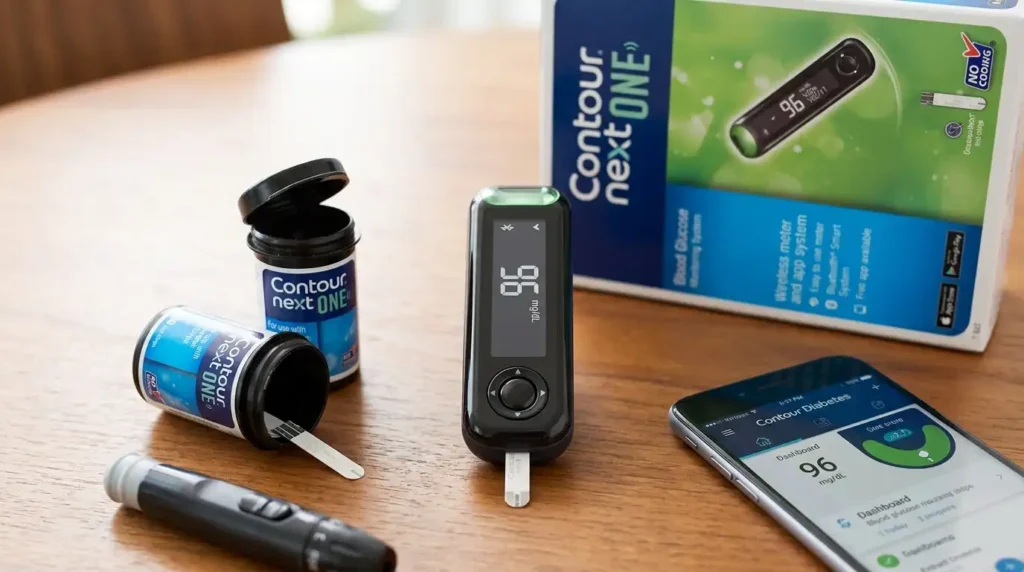
One reason the CONTOUR NEXT ONE stands out is that it combines traditional blood glucose testing with digital features. The meter can communicate wirelessly with a compatible smartphone or tablet through Bluetooth technology and can transfer blood glucose results to the CONTOUR DIABETES app.
In everyday terms, the system can help you:
- Check blood glucose at home
- View your reading directly on the meter
- Understand your result using the smartLIGHT feature
- Reduce some wasted strips with Second-Chance Sampling
- Avoid manually entering a strip code
- Transfer results to a compatible mobile device
- Review and organize glucose readings using the app
Why Blood Glucose Monitoring Matters
Blood glucose monitoring can be an important part of diabetes self-management. Your healthcare professional may recommend checking your glucose at particular times, such as before or after meals, before physical activity, when you have symptoms of high or low blood glucose, or at other times based on your individual care plan.
A glucose meter does not replace medical advice. Instead, it provides information that can help you and your healthcare team understand your glucose patterns.
For example, a person may notice that glucose readings are often different:
- Before breakfast
- After certain meals
- During periods of physical activity
- During illness
- Before bedtime
- At other times recommended by their healthcare professional
Keeping a consistent record can make conversations with a healthcare professional more useful.
The CONTOUR NEXT ONE is designed to make that record easier to manage by providing on-meter results and optional digital connectivity.
Key Features of the CONTOUR NEXT ONE Blood Glucose Monitoring System
The CONTOUR NEXT ONE Blood Glucose Monitoring System includes several features designed around everyday testing.
1. No Coding Technology
One of the convenient features of the CONTOUR NEXT ONE is No Coding technology.
Traditional blood glucose meters may require users to enter a code associated with a particular lot of test strips. The CONTOUR NEXT system is designed to eliminate this manual coding step. Ascensia explains that the strip contains calibration information that the meter reads automatically when the strip is inserted.
That means one less step during testing.
For someone who checks blood glucose regularly, small conveniences can matter. A simpler testing process may make it easier to maintain a consistent routine.
2. smartLIGHT Target Range Indicator
The smartLIGHT feature provides a visual indication of whether a glucose result is within, above, or below the target range configured for the meter.
The system uses:
- Green – within the target range
- Amber – above the target range
- Red – below the target range
Ascensia states that the smartLIGHT feature provides immediate feedback based on the user’s configured target range.
This can be easier to understand than looking at a number alone.
For example, instead of seeing only a numerical result, the meter can provide an additional visual signal. However, the color should be interpreted according to the target range and instructions established for the user. A color indicator is not a substitute for professional medical advice.
3. Second-Chance Sampling
Another useful feature is Second-Chance Sampling.
Sometimes a person may not apply enough blood to a test strip on the first attempt. With the Second-Chance Sampling feature, the user may be able to add more blood to the same strip rather than immediately throwing the strip away and starting with a new one.
This may help reduce unnecessary strip waste and can also help avoid another fingerstick in situations where the first sample was insufficient.
For people who test frequently, this can be a practical feature.
4. Bluetooth Connectivity
The CONTOUR NEXT ONE includes wireless Bluetooth connectivity for communication with compatible mobile devices. FDA documentation describes the meter as having Bluetooth Low Energy technology for communication with smart devices.
The official quick reference guide also explains that results can be transferred wirelessly to a smartphone or tablet using the CONTOUR DIABETES app.
This can be helpful for people who prefer keeping their glucose information digitally rather than relying only on handwritten records.
5. CONTOUR DIABETES App
The CONTOUR NEXT ONE can work with the free CONTOUR DIABETES app, subject to device and operating-system compatibility.
According to Ascensia, the meter can be set up either directly on the meter or through the app. The app can also receive blood glucose results wirelessly from the meter.
Digital records can be useful when you want to review glucose information over time or share relevant information with your healthcare professional.
Before relying on app connectivity, check the manufacturer’s current compatibility information for your smartphone or tablet.
Which Test Strips Does the CONTOUR NEXT ONE Use?
An important point to understand before purchasing a blood glucose meter is test-strip compatibility.
The CONTOUR NEXT ONE uses CONTOUR NEXT blood glucose test strips. The manufacturer’s user guide specifically states that the meter uses CONTOUR NEXT test strips.
This is important because blood glucose meters and test strips are not universally interchangeable.
Do not assume that a test strip from another meter will work with the CONTOUR NEXT ONE. Always use the test strips specified for the meter and follow the manufacturer’s instructions.
At Alfa Healthcare Supply Inc., customers looking for diabetes supplies can explore products according to their individual needs and healthcare requirements.
How Does the CONTOUR NEXT ONE Work?
The basic testing process involves preparing the meter and test strip, obtaining a blood sample, and applying the sample correctly.
The exact procedure should always follow the manufacturer’s current user guide.
A simplified overview is:
Step 1: Prepare Your Supplies
Have your meter, compatible CONTOUR NEXT test strip, lancing device, and lancet ready.
Wash and dry your hands according to the instructions provided with the system.
Step 2: Insert the Test Strip
Insert the appropriate end of the CONTOUR NEXT test strip into the meter.
The meter recognizes the strip and prepares for testing.
Step 3: Obtain a Blood Sample
Use the lancing device according to its instructions to obtain the required blood sample.
The manufacturer’s instructions should be followed carefully for obtaining and applying the sample.
Step 4: Apply Blood to the Test Strip
Apply the blood sample to the designated sample area of the test strip.
The CONTOUR NEXT strip is designed to draw the blood sample into the sample tip.
Step 5: Read the Result
The meter displays the blood glucose result.
The smartLIGHT feature can provide additional visual feedback based on the configured target range.
Step 6: Record or Review the Result
You can review readings on the meter or, when compatible and enabled, transfer results to the CONTOUR DIABETES app.
Understanding No Coding in Simple Terms
The phrase “No Coding” may sound technical, but the idea is simple.
Some older glucose meters required users to enter a code whenever they opened a new box or lot of test strips. Forgetting to enter the correct code could create an additional opportunity for user error.
The CONTOUR NEXT ONE is designed to remove that manual coding step. The strip contains information that the meter reads automatically.
For everyday users, this means:
Insert the compatible strip → add the blood sample → receive the result.
Always follow the meter’s instructions because proper technique remains important even when coding is automatic.
Understanding smartLIGHT
A blood glucose number can sometimes be difficult to interpret without knowing the user’s individual target range.
The smartLIGHT feature adds a simple visual signal:
Green: Within the configured target range
Amber: Above the configured target range
Red: Below the configured target range
These indicators are intended to provide quick visual feedback.
It is important to remember that diabetes targets are individualized. Your target range may not be the same as another person’s.
If you are unsure what your glucose target should be, speak with your healthcare professional rather than choosing a target based only on the meter’s color.
What Is Second-Chance Sampling?
Imagine you have prepared everything, performed a fingerstick, and then discover that the first blood sample was not enough.
Normally, that could mean using another test strip.
The CONTOUR NEXT ONE’s Second-Chance Sampling feature is designed to allow additional blood to be applied to the same test strip when the initial sample is insufficient, according to the manufacturer’s information.
This feature may help:
- Reduce strip waste
- Reduce the need for another fingerstick
- Make testing less frustrating
- Make better use of each test strip
Correct application technique is still important, so users should follow the instructions included with their meter and test strips.
CONTOUR NEXT ONE and Digital Glucose Tracking
Diabetes management often involves more than checking a single number.
Over time, patterns can provide useful information.
The CONTOUR DIABETES app can receive readings from the CONTOUR NEXT ONE through wireless communication. FDA documentation describes the meter’s Bluetooth functionality and communication with the associated app.
Digital tracking can help organize information such as:
- Blood glucose readings
- Testing times
- Trends
- Meal-related information, where supported
- Historical readings
The specific features available can depend on the current version of the app and compatible mobile device.
Who May Consider the CONTOUR NEXT ONE?
The CONTOUR NEXT ONE is intended for people with diabetes who need to monitor blood glucose at home as part of their diabetes management. FDA documentation identifies it as a single-person, self-testing system for measuring glucose in fresh capillary whole blood.
It may be useful for people who value:
- A straightforward meter
- No Coding technology
- Visual target-range feedback
- Second-Chance Sampling
- Bluetooth connectivity
- Digital glucose records
- A compact testing system
However, choosing a glucose meter should be based on individual needs, healthcare guidance, supply availability, insurance considerations, and compatibility with the user’s routine.
CONTOUR NEXT ONE Accuracy and Performance
Accuracy is one of the most important considerations when selecting a blood glucose meter.
The FDA’s documentation for the CONTOUR NEXT ONE describes performance testing and regulatory clearance.
Ascensia’s current product information also publishes performance information for the system.
However, no home blood glucose meter should be treated as a replacement for professional medical care.
Several factors can influence glucose testing, including:
- Improper hand washing
- Wet fingers
- Incorrect blood application
- Expired or improperly stored test strips
- Damaged test strips
- Incorrect testing technique
- Certain environmental conditions
- Meter or strip problems
Always follow the manufacturer’s instructions and consult your healthcare professional if a result does not match how you feel or if you have concerns about your readings.
Why Proper Test-Strip Storage Matters
Even a well-designed glucose meter depends on proper test strips.
To help maintain reliable testing, users should follow the storage and handling instructions supplied with their CONTOUR NEXT test strips.
Avoid using:
- Expired test strips
- Damaged strips
- Contaminated strips
- Strips that have not been stored according to manufacturer instructions
Keep the test-strip container closed as instructed and pay attention to the expiration information.
A good meter cannot compensate for improperly stored or unsuitable test strips.
CONTOUR NEXT ONE vs. a Basic Blood Glucose Meter
People often ask whether a feature-rich meter is necessary.
A basic glucose meter may provide a straightforward numerical reading. The CONTOUR NEXT ONE adds several features designed to make testing and record keeping more convenient.
| Feature | CONTOUR NEXT ONE |
| Blood glucose testing | Yes |
| No Coding technology | Yes |
| smartLIGHT indicator | Yes |
| Second-Chance Sampling | Yes |
| Bluetooth connectivity | Yes |
| CONTOUR DIABETES app support | Yes |
| Compatible CONTOUR NEXT test strips | Yes |
| At-home self-testing | Yes |
The FDA identifies the CONTOUR NEXT ONE as an OTC blood glucose monitoring system for home use.
The right choice depends on what features are useful for your daily routine.
CONTOUR NEXT ONE for Everyday Diabetes Management
Living with diabetes can involve many small daily decisions.
Check your glucose.
Remember your supplies.
Keep your test strips available.
Track your readings.
Know when to contact your healthcare professional.
A meter cannot make those decisions for you, but it can provide information that becomes part of your daily routine.
The CONTOUR NEXT ONE is designed around making blood glucose testing more connected and easier to understand. Features such as smartLIGHT and Second-Chance Sampling address practical situations that many people encounter during routine testing.
That practical focus is one reason a glucose meter should be evaluated not only by technical specifications but also by how comfortably it fits into everyday life.
Buying CONTOUR NEXT ONE Blood Glucose Monitoring Supplies
When purchasing a CONTOUR NEXT ONE Blood Glucose Monitoring System, it is important to look beyond the meter itself.
You may also need compatible:
- CONTOUR NEXT test strips
- Lancets
- Lancing device supplies
- Control solution when required
- Carrying/storage accessories
The manufacturer’s documentation identifies the CONTOUR NEXT test strips as the compatible strips for the system.
At Alfa Healthcare Supply Inc., we provide diabetes-related medical supplies and help customers find products that fit their healthcare needs.
If you are unsure which meter, strips, or other diabetes supplies are appropriate for you, consult your healthcare professional or pharmacist.
Why Choose Alfa Healthcare Supply Inc.?
Finding the right medical supply provider can be just as important as finding the right product.
Alfa Healthcare Supply Inc. is a medical supply and DME provider serving customers from its location in Floral Park and throughout New York.
Our focus is on helping patients, caregivers, and families access everyday healthcare supplies with a straightforward experience.
Our product categories include diabetes supplies and other home healthcare products.
For people searching for a CONTOUR NEXT ONE Blood Glucose Monitoring System, having access to compatible supplies is especially important because the meter requires the appropriate CONTOUR NEXT test strips.
You can visit Alfa Healthcare Supply Inc. to explore available medical and diabetes supply products.
Important Safety Information
The CONTOUR NEXT ONE is intended for individual use and should not be shared. FDA documentation states that the system is intended for self-testing with fresh capillary whole blood and is not intended for diagnosing or screening for diabetes.
Do not make medication or insulin decisions based solely on general information from an online article.
If a blood glucose result seems unusual, does not match your symptoms, or causes concern, follow your healthcare professional’s instructions.
If you experience symptoms of severe high or low blood glucose, seek appropriate medical assistance according to your healthcare plan.
Always read the manufacturer’s current instructions before using the meter or test strips.
Final Thoughts: CONTOUR NEXT ONE Blood Glucose Monitoring System
The CONTOUR NEXT ONE Blood Glucose Monitoring System combines familiar blood glucose testing with features designed for modern everyday diabetes management.
Its No Coding technology removes a manual step. smartLIGHT provides an easy visual indication of readings relative to the configured target range. Second-Chance Sampling can help reduce wasted strips when the initial sample is insufficient. Bluetooth connectivity and the CONTOUR DIABETES app can also make it easier to organize glucose information digitally.
For someone managing diabetes day after day, these small details can make a difference in how a testing routine fits into real life.
If you are looking for the CONTOUR NEXT ONE Blood Glucose Monitoring System or compatible diabetes supplies, Alfa Healthcare Supply Inc. can be a resource for medical supply needs in New York.
Most importantly, choose and use your glucose-monitoring supplies according to your healthcare professional’s recommendations and the manufacturer’s current instructions.
Frequently Asked Questions About the CONTOUR NEXT ONE Blood Glucose Monitoring System
1. What is the CONTOUR NEXT ONE Blood Glucose Monitoring System?
The CONTOUR NEXT ONE is a blood glucose monitoring system designed for people with diabetes to measure glucose in fresh capillary whole blood during at-home self-testing.
2. Does CONTOUR NEXT ONE require coding?
No. The meter uses No Coding technology, which eliminates the need for manual strip coding.
3. Which test strips work with CONTOUR NEXT ONE?
The meter is designed to use CONTOUR NEXT blood glucose test strips.
4. What is smartLIGHT?
smartLIGHT is a target-range indicator that uses green, amber, and red lights to provide visual feedback about whether a result is within, above, or below the configured target range.
5. What is Second-Chance Sampling?
Second-Chance Sampling allows additional blood to be applied to the same test strip when the initial blood sample is insufficient, according to the manufacturer’s instructions.
6. Can CONTOUR NEXT ONE connect to a smartphone?
Yes. The meter supports Bluetooth communication with compatible mobile devices and can transfer results to the CONTOUR DIABETES app.
7. Is CONTOUR NEXT ONE intended for home use?
Yes. FDA documentation identifies the system for self-testing at home by people with diabetes as an aid in monitoring their diabetes management program.
8. Can more than one person use the same meter?
The CONTOUR NEXT ONE is intended for single-person use and should not be shared.
9. Can I use another brand’s test strips?
You should use only the test strips specified for the meter. The CONTOUR NEXT ONE is designed for CONTOUR NEXT test strips.
10. Does the meter replace my healthcare professional?
No. A glucose meter provides blood glucose information; it does not replace professional medical guidance, diagnosis, or treatment.
Medical Disclaimer: This article is for general educational and informational purposes. It is not medical advice and should not replace guidance from a qualified healthcare professional. Always follow the instructions supplied with your glucose meter and test strips and speak with your healthcare provider about your individual blood glucose targets and treatment plan.
FreeStyle Lite Blood Glucose Test Strips 50 Ct
Managing blood glucose is often part of a daily routine for people living with diabetes. For many people, that routine includes checking blood sugar, recording results, following a healthcare provider’s recommendations, and keeping the right testing supplies available at home.
One of the most important supplies for a traditional blood glucose meter is the test strip. Without compatible test strips, a blood glucose meter cannot provide a reading. That is why choosing the right strips—and keeping enough of them available—can make everyday diabetes care easier.
If you are searching for freestyle lite blood glucose test strips 50 ct, you may be looking for a convenient pack of test strips designed for use with compatible FreeStyle Lite blood glucose meters. FreeStyle Lite test strips use Abbott’s ZipWik technology, which is designed to help the blood sample move into the strip. Abbott lists a small blood sample requirement of approximately 0.3 µL for the FreeStyle Lite system.
This guide explains what freestyle lite blood glucose test strips 50 ct are, how they work, compatibility considerations, proper storage, common mistakes to avoid, and what to consider when purchasing them from a medical supply provider such as Alfa Healthcare Supply Inc.
What are FreeStyle Lite Blood Glucose Test Strips 50 Ct?
FreeStyle Lite blood glucose test strips 50 ct are blood glucose testing strips intended for compatible FreeStyle Lite blood glucose meters.
The “50 ct” means that the package contains 50 test strips. Each strip is intended for a single blood glucose test according to the manufacturer’s instructions.
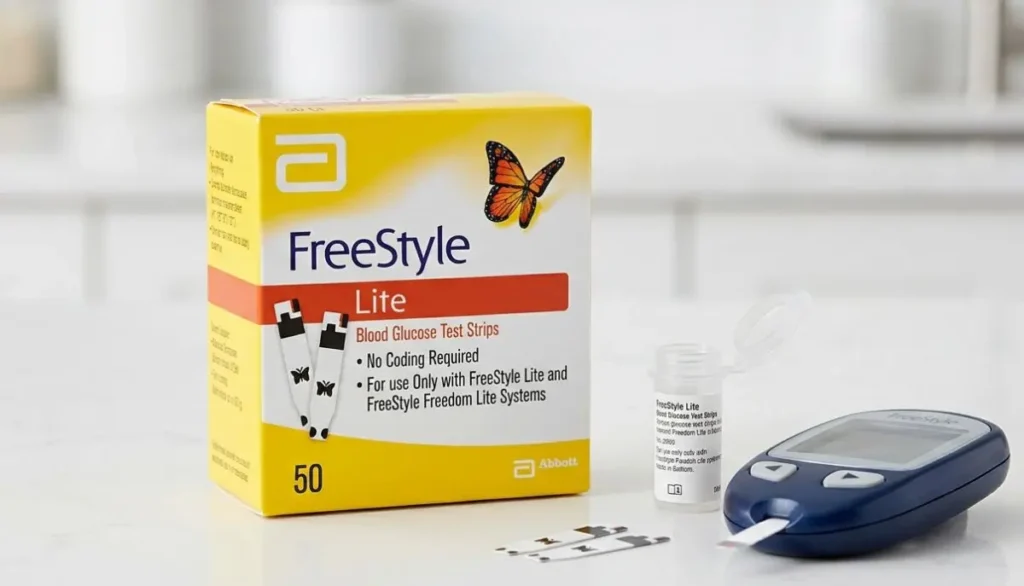
For someone who tests blood glucose regularly, a 50-count package can be a practical supply size. Instead of purchasing a small quantity every few days, having a larger pack available can help keep testing supplies organized and readily available.
The strips are part of a larger blood glucose testing system. A typical testing routine may involve:
- A compatible FreeStyle blood glucose meter
- A FreeStyle Lite test strip
- A lancing device
- A compatible lancet
- A small blood sample
- The meter displaying the blood glucose result
The test strip is the part that receives the blood sample and works with the meter to produce the glucose reading.
Why the Right Test Strip Matters
Not every glucose test strip works with every blood glucose meter.
This is one of the most important things to understand before buying replacement strips. A test strip should be compatible with the specific meter being used.
Abbott describes FreeStyle Lite test strips as being used with FreeStyle Lite and FreeStyle Freedom Lite blood glucose meters in its product information.
Before ordering freestyle lite blood glucose test strips 50 ct, check the name and model of your meter.
If you are unsure about compatibility, review your meter’s user guide or ask a qualified healthcare professional or medical supply provider.
Choosing the correct strip can help prevent the frustration of receiving a package that does not work with your meter.
Key Features of FreeStyle Lite Test Strips
The FreeStyle Lite system is designed with straightforward blood glucose testing in mind.
Some of the notable characteristics described by Abbott include:
1. Small Blood Sample
FreeStyle Lite test strips are designed for a small blood sample. Abbott lists a blood sample requirement of approximately 0.3 µL for the FreeStyle Lite system.
For people who test frequently, using a system designed around a small sample can be an important consideration.
2. ZipWik Technology
FreeStyle Lite test strips feature ZipWik technology.
According to Abbott, the strip is designed to break the surface tension of the blood so that the sample can be absorbed into the strip quickly and easily.
This design is intended to make applying a blood sample to the test strip a straightforward part of the testing process.
3. Compatible FreeStyle Meters
FreeStyle Lite test strips are designed for compatible FreeStyle Lite blood glucose meters.
Because meter compatibility matters, always confirm that your specific meter model accepts FreeStyle Lite strips before purchasing.
4. 50-Count Package
The 50 ct package contains 50 test strips.
The number of days a package lasts depends on how often a person tests. Someone testing once a day will use strips differently from someone who has been instructed by their healthcare professional to test several times a day.
5. Easy Addition to a Diabetes Supply Routine
For people already using a compatible meter, replacement strips can become a regular part of their diabetes supply checklist.
Keeping strips, lancets, and other testing supplies organized can help reduce the chance of discovering that an essential item has run out when it is needed.
How Do FreeStyle Lite Blood Glucose Test Strips Work?
A blood glucose test strip works together with the blood glucose meter.
The general process involves placing a new strip into the compatible meter, obtaining a blood sample with an appropriate lancing device, and allowing the strip to receive the blood sample.
The meter then analyzes the sample and displays a glucose result.
The exact procedure should always follow the instructions provided with the meter and test strips.
Abbott’s information indicates that FreeStyle Lite test strips are designed with a sample detection feature and ZipWik technology to help blood enter the strip.
It is important not to rely on a general internet article as a substitute for the manufacturer’s instructions. Your specific meter model may have particular operating instructions.
How to Use FreeStyle Lite Test Strips
If you use a compatible FreeStyle Lite meter, the basic testing process generally involves several steps.
Step 1: Wash and Dry Your Hands
Clean hands are an important part of blood glucose testing.
Wash your hands with soap and water and dry them thoroughly before testing. Residue from food, drinks, lotions, or other substances on the fingers can potentially affect a blood glucose test.
Step 2: Prepare Your Lancing Device
Prepare the lancing device according to its instructions.
Use a fresh lancet as recommended by the manufacturer and your healthcare professional.
Step 3: Insert a New Test Strip
Insert a new FreeStyle Lite test strip into the compatible meter according to the meter’s instructions.
Make sure the strip is inserted correctly.
Step 4: Obtain the Blood Sample
Use the lancing device according to its instructions to obtain the required blood sample.
Avoid squeezing the finger excessively unless instructed otherwise.
Step 5: Apply Blood to the Strip
Apply the blood sample to the designated area of the test strip.
FreeStyle Lite strips use ZipWik technology to help draw the blood into the strip.
Step 6: Wait for the Result
Allow the meter to process the sample.
The result should appear according to the operating instructions for your meter.
Step 7: Dispose of Used Supplies Properly
Dispose of the used test strip and lancet safely according to local recommendations and your healthcare provider’s instructions.
Never reuse a test strip.
Why a 50-Count Pack Can Be Convenient
The number of test strips a person needs depends on their individual testing routine.
Some people may test occasionally, while others may have a testing schedule recommended by their healthcare professional.
A 50-count package can provide a convenient supply for regular testing.
For example, if a person uses one strip per day, 50 strips represent approximately 50 tests. If a person uses two strips per day, the same package represents approximately 25 days of testing.
These are simple usage examples rather than medical recommendations. Your actual testing frequency should follow the instructions of your healthcare provider.
The important point is that a 50-count package gives you a clearly defined quantity that can make it easier to monitor your remaining supply.
Who May Consider FreeStyle Lite Test Strips?
FreeStyle Lite test strips may be appropriate for people who use compatible FreeStyle Lite blood glucose meters and need replacement strips.
They may be useful for:
- People who regularly monitor blood glucose
- Individuals replacing an opened or finished supply of compatible strips
- Caregivers helping someone maintain diabetes testing supplies
- People who prefer keeping replacement testing supplies at home
- Individuals looking for a 50-count package of compatible strips
However, whether a particular blood glucose testing system is appropriate for you is a personal healthcare decision. Follow the recommendations of your physician, diabetes educator, pharmacist, or other qualified healthcare professional.
FreeStyle Lite Test Strips vs. Other Glucose Test Strips
It is easy to assume that all blood glucose strips are interchangeable because they may look similar.
They are not.
Different blood glucose meters are designed to work with specific test strips. A strip designed for one meter may not work with another meter.
That is why compatibility should come before price or package size when shopping for glucose test strips.
If you already own a FreeStyle Lite or FreeStyle Freedom Lite meter, check the manufacturer’s compatibility information before ordering replacement strips.
Abbott specifically identifies FreeStyle Lite test strips for use with FreeStyle Lite and FreeStyle Freedom Lite meters in its product information.
What Does “50 Ct” Mean?
The abbreviation “50 ct” simply means 50 count.
In this case, it refers to 50 individual test strips in the package.
Understanding package counts is useful when comparing diabetes supplies online or in a medical supply store.
For example:
- 25 ct = 25 strips
- 50 ct = 50 strips
- 100 ct = 100 strips
The actual number of days the package will last depends on how frequently you test.
Proper Storage of Test Strips
Proper storage is an important part of maintaining your diabetes testing supplies.
Always follow the storage instructions provided on the product packaging and in the manufacturer’s documentation.
Some practical habits include:
- Keep test strips in their original container when instructed.
- Close the container promptly after removing a strip.
- Keep strips away from excessive heat and moisture.
- Do not use damaged strips.
- Check the expiration date.
- Follow the manufacturer’s instructions regarding the container and strip handling.
- Do not use strips that appear compromised.
Your product packaging and manufacturer’s instructions should take priority over general storage advice.
Why Expiration Dates Matter
Test strips are manufactured for use within a specified period.
Before using freestyle lite blood glucose test strips 50 ct, check the expiration information on the packaging.
Do not assume that a strip is safe to use simply because it looks normal.
If you have questions about an expired or damaged product, contact the manufacturer or a qualified healthcare professional for guidance.
Common Mistakes to Avoid
Using a blood glucose meter is a routine task, but small mistakes can interfere with the testing process.
Here are some common issues to avoid.
Using the Wrong Test Strip
Always verify compatibility with your meter.
Using an Expired Strip
Check the expiration information before testing.
Leaving the Container Open
Follow the manufacturer’s storage instructions and close the container appropriately after removing a strip.
Testing With Dirty Hands
Food residue and other substances can interfere with testing. Clean and dry your hands before collecting the sample.
Reusing Test Strips
Test strips are intended for single use. Use a new strip for each test.
Ignoring the Meter Instructions
Even if you have used a glucose meter for years, refer to the user guide when something seems unusual or you are using a new meter.
What Should You Look for When Buying FreeStyle Lite Test Strips 50 Ct?
If you are searching online for freestyle lite blood glucose test strips 50 ct, consider several factors.
Compatibility
This should be the first consideration.
Confirm that the strips are intended for your meter model.
Package Quantity
Make sure the package contains 50 strips if you specifically need a 50-count package.
Expiration Date
Check the product information and packaging for expiration details.
Packaging Condition
Purchase medical testing supplies from a reputable source and check the packaging when the product arrives.
Product Information
A trustworthy medical supply provider should provide clear product information and avoid confusing one product with another.
Availability
If you test regularly, it can be useful to plan ahead so you do not unexpectedly run out of strips.
Where to Buy FreeStyle Lite Blood Glucose Test Strips 50 Ct
When looking for freestyle lite blood glucose test strips 50 ct, consumers may search online or visit a medical supply store.
Alfa Healthcare Supply Inc. is a medical supply provider serving customers from its Floral Park location and offering a range of diabetes and home medical supplies.
For current product availability, packaging, pricing, shipping information, and ordering requirements, check the Alfa Healthcare Supply website before placing an order.
Because product availability and pricing can change, the website should be treated as the current source for Alfa’s inventory and ordering information.
Why Choosing a Medical Supply Provider Can Make a Difference
When purchasing diabetes supplies, customers often want more than just a product.
They may want clear information, dependable service, convenient ordering, and help understanding which product they need.
A medical supply provider can be useful when customers are unsure about product names, package sizes, compatibility, or replacement supplies.
For people managing diabetes, these details matter because testing supplies can become part of an everyday routine.
At Alfa Healthcare Supply Inc., the goal is to make medical supply shopping more straightforward by providing access to a range of healthcare products.
How Many Tests Are in a 50-Count Package?
A 50-count package contains 50 test strips.
Since one test strip is normally used for one blood glucose test, the package provides up to 50 individual tests when used correctly.
How long the package lasts depends entirely on your personal testing schedule.
For example:
One test per day: approximately 50 days.
Two tests per day: approximately 25 days.
Three tests per day: approximately 16–17 days.
These calculations are only examples and are not recommendations for how often you should test.
Your healthcare provider should determine your appropriate blood glucose testing schedule.
Can You Use FreeStyle Lite Test Strips With Any FreeStyle Meter?
No.
The word “FreeStyle” appears across several Abbott diabetes products, but different meters and systems can use different supplies.
FreeStyle Lite test strips are specifically associated with compatible FreeStyle Lite systems. Abbott’s product documentation identifies FreeStyle Lite and FreeStyle Freedom Lite as compatible meters for these strips.
Do not purchase based only on the FreeStyle brand name.
Instead, check the exact meter model.
This simple step can prevent an incorrect purchase.
Are FreeStyle Lite Test Strips the Same as Continuous Glucose Monitoring Sensors?
No.
Traditional blood glucose test strips and continuous glucose monitoring (CGM) sensors are different types of diabetes technology.
A blood glucose meter uses a small blood sample and a test strip to produce a glucose reading.
A CGM system uses a sensor and related technology to monitor glucose over time.
Abbott offers both traditional blood glucose testing products and FreeStyle Libre CGM systems, but they are not interchangeable products.
If your healthcare provider has recommended a particular glucose monitoring method, follow that recommendation.
FreeStyle Lite Test Strips and Everyday Diabetes Management
Diabetes management is not only about a single glucose number.
People may also need to think about meals, physical activity, medication, appointments, hydration, and other parts of their care plan.
Blood glucose testing can provide information that helps a person and their healthcare team understand glucose patterns.
For people using a compatible FreeStyle Lite meter, keeping the appropriate test strips available is therefore a practical part of maintaining a testing routine.
A simple supply checklist might include:
- Blood glucose meter
- FreeStyle Lite test strips
- Lancets
- Lancing device
- Alcohol or skin-cleaning supplies when appropriate
- Safe disposal container for used lancets
Your healthcare provider can advise you about which supplies are appropriate for your individual needs.
Human Side of Keeping Diabetes Supplies Ready
It is easy to think of test strips as small medical products sitting in a box.
But for someone managing diabetes, they can be part of everyday life.
A person may test before leaving for work. Another person may test before a meal. A caregiver may help an older family member keep track of supplies. Someone else may simply want to know that the necessary strips are available when they need them.
That is why having the correct supplies on hand can provide practical convenience.
The goal is not to make diabetes care complicated.
The goal is to make routine tasks easier to manage.
Final Thoughts: FreeStyle Lite Blood Glucose Test Strips 50 Ct
Finding the right blood glucose testing supplies does not have to be complicated.
If you use a compatible FreeStyle Lite meter, freestyle lite blood glucose test strips 50 ct can provide a convenient 50-strip package for routine blood glucose testing.
The most important points are simple: confirm meter compatibility, follow the manufacturer’s instructions, store the strips appropriately, check expiration information, and keep your testing supplies organized.
Abbott’s product information highlights the FreeStyle Lite strip’s small blood sample requirement and ZipWik technology, while also identifying compatible FreeStyle Lite and FreeStyle Freedom Lite meters.
If you are looking for freestyle lite blood glucose test strips 50 ct from a medical supply provider, you can visit Alfa Healthcare Supply Inc. to check current product availability and ordering information.
Visit Alfa Healthcare Supply Inc.
Frequently Asked Questions About FreeStyle Lite Blood Glucose Test Strips 50 Ct
1. What are FreeStyle Lite blood glucose test strips 50 ct?
They are blood glucose test strips supplied in a 50-count package for compatible FreeStyle Lite blood glucose meters.
2. How many strips come in a 50 ct package?
A 50 ct package contains 50 individual test strips.
3. What meter uses FreeStyle Lite test strips?
Abbott identifies FreeStyle Lite test strips for use with compatible FreeStyle Lite and FreeStyle Freedom Lite blood glucose meters.
4. How much blood is needed?
Abbott’s product information lists approximately 0.3 µL of blood for the FreeStyle Lite system.
5. What is ZipWik technology?
ZipWik is a feature of FreeStyle Lite test strips designed to help the blood sample enter the strip. Abbott describes it as helping break the blood’s surface tension so the sample can be absorbed.
6. Can I use FreeStyle Lite strips with another glucose meter?
Do not assume that they will work with another meter. Always confirm compatibility with the exact meter model.
7. Can I reuse a FreeStyle Lite test strip?
Test strips should be used according to the manufacturer’s instructions and are intended for individual testing rather than repeated use.
8. How long does a box of 50 strips last?
That depends on how often you test. One strip per day would provide approximately 50 days of testing, while two strips per day would provide approximately 25 days.
9. Should I check the expiration date?
Yes. Check the expiration information on the product packaging before use and follow the manufacturer’s instructions.
10. Where can I buy FreeStyle Lite blood glucose test strips 50 ct?
You can check medical supply providers such as Alfa Healthcare Supply Inc. for current availability, pricing, and ordering information.
11. Can I buy diabetes supplies online?
Availability and ordering requirements vary by product and supplier. Check the supplier’s current product information before ordering.
12. What should I do if my meter gives an unexpected result?
Follow the instructions for your meter and test strips. If a result does not seem consistent with how you feel or you have concerns about your blood glucose, contact your healthcare professional for appropriate guidance.
Important Note
This article is for general educational and product-information purposes. It is not a substitute for medical advice, diagnosis, or treatment. Always follow the instructions supplied with your blood glucose meter and test strips, and speak with your healthcare professional if you have questions about blood glucose testing, testing frequency, or interpreting your results.
CONTOUR NEXT Test Strips Near Me
When you search for “CONTOUR NEXT test strips near me,” you are usually looking for a simple answer: Where can I get the right blood glucose test strips without making the search difficult?
For people who regularly monitor their blood sugar, having test strips available when needed can make everyday diabetes care much easier. A glucose meter is only useful when you have compatible test strips, and choosing the correct strips is an important part of a reliable testing routine.
Alfa Healthcare Supply Inc. is a medical supply store serving customers in and around Floral Park and the greater New York area. For people looking for diabetes supplies, a local medical supply provider can be a convenient place to ask about product availability, ordering, and delivery options.
This guide explains what CONTOUR NEXT test strips are, how they work, how to find them near you, how to check compatibility, how to store them properly, and what to consider before purchasing.
What are CONTOUR NEXT Test Strips?
CONTOUR NEXT Test Strips are blood glucose test strips designed to work with compatible CONTOUR NEXT blood glucose meters.
They are used with a small blood sample to measure glucose levels. According to Ascensia Diabetes Care, CONTOUR NEXT Test Strips are an over-the-counter product intended for self-testing by people with diabetes at home. They are designed for use with compatible CONTOUR NEXT blood glucose monitoring systems.
The test strip is a small but important part of the blood glucose testing system. The meter reads the blood sample applied to the strip and displays the glucose result.
For someone who tests regularly, keeping enough compatible strips available can help avoid interruptions in a normal testing routine.
Searching for “CONTOUR NEXT Test Strips Near Me”
The phrase “CONTOUR NEXT test strips near me” is one of the most common ways people look for diabetes testing supplies locally.
A local search can help you find:
- Medical supply stores
- Pharmacies
- Diabetes supply providers
- Retail stores
- Authorized online retailers
- Local healthcare supply businesses
Availability can change from one store to another. Even when a retailer normally carries a product, inventory, package size, pricing, and promotions may change.
Ascensia Diabetes Care provides a retailer-finder option for CONTOUR NEXT products and notes that availability, inventory, pricing, and promotions can vary by retailer.
That means it is a good idea to confirm availability before traveling to a store.
Where Can You Find CONTOUR NEXT Test Strips?
People searching for CONTOUR NEXT test strips near me may find them through several types of retailers.
1. Local Medical Supply Stores
A medical supply store can be useful when you want more than just a product on a shelf. You may also be able to ask questions about diabetes supplies and related home-care products.
Alfa Healthcare Supply Inc is a medical supply store located in the Floral Park area and serves customers looking for a variety of healthcare and medical supply products.
If you are looking for CONTOUR NEXT test strips, contact the store to confirm current availability, package options, and purchasing details before visiting.
2. Pharmacies
Many people purchase blood glucose testing supplies from local pharmacies. Pharmacies may carry different brands and package sizes, so checking the exact product name is important.
3. Online Retailers
Online shopping can be useful when you want to compare availability and package options without visiting multiple stores.
Ascensia Diabetes Care identifies online retailers as one option for purchasing CONTOUR NEXT Test Strips.
When buying online, check the product name carefully and purchase from a reputable retailer.
4. Authorized Retailers
The manufacturer provides a “Where to Buy” resource that can help consumers identify retailers carrying CONTOUR NEXT products.
This can be particularly helpful when your local search results show many different products and you want to confirm that you are looking for the correct brand.
Why Choosing the Correct Test Strips Matters
One of the most important things to understand when buying blood glucose test strips is compatibility.
Not every glucose test strip works with every glucose meter.
CONTOUR NEXT Test Strips are designed for compatible CONTOUR NEXT systems. The manufacturer’s package insert lists compatible meters including CONTOUR NEXT GEN, CONTOUR NEXT, CONTOUR NEXT EZ, CONTOUR NEXT USB, CONTOUR NEXT ONE, CONTOUR NEXT LINK, and CONTOUR NEXT LINK 2.4.
Before ordering, look at the name and model of your meter.
If you are not sure which strips your meter requires, check:
- The front of your glucose meter
- The meter packaging
- Your previous test strip box
- The manufacturer’s instructions
- Your healthcare provider’s instructions
- A trusted medical supply store
Taking a few seconds to confirm compatibility can help prevent buying the wrong product.
CONTOUR NEXT Test Strips and Blood Glucose Testing
Blood glucose testing is often part of a diabetes management routine.
A typical finger-stick testing process involves obtaining a small blood sample and applying it to the test strip. The meter then processes the sample and displays the blood glucose reading.
Ascensia’s instructions describe a basic testing process that includes washing and drying your hands, inserting the test strip into the meter, obtaining a small blood sample, and applying the blood to the strip until the meter indicates that enough blood has been received.
Always follow the instructions supplied with your specific meter and test strips.
The Importance of Clean Hands
Before testing, clean hands are important.
Wash and dry your hands before handling the test strip and performing a blood glucose test. This can help remove substances from your fingers that could interfere with testing.
Ascensia specifically recommends washing and drying your hands before and after handling the test strips.
A simple routine can make testing more consistent:
- Wash your hands.
- Dry them completely.
- Prepare your meter and test strip.
- Insert the test strip according to the meter instructions.
- Obtain the blood sample.
- Apply the blood to the strip.
- Wait for the meter to display the result.
- Record or review the result according to your diabetes care plan.
What Is Second-Chance Sampling?
One feature associated with CONTOUR NEXT Test Strips is Second-Chance Sampling.
This feature can be helpful when the first blood sample is not large enough.
According to Ascensia, the meter can indicate that additional blood is needed. The user can apply more blood to the test strip within the specified time rather than immediately discarding the strip.
This can help reduce unnecessary strip waste.
For someone who tests frequently, avoiding unnecessary wasted strips can also make the supply last longer.
Always follow the timing and instructions provided for your specific meter.
Are CONTOUR NEXT Test Strips Accurate?
Accuracy is an important consideration when choosing blood glucose testing supplies.
Ascensia Diabetes Care states that CONTOUR NEXT Test Strips are designed to provide highly accurate results when used with compatible CONTOUR NEXT meters. Its published information reports performance within specified accuracy ranges compared with laboratory reference measurements.
However, no home glucose meter should be treated as a substitute for professional medical care.
Testing technique, meter condition, strip storage, environmental conditions, and other factors can affect results.
If a reading does not match how you feel or seems unusual, follow your healthcare professional’s instructions about retesting and when to seek medical advice.
How to Store CONTOUR NEXT Test Strips
Proper storage is an important part of using blood glucose test strips.
Test strips should be handled and stored according to the manufacturer’s instructions.
Good habits include:
- Keep strips in their original container when applicable.
- Close the container securely.
- Protect strips from moisture.
- Avoid unnecessary exposure to heat.
- Do not use damaged strips.
- Check the expiration date.
- Follow the manufacturer’s storage instructions.
Do not assume that a test strip is suitable simply because it looks normal. Always follow the package instructions.
Check the Expiration Date
Before using CONTOUR NEXT Test Strips, check the expiration information on the packaging.
Expired testing supplies should not be used unless the manufacturer specifically states otherwise.
If you purchase a box online or from a local store, inspect the packaging when it arrives.
This is particularly useful for people who do not test every day and may keep a box for a longer period.
How Many Test Strips Should You Buy?
The right quantity depends on your individual testing routine.
Some people test several times per day, while others test less frequently. Your healthcare professional can tell you how often you should monitor your blood glucose based on your treatment plan.
When searching “CONTOUR NEXT test strips near me,” you may see different package sizes.
Before purchasing, consider:
- How often you test
- How many strips you currently have
- The expiration date
- Your meter compatibility
- Insurance or benefit coverage
- Whether you prefer local pickup or delivery
- The retailer’s return policy
Buying a larger package may be convenient for frequent testing, but buying more than you can use before expiration may not be practical.
Can You Buy CONTOUR NEXT Test Strips Without a Prescription?
CONTOUR NEXT Test Strips are listed by Ascensia Diabetes Care as an over-the-counter product.
That can make purchasing convenient for consumers who need replacement strips.
However, insurance coverage and reimbursement rules are separate matters. A product being available over the counter does not automatically mean that every insurance plan will reimburse the purchase.
If you use insurance or a health spending account, check your plan’s requirements before purchasing.
Ascensia also states that CONTOUR NEXT Test Strips may be FSA/HSA eligible, but consumers should confirm eligibility with their specific plan administrator.
CONTOUR NEXT Test Strips and Insurance
Insurance coverage can vary.
Some people may receive diabetes testing supplies through their insurance plan, while others may find that purchasing certain strips over the counter is more convenient.
If you have insurance, consider asking:
- Is this brand covered?
- Is my meter covered?
- Are the test strips covered?
- Is there a preferred brand?
- Is there a quantity limit?
- Do I need a prescription for reimbursement?
- Can I purchase from a medical supply provider?
- Is mail delivery available?
Your insurance company or plan administrator can provide the most accurate information about your individual benefits.
Why People Search for “CONTOUR NEXT Test Strips Near Me”
The word “near me” often means more than geographic distance.
People may be searching because they:
- Ran out of test strips
- Need strips quickly
- Want a local supplier
- Prefer to speak with someone directly
- Want to compare prices
- Need help finding a compatible product
- Prefer local pickup
- Want delivery
- Are switching to a new glucose meter
- Want to avoid waiting for an online order
For many families, diabetes supplies are part of a regular routine. Having a dependable source can make that routine less stressful.
CONTOUR NEXT Test Strips Near Me in Floral Park and Queens
If you live in Floral Park, Queens, Long Island, or surrounding New York communities, a local medical supply store may be a convenient starting point when looking for diabetes supplies.
Alfa Healthcare Supply Inc. serves customers from its Floral Park-area location and offers a range of healthcare and medical supply products.
Because inventory can change, it is best to contact the supplier before visiting to ask specifically about CONTOUR NEXT Test Strips, the required meter compatibility, package size, and current availability.
For customers who prefer delivery, ask about available delivery options and service areas.
What to Check Before Buying CONTOUR NEXT Test Strips
Before completing a purchase, use this simple checklist.
Check 1: Meter Compatibility
Confirm that the strips match your CONTOUR NEXT meter.
Check 2: Product Name
Make sure the box says CONTOUR NEXT Test Strips and is the product you actually need.
Check 3: Expiration Date
Check the expiration information before purchasing or using the strips.
Check 4: Packaging
Look for intact packaging and avoid products that appear damaged.
Check 5: Quantity
Choose a package size that fits your testing routine.
Check 6: Storage
Follow the manufacturer’s instructions for storing the strips after purchase.
Check 7: Retailer
Purchase from a reputable pharmacy, medical supply store, manufacturer-authorized retailer, or established online seller.
Common Mistakes to Avoid
Even a simple glucose testing routine can become frustrating when small mistakes happen.
Here are some common things to avoid.
Using the Wrong Test Strip
A meter may require a specific family of test strips. Always confirm compatibility.
Touching Test Strips with Wet Hands
Moisture can affect the testing supplies. Wash and thoroughly dry your hands before touching the strips.
Leaving the Container Open
If your strips come in a container, follow the manufacturer’s instructions regarding closing and storage.
Ignoring Expiration Dates
Check the expiration date before testing.
Buying Only Based on Price
A lower price is not helpful if the product is incompatible with your meter or comes from an unreliable source.
Waiting Until You Have No Strips Left
If you test regularly, consider keeping an appropriate supply on hand so you do not run out unexpectedly.
How to Find CONTOUR NEXT Test Strips Online
If you cannot find the strips at a nearby store, online shopping may be another option.
Start by searching:
“CONTOUR NEXT test strips near me”
Then compare reputable retailers.
Ascensia Diabetes Care’s official website also provides a “Where to Buy” tool for finding CONTOUR NEXT products online or at retailers.
When shopping online, check:
- Exact product name
- Compatible meter
- Package quantity
- Expiration information where available
- Seller reputation
- Shipping time
- Return policy
- Total cost
Avoid confusing CONTOUR NEXT Test Strips with similarly named products that may not work with your particular meter.
CONTOUR NEXT Test Strips vs. Other Glucose Testing Supplies
There are many types of blood glucose testing products available today.
Some people use traditional finger-stick meters. Others use continuous glucose monitoring systems.
CONTOUR NEXT Test Strips belong to the traditional blood glucose meter category. They are designed for measuring glucose from a blood sample using a compatible CONTOUR NEXT meter.
Continuous glucose monitors, by contrast, use a sensor worn on the body to measure glucose trends.
Neither category should be assumed to be appropriate for every person. The right monitoring method depends on individual needs and the recommendations of a healthcare professional.
Why a Local Medical Supply Store Can Be Helpful
Buying medical supplies is not always like buying an ordinary household product.
A medical supply store can give you a place to ask questions about products before purchasing.
For example, if you say:
“I need CONTOUR NEXT test strips for my meter.”
A supplier can help you confirm the product name and direct you toward the appropriate item.
This can be especially useful for caregivers who are buying diabetes supplies for a parent, spouse, child, or another family member.
At Alfa Healthcare Supply Inc., customers looking for diabetes supplies can contact the store to ask about current inventory and available purchasing or delivery options.
A Simple Buying Guide for Families and Caregivers
If you are buying diabetes supplies for someone else, the process can feel confusing at first.
The easiest approach is to keep the old test strip box or write down the exact meter model before shopping.
For example:
Meter: CONTOUR NEXT ONE
Product: CONTOUR NEXT Test Strips
Purpose: Blood glucose testing
Quantity: Choose based on testing routine
Purchase: Local supplier, pharmacy, or reputable online retailer
Having this information ready can save time and reduce the chance of purchasing the wrong product.
Why Product Knowledge Matters
Diabetes supplies may look simple, but small differences between products can matter.
A test strip is not simply a generic piece of plastic. It is part of a specific glucose monitoring system.
That is why checking the meter model, product name, expiration date, packaging, and instructions is worthwhile.
Reliable information also matters.
The manufacturer’s instructions are the best source for product-specific compatibility, testing procedures, storage, and technical information. For medical decisions about glucose targets or treatment, your healthcare professional should remain your primary source of guidance.
Your Local Source for Diabetes Supplies
For people searching “CONTOUR NEXT test strips near me,” the goal is usually convenience, reliability, and finding the right product without unnecessary hassle.
Alfa Healthcare Supply Inc. provides medical supply services in the Floral Park area and serves customers looking for a variety of healthcare products.
If you are considering purchasing CONTOUR NEXT Test Strips from Alfa Healthcare Supply, contact the store to confirm current product availability and ordering details.
A quick confirmation can help you know whether the specific strips, package size, and purchasing option you need are currently available.
Final Thoughts: Finding CONTOUR NEXT Test Strips Near Me
Searching for CONTOUR NEXT test strips near me does not have to be complicated.
Start by identifying your exact glucose meter. Then confirm that you need CONTOUR NEXT Test Strips and check the manufacturer’s compatibility information. From there, compare local medical supply stores, pharmacies, and reputable online retailers.
For people in Floral Park, Queens, Long Island, and surrounding New York communities, a local medical supply provider such as Alfa Healthcare Supply Inc. can be one place to check for diabetes supplies.
Most importantly, do not guess when it comes to compatibility. Take a moment to check the meter model, product name, package quantity, expiration date, and storage instructions.
When you have the right supplies and a simple routine, blood glucose testing can become a more manageable part of everyday diabetes care.
Looking for CONTOUR NEXT test strips near me? Contact Alfa Healthcare Supply Inc. to ask about current availability, ordering, and delivery options.
Frequently Asked Questions About CONTOUR NEXT Test Strips Near Me
What are CONTOUR NEXT Test Strips used for?
They are used with compatible CONTOUR NEXT blood glucose meters to measure glucose in a blood sample. The manufacturer identifies them as OTC strips intended for self-testing by people with diabetes at home.
Where can I buy CONTOUR NEXT Test Strips near me?
You can check local pharmacies, medical supply stores, diabetes supply providers, and authorized online retailers. The manufacturer’s website also provides a retailer-finder tool.
Do CONTOUR NEXT Test Strips work with every glucose meter?
No. They are designed for compatible CONTOUR NEXT meters. Check your meter model before purchasing.
Are CONTOUR NEXT Test Strips over the counter?
Yes. Ascensia Diabetes Care identifies CONTOUR NEXT Test Strips as an over-the-counter product.
How should I use CONTOUR NEXT Test Strips?
Use them according to the instructions for your compatible meter. In general, wash and dry your hands, insert the strip, obtain the blood sample, and apply the blood as instructed.
What is Second-Chance Sampling?
Second-Chance Sampling allows additional blood to be applied to a test strip when the initial sample is insufficient, within the specified time. This may help reduce wasted strips.
How do I know whether my strips are compatible?
Check the model number on your glucose meter and compare it with the compatibility information provided by the manufacturer.
Can I order CONTOUR NEXT Test Strips online?
Yes. Ascensia Diabetes Care lists online purchasing as an option and provides a “Where to Buy” resource.
Should I check the expiration date?
Yes. Always check the expiration information and follow the manufacturer’s storage and handling instructions.
Can I get CONTOUR NEXT Test Strips from Alfa Healthcare Supply Inc.?
If you are looking for CONTOUR NEXT Test Strips through Alfa Healthcare Supply Inc., contact the supplier directly to confirm current inventory, package size, pricing, compatibility, and delivery options.
Can I use CONTOUR NEXT Test Strips for diabetes diagnosis?
The manufacturer’s package insert states that CONTOUR NEXT blood glucose monitoring systems are not intended for diagnosis or screening of diabetes. They are intended to assist people who have diabetes with monitoring their condition.
If you are searching for “FreeStyle Libre 3 reader where to buy” on Google, you are likely looking for a reliable reader for the FreeStyle Libre 3 system. Many people prefer a dedicated reader over a smartphone app, especially if they want a separate device for glucose monitoring.
The FreeStyle Libre system utilizes continuous glucose monitoring (CGM) technology. The sensor continuously tracks glucose data and can transmit this information to a compatible app or reader. According to Abbott, FreeStyle Libre systems can send glucose data from the sensor to the app or reader.
However, simply looking at the price before purchasing a reader is not enough. You should also consider whether the reader is compatible with your sensor, whether a prescription is required, if the supplier is reliable, and whether your insurance coverage applies.
If you want to know where to buy the FreeStyle Libre 3 reader, this guide will provide you with all the necessary information in simple language.
What is the FreeStyle Libre 3 Reader?
The FreeStyle Libre 3 Reader is a dedicated handheld device used to view glucose information from a compatible FreeStyle Libre system.
Similar to a smartphone app, the reader allows you to view glucose readings collected from the sensor. It can be a convenient option for people who prefer not to use their phone for glucose monitoring or want a separate, dedicated device for checking their glucose levels.
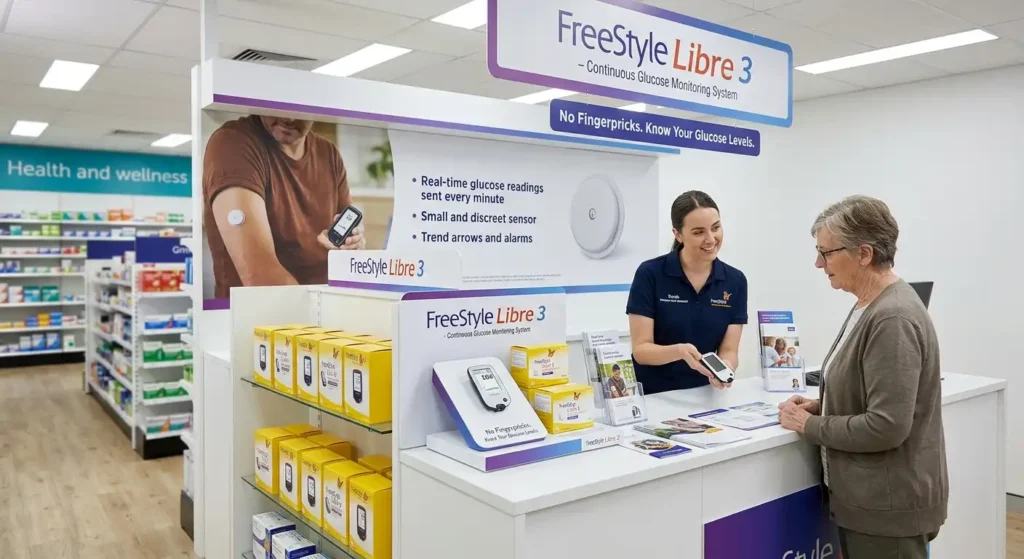
Depending on the compatible system, the reader allows you to view information such as glucose readings, trends, graphs, and alerts.
It is important to understand that the sensor and the reader are not the same thing.
What does the sensor do?
The sensor is applied to the body and measures glucose information.
What does the reader do?
The reader is used to display the information received from the sensor.
Therefore, if you have a new sensor, simply buying the reader might not be enough; you may also need a sensor that is compatible with your specific FreeStyle Libre system.
Where to Buy the FreeStyle Libre 3 Reader?
If your main question is “where to buy the FreeStyle Libre 3 reader,” you can find it through authorized healthcare suppliers and appropriate medical supply channels.
The FreeStyle Libre 3 Reader appears to be available in the current diabetic supplies listing at Alfa Healthcare Supply Inc. The website also lists the FreeStyle Libre 3 Sensor and other diabetes monitoring products alongside the reader.
Alfa Healthcare Supply Inc. is a supplier of medical supplies and DME (Durable Medical Equipment) products. If you wish to purchase the reader, it is advisable to verify product availability, prescription requirements, insurance details, and shipping information before buying.
Important: Product availability and prices are subject to change. While the FreeStyle Libre 3 Reader is listed at $159 on Alfa’s current inventory, please check the website for the latest price and availability before making a purchase.
Why might a prescription be required to purchase the FreeStyle Libre 3 Reader?
This is an important question.
According to Abbott’s U.S. information, the FreeStyle Libre 3 system is available by prescription. Depending on the market and applicable regulations, a valid prescription may be required to purchase it.
Therefore, when searching online, do not simply look at whether a website sells the reader.
Check the following as well:
Is a prescription required?
Does the supplier accept prescriptions?
Is insurance information needed?
Is your healthcare provider willing to provide the necessary documentation?
Is the product approved for your country and region?
Is the reader compatible with your sensor?
These requirements may vary depending on location, insurance plan, and purchase method.
Where can you buy the FreeStyle Libre 3 Reader?
When searching for where to buy the FreeStyle Libre 3 Reader, you generally have several options:
1. Medical Supply Store
A medical supply store can provide specialized healthcare products.
This option is useful for those who wish to purchase diabetes supplies, DME (Durable Medical Equipment), and other medical products from a single supplier.
Both the FreeStyle Libre 3 Reader and the FreeStyle Libre 3 Sensor are listed in the diabetes supplies category at Alfa Healthcare Supply Inc.
2. DME Supplier
Some patients may receive their diabetes equipment through Durable Medical Equipment (DME) suppliers, depending on their insurance coverage and benefits.
Abbott’s payer information provides guidance on DME suppliers and the requirements set by different payers. Medicare and other insurance providers may have specific eligibility, coverage, and documentation requirements.
If you are purchasing through insurance, it is advisable to ask your insurance provider:
“Is the FreeStyle Libre 3 Reader covered under my plan?”
3. Authorized Retailer
Abbott provides retail purchasing information for FreeStyle Libre products across various markets. Availability may vary depending on the country and the specific product version.
Therefore, it is wise to prioritize an authorized source or an established medical supplier rather than purchasing from an unknown online seller.
Why check out the FreeStyle Libre 3 Reader from Alfa Healthcare Supply Inc.?
If you arrived at Alfa Healthcare Supply Inc. while searching for where to buy the FreeStyle Libre 3 Reader, you will find a dedicated category for diabetes supplies on the website.
The current website listings feature a range of glucose monitoring products, including:
FreeStyle Libre 3 Reader
FreeStyle Libre 3 Sensor
Dexcom G7 Receiver
Dexcom G7 Sensor
CONTOUR NEXT Test Strips
CONTOUR NEXT EZ Blood Glucose Monitoring System
FreeStyle Lite Blood Glucose Monitoring System
Easy Comfort Twist Top Lancets
A practical advantage of this is the ability to compare various diabetes monitoring supplies on a single medical supply website.
However, please verify the current compatibility and prescription requirements for each product individually.
What is the difference between the FreeStyle Libre 3 reader and the smartphone app?
Many people wonder:
“If I can check my glucose using a smartphone, why should I buy the reader?”
It depends on personal preference and the compatible system.
The advantage of the smartphone app is that many people always carry their phones with them.
However, the benefits of a dedicated reader can include:
having a separate device for glucose monitoring
reduced reliance on the phone’s battery
making it easier for a family member or caregiver to use the dedicated device
keeping healthcare monitoring separate from one’s personal phone
Abbott also notes that the features of the app and the reader may not be exactly identical. Therefore, it is important to check the compatibility guide for your specific sensor and device.
Does the FreeStyle Libre 3 Reader work with all FreeStyle Libre sensors?
Not necessarily.
This is one of the most important checks to make before purchasing.
There have been various generations and versions within the FreeStyle Libre family. Therefore, simply buying a product based on the name “FreeStyle Libre Reader” is not advisable.
You should check the following:
Reader model + Sensor model + Country/region compatibility
For instance, products like FreeStyle Libre 3 and FreeStyle Libre 3 Plus are available in different markets served by Abbott.
Therefore, confirm compatibility with your healthcare provider, supplier, or Abbott support before making a purchase.
8 things to check when buying the FreeStyle Libre 3 Reader
1. Exact product name
Check the exact model specified in the listing.
Do not place an order based solely on the name “FreeStyle Libre Reader.”
2. Sensor compatibility
Which sensor do you have?
FreeStyle Libre 3
FreeStyle Libre 3 Plus
Another Libre model
Confirm this information before ordering.
3. Prescription
If a prescription is required in your market, have a valid prescription ready.
Abbott’s U.S. information classifies the FreeStyle Libre 3 system as a prescription product.
4. Insurance
If you are purchasing through insurance, check the coverage beforehand.
Not all insurance plans have the same rules.
5. Supplier
Check the supplier’s website, contact information, and product details.
6. Price
The price of the same product can vary across different suppliers.
In the current listing, the FreeStyle Libre 3 Reader is priced at $159, but the price is subject to change.
7. Shipping
If you need the reader quickly, check the shipping policy and delivery area.
8. Return policy
Return rules for medical devices may differ from those for standard products. Read the policy before placing an order.
How much might the FreeStyle Libre 3 Reader cost?
The price of the reader can vary based on the market, supplier, insurance coverage, and purchase method.
Abbott’s U.S. payer material from September 2025 listed a unit price of $70.00 for the FreeStyle Libre 3 Reader, though retail or patient-facing prices may differ. Abbott also notes that Medicare and other payer criteria may apply, and payment/coverage is not guaranteed.
Therefore, do not assume that a price shown in an older article represents the current retail price.
On Alfa Healthcare Supply Inc.’s current website listing, the reader is priced at $159.
A simple rule:
When checking the price, also verify whether it is a cash-pay price, insurance-based, or linked to a specific coverage arrangement.
Can the FreeStyle Libre 3 Reader be obtained through insurance?
Insurance coverage may be available for some patients, but it is not automatic.
Coverage can depend on several factors:
Your insurance plan
Diagnosis and eligibility
Healthcare provider documentation
Prescription
Pharmacy or DME channel
Payer requirements
Product version
Abbott’s payer documentation mentions different coverage considerations for Medicare Fee-for-Service and Medicare Advantage.
If you wish to obtain the reader through insurance, inquire with three parties:
Doctor → Insurance Provider → Medical Supplier
This will help you understand what documentation is required.
How should I prepare the prescription when purchasing the FreeStyle Libre 3 Reader?
If a prescription is required, speak with your healthcare provider.
You may be asked for the following information:
Patient name
Prescribed product
Quantity
Provider information
Prescription details
Insurance information
Other payer-required documentation
Exact requirements may depend on the supplier and the insurance plan.
Therefore, it is best to ask the supplier what information they require before placing an order.
Who might find the FreeStyle Libre 3 Reader useful?
A dedicated reader can be convenient for various types of users.
Preference for a smartphone-free experience
If you do not wish to rely on a phone for glucose monitoring, a dedicated reader can be useful.
Caregiver support
Some caregivers may prefer a dedicated device for the patient’s glucose monitoring setup.
Simple, dedicated device
Having a separate reader provides a dedicated screen for diabetes monitoring.
However, the decision to purchase a reader should be based on your healthcare provider’s advice and your specific diabetes management plan.
How should the FreeStyle Libre 3 Reader be maintained?
As it is a medical device, proper care of the reader is essential.
Some basic habits can help:
Protect the reader from drops or falls.
Keep it away from water and excessive moisture.
Use only approved charging methods.
Keep the screen clean and dry.
Do not expose the device to excessive heat or extreme conditions.
Perform maintenance according to the user manual.
Follow troubleshooting instructions if the device displays an error.
Do not attempt to open or repair the reader yourself if it is not functioning correctly.
What should you do if the reader is not working?
Sometimes, the issue may relate to the sensor, connectivity, battery, or setup rather than the device itself.
First steps:
Check the reader’s battery.
Check the sensor status.
Read any error messages displayed on the screen.
Consult the user manual.
Verify the compatibility of the setup.
Contact Abbott customer support if necessary.
Abbott’s support resources provide information on setup, sensor support, and customer assistance for FreeStyle Libre products.
Is the FreeStyle Libre 3 Reader a blood glucose meter?
It is crucial to understand this distinction.
The FreeStyle Libre 3 system is a CGM (Continuous Glucose Monitoring) system. The sensor monitors glucose levels in the interstitial fluid and transmits this information to the compatible system.
It is not the same type of device as a traditional blood glucose meter.
Fingerstick blood glucose testing may be required in certain situations. Abbott specifically notes that blood glucose testing may be necessary when readings do not match symptoms or when the system indicates a need for it. Therefore, CGM readings should not be considered a substitute for medical advice.
How can Alfa Healthcare Supply Inc. help you purchase the FreeStyle Libre 3 Reader?
The FreeStyle Libre 3 Reader and related products are listed in the diabetes supplies category on the Alfa Healthcare Supply Inc. website.
If you plan to make a purchase, visit the product page to:
Verify the product name.
Check current availability.
Check the current price.
Review prescription requirements.
Read shipping information.
Contact the supplier if necessary.
This approach can help prevent you from ordering the wrong model.
A simple checklist before buying the FreeStyle Libre 3 Reader
Review this checklist before clicking the order button:
☐ Have I checked the exact reader model?
☐ Is it compatible with my sensor?
☐ Is a prescription required?
☐ Is it covered by my insurance plan?
☐ Is the supplier reliable?
☐ Is the price current?
☐ Is shipping available to my area?
☐ Do I understand the return policy?
☐ Do I need a sensor along with the reader?
☐ Have I followed my healthcare provider’s recommendation?
If the answers to these questions are clear, the purchasing process can be quite easy.
Where to buy the FreeStyle Libre 3 Reader – Practical tips for online shopping
Buying medical supplies online is easy today, but healthcare products require a little extra caution.
Do not rely solely on the product image.
Models of Libre products that look alike can differ.
Do not rely on prices from old articles.
Medical device pricing is subject to change.
Check the seller’s information.
Look at the company name, contact details, product specifications, and policies.
Understand prescription requirements.
If the product requires a prescription, do not attempt to order it without one.
Compatibility comes first.
Ignoring compatibility is often the main reason for purchasing the wrong reader.
Common mistakes when buying the FreeStyle Libre 3 Reader and sensor
Mistake 1: Focusing only on the low price
A low price isn’t always the best deal.
Consider the product version, condition, seller, and compatibility as well.
Mistake 2: Mistaking an older model for a new one
The Libre product family includes different generations.
Mistake 3: Not checking sensor compatibility
It is crucial that the reader and sensor are compatible.
Mistake 4: Checking insurance coverage too late
If you plan to use insurance, verifying coverage beforehand can save time.
Mistake 5: Buying from an unverified seller
Supplier reliability is critical when dealing with medical devices.
FreeStyle Libre 3 Reader: A human perspective
When managing diabetes, even a small convenience can make the daily routine easier.
For those who need to check glucose levels frequently, a dedicated reader can be a practical option. Situations where a reader might prove useful include when your phone isn’t at hand, the battery is low, or you simply prefer to keep diabetes monitoring separate from your personal smartphone.
However, everyone’s needs are different.
A smartphone app might suffice for one person, while a dedicated reader might be more convenient for another.
Therefore, the right question to ask when buying isn’t just:
“Where can I get the FreeStyle Libre 3 Reader for the lowest price?”
Instead, it should be:
“Which compatible option best suits my sensor, prescription, insurance, and daily routine?”
This mindset can help you make a more informed purchase.
Where to buy the FreeStyle Libre 3 Reader? A direct answer
If you are searching for “where to buy FreeStyle Libre 3 Reader,” start with established medical supply suppliers and authorized purchasing channels.
The FreeStyle Libre 3 Reader is currently listed on the Alfa Healthcare Supply Inc. website, which also shows the FreeStyle Libre 3 Sensor and other diabetes supplies as available.
Check out Alfa Healthcare Supply Inc. for the FreeStyle Libre 3 Reader.
Before purchasing, confirm current product availability, price, prescription requirements, compatibility, insurance coverage, and shipping details.
Final Thoughts: Where to Buy the FreeStyle Libre 3 Reader
The question of where to buy the FreeStyle Libre 3 Reader is not merely about shopping; it involves decisions regarding compatibility, prescriptions, insurance, supplier reliability, and your personal glucose-monitoring needs.
If you plan to purchase the FreeStyle Libre 3 Reader, ensure you verify the exact model and the compatible sensor. Consult your healthcare provider if a prescription is required, and check your insurance coverage beforehand.
Both the FreeStyle Libre 3 Reader and the FreeStyle Libre 3 Sensor appear in Alfa Healthcare Supply Inc.’s current list of diabetes supplies, making it a relevant option for those seeking diabetes monitoring equipment.
Most importantly, do not base your decision solely on price when purchasing a medical device. The right product, proper compatibility, and a reliable supplier will make your purchase much more straightforward.
Frequently Asked Questions: Where to Buy the FreeStyle Libre 3 Reader
1. Where can I buy the FreeStyle Libre 3 Reader?
You can find the FreeStyle Libre 3 Reader through established medical supply suppliers and authorized retail channels. It appears to be available in Alfa Healthcare Supply Inc.’s current diabetes supplies listing.
2. Is a prescription required for the FreeStyle Libre 3 Reader?
In the U.S., Abbott classifies the FreeStyle Libre 3 system as a prescription product. Requirements may vary depending on your location and method of purchase.
3. How much does the FreeStyle Libre 3 Reader cost?
The price can vary based on the supplier and purchase method. Alfa Healthcare Supply Inc.’s current listing shows a price of $159. Please verify the current price before ordering.
4. Is the FreeStyle Libre 3 Reader covered by insurance?
Insurance coverage may be available for some patients, but eligibility and documentation requirements depend on the specific plan and payer.
5. Do the reader and sensor have to be purchased separately?
The reader and sensor are separate components. You may need components that are compatible with your specific system.
6. Can the FreeStyle Libre 3 Reader be used instead of a smartphone?
In a compatible setup, the dedicated reader offers an option to view glucose information. Abbott notes that the features of the app and the reader are not entirely identical.
7. Does the FreeStyle Libre 3 Reader work with all Libre sensors?
You should not assume so. Verify the exact compatibility between the reader and the sensor before purchasing.
8. Can I buy the FreeStyle Libre 3 Reader online?
Online availability depends on the supplier and the country/region. It is best to purchase the product from an established medical supply source and check prescription and compatibility requirements.
9. Is the FreeStyle Libre 3 Reader a glucose meter?
It is a dedicated reader for the CGM system. It should not be considered the same as a traditional blood glucose meter.
10. What should I do if there is a problem with the reader?
First, consult the user manual and device instructions. If the problem persists, seek assistance from Abbott support or the supplier. Abbott provides support resources for the Libre system on its support website.
Dexcom G7 Receiver for Sale Near Me:
If you are searching for a dexcom g7 receiver for sale near me, you may be looking for a simple and reliable way to view your glucose information without depending entirely on your smartphone. Whether you are starting the Dexcom G7 Continuous Glucose Monitoring (CGM) system for the first time or need a replacement receiver, knowing what to look for can make the buying process easier.
The Dexcom G7 system is designed to help people with diabetes monitor glucose levels throughout the day. Dexcom states that users can choose to use the G7 app on a compatible smart device, use the receiver, or use both together.
For some people, a dedicated receiver is especially convenient. You may prefer a separate device because you do not always want to use your personal phone for diabetes management. A receiver can also be useful when your smartphone is not compatible with the G7 system.
In this guide, we will explain what the Dexcom G7 receiver is, how it works with the G7 system, what to consider when searching for one near you, prescription considerations, compatibility, purchasing tips, and frequently asked questions.
What is the Dexcom G7 Receiver?
The Dexcom G7 receiver is a dedicated device designed to display glucose information from the Dexcom G7 CGM system.
Instead of viewing glucose information only through a smartphone, eligible users can use the receiver as a separate display device. Dexcom explains that the G7 can be used with the receiver alone, the compatible smartphone app alone, or both at the same time.
This flexibility can be helpful for people with different technology preferences.
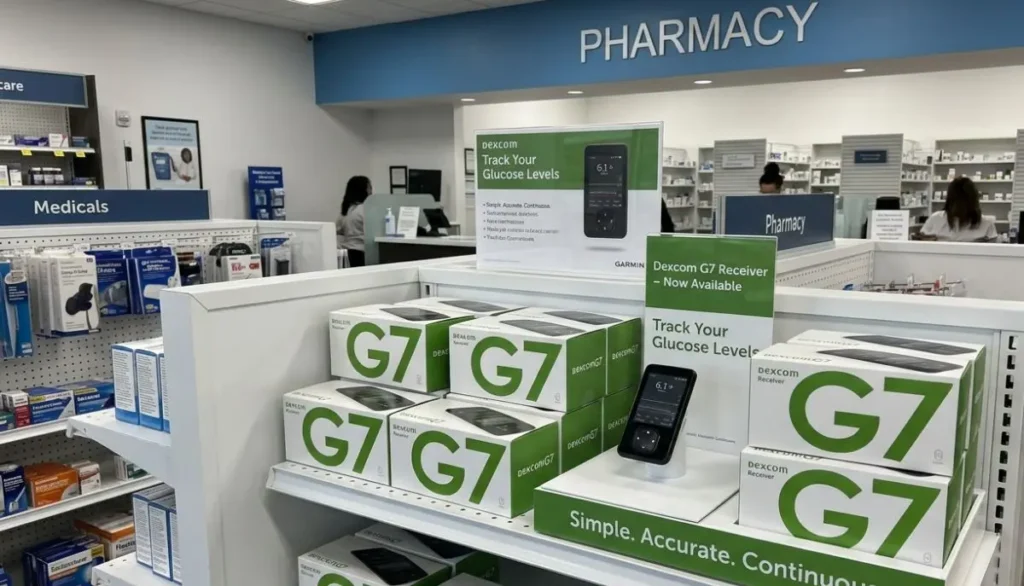
For example, imagine that you are at work and prefer not to keep your personal phone with you all day. A dedicated receiver provides another way to access your CGM information. Similarly, if your smartphone is not compatible with Dexcom G7, the receiver can provide an alternative.
Why Search for a Dexcom G7 Receiver for Sale Near Me?
When someone searches for dexcom g7 receiver for sale near me, they are often looking for convenience.
Buying from a medical supply provider can make it easier to ask questions about ordering, prescriptions, insurance documentation, and product availability.
Here are several reasons people may look for a nearby medical supplier:
- They need a Dexcom G7 receiver.
- Their previous receiver is damaged or no longer working.
- They are beginning Dexcom G7 therapy.
- Their smartphone is not compatible with G7.
- They prefer a dedicated receiver instead of a phone.
- They want help understanding the ordering process.
- They want to ask about insurance or DME options.
- They prefer working with a healthcare supply company.
However, availability can vary. It is a good idea to confirm current inventory, eligibility, prescription requirements, and insurance details before placing an order.
Can You Use Dexcom G7 Without a Receiver?
Yes. Dexcom states that users have the option of using the Dexcom G7 app on a compatible smart device instead of the receiver. Users can also use both the receiver and app at the same time.
This means a receiver is not necessarily required for every person using Dexcom G7.
The right setup depends on your healthcare needs, compatible technology, insurance requirements, and personal preference.
Some people enjoy having everything on their phone. Others prefer having a separate medical device.
There is no need to choose based only on convenience. Before changing how you use your CGM system, follow your healthcare professional’s recommendations and the manufacturer’s instructions.
Dexcom G7 Receiver vs. Smartphone
One of the most common questions is whether the receiver is better than using a smartphone.
The answer depends on your individual situation.
Using the Dexcom G7 App
A compatible smartphone may be convenient because you already carry your phone.
Potential advantages include:
- No additional display device to carry.
- Easy access to information on a familiar device.
- Convenient app-based features.
- Integration with supported smartphone functions.
However, smartphone compatibility is important. Dexcom maintains a compatibility list because not every smartphone is necessarily supported.
Using the Dexcom G7 Receiver
A dedicated receiver may be useful when:
- Your smartphone is not compatible.
- You prefer a separate medical device.
- You do not want to rely on your personal smartphone.
- Your healthcare team recommends a receiver.
- Your insurance arrangement requires receiver use.
Dexcom specifically notes that the redesigned G7 receiver is smaller and has a more vibrant, easier-to-read display.
Is the Dexcom G7 Receiver Compatible With Dexcom G6?
This is an important point when shopping for a receiver.
A Dexcom G6 receiver and Dexcom G7 system should not be assumed to be interchangeable. Dexcom states that G6 receivers are not compatible with G7 sensors.
If you are searching for dexcom g7 receiver for sale near me, make sure you are specifically looking for the receiver intended for the Dexcom G7 system.
Do not purchase an older G6 receiver simply because it is less expensive.
If you are unsure about compatibility, check the product information and ask your healthcare provider or medical equipment supplier before ordering.
Who May Need a Dexcom G7 Receiver?
Not every Dexcom G7 user needs a receiver.
A receiver may be particularly useful for someone who:
- Does not have a compatible smartphone.
- Does not want to use a personal smartphone.
- Prefers a dedicated glucose display.
- Has insurance requirements involving a receiver.
- Has received guidance from a healthcare professional to use one.
Dexcom’s current information says that Medicare coverage has specific receiver requirements. For eligible Medicare patients, Dexcom states that a receiver is required for CGM coverage and that the receiver is used along with a smart device to receive Medicare benefits for CGM.
Because insurance policies and eligibility can change, confirm your individual coverage with your plan and supplier.
Does the Dexcom G7 Receiver Require a Prescription?
The answer can depend on how you obtain the product and your insurance or healthcare arrangement.
Dexcom’s provider information lists the Dexcom G7 receiver as a component that can be prescribed and submitted to a patient’s preferred pharmacy or DME supplier.
If you are purchasing through a medical supply provider, you may be asked for prescription documentation.
For this reason, it is useful to have your healthcare provider involved when you are ordering a receiver as part of your diabetes management supplies.
If you are unsure whether your existing prescription covers a receiver, contact your healthcare provider or supplier before ordering.
How to Find a Dexcom G7 Receiver for Sale Near Me
Finding a receiver does not have to be complicated.
Start by searching for terms such as:
“dexcom g7 receiver for sale near me”
You can also search for:
- Dexcom G7 receiver near me
- Dexcom G7 receiver supplier
- Dexcom G7 medical supply store
- Dexcom G7 receiver DME supplier
- Dexcom diabetes supplies near me
- Dexcom G7 receiver online
- Diabetes medical supply store
- CGM supply store near me
Once you find a supplier, check several important details before purchasing.
1. Confirm the Exact Product
Make sure the listing specifically identifies a Dexcom G7 Receiver.
Avoid confusing:
- Dexcom G6 receiver
- Dexcom G7 receiver
- Dexcom G7 sensor
- Dexcom G7 transmitter-related products
- Protective receiver cases
The receiver and sensor are different components of the CGM system.
2. Check Availability
A product can appear online even when inventory is temporarily limited.
Ask the supplier whether the receiver is currently available and whether they can fulfill your order.
3. Ask About Prescription Requirements
If the supplier requires a prescription, ask what documentation is needed.
This can prevent delays during checkout or order processing.
4. Check Insurance Options
If you have insurance, ask whether the supplier works with your plan and whether the receiver can be processed as durable medical equipment.
Coverage varies between plans, so avoid assuming that your insurance will pay the full cost.
5. Verify Compatibility
If you already use Dexcom G7, verify that the receiver is intended for your version of the system.
This is particularly important if you have recently changed from another Dexcom generation.
Buying a Dexcom G7 Receiver Online
For people who cannot easily visit a local medical supply store, online purchasing can be convenient.
When searching for a dexcom g7 receiver for sale near me, remember that “near me” does not always mean you need a physical store nearby. Some medical supply companies serve customers through online ordering and delivery.
Before ordering online, look for:
- Clear product information.
- A legitimate medical supply business.
- Secure checkout.
- Clear prescription requirements.
- Insurance information.
- Contact information.
- Shipping details.
- Return or replacement policies.
- Customer support.
For medical equipment, it is especially important to know exactly what you are purchasing.
Dexcom G7 Receiver and Diabetes Management
The receiver is a display device. It does not replace your healthcare plan.
Your glucose information should be considered together with your healthcare professional’s recommendations, your prescribed treatment, and the instructions supplied with your CGM system.
CGM technology can provide useful glucose information throughout the day, but users still need to understand how their healthcare team wants them to respond to glucose readings, alerts, and trends.
If you are ever uncertain about what a reading means or what action you should take, contact your healthcare professional.
A Simple Example of Why a Receiver Can Be Helpful
Consider someone who works in an environment where carrying a personal smartphone is inconvenient.
They use Dexcom G7 and prefer not to depend on their phone throughout the day. A dedicated receiver gives them another device for viewing their glucose information.
Another person may have a smartphone that is not compatible with the Dexcom G7 app. Dexcom notes that the redesigned receiver can be useful for people whose smart device is not currently compatible.
These are examples of why having a receiver can be useful for certain users.
What Should You Look for in a Medical Supply Store?
When searching for dexcom g7 receiver for sale near me, price should not be your only consideration.
A good medical supply experience should also include clear information and helpful customer service.
Consider asking:
- Does the supplier carry Dexcom G7 products?
- Is the receiver currently in stock?
- Do you need a prescription?
- Can the supplier work with your insurance?
- Does the supplier provide delivery?
- Can staff help with ordering questions?
- What documentation is required?
- What happens if there is an issue with the order?
These questions can save time and help you make a more informed purchase.
Dexcom G7 Receiver From Alfa Healthcare Supply Inc.
Alfa Healthcare Supply Inc. is a medical supply provider serving customers in New York.
If you are looking for a dexcom g7 receiver for sale near me, Alfa Healthcare Supply can be a place to check for availability and ordering information.
You can visit the company’s website to learn more about its medical supply products and contact the supplier regarding current Dexcom G7 receiver availability.
Visit Alfa Healthcare Supply Inc.
Before ordering, customers should confirm current inventory, prescription requirements, insurance eligibility, and delivery details directly with the supplier.
Dexcom G7 Receiver for New Users
If you are new to continuous glucose monitoring, the number of products and accessories can feel confusing.
You may see sensors, receivers, apps, overpatches, cases, and other supplies.
The receiver is simply the dedicated display device used with the Dexcom G7 system.
Your healthcare provider or diabetes care team can help you understand which components you need.
Dexcom also provides instructions and product information for people starting or using the G7 system.
A good rule is to avoid purchasing random components separately unless you know they are appropriate for your prescribed system.
Can You Use the Receiver and Smartphone Together?
Yes.
Dexcom states that users can use the G7 receiver and the compatible smartphone app at the same time.
This can provide flexibility.
For example, someone might prefer the smartphone for everyday use but keep the receiver available as another display option.
However, always follow Dexcom’s current instructions regarding device setup, connectivity, alerts, and compatible devices.
What If Your Phone Is Not Compatible With Dexcom G7?
You do not necessarily have to stop considering the G7 system simply because your phone is not compatible.
Dexcom recommends checking its current compatibility information because supported devices can change.
The receiver may provide an alternative display option for users whose phones are not supported.
If you are uncertain, check the latest compatibility information from Dexcom before purchasing a smartphone specifically for CGM use.
What If You Lose Your Dexcom G7 Receiver?
If your receiver is lost or damaged, contact your healthcare provider, medical supply company, or Dexcom support for guidance.
Do not assume that any replacement receiver will automatically work with your current system.
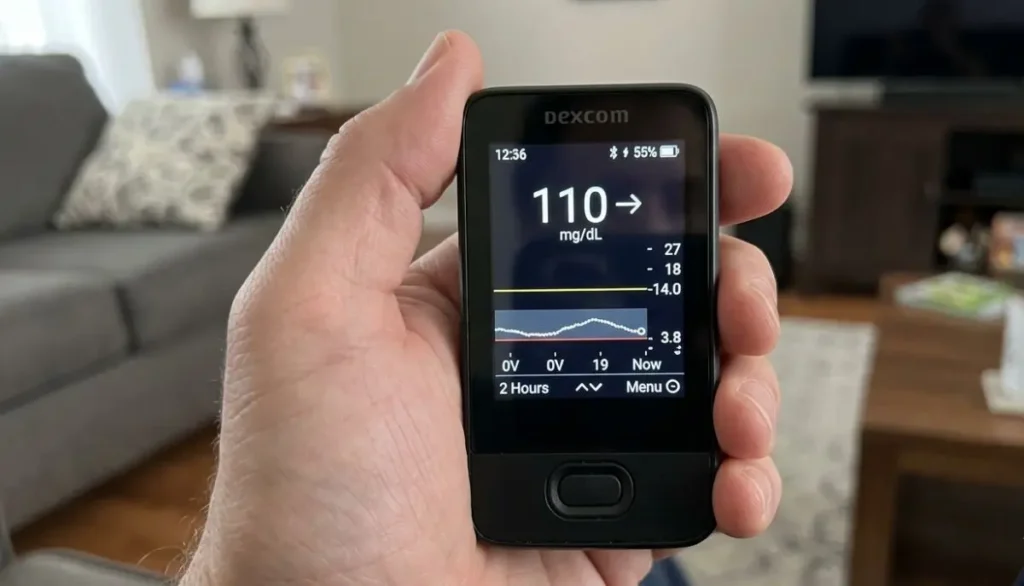
When looking for a replacement, provide the supplier with the exact product information you currently use.
Having your prescription and insurance information available may also make the replacement process easier.
Why Choosing the Correct Receiver Matters
Medical devices are not like ordinary electronics.
A cheaper device is not necessarily a suitable device if it is incompatible with your CGM system.
For this reason, always verify:
- Product name
- Model
- Compatibility
- Prescription status
- Insurance requirements
- Supplier information
- Warranty or support information
Dexcom specifically states that the G6 receiver is not compatible with G7 sensors.
That single detail shows why checking the exact generation matters.
Tips for a Smooth Dexcom G7 Receiver Purchase
Here is a simple checklist you can save before ordering.
Before You Buy
☐ Confirm you need a G7 receiver.
☐ Check whether your healthcare provider has prescribed it.
☐ Confirm smartphone compatibility if you plan to use the app.
☐ Ask your insurance provider about coverage.
☐ Contact the medical supplier about availability.
☐ Confirm the exact product name.
☐ Ask about shipping or local pickup.
☐ Keep your prescription information available.
After You Receive It
☐ Check the package and product information.
☐ Follow Dexcom’s setup instructions.
☐ Connect the receiver according to the manufacturer’s instructions.
☐ Follow your healthcare team’s recommendations.
☐ Contact appropriate technical or healthcare support if something does not work as expected.
Common Mistakes to Avoid
Searching for dexcom g7 receiver for sale near me can produce many results. Not every result is necessarily appropriate.
Here are some common mistakes.
Mistake 1: Buying a G6 Receiver for G7
G6 and G7 are different systems. Dexcom states that G6 receivers are not compatible with G7 sensors.
Mistake 2: Assuming Every Phone Works With G7
Smartphone compatibility matters. Always check Dexcom’s current compatibility information.
Mistake 3: Ignoring Prescription Requirements
If you are obtaining the receiver through a healthcare provider, pharmacy, DME supplier, or insurance plan, prescription requirements may apply.
Mistake 4: Focusing Only on Price
The lowest advertised price is not necessarily the best option if the product is incompatible, unavailable, or does not meet your insurance requirements.
Mistake 5: Buying From an Unverified Seller
For medical equipment, consider purchasing through an established healthcare provider, pharmacy, or medical supply company.
Final Thoughts: Finding a Dexcom G7 Receiver Near You
Searching for a dexcom g7 receiver for sale near me is often about more than simply finding a product. You want to know that you are purchasing the correct device, that it works with your Dexcom G7 system, and that the ordering process fits your healthcare and insurance needs.
The Dexcom G7 system provides flexibility because users can choose a compatible smartphone, receiver, or both.
If you need a dedicated receiver, start by confirming the exact G7 product, checking compatibility, understanding prescription requirements, and asking about insurance coverage.
For customers in New York, Alfa Healthcare Supply Inc. is one medical supply provider you can contact to ask about Dexcom G7 receiver availability and ordering options.
Most importantly, use reliable product information and follow your healthcare professional’s recommendations. When medical technology becomes part of everyday life, having the right equipment—and knowing how to obtain it—can make the experience much simpler and more comfortable.
Frequently Asked Questions
What is a Dexcom G7 receiver?
The Dexcom G7 receiver is a dedicated device that can display glucose information from the Dexcom G7 CGM system. Dexcom allows users to use the receiver, the compatible smartphone app, or both.
Can I use Dexcom G7 without a receiver?
Yes. Dexcom states that users can use the G7 app on a compatible smart device instead of a receiver.
Can I use a Dexcom G6 receiver with G7?
No. Dexcom states that G6 receivers are not compatible with G7 sensors.
Where can I find a Dexcom G7 receiver for sale near me?
You can check local medical supply stores, DME suppliers, pharmacies, and established online medical suppliers. If you are in New York, you can also contact Alfa Healthcare Supply Inc. to ask about current availability and ordering requirements.
Alfa Healthcare Supply Inc. website
Does Medicare require a Dexcom G7 receiver?
Dexcom states that a receiver is required for Medicare coverage of its CGM system and that eligible Medicare users receive the receiver through their medical device supplier. Individual coverage requirements should be confirmed with Medicare and the relevant supplier.
Does Dexcom G7 work with smartphones?
Yes, Dexcom G7 works with compatible smartphones. However, compatibility depends on the specific device, so check Dexcom’s current compatibility list before relying on a particular smartphone.
Can I use the receiver and phone at the same time?
Yes. Dexcom states that you can use the receiver and compatible smartphone app together.
Is a Dexcom G7 receiver the same as a sensor?
No. The receiver is a display device, while the sensor is the component that collects glucose information as part of the CGM system.
Should I buy a used Dexcom G7 receiver?
Before purchasing a used medical device, consider its compatibility, condition, ownership history, warranty/support status, and whether it meets your healthcare provider’s and insurance plan’s requirements. A medical supply provider can help you understand appropriate purchasing options.
How do I know if I need a receiver?
Your healthcare provider, insurance plan, and personal technology needs can help determine whether you need one. Some users prefer the receiver, while others use a compatible smartphone.
Diabetes Supply Store Tremont Bronx:
Managing diabetes is part of everyday life for millions of people. Checking blood glucose, keeping testing supplies available, following a healthcare plan, and taking care of your feet can become regular parts of a daily routine. When supplies are difficult to find or need to be replaced quickly, having a dependable medical supplier can make things easier.
For people searching for a diabetes supply store Tremont Bronx, it is helpful to know what types of products are available, how to choose supplies, what insurance requirements may apply, and how a DME supplier can support patients and caregivers.
Alfa Healthcare Supply Inc. is a New York-based durable medical equipment (DME) and medical supply provider serving the Bronx and other communities throughout the New York area. Its diabetic-supply category includes blood glucose monitoring products, testing supplies, diabetic footwear, and other diabetes-management products.
What Is a Diabetes Supply Store?
A diabetes supply store provides products that can help people manage their everyday diabetes-care routines. Depending on the supplier and a patient’s needs, these products may include:
- Blood glucose meters
- Blood glucose test strips
- Lancets
- Continuous glucose monitoring (CGM) supplies
- Insulin-related supplies
- Alcohol prep pads
- Diabetic shoe inserts
- Diabetic footwear
- Other diabetes-care accessories
Not every person with diabetes needs the same products. A healthcare professional can help determine which monitoring system, testing schedule, medication supplies, or footwear is appropriate.
For many patients, convenience is also important. Having a supplier that can coordinate recurring supplies may help reduce the stress of remembering every refill.
Diabetes Supplies for Tremont Bronx Residents
If you are looking for a diabetes supply store Tremont Bronx, consider the products you use regularly rather than simply looking for the closest store.
For example, someone who uses a traditional blood glucose meter may regularly need test strips and lancets. Someone using a CGM may need compatible sensors and related supplies. A person who has specific foot-care needs may also require diabetic shoes or therapeutic inserts.
Alfa Healthcare Supply Inc. lists diabetes supplies as one of its major product categories and states that it serves patients in the Bronx, Queens, Brooklyn, Manhattan, Staten Island, Long Island, and Westchester County.
Blood Glucose Meters
Blood glucose meters are commonly used to measure blood sugar using a small blood sample.
When choosing a meter, patients may want to consider:
- How easy it is to operate
- Size and portability
- Display readability
- Amount of blood required
- Testing time
- Availability of compatible test strips
- Whether the device fits the monitoring plan recommended by a healthcare professional
A meter is only useful when the required supplies are also available. Before choosing a new system, check that compatible test strips and other accessories can be obtained when needed.
Test Strips and Lancets
Test strips and lancets are common supplies for people who use blood glucose meters.
Test strips are designed to work with specific glucose meters, so patients should make sure they purchase the correct type. Using an incompatible strip can prevent accurate testing or make the system unusable.
Lancets are small sterile devices designed to obtain a blood sample. Different lancet sizes and devices are available, and patients should follow the instructions supplied with their equipment.
If you are running low on testing supplies, planning ahead can help prevent interruptions in your regular monitoring routine.
Continuous Glucose Monitoring Supplies
Continuous glucose monitoring, or CGM, has become another important option for diabetes management.
CGM systems use a sensor to measure glucose levels and can provide information without requiring a traditional fingerstick for every reading, depending on the specific system and circumstances.
Alfa Healthcare Supply Inc. lists CGM products among its diabetic supplies and provides products from recognized diabetes-monitoring systems.
Patients should follow the manufacturer’s instructions and their healthcare professional’s recommendations when using a CGM system.
Diabetic Shoes and Foot-Care Products
Diabetes care involves more than blood glucose monitoring. Foot care is also important, particularly for people who have diabetes-related foot problems or other risk factors.
A healthcare professional can determine whether specialized footwear, therapeutic shoes, or inserts are appropriate.
Alfa Healthcare Supply Inc. includes diabetic shoe inserts and diabetic footwear among its diabetes-related offerings.
Properly selected footwear can be part of an overall foot-care routine. Patients should contact their healthcare provider if they notice a wound, swelling, redness, pain, or another concerning change in their feet.
Why Choose a Medical Supply Provider Instead of Only a Retail Store?
A general retail store may carry a limited selection of diabetes products. A DME or medical supply provider may offer a broader healthcare catalog and assistance with medical-equipment ordering.
For example, Alfa Healthcare Supply Inc. provides diabetes supplies alongside:
- Durable medical equipment
- Mobility equipment
- Orthopedic products
- Respiratory supplies
- Incontinence supplies
- Urological supplies
- Home-care products
This can be useful for households where one patient needs several types of healthcare products.
Medical Supply Store Tremont Bronx: What Else Can You Find?
The search for a medical supply store Tremont Bronx may involve more than diabetes products.
Medical supply providers can offer equipment and supplies for different situations, including recovery after surgery, mobility limitations, respiratory conditions, home care, and daily personal care.
Depending on the supplier, products may include:
Mobility Equipment
Patients recovering from an injury or living with limited mobility may need equipment such as:
- Walkers
- Wheelchairs
- Rollators
- Mobility aids
The appropriate equipment depends on the individual’s condition, home environment, and healthcare recommendations.
Respiratory Equipment
Respiratory supplies may include products used for conditions requiring breathing support or sleep therapy.
Alfa Healthcare Supply Inc. lists CPAP machines, oxygen-related equipment, and respiratory products within its broader healthcare catalog.
Orthopedic Supplies
Orthopedic products can include braces, supports, compression products, and other equipment used during recovery or for ongoing support.
The correct product should be selected according to the patient’s specific needs and, when necessary, professional guidance.
Incontinence and Urological Supplies
Some patients also need products for bladder or bowel management. A medical supply provider may offer incontinence and urological products designed for home use.
Having several categories available through one supplier can make ongoing care more convenient for patients and caregivers.
Surgical Supply Store Tremont Bronx
People searching for a surgical supply store Tremont Bronx may be looking for supplies related to recovery after a procedure or for home healthcare needs.
Surgical and medical supplies can vary significantly depending on the procedure and the patient’s instructions. Some products may require a prescription, medical documentation, or professional guidance.
Before purchasing a surgical-related product, it is important to understand:
- What the product is designed for
- Whether a prescription is required
- Whether it is appropriate for the patient’s condition
- How the product should be used
- Whether the patient’s insurance covers it
Patients should follow their surgeon’s discharge instructions and contact their healthcare provider if they are unsure about which product they need.
Hospital Supply Store Tremont Bronx
The phrase hospital supply store Tremont Bronx may also be used by caregivers, healthcare workers, or families looking for medical equipment and supplies for home care.
A hospital environment may use specialized equipment that is not necessary for ordinary home care. When bringing medical equipment into a home, the patient’s needs, available space, safety, and instructions from healthcare professionals should all be considered.
A DME supplier can help patients and caregivers identify products that are appropriate for home use.
What Makes a Reliable Diabetes Supplier?
When comparing suppliers, look beyond product availability.
Here are several practical factors to consider.
1. Product Selection
A useful supplier should have access to commonly needed diabetes products and related medical supplies.
2. Insurance Support
Insurance coverage can vary by plan and product. Alfa Healthcare Supply Inc. states that it provides insurance verification and works with Medicare Part B and New York Medicaid for eligible supplies.
Patients should still confirm their individual coverage and eligibility before ordering.
3. Documentation Assistance
Some DME products require documentation such as a prescription, Detailed Written Order (DWO), Certificate of Medical Necessity (CMN), or clinical notes.
Alfa Healthcare Supply Inc. states that its provider services include documentation management and electronic referrals through Parachute Health.
4. Delivery
For people who depend on recurring supplies, delivery can be an important consideration.
Alfa Healthcare Supply Inc. states that it provides expedited delivery of diabetic supplies throughout the Bronx and other parts of New York City, as well as Long Island and Westchester County.
5. Customer Support
A medical supply order can involve more questions than an ordinary retail purchase. Patients and caregivers may need help understanding product availability, documentation, refills, or insurance requirements.
A supplier with a dedicated support team can make the ordering process easier.
How to Order Diabetes Supplies in Tremont Bronx
If you need diabetes supplies, the process can be straightforward when you prepare the necessary information.
Step 1: Know What You Need
Make a list of the supplies you currently use.
For example:
- Glucose meter
- Test strips
- Lancets
- CGM sensors
- Alcohol prep pads
- Diabetic footwear
- Shoe inserts
Step 2: Check Your Prescription
Some medical products require a prescription or other documentation.
If you are unsure, ask your healthcare provider or medical supplier what documentation is needed.
Step 3: Check Insurance Coverage
Coverage varies depending on the insurance plan, product, medical necessity, and eligibility.
Do not assume that every diabetes product will be covered in the same way.
Step 4: Confirm Compatibility
This is particularly important for test strips, meters, CGM systems, and accessories.
A product should be compatible with your existing device.
Step 5: Arrange Delivery or Pickup
Ask the supplier about available delivery options and expected processing time.
For recurring products, ask whether automatic or scheduled refills are available.
Diabetes Supplies and Insurance
Insurance is one of the most common questions patients have when ordering medical supplies.
Some eligible diabetes supplies may be covered by Medicare, Medicaid, or commercial insurance, but coverage is not identical for everyone.
Factors can include:
- Insurance plan
- Medical necessity
- Prescription requirements
- Eligibility
- Product type
- Quantity limits
- Supplier requirements
Alfa Healthcare Supply Inc. states that it provides insurance verification and works with Medicare Part B and New York Medicaid for eligible diabetes supplies.
Because insurance policies can change, patients should confirm current coverage with their insurer and supplier before placing an order.
Supporting Patients Beyond Diabetes Supplies
Diabetes can affect different areas of everyday life, which is why a broader medical supply provider can be useful.
Alfa Healthcare Supply Inc. describes itself as a DME and healthcare supply provider serving New York communities. Its website states that the company has more than 25 years of experience and has served more than 10,000 patients.
Its broader product categories include diabetes supplies, DME equipment, orthopedic products, respiratory supplies, incontinence supplies, urological products, and other healthcare essentials.
For a patient or caregiver, having access to multiple categories can reduce the need to search for different suppliers for every healthcare need.
A Human Approach to Medical Supply Shopping
Medical supplies are personal.
For someone managing diabetes every day, a glucose meter is not simply another electronic device. Test strips are not just another box of supplies. A CGM sensor can become part of a person’s normal routine.
For caregivers, keeping track of supplies can also be stressful.
That is why reliability matters. Patients need to know what they are ordering, whether it is compatible with their equipment, what documentation is required, and how they can receive their supplies.
A good medical supply experience should feel clear rather than confusing.
Questions to Ask Before Ordering
Before placing an order with a diabetes supply store Tremont Bronx, consider asking:
- Is this product compatible with my current device?
- Do I need a prescription?
- Does my insurance cover this product?
- What documentation is required?
- Is the item currently available?
- Can the supplies be delivered?
- Are recurring refills available?
- Who should I contact if I have a problem with my order?
These simple questions can prevent delays and help ensure you receive the right products.
Why Local Service Still Matters
Even when products can be ordered online, local service can provide an important connection for patients and caregivers.
A New York-based supplier familiar with the needs of Bronx communities can provide support with ordering, documentation, insurance questions, and delivery.
Alfa Healthcare Supply Inc. is based in Floral Park, New York, and states that it serves the Bronx and other areas throughout New York.
This means a person searching for a diabetes supply store Tremont Bronx does not necessarily need to limit their search to a storefront located directly in Tremont. Delivery and service-area coverage may provide additional options.
Final Thoughts
Finding the right diabetes supply store Tremont Bronx can make everyday diabetes management more organized and less stressful. The right supplier can provide access to glucose-monitoring products, testing supplies, CGM systems, diabetic footwear, and other healthcare products.
For patients and caregivers, the most important things are reliable products, appropriate documentation, insurance information, compatible equipment, and dependable delivery.
Alfa Healthcare Supply Inc. provides diabetic supplies and a wider range of DME and medical products while serving communities throughout the Bronx and New York area.
If you are unsure which diabetes product is right for you, speak with your physician, diabetes educator, pharmacist, or another qualified healthcare professional before changing your monitoring or treatment routine.
Alfa Healthcare Supply Inc.
261-12 E Williston Avenue
Floral Park, NY 11001
Phone: (718) 343-3860
Website: Alfa Healthcare Supply Inc.
Frequently Asked Questions
What is a diabetes supply store Tremont Bronx?
A diabetes supply store provides products used for everyday diabetes management, such as glucose meters, test strips, lancets, CGM supplies, diabetic footwear, and related accessories. Product availability varies by supplier.
Does Alfa Healthcare Supply Inc. serve Tremont and the Bronx?
Alfa Healthcare Supply Inc. states that it serves patients throughout the Bronx as part of its wider New York service area. Its physical address is in Floral Park, NY, rather than Tremont.
What diabetes supplies does Alfa Healthcare Supply Inc. offer?
Its website lists blood glucose monitors, testing supplies, CGM products, lancets, alcohol prep pads, diabetic shoe inserts, and other diabetes-management products.
Can I get diabetic shoes or shoe inserts?
Alfa Healthcare Supply Inc. lists diabetic footwear and diabetic shoe inserts among its available diabetes-related products. Whether a specific item is appropriate should be discussed with a qualified healthcare professional.
Can insurance cover diabetes supplies?
Some products may be covered depending on your insurance plan, eligibility, medical necessity, and documentation. Alfa Healthcare Supply Inc. provides insurance verification for eligible products, but patients should confirm their individual benefits before ordering.
Does a medical supply store also provide DME?
Many medical supply providers also offer durable medical equipment. Alfa Healthcare Supply Inc. lists DME equipment, mobility aids, respiratory products, orthopedic supplies, and home-care products in addition to diabetes supplies.
Where is Alfa Healthcare Supply Inc. located?
Alfa Healthcare Supply Inc. lists its address as 261-12 E Williston Avenue, Floral Park, NY 11001. The company lists its phone number as (718) 343-3860.