


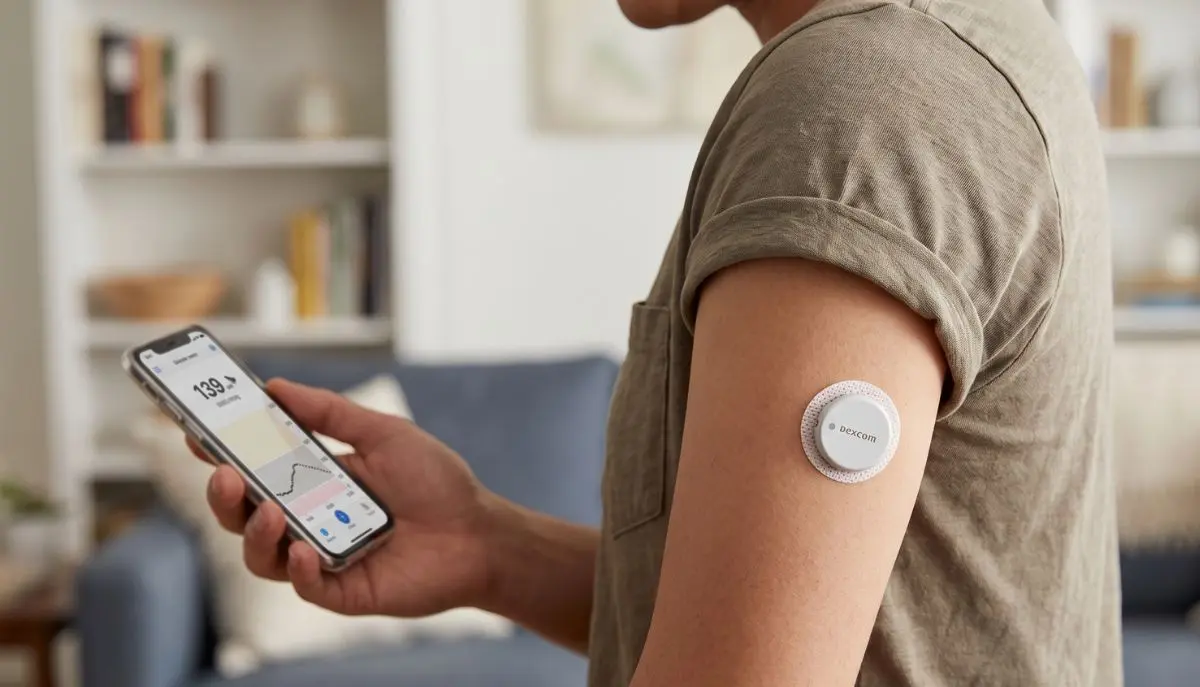
Using a continuous glucose monitoring (CGM) system can make everyday diabetes management feel more manageable. A Dexcom sensor continuously tracks glucose levels and sends information to a compatible receiver, smartphone, or other display device. But sometimes you may wonder: can you change your Dexcom sensor before it expires?
The short answer is yes. Depending on the Dexcom model you use, you can end the current sensor session early and start a new sensor. Dexcom provides specific steps for ending a session before its scheduled expiration.
This can be useful when a sensor becomes loose, is uncomfortable, needs to be removed for a medical procedure, or you simply need to replace it before the normal wear period ends.
At Alfa Healthcare Supply Inc., we understand that reliable diabetes supplies are part of everyday life. Having the right information about your CGM supplies can help you feel more prepared and confident.
Yes. You can change your Dexcom sensor before it expires.
For example, Dexcom states that a G6 sensor can be changed before completing its 10-day sensor session. To do this, you should first end the sensor session through your compatible display device before removing the sensor.
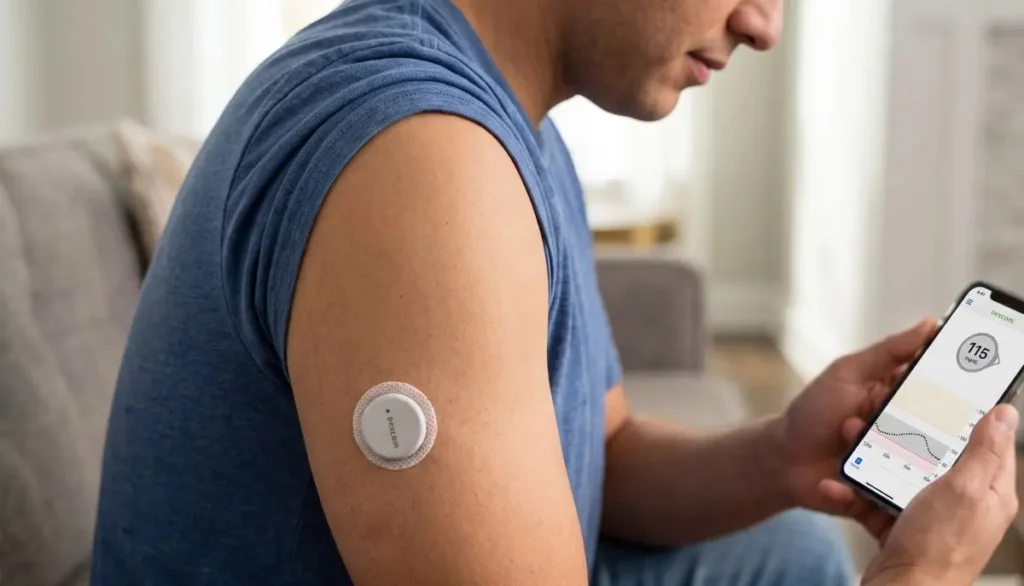
For Dexcom G7, Dexcom also allows users to manually end the sensor session or grace period before it finishes. The app or receiver provides options such as “Replace Sensor” or “Stop Sensor Session,” depending on what you want to do next.
So, if your sensor has several days remaining but you need to replace it, you generally do not have to wait until the automatic expiration.
There are several practical reasons why someone might need to replace a sensor before its scheduled end.
Adhesive can loosen because of sweating, exercise, bathing, friction from clothing, or normal daily movement.
If the sensor is no longer securely attached, replacing it may be more appropriate than trying to continue using a sensor that cannot remain properly positioned.
Skin irritation or discomfort can make wearing a sensor unpleasant.
If you experience significant irritation, pain, swelling, or another concerning reaction, remove the sensor and speak with your healthcare professional for appropriate advice.
Sometimes a CGM sensor may stop working before completing its expected wear period.
Dexcom’s replacement policy states that confirmed product failures during the intended sensor lifetime may qualify for a replacement. Dexcom recommends contacting its Technical Support team when a sensor fails prematurely.
There may be situations in which a healthcare professional tells you to remove your CGM sensor for a medical procedure or examination.
Dexcom specifically provides instructions for ending a sensor session early in situations where the sensor cannot be worn.
You may simply want to replace the current sensor and begin a new session.
The important step is to properly end the current session before removing the sensor.
Sensor life depends on the Dexcom model.
According to Dexcom’s current information:
Dexcom’s G7 and G7 15 Day systems also include a 12-hour grace period at the end of the sensor session.
Always check the instructions for the exact Dexcom system you use because product features and availability can vary.
The exact process depends on your Dexcom model, but the general process is straightforward.
Do not simply remove the sensor without first following the instructions on your display device.
For the Dexcom G7, you can manually end the session through the app or receiver. Dexcom provides a Replace Sensor option when you want to immediately start another sensor.
For the Dexcom G6, use the Stop Sensor option and follow the instructions displayed on your device.
Once the session has been properly ended, remove the old sensor according to the instructions for your specific model.
Avoid pulling or handling the sensor unnecessarily while it is still active.
Wash and dry your hands and prepare the new sensor according to the manufacturer’s instructions.
The application area should be appropriate for your specific Dexcom model and should be clean and dry.
Follow the on-screen prompts and Dexcom instructions to apply and activate the new sensor.
Do not use a sensor that has been previously used.
Your display device will guide you through starting the new sensor session and, where applicable, the sensor warmup period.
Follow the prompts carefully rather than attempting to bypass the normal startup process.
Yes.
Dexcom states that a G7 sensor session or grace period can be ended manually before it finishes. The G7 app or receiver provides an option to replace the sensor immediately.
This can be helpful if the sensor is no longer suitable to wear or if you need to change it for another reason.
However, once a G7 sensor session has ended, Dexcom says the sensor cannot be restarted. A new sensor is required to continue receiving glucose readings and alerts.
Yes.
Dexcom specifically confirms that a G6 sensor can be changed before the 10-day period is complete.
Before removing it, select Stop Sensor on your compatible smartphone or Dexcom receiver. After ending the session, the display should show the option to start a New Sensor.
Following this sequence helps prevent problems when pairing or starting the next sensor.
Not necessarily.
If the sensor is working correctly, is comfortable, and remains securely attached, you generally do not need to replace it early simply because you have a new sensor available.
Using the sensor for its intended wear period can help you make the most of your supplies.
However, if there is a legitimate reason to replace it early, Dexcom provides instructions for ending the session before expiration.
If you are uncertain whether a sensor should be removed, contact your healthcare professional or Dexcom Product Support.
This is an important consideration.
For an early replacement, Dexcom instructs users to end the existing session through the appropriate app or receiver before removing the sensor. This helps ensure the system knows that the current sensor session has ended and allows you to proceed with a new sensor.
Because the exact steps can differ between models, always follow the instructions displayed on your device.
A sensor that fails before the end of its expected lifetime may qualify for replacement depending on the circumstances.
Dexcom’s current replacement policy covers confirmed product failures during the intended sensor lifetime. Dexcom also notes that certain non-defective situations may qualify for a courtesy replacement on a case-by-case basis.
If your sensor fails early:
Dexcom advises having the sensor’s identifying number available when contacting support.
Changing a sensor early may create a period without CGM readings while the replacement sensor starts its session.
This is why planning ahead can be helpful.
If you rely heavily on CGM readings for daily diabetes decisions, make sure you understand what to do if your sensor is temporarily unavailable. Your healthcare provider can advise you about alternative glucose monitoring and what to do during gaps in CGM data.
If your CGM readings do not match how you feel or what you expect, follow your healthcare professional’s guidance about confirming glucose levels with a blood glucose meter when appropriate.
Replacing a CGM sensor does not have to become a stressful part of your routine.
Try to avoid waiting until the last moment to arrange your next sensor.
Having your replacement supply available can reduce unnecessary gaps in monitoring.
If you are considering early replacement because of an issue, identify what is happening first.
Is the adhesive lifting? Is the sensor damaged? Are you experiencing skin irritation? Is the system showing an error?
Knowing the problem can help you determine the next appropriate step.
G6 and G7 systems have different features and procedures.
Do not assume instructions for one model automatically apply to another.
Store your unused sensors according to the manufacturer’s instructions and check packaging before use.
You do not have to figure everything out alone.
If your sensor repeatedly fails, readings appear unusual, or you are unsure how to replace the sensor, contact your healthcare provider or Dexcom support.
No.
Dexcom describes its sensors as single-use, disposable supplies. A used sensor should not be reused as a new sensor.
For the Dexcom G7, restarting a completed sensor session is also not supported. Once the session has ended, you need a new sensor for continued readings and alerts.
These two terms can sound similar, but they are different.
Changing early means ending the current sensor session before its scheduled end and applying a new, unused sensor.
Restarting generally refers to attempting to use a sensor again after its normal session has ended.
Dexcom does not allow restarting a completed G7 sensor session.
Therefore, if your current sensor needs to be replaced, use a new sensor rather than attempting to extend or restart the old one.
It can help to remember three simple points:
1. Yes, you can change it early.
You do not always have to wait for the sensor’s scheduled expiration.
2. End the session correctly.
Use the appropriate option on your Dexcom app or receiver before removing the sensor.
3. Use a new sensor.
Do not attempt to restart or reuse a completed Dexcom G7 sensor.
These small steps can make the transition from one sensor to another much smoother.
Managing diabetes involves more than checking glucose. Having dependable access to appropriate medical supplies can make everyday routines easier and less stressful.
Alfa Healthcare Supply Inc. provides a range of healthcare and durable medical equipment supplies designed to support patients, caregivers, and families. From diabetes-related supplies to other home healthcare equipment, having a dependable medical supply source can make it easier to stay prepared.
If you are looking for diabetes supplies or other medical equipment, visit Alfa Healthcare Supply Inc. to explore available products and services.
So, can you change your Dexcom sensor before it expires? Yes.
Whether you use a Dexcom G6 or G7, there are situations where changing the sensor early is appropriate. The most important thing is to properly end the current sensor session through your compatible app or receiver before removing the sensor.
If your sensor fails unexpectedly, do not assume you have to absorb the cost of a replacement. Dexcom has a sensor replacement policy for confirmed product failures, so contacting Dexcom Product Support may be worthwhile.
Most importantly, remember that your CGM is a tool to support your diabetes management. When something does not seem right, take a moment to check the instructions, contact the appropriate support team, and speak with your healthcare professional when necessary.
A little preparation can make sensor changes feel much less complicated—and help you stay focused on the things that matter most in your daily life.
Yes. Dexcom allows early sensor replacement for its systems when the current sensor session is properly ended through the compatible app or receiver. The exact procedure depends on your Dexcom model.
Yes. A Dexcom G7 session can be ended manually before the normal session or grace period ends. You can then start a new sensor session with a new sensor.
Yes. Dexcom specifically states that G6 sensors can be changed earlier than 10 days. End the sensor session using the Stop Sensor option before removing the sensor.
No. Dexcom states that the G7 cannot be restarted after the sensor session is complete. A new sensor is required.
Contact Dexcom Product Technical Support. A confirmed product failure during the intended sensor lifetime may qualify for a replacement under Dexcom’s sensor replacement policy.
No. If you need to replace the sensor early, you can follow the manufacturer’s instructions to end the current session and start a new one.
No. Dexcom sensors are single-use, disposable products.
A standard Dexcom G7 sensor lasts up to 10 days, followed by a 12-hour grace period. The Dexcom G7 15 Day is designed for up to 15 days, also with a 12-hour grace period.
For routine replacement, follow the Dexcom instructions for your specific system. If you have skin problems, persistent inaccurate readings, repeated sensor failures, or concerns about your glucose levels, contact your healthcare professional.