


Introduction: ResMed AirSense 11 CPAP Machine
Getting a restful night’s sleep can greatly improve how you feel and function throughout the day. However, achieving restful sleep can be challenging for those suffering from Obstructive Sleep Apnea (OSA). Issues such as loud snoring, interrupted breathing, morning headaches, and daytime fatigue can impact daily life. With the right treatment and guidance from a healthcare professional, sleep can be made safe and comfortable.
The ResMed AirSense 11 CPAP machine is a modern ‘Positive Airway Pressure’ device designed to help manage Obstructive Sleep Apnea. It features automatic pressure adjustment options, a touchscreen interface, humidification capabilities, and digital tools that simplify therapy management.
For patients and caregivers seeking reliable respiratory equipment, understanding how the ResMed AirSense 11 CPAP machine works is essential. At Alfa Healthcare Supply Inc., we believe that clear product information empowers people to make informed decisions regarding their home healthcare needs.
This guide explains the machine’s key features and benefits, how to set it up and clean it properly, which accessories are compatible, and what to consider before making a purchase.
What is the ResMed AirSense 11 CPAP machine?
The ResMed AirSense 11 CPAP machine is a ‘Continuous Positive Airway Pressure’ (CPAP) device developed by ResMed to treat Obstructive Sleep Apnea. It delivers a steady flow of pressurized air through a hose and mask to keep the upper airway open during sleep.
In people with obstructive sleep apnea, the airway can repeatedly narrow or close during sleep. This can obstruct normal breathing and impair sleep quality. CPAP therapy helps prevent these airway obstructions by maintaining positive air pressure.
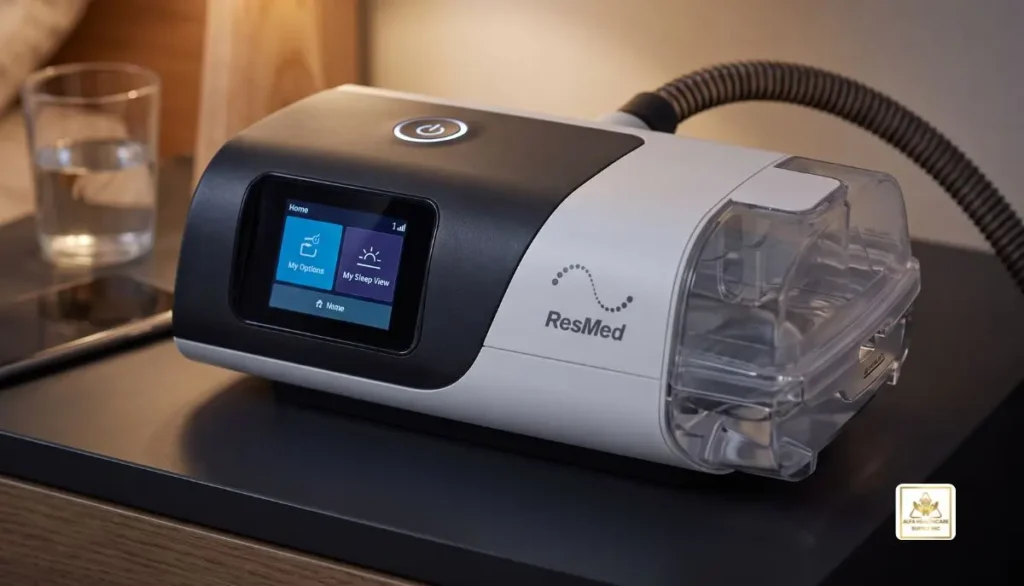
The ResMed AirSense 11 CPAP machine is designed for home use and includes features that support therapy, comfort, and daily convenience.
It is important to remember that this machine helps manage sleep apnea but does not permanently cure the condition. It is a treatment device that should be used according to the instructions of a healthcare professional.
Key Features of the ResMed AirSense 11 CPAP Machine
1. Automatic Pressure Adjustment Options
The ResMed AirSense 11 CPAP machine offers fixed-pressure CPAP therapy or automatic pressure adjustments through AutoSet mode, depending on the model and prescribed settings.
In fixed CPAP therapy, the device delivers air at a constant pressure. In AutoSet therapy, the machine can adjust the pressure within a set range based on breathing patterns.
These options allow healthcare professionals to select the therapy mode best suited to the individual’s treatment needs.
Important: Users should not alter prescribed pressure settings without consulting their sleep specialist or equipment provider.
2. User-Friendly Touchscreen
The ResMed AirSense 11 CPAP machine features a color touchscreen designed to simplify daily use.
Users can access available settings, view therapy data, and follow on-screen instructions. The interface is designed to streamline common tasks, making it particularly helpful for those new to CPAP therapy.
An intuitive control system helps minimize confusion when starting treatment and facilitates the establishment of a consistent bedtime routine.
3. Integrated Heated Humidification
The dry air associated with CPAP therapy can sometimes cause dry mouth, dry nose, or nasal discomfort. The ResMed AirSense 11 CPAP machine supports integrated humidification through the compatible HumidAir 11 humidifier.
Humidification adds moisture to the airflow, which can provide comfort for some users. When used with compatible ClimateLineAir 11 heated air tubing, the system can help manage condensation and maintain a more comfortable airflow temperature.
Humidification needs vary from person to person. Follow the manufacturer’s instructions when adjusting humidity and temperature settings.
4. Personal Therapy Assistance
The ResMed AirSense 11 CPAP machine includes features designed to assist those starting therapy.
Depending on device configuration and available software, these may include guided setup, mask fit checks, and personal therapy assistant features.
Such tools can help users understand basic operating steps and identify certain mask-fitting issues. They do not replace professional advice or clinical assessment.
5. Digital Therapy Tracking
Compatible ResMed digital services can provide therapy data, subject to device connectivity, account setup, regional availability, and service support.
The available information can help users and healthcare professionals review aspects of treatment, such as usage and mask seal.
Digital monitoring is useful for tracking therapy, but it does not, on its own, guarantee that sleep apnea is fully controlled. Clinical follow-up is essential.
6. Quiet Operation
Noise can be a concern for those sharing a bedroom. The ResMed AirSense 11 CPAP machine is designed for quiet operation, although the noise level perceived by the user may depend on the mask, tubing, air leaks, and the surrounding environment. A properly fitted mask and a well-maintained device can help minimize unnecessary noise. If the machine makes unusual sounds, check it according to the user guide and contact an equipment professional if necessary.
Benefits of using the ResMed AirSense 11 CPAP machine
The primary benefit of CPAP therapy is that it helps keep the airway open during sleep. When the treatment is effective and used consistently, it can reduce instances of breathing obstruction and improve sleep-related symptoms.
Potential benefits include:
- Improved sleep continuity: Effective treatment can reduce interruptions caused by airway obstructions.
- Reduced daytime fatigue: Some users experience greater alertness due to improved sleep quality.
- Comfortable therapy routine: Humidification and proper mask fitting can help make nighttime therapy more comfortable.
- Easy controls: The touchscreen makes accessing device functions simple.
- Therapy insights: Compatible tracking tools allow users and clinicians to review treatment patterns.
- Support for home care: The device is designed for regular home use in accordance with the prescribed treatment plan.
Individual experiences may differ. While some people adapt quickly, others may need more time to find a suitable mask, improve comfort, and develop a consistent routine.
How to Set Up the ResMed AirSense 11 CPAP Machine
Correct setup is essential for comfortable and effective treatment. Always follow the official user guide and instructions provided by your equipment supplier.
Step 1: Choose a Suitable Location
Place the machine on a stable, level surface near the bed. Keep the air intake clear and position the device so that it is protected from accidental spills.
Avoid placing the machine where it could be pulled onto the floor or where bedding could block its air intake.
Step 2: Connect the Air Tubing
Attach compatible air tubing to the machine’s air outlet. Connect the other end to the appropriate CPAP mask assembly.
Check that the connections are secure and that the tubing is not twisted or obstructed.
Step 3: Prepare the Humidifier
If using the HumidAir 11 humidifier, fill its water tub according to the manufacturer’s instructions. Use the water type specified in the official guide and never fill the tub beyond its maximum level.
Make sure the tub is correctly installed before operating the machine.
Step 4: Fit Your CPAP Mask
Choose a compatible mask recommended for your therapy. Adjust the headgear according to the manufacturer’s instructions so that the mask fits securely without excessive tightness.
A mask that is too loose may leak air, while one that is too tight can cause discomfort or skin irritation.
Step 5: Follow Your Prescribed Therapy Settings
Use the prescribed configuration established by your healthcare professional. If the machine has a guided setup process, follow the on-screen instructions.
Do not select pressure settings based on another person’s device or treatment plan.
Step 6: Start Therapy
Put on the mask and begin treatment according to the device instructions. Check that air is flowing normally and that there are no major leaks.
If you experience persistent discomfort, significant dryness, or difficulty breathing against the pressure, speak with your healthcare professional rather than stopping or changing treatment without guidance.
Which Masks Are Compatible With the ResMed AirSense 11 CPAP Machine?
The ResMed AirSense 11 CPAP machine can be used with a range of compatible CPAP masks. The best choice depends on your breathing habits, facial structure, sleep position, comfort preferences, and prescribed treatment.
Common mask styles include:
Nasal pillow masks: These rest at the entrance of the nostrils and have a minimal design. Some users prefer them because they cover less of the face.
Nasal masks: These cover the nose and may suit people who prefer a more traditional mask design.
Full-face masks: These cover the nose and mouth and may be appropriate for people who breathe through their mouths during sleep or need a mask that accommodates both breathing routes.
Not every mask has the same connector or compatibility requirements. Confirm that your selected mask and tubing are suitable for your particular AirSense 11 configuration.
A healthcare professional or qualified equipment supplier can help you choose a mask that balances comfort, fit, and therapy requirements.
Cleaning and Maintenance
Regular cleaning helps keep your equipment in good condition and supports a more comfortable therapy experience.
Follow the cleaning schedule and methods in the official ResMed instructions for each component.
- Mask: Clean the mask cushion and other washable components as directed by the manufacturer.
- Air tubing: Inspect it regularly and clean it using the recommended method.
- Humidifier tub: Empty, clean, and dry it according to the instructions.
- Air filter: Inspect and replace it at the recommended interval.
- Machine exterior: Disconnect power as instructed before cleaning, and use only an appropriate method for the device.
Do not immerse the machine in water or use cleaning chemicals that are not approved for the equipment. Replace worn, damaged, or deteriorating accessories as recommended.
If you notice persistent odors, visible damage, unusual noise, or performance problems, consult the official support information or your equipment supplier.
ResMed AirSense 11 CPAP Machine vs. ResMed AirSense 10
Both the AirSense 10 and AirSense 11 product families are designed to support CPAP therapy, but their interfaces and available features differ.
The AirSense 11 offers a touchscreen and updated digital support features. The AirSense 10 uses a different control interface, and its features depend on the exact model.
Both product families include configurations intended for prescribed sleep apnea treatment. The newer device is not automatically the best choice for every person. Existing equipment, prescribed therapy, mask compatibility, budget, and clinician recommendations should all be considered.
Before upgrading, confirm whether your current equipment meets your treatment needs and whether the replacement device supports your prescribed settings and accessories.
Who May Benefit From the ResMed AirSense 11 CPAP Machine?
The ResMed AirSense 11 CPAP machine may be suitable for adults who have been evaluated for obstructive sleep apnea and prescribed compatible PAP therapy.
It may be worth discussing with a healthcare professional if you are:
- Starting CPAP therapy for the first time.
- Replacing an older compatible CPAP device.
- Looking for a device with a touchscreen interface.
- Interested in integrated humidification.
- Seeking available digital tools to support treatment monitoring.
A sleep study or other appropriate clinical evaluation may be needed to diagnose sleep apnea and determine the correct treatment.
The ResMed AirSense 11 is not appropriate for every breathing condition. Your clinician should determine whether CPAP is suitable for your diagnosis and individual needs.
Buying the ResMed AirSense 11 CPAP Machine
Before purchasing a ResMed AirSense 11 CPAP machine, check the exact model, included accessories, warranty, supplier support, and prescription requirements.
In the United States, CPAP devices are generally prescription medical devices. Buyers should be prepared to provide the required prescription documentation and confirm coverage rules with their insurer when applicable.
Also verify whether the package includes the humidifier, air tubing, power supply, and mask. These items may vary by package, and a mask may need to be purchased separately.
Alfa Healthcare Supply Inc. provides medical supply information and supports customers seeking home healthcare equipment. Visit Alfa Healthcare Supply Inc. to explore available products and contact the supplier for current availability, ordering requirements, and product-specific assistance.
Before completing an order, confirm that the equipment matches your prescribed therapy and that you understand the supplier’s return, warranty, and support policies.
Final Thoughts
The ResMed AirSense 11 CPAP machine combines prescribed airway pressure therapy with a touchscreen interface, humidification support, and available digital tools. For people managing obstructive sleep apnea, these features may help make nightly treatment more convenient and easier to maintain.
However, successful therapy depends on more than the device alone. A suitable mask, correct prescription settings, regular maintenance, and ongoing clinical support all play important roles.
Alfa Healthcare Supply Inc. encourages patients and caregivers to review product details carefully, ask questions, and work with qualified healthcare professionals when selecting respiratory equipment. With the right guidance and a consistent treatment routine, CPAP therapy can become a more manageable part of everyday life.
Frequently Asked Questions
1. What is the ResMed AirSense 11 CPAP machine used for?
It is designed to treat obstructive sleep apnea by delivering pressurized air through a mask to help keep the airway open during sleep.
2. Does the ResMed AirSense 11 adjust pressure automatically?
AutoSet versions can adjust pressure within a prescribed range. Other configurations may deliver fixed CPAP pressure. Check the exact model and prescribed settings.
3. Does the AirSense 11 include a humidifier?
The AirSense 11 supports the compatible HumidAir 11 integrated humidifier. Confirm whether the humidifier is included in the package you are purchasing.
4. Can I use my existing CPAP mask?
Possibly. Compatibility depends on the mask, tubing, connector, and device configuration. Confirm compatibility before connecting an existing mask.
5. How often should I clean the machine?
Clean the mask, tubing, and humidifier components according to the official cleaning schedule. Inspect the air filter and replace it as instructed.
6. Can I use the AirSense 11 without a prescription?
In the United States, CPAP devices are generally prescription medical devices. Confirm the applicable requirements with your healthcare professional and equipment supplier.
7. Is the AirSense 11 better than the AirSense 10?
The AirSense 11 offers a touchscreen and updated digital support features. Whether it is better for you depends on your treatment needs, device configuration, budget, and clinician’s recommendation.
8. What should I do if my mask leaks?
Check the mask position and headgear adjustment using the manufacturer’s instructions. If the leak continues, ask your equipment supplier or clinician about mask fit and alternative mask styles.
Medical disclaimer: This article is for general educational purposes only and is not a substitute for professional medical advice, diagnosis, or treatment. Always follow your healthcare professional’s instructions and the official device user guide.
AirSense 10 CPAP Machine:
Getting a good night’s sleep can make a meaningful difference in how you feel during the day. For people living with sleep apnea, however, restful sleep may not always come easily. Loud snoring, interrupted breathing, morning headaches, and daytime tiredness can affect everyday life. The right treatment can help make nights more comfortable and improve sleep quality.
The AirSense 10 CPAP machine from ResMed is a popular option for people who need positive airway pressure therapy. It combines practical controls, an integrated humidifier, and comfort features designed to make nightly treatment easier to manage.
At Alfa Healthcare Supply Inc., we understand that choosing home medical equipment can feel confusing, especially if you are new to CPAP therapy. This guide explains how the AirSense 10 works, what features to consider, how to maintain the device, and what to know before purchasing it.
What is the AirSense 10 CPAP Machine?
The AirSense 10 CPAP machine is a sleep therapy device manufactured by ResMed. CPAP stands for continuous positive airway pressure. The machine delivers a steady flow of pressurized air through a tube and mask to help keep the upper airway open during sleep.
This treatment is commonly prescribed for obstructive sleep apnea, a condition in which the airway repeatedly becomes blocked or narrowed during sleep.
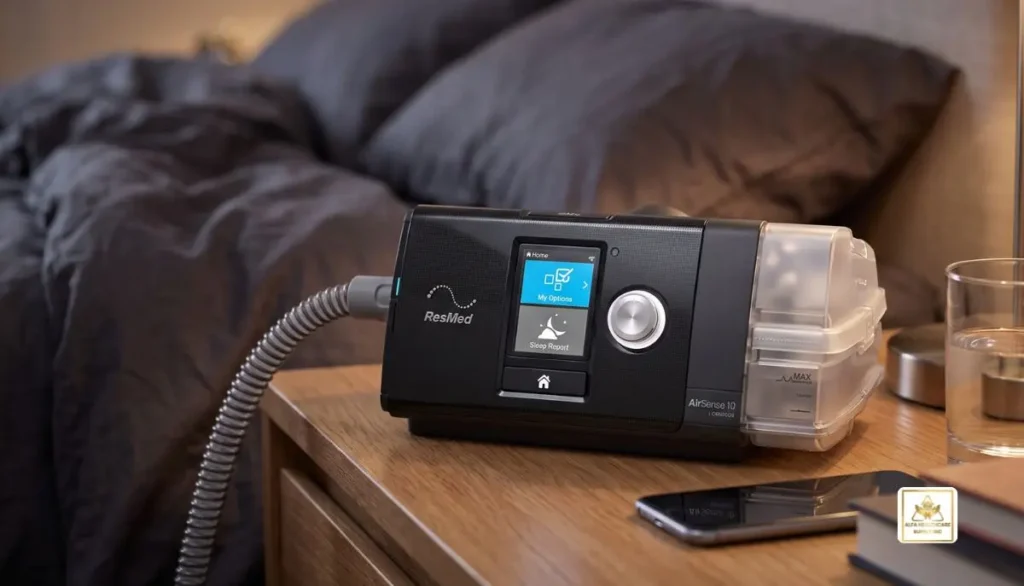
The AirSense 10 series includes different models. The standard AirSense 10 CPAP provides fixed-pressure therapy, while the AirSense 10 AutoSet can automatically adjust pressure within clinician-prescribed limits. These models are not identical, so it is important to confirm which version matches your prescription.
The AirSense 10 CPAP machine is designed for home use and can become part of a simple bedtime routine. However, the correct pressure settings and mask selection should be determined with guidance from your healthcare professional.
Key Features of the AirSense 10 CPAP Machine
Understanding the main features can help you decide whether this device suits your treatment needs.
1. Integrated HumidAir Heated Humidifier
Dry air can sometimes cause nasal dryness, throat irritation, or congestion during CPAP therapy. The integrated HumidAir humidifier adds moisture to the airflow to help make treatment more comfortable.
Depending on your model and setup, you can adjust the humidity settings to suit your needs. If you experience dryness or excess moisture, discuss appropriate adjustments with your equipment provider or healthcare professional.
2. AutoRamp for a More Comfortable Start
Starting therapy at full prescribed pressure may feel unfamiliar for some new users. AutoRamp is designed to begin with lower airflow pressure and increase toward the prescribed treatment level after detecting that you have fallen asleep.
This feature can make the beginning of the night feel more manageable. Its availability and operation may vary by model and settings.
3. Expiratory Pressure Relief
The AirSense 10 CPAP machine includes Expiratory Pressure Relief, commonly called EPR, on applicable models. This feature reduces pressure during exhalation to help some users breathe out more comfortably.
EPR does not replace your prescribed therapy settings. Ask your clinician or equipment provider before changing treatment-related settings.
4. Easy-to-Use Controls
A clear display, rotating control dial, and straightforward menu help users navigate their therapy options. You can review available comfort settings and basic therapy information without needing to learn a complicated interface.
For someone using CPAP for the first time, a simple interface can make the nightly routine less stressful.
5. Quiet Operation
The device uses ResMed’s Easy-Breathe motor technology, designed to support quieter operation. This may be helpful for people who share a bedroom with a partner.
Actual sound levels can vary depending on the mask, tubing, leaks, machine condition, and surrounding environment.
6. Therapy Tracking and Connectivity
Compatible AirSense 10 models offer access to ResMed’s myAir support program, while cellular connectivity and data availability depend on the exact model, network, and region.
Available information may help users and their care teams review therapy progress. A score or report is not a substitute for medical advice or a complete assessment of sleep apnea treatment.
Benefits of Using the AirSense 10 CPAP Machine
When prescribed and used consistently, CPAP therapy can help manage obstructive sleep apnea. The potential benefits of effective treatment include:
- More continuous sleep: Keeping the airway open can reduce breathing interruptions associated with obstructive sleep apnea.
- Less daytime sleepiness: Effective therapy may help reduce tiredness caused by disrupted sleep.
- Comfort-focused treatment: Humidification and pressure-relief features can help some users adjust to therapy.
- A manageable bedtime routine: Simple controls make daily use easier to learn.
- Better treatment follow-up: Available therapy data can support conversations with your healthcare professional.
Results vary from person to person. Some users adjust quickly, while others need time to find a suitable mask, improve comfort, and build a consistent routine.
The AirSense 10 CPAP machine does not cure sleep apnea. It helps manage the condition while therapy is being used.
AirSense 10 CPAP vs. AirSense 10 AutoSet
One of the most important decisions is choosing the correct therapy mode.
| Feature | AirSense 10 CPAP | AirSense 10 AutoSet |
| Pressure delivery | Fixed prescribed pressure | Automatically adjusts within prescribed limits |
| Humidification | Integrated HumidAir humidifier | Integrated HumidAir humidifier |
| Comfort features | Includes applicable comfort features | Includes applicable comfort features |
| Best choice | When fixed-pressure treatment is prescribed | When auto-adjusting treatment is prescribed |
Neither option is automatically better for everyone. Your diagnosis, treatment needs, pressure requirements, and clinician’s recommendation should guide the decision.
If you are comparing the AirSense 10 CPAP machine with the AutoSet version, confirm the exact model number and included accessories before ordering.
How to Set Up the AirSense 10 CPAP Machine
Follow the instructions supplied with your device and mask. A typical setup process includes these steps:
- Choose a suitable location. Place the machine on a stable, level surface near your bed, with enough space for airflow around the device.
- Check the water tub. If using the humidifier, fill the removable tub according to the manufacturer’s instructions and recommended water guidance.
- Connect the tubing. Attach compatible air tubing securely to the machine and mask.
- Fit your mask. Adjust the headgear and cushion so the mask fits comfortably without excessive tightness.
- Check the settings. Confirm that the machine has been configured according to your prescription.
- Begin therapy. Lie down, position the mask, and start the device as directed in the user guide.
- Review comfort. If you notice persistent leaks, dryness, discomfort, or difficulty breathing against the pressure, contact your equipment provider or clinician.
Do not independently change prescribed pressure settings to solve a treatment problem.
Cleaning and Maintaining Your AirSense 10
Regular care helps keep your equipment clean and in good working condition. Always follow the instructions for your specific device, mask, and accessories.
Daily Care
- Empty and clean the humidifier water tub as directed.
- Allow the tub to dry away from direct sunlight and excessive heat.
- Check the mask cushion for moisture, dirt, or visible damage.
Weekly Care
- Clean the mask components and air tubing according to the manufacturer’s cleaning guidance.
- Check the tubing for cracks, holes, or loose connections.
- Inspect the water tub and other removable components for buildup or damage.
Filter and Replacement Supplies
Check the air filter regularly and replace it according to the manufacturer’s instructions and your environment. Replace masks, cushions, tubing, and humidifier tubs when required because of wear, damage, or the applicable replacement schedule.
Avoid harsh cleaning chemicals and do not place components in a dishwasher or washing machine unless the manufacturer specifically permits it.
Choosing Compatible Masks and Accessories
The mask is an important part of your CPAP setup. A machine may work with different compatible mask styles, but the best choice depends on your breathing habits, comfort, facial fit, and prescribed treatment.
Common mask styles include:
- Nasal masks: Cover the nose and are often suitable for people who breathe comfortably through their nose.
- Nasal pillow masks: Use small cushions at the nostrils and offer a more minimal design.
- Full-face masks: Cover the nose and mouth and may suit people who regularly breathe through their mouth during sleep.
You may also need compatible air tubing, replacement filters, a humidifier water tub, and replacement mask cushions.
Before purchasing supplies, check the exact AirSense 10 model and accessory compatibility. Do not assume that parts designed for the AirSense 11 or another machine will fit your AirSense 10.
Buying an AirSense 10 CPAP Machine: What to Check
If you are planning to purchase an AirSense 10 CPAP machine, review these points before placing an order.
Confirm the exact model. Check whether you need the fixed-pressure CPAP or AutoSet version.
Check the included equipment. Machines may be sold with different combinations of tubing, humidifier components, filters, power supplies, and carrying bags. A mask may be sold separately.
Ask about prescription requirements. In the United States, CPAP machines generally require a prescription. Confirm the documentation needed before ordering.
Review insurance coverage. Coverage, eligibility, and out-of-pocket costs depend on your insurance plan and supplier arrangements. Ask your insurer and equipment provider to confirm the details.
Check condition and warranty. If considering a refurbished or previously used device, ask about its condition, service history, warranty, cleaning procedures, and return policy. Follow professional guidance when evaluating used medical equipment.
Confirm availability and delivery. Product availability, shipping times, and prices may change. Verify current details with the supplier.
At Alfa Healthcare Supply Inc., our goal is to help customers understand their home medical equipment options and identify supplies that fit their needs. Visit Alfa Healthcare Supply to explore available products and contact the team for current product information.
Common AirSense 10 CPAP Problems and Helpful Tips
Dry nose or mouth: Humidity, mask leaks, and mouth breathing may contribute. Check your mask fit and humidifier setup, and ask your care team about suitable adjustments.
Water in the tubing: Condensation can occur when humidified air cools. Check your tubing and climate-control instructions, especially if you use compatible heated tubing.
Air leaking around the mask: Reposition the mask and inspect the cushion. A different size or mask style may provide a better fit.
Difficulty getting used to the pressure: Give yourself time to adjust, but do not ignore ongoing discomfort. Your healthcare professional can assess whether your mask fit, comfort settings, or treatment plan need review.
Unusual noise or device warnings: Check the connections, filter, and user guide. If the issue continues, contact an authorized service provider rather than attempting internal repairs.
Final Thoughts: AirSense 10 CPAP Machine
Choosing a CPAP machine is about more than selecting a device. It is about finding a treatment setup that fits your prescription, feels comfortable, and is practical to use every night.
The AirSense 10 CPAP machine offers an integrated humidifier, user-friendly controls, and comfort features that can support a consistent sleep therapy routine. By choosing the correct model, maintaining your equipment, an
d working with your healthcare team, you can take a more informed approach to managing sleep apnea.
For product information and help exploring compatible home medical supplies, visit Alfa Healthcare Supply Inc. at https://alfahealthcaresupplyinc.com/.
Frequently Asked Questions: AirSense 10 CPAP Machine
1. What is the AirSense 10 CPAP machine used for?
It is designed to provide positive airway pressure therapy, commonly for obstructive sleep apnea. It helps keep the upper airway open during sleep when used as prescribed.
2. Is the AirSense 10 CPAP machine good for beginners?
Its simple controls, integrated humidifier, and available comfort features may help new users learn their nightly routine. The right device still depends on the treatment prescribed by a healthcare professional.
3. Does the AirSense 10 have a built-in humidifier?
Yes. AirSense 10 models include an integrated HumidAir humidifier. The humidifier can be used according to the device instructions, including the specified configuration when humidification is turned off.
4. What is the difference between AirSense 10 CPAP and AutoSet?
The standard CPAP model delivers fixed prescribed pressure. The AutoSet model adjusts pressure automatically within prescribed limits. Your clinician can help determine which therapy mode is appropriate.
5. Can I use my existing CPAP mask?
Possibly. Check the mask and tubing compatibility guidance for your exact machine. A properly fitting, compatible mask is essential for comfortable therapy.
6. How often should I clean my AirSense 10?
The water tub and mask generally need frequent cleaning, while the tubing and other components require regular cleaning according to their instructions. Follow the manufacturer’s guidance for exact schedules and replacement intervals.
7. Does the AirSense 10 CPAP machine require a prescription?
In the United States, CPAP devices generally require a prescription. Ask your supplier which documentation is needed for your selected model.
8. Where can I buy an AirSense 10 CPAP machine?
You can contact Alfa Healthcare Supply Inc. through its website to ask about current availability, compatible supplies, prescription requirements, and purchasing options.
Medical note: This article is for general educational purposes and is not a substitute for professional medical advice, diagnosis, or treatment. Always follow your prescription and the manufacturer’s instructions.
AirSense 10 CPAP Reviews:
Choosing a CPAP machine is an important step toward better sleep for people with obstructive sleep apnea. A good machine should be easy to use, comfortable during the night, and suitable for your prescribed treatment. If you are researching the AirSense 10 CPAP reviews, you probably want to know whether this machine is still a good choice, what features it offers, and whether it is worth considering today.
The ResMed AirSense 10 is a popular CPAP machine designed to deliver continuous positive airway pressure during sleep. It features a built-in humidifier, pressure adjustment options, and an easy-to-use display. Although newer CPAP models are available, the AirSense 10 remains a great choice for those seeking a practical machine for their sleep apnea therapy.
In this guide, Alfa Healthcare Supply Inc. explains the machine’s main features, potential advantages, possible drawbacks, maintenance needs, and important buying considerations. Our goal is to help you make an informed decision and discuss your options with your healthcare provider.
What is the ResMed AirSense 10 CPAP Machine?
The ResMed AirSense 10 is a positive airway pressure device used to treat obstructive sleep apnea when prescribed by a qualified healthcare professional. It sends a steady flow of pressurized air through a compatible mask to help keep the airway open during sleep.
Obstructive sleep apnea can cause repeated pauses in breathing, loud snoring, restless sleep, and daytime tiredness. CPAP therapy helps manage these breathing interruptions by maintaining airflow while the user sleeps.
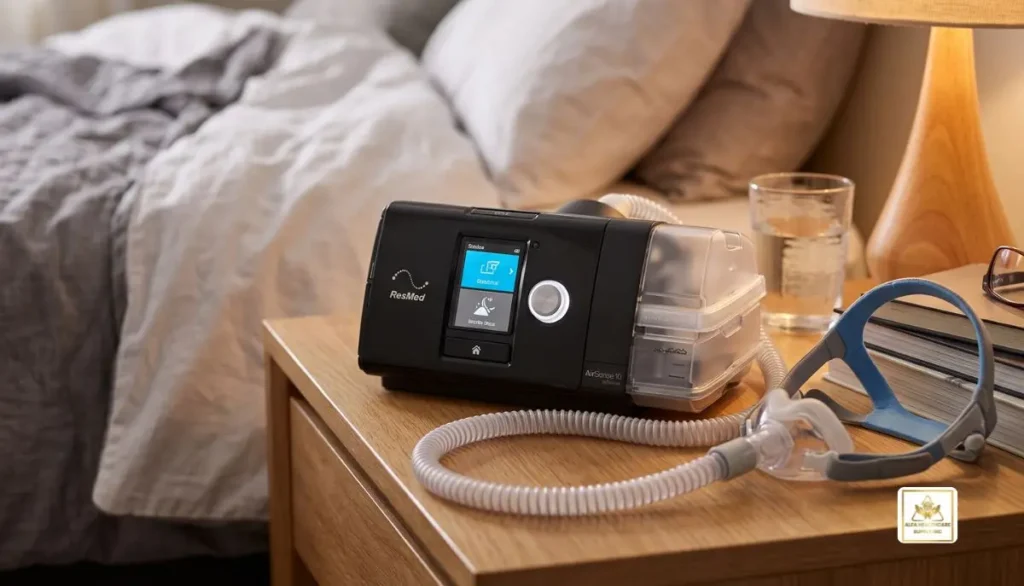
When reading AirSense 10 CPAP reviews, it is important to understand that the machine is not a cure for sleep apnea. Instead, it is a treatment device intended to help control the condition when used as prescribed.
The AirSense 10 family includes various models and configurations. Features may vary by model, so always verify the correct version before purchasing.
AirSense 10 CPAP Reviews: Overall Impressions
Many people researching this device focus on ease of use, comfort, noise, humidification, and daily maintenance. These are sensible factors to consider because a CPAP machine must fit into your nightly routine.
The AirSense 10 offers a straightforward control system, a clear screen, and integrated humidification on many configurations. Its established design can appeal to people who prefer a familiar machine rather than learning a completely new system.
However, individual experiences can differ. Mask fit, prescribed pressure, room temperature, humidity settings, and personal sensitivity to airflow can all affect comfort.
Instead of relying solely on star ratings or public opinion, compare the machine’s features with your specific treatment needs. The best CPAP device is one that aligns with your doctor’s recommendations and is something you can use consistently.
Key Features of the AirSense 10
1. Easy-to-Use Controls
One reason the AirSense 10 receives attention in product comparisons is its relatively simple interface. The screen and control dial allow users to navigate settings and view basic therapy information.
For people who are new to CPAP treatment, simple controls may make the nightly routine less stressful. After receiving instructions from their healthcare provider or equipment supplier, users can learn how to start therapy and check available information.
Some clinical settings and therapy adjustments may be restricted to qualified professionals. Do not change prescribed pressure settings without guidance.
2. Built-In Humidification
Dry air can cause nasal dryness, a dry throat, or irritation for some CPAP users. The AirSense 10 AutoSet and other compatible configurations offer an integrated humidifier designed to add moisture to the airflow.
Humidification may improve comfort, particularly in dry environments or during colder months. The ideal setting depends on personal comfort, room conditions, and whether condensation develops in the tubing.
If you experience water collecting in the tube or mask, consult the user guide or your equipment provider about appropriate humidity and temperature settings.
3. AutoSet Pressure Adjustment on Compatible Models
The AirSense 10 product family includes different therapy configurations. The AutoSet model can automatically adjust pressure within a prescribed range in response to breathing patterns and airway events.
This differs from a fixed-pressure CPAP device, which delivers pressure according to a prescribed fixed setting.
Automatic adjustment does not mean that users should set their own treatment range. A healthcare professional should determine which therapy mode and settings are appropriate for your needs.
Always check the model name carefully when comparing AirSense 10 CPAP reviews, because not every machine in the family offers the same features.
4. Expiratory Pressure Relief
Compatible AirSense 10 models include an expiratory pressure relief feature. Depending on the model and prescribed configuration, this feature can reduce pressure during exhalation to help make breathing feel more natural.
Comfort features may help some users adapt to treatment. However, pressure relief does not replace correct pressure settings, a suitable mask, or professional follow-up.
5. Sleep Data and Therapy Tracking
The AirSense 10 family supports therapy monitoring, with available information depending on the model and connectivity configuration. Users and healthcare professionals may be able to review information such as usage hours, mask seal, and residual apnea-hypopnea index (AHI).
These measurements can help assess how therapy is going, but they do not independently diagnose every sleep-related problem.
If you continue to feel tired despite regular use, consult your sleep specialist. Your doctor may need to review your data, mask fit, treatment settings, or other potential causes for your lack of restful sleep.
Pros and Cons: AirSense 10 CPAP Reviews
Before deciding whether this device is right for you, consider its main strengths and limitations.
Potential Advantages
- Simple operation: The screen and dial make common functions accessible.
- Humidification: Compatible configurations offer integrated humidification to help reduce dryness.
- Comfort features: Certain models provide automatic pressure adjustment and expiratory pressure relief.
- Established design: The AirSense 10 has been used widely in sleep apnea therapy.
- Compatible accessories: A range of masks, tubing, filters, and replacement components may be available, depending on the exact model.
- Therapy information: Supported configurations can provide useful treatment data for follow-up.
Potential Drawbacks
- Model differences: Features vary, so buyers must confirm the exact model.
- Regular maintenance: The humidifier chamber, mask, tubing, and filter need appropriate cleaning or replacement.
- Mask discomfort: Even a capable CPAP machine may be uncomfortable if the mask does not fit properly.
- Possible dryness or condensation: Humidity settings and room conditions may need adjustment.
- Older platform: People who want newer connectivity or updated features may wish to compare newer devices.
- Ongoing costs: Replacement masks, cushions, filters, and tubing can add to the total cost of ownership.
These points are general considerations, not a guarantee of any individual user’s experience.
Is the AirSense 10 Quiet?
Noise is a common concern among people reading AirSense 10 CPAP reviews. Many users prioritize a machine that allows them and their sleeping partners to rest comfortably.
The AirSense 10 is designed for nighttime use, but the sound you notice can depend on the machine’s condition, airflow, mask seal, tubing, and surrounding environment.
If you hear unusual rattling, whistling, or a sudden increase in noise, check that the equipment is assembled correctly and inspect the mask, tubing, and water chamber. Replace damaged components as recommended. Contact your equipment provider if the noise continues.
A leaking mask can also create unwanted sound. Adjust the mask according to its instructions rather than tightening it excessively, which may cause discomfort or skin irritation.
Is the AirSense 10 Comfortable for Beginners?
The AirSense 10 may be suitable for people starting CPAP therapy, provided it matches their prescription. However, the first few nights can take some adjustment.
Wearing a mask while sleeping may initially feel unfamiliar. Some users notice airflow, dry mouth, pressure sensations, or difficulty finding a comfortable sleeping position.
You can make the adjustment easier by following these practical steps:
- Read the machine and mask instructions before the first night.
- Make sure the mask fits securely without excessive tightness.
- Use humidification as recommended if you experience dryness.
- Keep the tubing positioned to avoid pulling on the mask.
- Follow the prescribed therapy schedule and attend follow-up appointments.
- Ask your provider for help if discomfort continues.
Do not stop prescribed treatment simply because the first few nights feel unfamiliar. Contact your healthcare professional if you struggle to tolerate the therapy or notice persistent symptoms.
AirSense 10 vs. Newer CPAP Machines
People comparing AirSense 10 CPAP reviews with newer products should focus on the features that matter most to their treatment and daily routine.
The AirSense 11 is a newer ResMed CPAP platform with a different design and updated user interface. Depending on the configuration and market, newer models may offer additional digital features.
| Feature | AirSense 10 | AirSense 11 |
| Product generation | Earlier platform | Newer platform |
| Display and controls | Screen and control dial | Updated touchscreen interface |
| Humidification | Integrated on compatible models | Integrated on compatible models |
| Therapy options | Depend on exact model | Depend on exact model |
| Buying consideration | Familiar design and overall value | Newer interface and available features |
Neither model is automatically the best choice for everyone. Compare the exact configurations, prescription requirements, warranty, accessory compatibility, service support, and total cost before making a decision.
A newer machine is not necessarily a better clinical choice if the older device already meets your needs and remains safe and suitable for treatment.
How to Clean and Maintain the AirSense 10
Proper maintenance supports hygiene, comfort, and reliable operation. Always follow the cleaning schedule and methods in the manufacturer’s instructions.
Daily or regular care
- Empty the humidifier chamber when required and allow it to dry.
- Clean the mask cushion or other contact surfaces according to the manufacturer’s guidance.
- Check for visible moisture or residue.
Weekly care
- Clean the removable humidifier chamber and tubing as directed.
- Inspect the mask, tubing, and connections for damage or wear.
- Clean other removable parts only as specified in the user guide.
Replacement care
- Replace filters, mask cushions, tubing, and other components according to the manufacturer’s recommendations and their condition.
- Use compatible replacement parts.
- Avoid household cleaners or disinfection methods that are not approved for the equipment.
Never immerse the main CPAP machine in water. Disconnect power before cleaning external surfaces, and follow all electrical safety instructions.
What Should You Check Before Buying an AirSense 10?
A good purchase involves more than finding the lowest price. Use this checklist when comparing suppliers and product listings.
- Exact model: Confirm whether it is a fixed-pressure CPAP, AutoSet, or another configuration.
- Prescription: Verify the prescription and documentation required for your therapy and purchase.
- Condition: For used or refurbished devices, ask about testing, service history, cleanliness, and prior use.
- Included accessories: Confirm whether the mask, humidifier chamber, tubing, power supply, and filters are included.
- Warranty: Review the warranty coverage and return policy before ordering.
- Compatibility: Check that replacement parts and the selected mask are suitable for your exact device.
- Supplier support: Choose a supplier that can explain the product, documentation, and equipment requirements.
Used CPAP machines deserve particular care because their history and maintenance may be unclear. Avoid devices with damaged components, uncertain ownership, or no reliable information about their condition.
The right purchasing decision should support safe, consistent treatment rather than focusing on price alone.
Where Can You Get Help Choosing a CPAP Machine?
Alfa Healthcare Supply Inc. provides information about durable medical equipment and healthcare supplies to help customers understand their options. If you are considering an AirSense 10, review the product information available through Alfa Healthcare Supply Inc. and confirm availability, included accessories, and applicable purchase requirements before ordering.
If you need help selecting a CPAP machine, speak with your sleep specialist or qualified equipment provider. They can help confirm the correct therapy type, review your prescription, and identify compatible masks and accessories.
Insurance coverage, eligibility, documentation, and out-of-pocket costs can vary. Confirm the details with your insurer and supplier before making a purchase.
Final Verdict: Are AirSense 10 CPAP Reviews Positive?
The ResMed AirSense 10 offers practical features that can support prescribed sleep apnea therapy, including straightforward controls, humidification on compatible configurations, and useful comfort options. Its established design may appeal to people who value ease of use and a familiar approach to CPAP treatment.
However, the right choice depends on the exact model, prescription, device condition, mask fit, and ongoing support. Reading AirSense 10 CPAP reviews is a helpful starting point, but personal testimonials should not replace professional guidance or a careful comparison of specifications.
Before buying, verify the product details, warranty, accessories, and supplier support. With the right equipment and regular follow-up, CPAP therapy can become a more manageable part of your nightly routine.
About Alfa Healthcare Supply Inc.
Alfa Healthcare Supply Inc. supports patients and caregivers with medical supplies and durable medical equipment. Visit alfahealthcaresupplyinc.com to explore available products and learn more about your healthcare supply options.
Frequently Asked Questions About AirSense 10 CPAP Reviews
Is the ResMed AirSense 10 still worth considering?
It may be worth considering if the specific model meets your prescription, is in suitable condition, and offers the features you need. Compare its price, warranty, accessories, and support with newer options.
Does the AirSense 10 have a built-in humidifier?
Many AirSense 10 configurations, including the AutoSet model, support integrated humidification. Verify the exact version and whether the humidifier chamber is included.
Can I use any CPAP mask with the AirSense 10?
Not every mask is suitable for every setup. Compatibility depends on the mask, tubing connections, and equipment configuration. Confirm compatibility with the manufacturer’s instructions or your equipment provider.
.
Does the AirSense 10 automatically adjust pressure?
The AutoSet version can adjust pressure within a prescribed range. Fixed-pressure versions work differently. Confirm the model and follow your healthcare professional’s settings.
How often should I replace AirSense 10 accessories?
Replacement intervals depend on the part, manufacturer guidance, wear, hygiene, and insurance or supplier policies. Inspect accessories regularly and follow the recommended replacement schedule.
Is the AirSense 10 suitable for travel?
The machine may be transported for travel, but its size, power needs, accessories, and airline requirements should be considered. If you need a travel-specific CPAP device, compare dedicated travel models and ask your provider about your needs.
Why am I still tired while using the AirSense 10?
Ongoing tiredness can have several causes, including mask leaks, inconsistent use, inadequate treatment, or other health and sleep issues. Contact your sleep specialist to review your symptoms and therapy data rather than changing the pressure yourself.
Should I buy a new or used AirSense 10?
A new machine may provide clearer warranty coverage and a known usage history. A used or refurbished device may cost less, but its condition, service history, included accessories, and eligibility for purchase should be carefully checked.
Medical disclaimer: This article is for general educational purposes only and is not a substitute for professional medical advice, diagnosis, or treatment. Consult your healthcare professional before starting therapy or changing prescribed settings.
Does ResMed AirSense 10 Have Heated Humidifier
If you have the ResMed AirSense 10 CPAP machine, you might ask yourself, “Does ResMed AirSense 10 have heated humidifier technology?” Yes it is! ResMed AirSense 10 therapy devices can be equipped with a built-in humidifier called HumidAir™ that humidifies the air you breathe while using your CPAP machine.
Humidification is a feature of many CPAP machines that will make nighttime therapy more comfortable for many CPAP users. Some of the side effects of PAP can include dry mouth, dry nose and irritated nose, nasal congestion and other unpleasant sensations. Using a heated humidifier will help to increase the moisture content of airflow and help with comfort.
The AirSense 10 can be fitted with ResMed’s built-in HumidAir heated humidifier. Heated humidification is also meant to minimize dryness and congestion that can occur during CPAP therapy, ResMed states.
We know that sometimes it can be confusing to select and maintain a CPAP machine at Alfa Healthcare Supply Inc. This guide provides a detailed explanation on how the AirSense 10 humidifier operates, how to use it, and how heated tubing can be used in conjunction with the humidifier.
Does ResMed AirSense 10 Have Heated Humidifier?
Yes, the ResMed AirSense 10 also comes with HumidAir heated humidifiers.
HumidAir humidifier does not need to be used in conjunction with an external humidifier and is attached to the side of the AirSense 10. HumidAir is an integrated humidification system from ResMed for Air10.
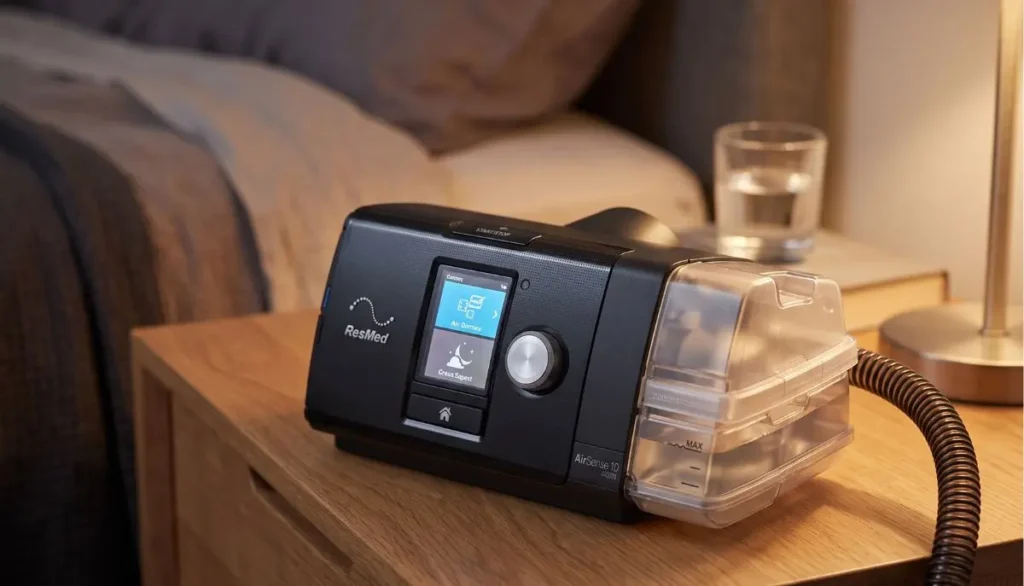
It is important to be aware, however, that the appearance of an AirSense 10 setup will not always be the same. Your AirSense 10 may include a humidification accessory such as a water tub with or without a side cover depending on the device configuration and accessories that are supplied with it.
AirSense 10 devices with HumidAir are described in ResMed’s documentation, and the instructions for filling and inserting the humidifier water tub are provided.
What Does the Heated Humidifier Do?
The HumidAir system preheats water in the humidifier tub to increase the moisture within the CPAP airflow.
The humidifier may help to provide more moisture to the air while you are sleeping, instead of breathing relatively dry pressurized air all night.
This can be especially helpful if you experience:
- Dry nose
- Dry mouth
- Nasal irritation
- Nasal congestion
- Throat dryness
- General discomfort from dry CPAP air
According to ResMed, heated humidification should be used to relieve dryness and congestion, and to make the CPAP treatment more comfortable.
How Does the AirSense 10 Heated Humidifier Work?
The procedure is quite simple.
You fill the matching water tub with the prescribed water and insert it into the AirSense 10 and begin treatment with CPAP therapy.
The humidifier is used to add moisture to the air that will pass through the tubing to your mask.
The amount of humidity can also be adjusted through the machine’s settings. ResMed says that AirSense 10 sleepers can set the humidity level from Off to 1-8 (1 is the lowest humidity setting and 8 is the highest).
This is helpful as since everyone has varying comfort requirements.
Some people may like a lower level of humidity, some people may require more humidity to stop waking up with a dry mouth or nose.
Is the HumidAir Humidifier Built Into the AirSense 10?
Here lies the source for some confusion.
HumidAir humidifier is an integrated component for AirSense 10 devices, but it has a removable water tub. HumidAir is ResMed’s integrated humidifier system for Air10 devices, ResMed says.
The tub for water can be taken out to be cleaned and maintained.
HumidAir replacement water tubs are also available for ResMed’s AirSense 10 and AirCurve 10 models.
So, when you’re asked, does ResMed AirSense 10 have heated humidifier, the best answer is:
Yes. AirSense 10 therapy devices are compatible with the built-in HumidAir heated humidification system. Depending on the machine configuration, it may come with a different amount of equipment.
How Do You Use the AirSense 10 Humidifier?
Using the humidifier is straightforward.
Step 1: Remove the Water Tub
Remove the humidifier water tub from the side of the AirSense 10.
Step 2: Open the Tub
Open the water tub carefully.
Step 3: Add Water
Fill the tub with the recommended water up to the maximum water-level marking.
ResMed recommends appropriate water for the humidifier and provides specific guidance in its documentation.
Step 4: Close the Tub
Make sure the water tub is properly closed.
Step 5: Insert the Tub
Slide the humidifier tub back into the AirSense 10.
Step 6: Check Your Humidity Setting
Use the AirSense 10 menu to check the humidity level and adjust it according to your comfort.
If you experience dryness, you may need more humidity. If you notice excess moisture or water collecting in the mask or tubing, the humidity may need adjustment.
Does AirSense 10 Need Heated Tubing?
Not necessarily.
AirSense 10 can be used to humidify via the HumidAir system, but heated tubing can be used for even more of a comfort.
ResMed’s ClimateLineAir™ heated tubing is made to fit ResMed’s AirSense 10 and AirCurve 10 systems. It is used to keep humidified air at a desired temperature on its way through the tube.
This can help to minimize condensation, also known as rainout.
Humidifier vs. Heated Tubing
These two components perform different jobs:
| Component | Main Purpose |
| HumidAir heated humidifier | Adds moisture to the CPAP air |
| ClimateLineAir heated tubing | Helps maintain air temperature through the tubing |
| CPAP mask | Delivers air to the user |
| Water tub | Holds water for humidification |
Using a HumidAir humidifier does not automatically mean that you must use heated tubing.
HumidAir can be combined with ClimateLineAir for a more controlled humidification experience, though. ClimateLineAir is part of ResMed’s Climate Control solution on AirSense 10 and AirCurve 10 devices, the company says.
What Happens If the Humidifier Runs Out of Water?
When the water tub is empty the AirSense 10 may still run, but will not humidify.
According to ResMed, the device will not work with water in the tub, but humidification will cease.
When operating with dry machine, one may observe a higher level of dryness.
This is why many CPAP users will go to bed with a view to the water level.
Can You Turn Off the AirSense 10 Humidifier?
Yes.
It is possible to set the humidity level to Off or to a desirable level.
Humidification may not be necessary for some users each night. Others may prefer to have humidification on for a more restful night’s sleep.
If your CPAP therapy becomes dry, you may want to talk to your health care provider or equipment supplier about the problem before making significant changes to your therapy.
What If There Is Water in the CPAP Mask or Tube?
In the mask or tubing, Water droplets may be an indication of condensation, also known as rainout.
This can be caused by the warm humidified air setting up the tubing.
ResMed suggests using ClimateLineAir heated tubing in combination with Climate Control to help control temperature and humidity. Changing the Climate Control settings might help if there is further condensation.
A simple way to think about it is:
More humidity + cooler tubing = greater possibility of condensation.
Heated tubing helps keep the humidified air warmer as it moves toward the mask.
What Humidity Level Should You Use?
No one can tell you exactly how humid it is that is ideal for you.
The AirSense 10 lets the user set the humidity according to comfort. ResMed offers a range from Off to level 8.
If the nose or mouth is dry, it might be a need for more humidity.
If you see moisture in your mask, you might need to increase the humidity or adjust the temperature setting.
Don’t make multiple changes at once, do one setting and observe the effects of the change in your body.
Contact your health care provider or CPAP equipment provider if you still have troubles.
How Do You Know If the AirSense 10 Humidifier Is Working?
The AirSense 10 has indicators that can assist you in finding out whether the humidifier is working.
On the device screen, icons alert users to when the humidifier is heating or cooling, explains ResMed. Certain hardware issues might not be known, and the Sleep Report can indicate a smiley-face when the humidifier is operating correctly.
If the humidifier does not appear to be working, check:
- Is the water tub inserted correctly?
- Is there enough water in the tub?
- Is humidification turned on?
- Are the tubing and mask connected correctly?
- Is the water tub clean and in good condition?
If the problem continues, contact your medical equipment supplier or ResMed support.
How Should You Clean the AirSense 10 Humidifier?
It is important to clean it regularly.
Clean the water tub following manufacturer’s instructions. ResMed advises doing the water tub and air tubing with warm water and mild soap, and letting them air-dry.
A basic routine includes:
- Emptying unused water
- Washing the water tub
- Rinsing thoroughly
- Allowing the tub to dry completely
- Checking for cracks or damage
- Replacing worn components when necessary
Always adhere to the instructions for cleaning and replacing the humidifier tub and AirSense 10 model.
Does Every AirSense 10 Come With the Same Humidifier Setup?
Not necessarily.
Different AirSense 10 packages and configurations can include different accessories.
For instance, ResMed offers AirSense 10 configurations with HumidAir and ClimateLineAir tubing.
Other machines can also be different according to the different market, supplier or original pack.
If you already own an AirSense 10, refer to the side of the machine and determine if you have a HumidAir water tub or side cover?
When in doubt, refer to the model information or consult your DME supplier prior to buying replacement parts.
Why Heated Humidification Can Make CPAP More Comfortable
It may take time to get used to using CPAP.
Initially it may seem strange to experience the airflow under pressure. Some find that dry air makes it even more uncomfortable.
Humidification using heat may be helpful in that regard as it would increase moisture in the air flow.
This doesn’t alter the function of CPAP treatment. Rather, it’s centered on ease and the general therapy encounter.
That distinction matters.
A humidifier isn’t a treatment for sleep apnea by itself. A comfort feature to enhance the experience of positive airway pressure therapy.
AirSense 10 and ClimateLineAir Heated Tubing
If you’re operating the AirSense 10 humidifier and seek more temperature control, ClimateLineAir heated tubing could be a crucial accessory to take into account.
ClimateLineAir is a specially designed ResMed product for use with AirSense 10 devices and AirCurve 10 devices. Maintains the temperature of humidified air in the tubing.
If condensation or cold air or inconsistent comfort is a problem, the combination of:
AirSense 10 + HumidAir + ClimateLineAir
can offer a more controlled humidification system.
Your healthcare professional or DME supplier may be able to help you decide if the arrangement is suitable for you.
Where Can You Get AirSense 10 Humidifier Supplies?
When ordering replacement CPAP parts, you will want to make sure that you are ordering parts that are compatible with your machine.
Alfa Healthcare Supply Inc. is a medical and durable medical equipment supplies provider that caters to patients and caregivers, prioritizing trusted healthcare products and services.
If replacing humidifier tubs, tubing for the humidifier, filters, or other CPAP accessories, make sure you get the correct model for the CPAP and verify its compatibility.
Alfa Healthcare Supply Inc. offers options for CPAP and medical supplies at Alfa Healthcare Supply.
Final Thoughts: Does ResMed AirSense 10 Have Heated Humidifier?
So, does ResMed AirSense 10 have heated humidifier technology?
Yes. The AirSense 10 will be compatible with the built-in AirSense HumidAir heated humidifier, which will help to increase humidity in the air and can make CPAP therapy more comfortable.
Humidification might be especially beneficial for many people who experience dryness or nasal discomfort from CPAP. Additional temperature control can be obtained and condensation controlled by adding compatible ClimateLineAir heated tubing.
It is critical to use the right compatible parts and adhere to the manufacturers cleaning, watering and maintenance guidelines.
When replacing a humidifier tub, heated tube, or other AirSense 10 accessory, please check compatibility with your specific device before ordering. In case you are not certain, a qualified DME supplier like Alfa Healthcare Supply Inc. can assist you to select the right medical equipment.
Frequently Asked Questions
Does ResMed AirSense 10 have heated humidifier?
Yes. The ResMed AirSense 10 is designed to work with the integrated HumidAir heated humidifier. The humidifier adds moisture to the CPAP airflow and is intended to improve comfort.
Is the AirSense 10 humidifier automatic?
The AirSense 10 offers Climate Control options that can automatically manage temperature and humidity when used with compatible heated tubing.
Does AirSense 10 need distilled water?
ResMed provides specific recommendations for water used in its humidifiers. Follow the water guidance in your AirSense 10 user documentation and your healthcare equipment supplier’s instructions.
Can I use AirSense 10 without water?
Yes. The device can operate without water in the humidifier tub, but humidification will not be provided.
Does AirSense 10 need ClimateLineAir tubing?
No. ClimateLineAir is not required simply to operate the AirSense 10. However, it can work with HumidAir to help manage the temperature of humidified air and reduce condensation.
Why is my AirSense 10 humidifier using too much water?
Water consumption can vary depending on humidity settings, room conditions, therapy duration, and other factors. If the water level drops unusually quickly, check your setup for leaks and consult your equipment provider if the issue continues.
Can I turn the humidifier off?
Yes. The AirSense 10 allows the humidity level to be set to Off.
Medical Disclaimer: This article is for general educational purposes and is not a substitute for medical advice, diagnosis, or treatment. Always follow your healthcare professional’s instructions and the manufacturer’s documentation for your CPAP equipment.
ClimateLineAir Heated Tube for ResMed AirSense 10 and AirCurve 10:
Comfort is important for those who have to use a CPAP or bilevel therapy nightly. The proper fit of the mask, the correct amount of humidification and the appropriate tubing can help to establish a smoother night time routine. If you’re a compatible ResMed Air10 user, one accessory which can be helpful is the resmed climate line air heated tube.
The ClimateLineAir heated tube is part of ResMed’s Climate Control system and is compatible with other ResMed AirSense 10 and AirCurve 10 devices. The primary function is to help maintain the temperature of moistened air as it is blown from the machine to the mask. This can help minimize condensation (also known as CPAP rainout).
At Alfa Healthcare Supply Inc. we know that CPAP therapy is not just about the machine. The tubing, mask, cushions, filters, humidifier components, and other accessories are all aspects of a patient’s daily life that can be crucial.
What is the ClimateLineAir Heated Tube?
Climate line air heated tube for resmed airsense 10 and aircurve 10 is a heated CPAP tube designed for ResMed Air10 therapy.
ClimateLineAir is equipped with heating and temperature-sensing technology that combine with the CPAP tubing.In addition to the regular CPAP tubing, ClimateLineAir comes with a heating technology and a temperature sensor. The tube can be used in conjunction with a compatible AirSense 10 system and humidification system to help keep humidified air warm as it flows towards the mask.
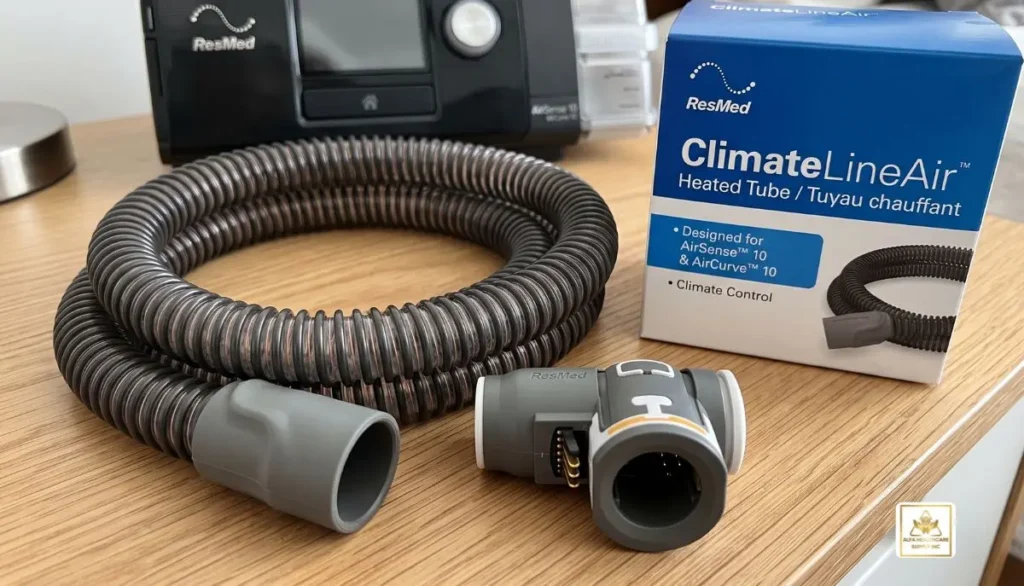
In simple terms, the system works like this:
ResMed machine → Humidifier → ClimateLineAir heated tube → CPAP mask → You
The humidifier puts water into the air flow so that it’s more humid, and the heated tube will help keep the air at the right temperature when it goes through the tube.
This may be helpful to individuals who suffer from cold airflow or condensation during humidification.
How Does ClimateLineAir Work?
The climate line air heated tube for resmed airsense 10 and aircurve 10 is designed to be used in conjunction with ResMed’s Climate Control system.
Humidified air can cool while cooling through a tube, especially if the room temperature is cold. Moisture can condense in the tubes when the warm, moist air cools below its dew point. This forms droplets of water that can eventually get to the mask.
The purpose of ClimateLineAir is to keep the humidified air temperature within the tube. It’s part of ResMed’s Climate Control solution for the AirSense 10 and AirCurve 10 devices, ResMed says.
That’s not to say condensing is impossible, though.But this does not imply that condensation cannot happen. Condensation can be influenced by room temperature, humidity, type of mask, and sleeping environment. But the heated tubing can offer better temperature control than a normal non-heated tubing.
Why Use a ClimateLineAir Heated Tube?
There are several reasons a CPAP user may prefer heated tubing.
1. Helps Reduce CPAP Rainout
One of the most common reasons people consider heated CPAP tubing is condensation.
You might notice:
- Water droplets inside the tube
- A wet CPAP mask
- Gurgling sounds during therapy
- Moisture around the mask
- Cold or uncomfortable airflow
This is commonly called CPAP rainout.
The climate line air heated tube for resmed airsense 10 and aircurve 10 aims to alleviate this issue by keeping the air in the tube at a defined temperature while it is being humidified. ResMed says ClimateLineAir helps virtually eliminate rainout when used as part of its Climate Control system.
2. Supports Comfortable Humidification
For some people, the humidification will also increase comfort during CPAP use. But also, an increase in humidity can lead to an increase in condensation hazard if the air is cooled in the tubing.
With heated tubing, the system has an additional means of controlling temperature when humidification is used.
3. Helps Maintain Consistent Air Temperature
No one wants to fall asleep in bed and get a sudden draft of cold air in the mask.
The ClimateLineAir system will be used to control the temperature of the humidified air inside the tube. This can help to ensure a more uniform experience in night time therapy.
4. Designed for ResMed Air10 Systems
The climate line air heated tube for resmed airsense 10 and aircurve 10 is not just any random “heated hose.The climate line air heated tube for resmed airsense 10 and aircurve 10 is not just any random “heated hose. It is for use with compatible ResMed Air10 machines.
This is particularly crucial when ordering a replacement machine, since you need to be aware of the model you are replacing.
ClimateLineAir Compatibility: AirSense 10 and AirCurve 10
One of the most crucial factors to keep an eye on when purchasing replacement CPAP tubing is compatibility.
According to ResMed, ClimateLineAir can be used on ResMed’s AirSense 10 and AirCurve 10 series of devices.
Some examples include AirSense 10 CPAP machines and AirCurve 10 bilevel machines that are compatible.
Users should not presume all ResMed tubes will fit all ResMed machines.
AirSense 10 vs. AirSense 11
This is an important distinction.
| ResMed Device | Heated Tubing Family |
| AirSense 10 | ClimateLineAir |
| AirCurve 10 | ClimateLineAir |
| AirSense 11 | ClimateLineAir 11 |
| AirCurve 11 | ClimateLineAir 11 |
The ClimateLineAir 11 is designed for the newer Air11 platform. If using the AirSense 10 or AirCurve 10 model, be certain that the replacement tube is marked as an Air10 model.
To prevent compatibility issues, the proper tubing should be selected.
ClimateLineAir Heated Tube Specifications
ResMed’s product listing lists the heated tubing for the Air10 series as being about 6.5 feet long and 15 mm inner diameter, with 22 mm cuffs/connectors.
The tubing is engineered to be flexible yet also support the Climate Control system.
When ordering replacement tubing, do not rely only on appearance. Check:
- Your exact ResMed machine
- The tubing model
- Whether you use humidification
- Whether you need a standard ClimateLineAir tube
- Whether supplemental oxygen is part of your setup
ClimateLineAir vs. Standard CPAP Tubing
The first type of tubing moves air from the therapy device to the mask, while the second type of tubing runs from the mask to the therapy device. The two types of tubing are also capable of different temperature management properties.
Standard CPAP tubing is used as a conduit for air.
ClimateLineAir heated tubing is used in conjunction with ResMed’s Climate Control system to help keep the temperature of humidified air.
If you don’t see condensation and will be comfortable with regular tubing, heated tubing might not be needed. If you see rain, or temperature fluctuations, regularly, it might be helpful to you as part of the setup.
It depends on the user’s equipment, their therapy setup and environment and their comfort requirements.
What Is ClimateLineAir Oxy?
ResMed also offers a ClimateLineAir Oxy version.
The important difference is that ClimateLineAir Oxy has a built-in oxygen connector for compatible applications. ResMed identifies ClimateLineAir Oxy as a 19 mm version.
If you use supplemental oxygen with your CPAP or bilevel therapy, do not automatically order the standard tube. Confirm the appropriate tubing configuration with your healthcare professional or DME supplier.
How to Care for Your Heated Tubing
Proper cleaning is an important part of maintaining CPAP equipment.
ResMed’s product information recommends weekly cleaning of the air tubing with warm water and mild detergent.
A simple routine can include:
- Disconnect the tubing from the machine and mask.
- Wash the tubing with warm water and mild detergent.
- Rinse it thoroughly.
- Allow it to air dry completely.
- Reconnect it when it is fully dry.
Always follow the cleaning instructions supplied with your specific equipment.
Because ClimateLineAir contains electrical components, avoid treating it like ordinary tubing and follow the manufacturer’s care instructions.
When Should You Replace ClimateLineAir Tubing?
CPAP tubing does not last forever. Regular inspection can help you notice problems early.
Consider replacing the tube if you notice:
- Cracks or holes
- Damaged connectors
- Loose connections
- Visible wear
- Air leaks
- Damage around the electrical connection
- Persistent problems that suggest the tube is no longer working correctly
Do not continue using visibly damaged tubing.
If your tube is still in good physical condition but you are experiencing condensation, check the Climate Control settings and your overall CPAP setup before assuming the tube itself is defective.
Where Can You Buy ClimateLineAir Heated Tubing?
If you are looking for a climate line air heated tube for resmed airsense 10 and aircurve 10, Alfa Healthcare Supply Inc. offers medical equipment and supplies for patients and caregivers.
Before ordering, have the exact model of your ResMed device available. This is especially important because AirSense 10/AirCurve 10 tubing and Air11 tubing are different product families.
You can explore CPAP and medical supply options through Alfa Healthcare Supply Inc..
Final Thoughts: ClimateLineAir Heated Tube for ResMed AirSense 10 and AirCurve 10
The right CPAP accessories can make a nighttime routine more comfortable and easier to manage. The climate line air heated tube for resmed airsense 10 and aircurve 10 is designed to help maintain the temperature of humidified air as it travels from a compatible ResMed Air10 device to the mask.
For people dealing with condensation, cold airflow, or changes in temperature during therapy, heated tubing may be worth considering. It is also an important component of ResMed’s Climate Control system when used with compatible equipment.
Before purchasing, confirm your machine model and the exact tubing configuration you need. If you use supplemental oxygen, make sure you verify whether a ClimateLineAir Oxy configuration is appropriate.
Frequently Asked Questions: ClimateLineAir Heated Tube for ResMed AirSense 10 and AirCurve 10
Is ClimateLineAir compatible with ResMed AirSense 10?
Yes. ResMed identifies ClimateLineAir as part of its Climate Control solution for compatible AirSense 10 devices.
Can I use ClimateLineAir with AirCurve 10?
Yes. ClimateLineAir is designed for compatible AirCurve 10 devices as well.
Does heated tubing stop CPAP rainout?
Heated tubing is designed to help reduce condensation by maintaining the temperature of humidified air as it travels through the tube. It cannot guarantee that condensation will never occur.
Is ClimateLineAir the same as ClimateLineAir 11?
No. ClimateLineAir is designed for compatible Air10 devices, while ClimateLineAir 11 is designed for the Air11 platform.
Is heated CPAP tubing necessary for everyone?
No. Some CPAP users are comfortable with standard tubing. Heated tubing may be particularly useful for people who experience condensation or prefer more controlled temperature and humidity.
How long is ClimateLineAir tubing?
ResMed lists ClimateLineAir heated tubing for Air10 devices at approximately 6.5 feet, with a 15 mm inner diameter.
What is the difference between ClimateLineAir and ClimateLineAir Oxy?
ClimateLineAir Oxy includes a built-in oxygen connector for compatible applications. If you use supplemental oxygen, verify the correct tubing configuration before ordering.
How often should ClimateLineAir tubing be cleaned?
ResMed’s product information recommends weekly cleaning with warm water and mild detergent. Always follow the current cleaning instructions for your specific equipment.
Medical Equipment Note: This article is provided for general educational purposes and does not replace the instructions supplied with your ResMed equipment or advice from your healthcare professional. Do not change prescribed therapy settings without appropriate medical guidance.
When the temperature and humidity of the air on the CPAP or bilevel machine are optimized, using it at night can be more comfortable. Climatelineair oxy tube heated air for aircurve 10 bilevel and airsense 10 cpap machines can be a valuable addition to therapy for anyone who uses supplemental oxygen via a ResMed Air10 machine.
The ClimateLineAir Oxy is a heated tube for use in compatible ResMed AirSense 10 and AirCurve 10 systems. It also contains technology to heat and a built-in oxygen connector, whereas regular CPAP tubing does not. ResMed recognizes ClimateLineAir Oxy as a version of ClimateLineAir which is designed for individuals needing supplemental oxygen.
We realize that selecting CPAP supplies can be confusing at times at Alfa Healthcare Supply Inc. Various machine generations, tubing types, connectors and oxygen configurations. Climatelineair oxy heated tubing for airsense 10 cpap & aircurve 10 bilevel machines is explained here, how it works, who needs to use it, and what to look out for before buying it.
What is ClimateLineAir Oxy Heated Tubing?
Climatelineair oxy heated tubing for airsense 10 cpap & aircurve 10 bilevel machines is an air heated, specialized breathing tube for use with compatible ResMed Air10 therapy machines.
The “Oxy” version is the same as ClimateLineAir, except that it features an integrated oxygen connector. This enables the use of supplemental oxygen to be fed into the therapy system, if prescribed, and set up correctly. ResMed classify ClimateLineAir Oxy as a 19mm diameter tube.
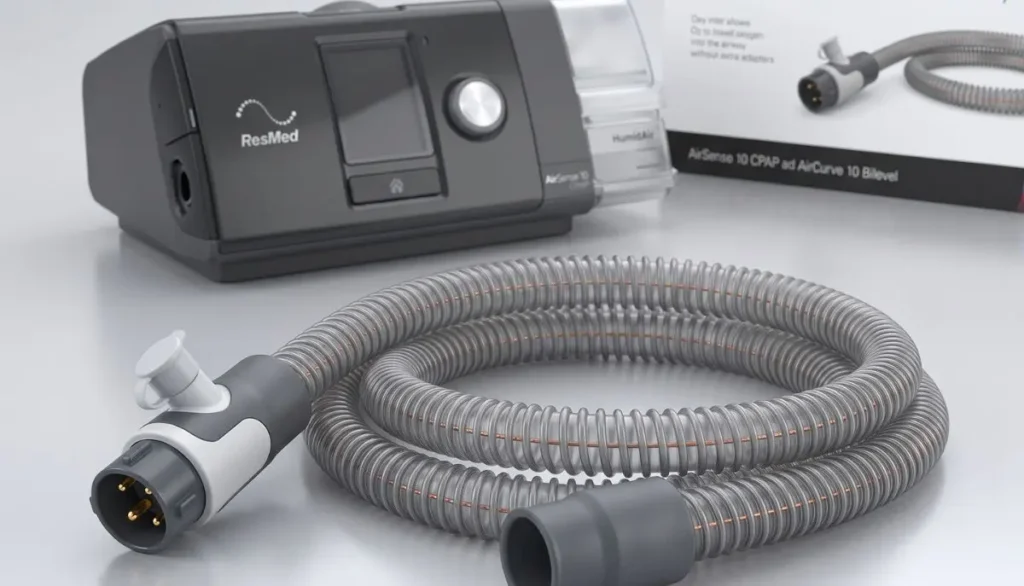
The heated design ensures that humidified air remains at a constant temperature along its way from the machine to the mask. This may be particularly useful when humidifying is used and the air temperature drops as it flows through the tubing.
In simple terms, climatelineair oxy heated tubing for airsense 10 cpap & aircurve 10 bilevel machines combines three important functions:
- Carries therapy air from the machine to the mask
- Helps maintain the temperature of humidified air
- Provides a built-in connection point for supplemental oxygen
This makes the tubing more than an ordinary replacement hose.
Why Heated CPAP Tubing Matters
Humidification is often used by both CPAP and bilevel users as it may be uncomfortable to breathe without humidification. Humidified air will increase the moisture content of the air flow, however this moisture may condense if the air cools down within the tubing.
This is commonly called CPAP rainout.
Rainout may result in:
- Water droplets inside the tube
- Moisture around the mask
- Gurgling sounds
- A damp mask
- An uncomfortable nighttime experience
Climatelineair is an oxy heated tube for airsense 10 cpap & aircurve 10 bilevel machines to help maintain humidified air temperature on the way to the patient. ResMed’s ClimateLineAir system is part of the AirSense 10 and AirCurve 10 Climate Control.
Don’t think that condensation can’t happen if there is heated tubing! Rainout can be influenced by factors such as bedroom temperature, humidity, machine settings, mask type and more. But keeping the air flow temperature controlled can help control this problem.
ClimateLineAir Oxy vs. Standard ClimateLineAir
One of the most important things to understand before purchasing climatelineair oxy heated tubing for airsense 10 cpap & aircurve 10 bilevel machines is the difference between standard ClimateLineAir and ClimateLineAir Oxy.
Standard ClimateLineAir
The Standard ClimateLineAir is a heated tubing for use with compatible ResMed Air10 devices. It is designed to operate alongside the Climate Control system, and comes with no built-in oxygen connector like the Oxy version does.
ClimateLineAir Oxy
ClimateLineAir Oxy is the model with an integrated oxygen connector for patients in need of supplemental oxygen. ClimateLineAir Oxy is identified as a 19 mm tube by ResMed.
Thus, Air10 CPAP & Air10 Bilevel (Aircurve 10) air machines may be suitable if supplemental oxygen is prescribed for use with one.
Do not use the Oxy version if supplemental oxygen is not being used. A choice of tubing will depend on the equipment configuration.
Compatibility With AirSense 10
One of the initial factors to take into account when purchasing climatelineair oxy heated tubing for airsense 10 cpap & aircurve 10 bilevel machines is compatibility.
According to ResMed, ClimateLineAir and ClimateLineAir Oxy work with its Air10 platform of AirSense 10 and AirCurve 10 devices.
This means that the tubing is to be used with the right Air10 generation and not newer Air11 machines.
For example:
| ResMed Machine | Heated Tubing Family |
| AirSense 10 | ClimateLineAir / ClimateLineAir Oxy |
| AirCurve 10 | ClimateLineAir / ClimateLineAir Oxy |
| AirSense 11 | ClimateLineAir 11 / ClimateLineAir 11 Oxy |
| AirCurve 11 | ClimateLineAir 11 / ClimateLineAir 11 Oxy |
Not all ResMed heated tubes will fit all ResMed machines. ClimateLineair oxy heated tubing for airsense 10 cpap & aircurve 10 bilevel machines is for Air10 machines, ClimateLineAir 11 products for Air11 machines.
How Does ClimateLineAir Oxy Work?
The overall process is rather straightforward.
The first thing the ResMed machine does is create the airflow as prescribed. If humidification is used, the humidifier increases the humidity of the air. The heated tubing then helps to keep the temperature of that humidified airflow on the way to the mask.
For the use of supplemental oxygen, a built-in oxygen connector is available on the climatelineair oxy heated tubing for the use of the airsense 10 cpap & aircurve 10 bilevel machines for the patient’s therapy setup.
The result is a connected therapy pathway:
Machine → Humidification → Heated tubing → Oxygen connection when prescribed → Mask → Patient
This integrated design can make the therapy setup easier to manage for appropriate users.
Key Benefits of ClimateLineAir Oxy
There are several reasons someone may choose climatelineair oxy heated tubing for airsense 10 cpap & aircurve 10 bilevel machines.
1. Heated Airflow
The tubing helps maintain the temperature of humidified air as it moves toward the mask.
2. Helps Manage Condensation
Keeping the air warmer through the tube can help reduce condensation associated with humidified airflow.
3. Built-In Oxygen Connector
The Oxy version includes a built-in oxygen connector for users who require supplemental oxygen.
4. Air10 Compatibility
The tubing is designed for compatible AirSense 10 and AirCurve 10 systems.
5. Supports Climate Control
ClimateLineAir tubing is part of ResMed’s Climate Control solution for compatible Air10 devices.
Who May Need ClimateLineAir Oxy?
Climatelineair oxy heated tubing for airsense 10 cpap & aircurve 10 bilevel machines is not necessarily required for every CPAP or bilevel user.
It may be relevant to someone who:
- Uses a compatible AirSense 10 or AirCurve 10 machine
- Uses humidification
- Has a prescribed supplemental oxygen setup
- Experiences condensation in the tubing
- Wants heated tubing as part of their Climate Control setup
- Needs the oxygen connector incorporated into the tubing
If you do not use supplemental oxygen, standard ClimateLineAir may be the more appropriate option depending on your machine and therapy configuration.
If oxygen is prescribed, follow the instructions provided by your healthcare professional and equipment provider. Oxygen should not be added to a CPAP or bilevel system simply because the tubing has an oxygen connector.
ClimateLineAir Oxy Specifications
When purchasing climatelineair oxy heated tubing for the airsense 10 cpap & aircurve 10 bilevel models, specifications are important.
According to ResMed, Oxy is a 19 mm diameter heated tube equipped with an integrated oxygen connector.
Customers are asked not to assume that the standard and Oxy versions are the same, there is a difference in the internal diameter of the tubings used. The two versions are also differentiated based on their oxygen functionality in ResMed’s product information.
Please ensure that the product description, machine compatibility and configuration is correct before ordering.
How to Choose the Right Tubing
Before purchasing climatelineair oxy heated tubing for airsense 10 cpap & aircurve 10 bilevel machines, take a moment to check these points:
Check Your Machine
Look at the label on your device and confirm that you have an AirSense 10 or compatible AirCurve 10 machine.
Check Your Oxygen Requirement
If supplemental oxygen is part of your prescribed therapy, confirm that you need the Oxy version.
Check the Tubing Type
Do not confuse:
- ClimateLineAir
- ClimateLineAir Oxy
- ClimateLineAir 11
- ClimateLineAir 11 Oxy
These products belong to different configurations and device generations.
Check Your Existing Setup
Review the existing tube, humidifier, mask connection and oxygen set-up. When in doubt ask your DME supplier or health care professional before ordering.
Caring for Your Heated Tubing
Proper care can help keep climatelineair oxy heated tubing for airsense 10 cpap & aircurve 10 bilevel machines in good condition.
Follow ResMed cleaning instructions provided with the equipment. ResMed’s product information recommends regular cleaning with warm water and mild detergent for its heated tubing.
A simple routine includes:
- Disconnect the tubing according to the manufacturer’s instructions.
- Wash it with warm water and mild detergent.
- Rinse thoroughly.
- Allow it to air dry completely.
- Inspect the tubing and connectors before reconnecting it.
Do not use the heated tube as a normal tube as it has electrical elements in it. Perform the electrical connection and cleaning per the manufacturer’s instructions.
When Should You Replace the Tubing?
No one replacement date for all users. Rather, regularly check climatelineair oxy heated tubing for airsense 10 cpap & aircurve 10 bilevel machines.
Consider replacing tubing if you notice:
- Cracks
- Holes
- Tears
- Loose connections
- Visible deterioration
- Damaged connectors
- Persistent leaks
- Unusual changes in tubing performance
Never continue using visibly damaged tubing simply because it still appears to deliver some airflow.
Buy ClimateLineAir Oxy From Alfa Healthcare Supply
At Alfa Healthcare Supply Inc., we know that when purchasing medical equipment, compatibility, quality and the patient’s unique equipment needs should come into account and not just the cheapest tube.
Before ordering climatelineair oxy heated tubing for airsense 10 cpap & aircurve 10 bilevel machines, you must check your specific ResMed machine and if supplemental oxygen is needed for your therapy.
Alfa Healthcare Supply offers medical supplies and durable medical equipment to the patient or caregivers. We aim to simplify and clarify the process of obtaining suitable healthcare supplies.
To get more CPAP and home healthcare supplies, then check out Alfa Healthcare Supply Inc..
Final Thoughts: ClimateLineAir Oxy Heated Tubing for AirSense 10 CPAP & AirCurve 10 Bilevel Machines
Depending on the patient and the set-up, climatelineair oxy heated tubing for airsense 10 cpap & aircurve 10 bilevel machines can offer a practical solution of heated humidified airflow and an integrated oxygen connection.
The most crucial is to select the right tubing for your particular machine. ResMed recognizes ClimateLineAir and ClimateLineAir Oxy devices that can be compatible with Air10 devices, and ClimateLineAir 11 products are designed for Air11 devices.
Climatelineair oxy heated tubing for air sense 10 and air curve 10 bilevel machines might be considered by discussing it with your DME supplier or healthcare professional if supplemental oxygen is a part of your prescribed treatment.
With humidification, temperature, condensation, and oxygen delivery a nightly habit, a well-fitted tube can make your CPAP or bilevel system easier to manage.
Frequently Asked Questions: ClimateLineAir Oxy Heated Tubing for AirSense 10 CPAP & AirCurve 10 Bilevel Machines
Is ClimateLineAir Oxy compatible with AirSense 10?
Yes. ResMed identifies ClimateLineAir Oxy as a ClimateLineAir variant for compatible Air10 devices, including AirSense 10 and AirCurve 10.
What is the difference between ClimateLineAir and ClimateLineAir Oxy?
The main difference is the built-in oxygen connector. ClimateLineAir Oxy is intended for compatible setups requiring supplemental oxygen and is identified by ResMed as a 19 mm tube.
Can I use ClimateLineAir Oxy without supplemental oxygen?
You should select tubing based on your actual therapy configuration. If you do not require supplemental oxygen, ask your equipment provider whether standard ClimateLineAir is the appropriate option.
Does ClimateLineAir Oxy help prevent rainout?
It is designed to help maintain the temperature of humidified air as it passes through the tubing, which can help reduce condensation. It cannot guarantee that rainout will never occur because environmental and therapy settings also matter.
Does ClimateLineAir Oxy fit AirSense 11?
No. AirSense 11 devices use the ClimateLineAir 11 family. ResMed specifically distinguishes Air10 tubing from Air11 tubing.
Is ClimateLineAir Oxy heated?
Yes. It is a heated tubing variant within ResMed’s ClimateLineAir system. Its purpose is to help maintain the temperature of humidified airflow.
Can I add oxygen myself using the oxygen connector?
No. Supplemental oxygen should only be used as prescribed and according to instructions from your healthcare professional and equipment provider.
Medical disclaimer: This article provides general product and equipment information and is not a substitute for medical advice, a prescription, or the manufacturer’s instructions. Always follow your ResMed device documentation and the instructions provided by your healthcare professional or qualified medical equipment provider.
Selecting the right CPAP mask can help take the discomfort and the level of effectiveness out of sleep therapy. If you have a ResMed AirSense 10, you may ask yourself: What kind of CPAP masks work with the ResMed AirSense 10?
The great news is that the AirSense 10 is compatible with a wide range of ResMed CPAP masks, such as full-face, nasal and nasal pillow masks. If necessary, the AirSense 10 automatically switches the mask type or setting as indicated in ResMed’s compatibility information.
At Alfa Healthcare Supply Inc., we know that sometimes it’s hard to choose the right CPAP equipment. One mask that fits well for one person will not fit well for another. This guide covers the primary options which are compatible, and in simple terms, clarifies the choices you have.
What CPAP Masks Are Compatible With ResMed AirSense 10?
When asking what CPAP masks are compatible with ResMed AirSense 10, it helps to start with the three main mask styles:
- Full-face masks – cover both the nose and mouth.
- Nasal masks – cover the nose.
- Nasal pillow masks – sit at the nostrils and provide a smaller, lighter design.
The AirSense 10 device is compatible with a variety of masks, including ResMed’s AirFit F30i, AirFit F30, AirTouch F20, AirFit F20, AirFit F10, AirFit N30i, AirFit N20, and AirFit P10 masks. It has also been compatible with a number of older ResMed mask families as noted in its compatibility documentation.
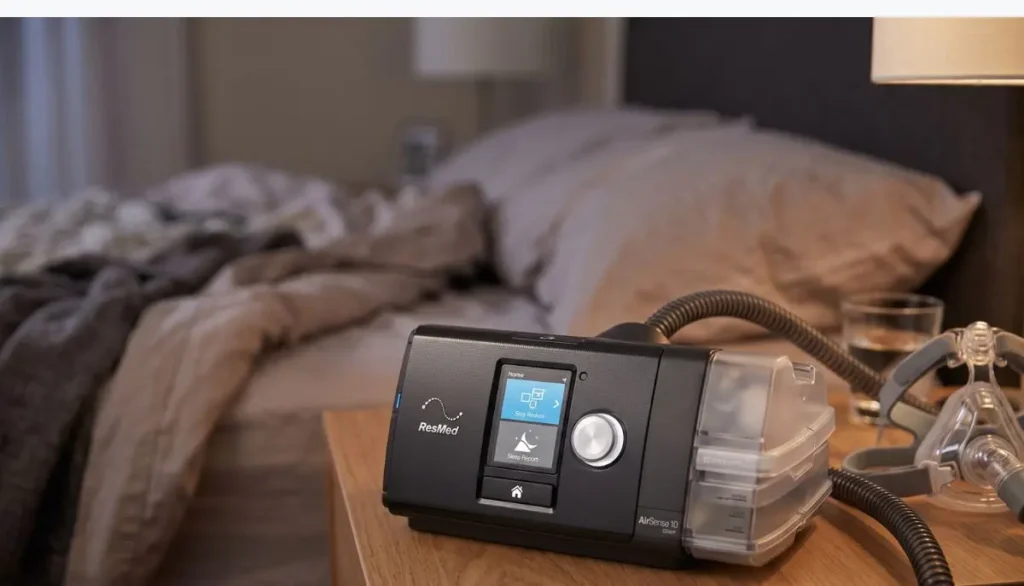
That does not mean that you can only use a specific mask. It is vital to choose the right mask for the right machine and right breathing pattern, facial fit, comfort and prescribed therapy.
1. AirFit F20 Full-Face Mask
One of the AirFit F20 full face masks most familiar is the AirFit F20. It covers nose and mouth, especially for those that breathe out their mouth while sleeping.
The AirFit F20 is compatible with AirSense 10, says ResMed.
The F20 may be worth considering if:
- You regularly breathe through your mouth.
- You want a full-face mask.
- You need a mask that accommodates different facial shapes.
- You prefer coverage around both the nose and mouth.
A proper seal is important. If the mask is too loose, too tight, or incorrectly sized, you may experience air leaks or discomfort.
ResMed describes the AirFit F20 as a universal-fit full-face mask and provides separate sizing information for the cushion and frame.
2. AirTouch F20 Full-Face Mask
The AirTouch F20 is another solution to the problem of which CPAP masks will work with ResMed AirSense 10.
The AirTouch F20 is an all-face mask with a memory foam cushion instead of the silicone cushion found on AirFit F20. According to ResMed’s compatibility list, the AirTouch F20 is compatible with AirSense 10.
This is a mask that might be appealing to anyone who wishes to have a softer cushion that they can feel on their face.
Comfort on the other hand is subjective. Silicone can be great for one person and a memory foam cushion for another.
3. AirFit F30 and AirFit F30i
The AirFit F30 and AirFit F30i are compact full face mask options that are also available for AirSense 10.
The masks were not like the full-face masks used earlier as the cushion is placed under the nose and still covers the mouth.
This can be useful for someone who wants:
- Full-face therapy without a larger traditional nasal bridge design.
- More visibility around the nose and eyes.
- A compact mask style.
- A different option if a conventional full-face mask does not feel comfortable.
The F30i uses a tube-up design, which some active sleepers may find convenient.
4. AirFit F10 Full-Face Mask
The AirFit F10 is another full face mask listed in ResMed’s compatibility chart for the AirSense 10.
It’s an older mask design than some newer ResMed models, but it’s relevant as far as compatibility is concerned, as there are individuals who already have a ResMed AirFit F10 or require replacement parts.
ResMed’s F10 is a full-face silicone cushion mask.
If you already have an F10, and you want to replace parts with another F10, make sure the parts are the same F10 model and size.
What Nasal Masks Work With AirSense 10?
A nasal mask is an appealing option for people who don’t use their mouth for breathing when they sleep.
AirFit N20
The AirFit N20 is a nasal CPAP mask compatible with the AirSense 10. ResMed’s compatibility documentation lists the N20 for AirSense 10, and ResMed provides both standard and “for Her” versions.
The N20 covers the nose and can be a good option for people who want more coverage than nasal pillows without moving to a full-face mask.
AirFit N30 and N30i
AirFit N30 and AirFit N30i are also available with AirSense 10 support.
The designs of these masks are less intrusive than those of traditional nasal masks. ResMed classifies the N30 as a nasal mask and the N30i as a mask which has a connection situated towards the top of the head, but is still in the nasal style.
A tube up design may be worth considering for people who don’t like having tubing directly in their face.
What Nasal Pillow Masks Work With AirSense 10?
For people who want an especially small and lightweight mask, nasal pillows are another option.
AirFit P10
The AirFit P10 is specifically listed by ResMed as compatible with AirSense 10.
Instead of covering the entire nose, nasal pillows sit at the nostrils.
The P10 can be appealing if you:
- Prefer a lightweight mask.
- Want minimal facial coverage.
- Do not need a full-face mask.
- Usually breathe through your nose while sleeping.
ResMed also includes the P10 among its current mask options and describes nasal pillow masks as a minimalist category.
Can You Use Any CPAP Mask With AirSense 10?
It’s a significant one to ask.
Not all masks will be automatically validated for all ResMed devices. ResMed has a mask/device compatibility list that lets you know which masks can be used with the device, and the correct setting for the mask.
Compatibility of the mask with the other manufacturer’s products should be checked before use if considering a mask from another manufacturer. Always consult with your healthcare provider or qualified DME supplier to let them know which mask is best for you for your therapy.
AirSense 10 settings are based on different mask types for ResMed masks. Different settings allow the machine to provide therapy based on the characteristics of the mask.
How to Choose the Best Compatible Mask
However, knowing the masks that will work with ResMed AirSense 10 is just the beginning. Generally speaking, the best mask is the one that fits properly and is comfortable for the patient’s prescribed treatment.
If you breathe through your mouth
Consider discussing a full-face mask with your healthcare provider, like the AirFit F20, AirTouch F20, AirFit F30 or AirFit F30i. For mouth breathers, ResMed recommends full-face models.
If you mainly breathe through your nose
A nasal mask such as the AirFit N20 or a nasal pillow option such as the AirFit P10 may be more appropriate.
If you move around during sleep
Tube-up designs such as the N30i or F30i may provide a different experience for active sleepers. ResMed includes several tube-up masks in its options for people who move during sleep.
If you have sensitive skin
Consider the cushion material and mask design carefully. ResMed offers both silicone and memory-foam cushion options in its mask range.
What About Mask Magnets?
There are some ResMed masks with magnetic clips. This covers some AirFit F20, AirFit F30, AirFit F30i, AirTouch F20, AirFit N20 and other models.
If you have an implanted medical device or other contraindication to the use of magnetic components, do not select a magnetic mask merely because it fits you in the AirSense 10.
ResMed makes specific advice regarding masks that contain magnets and suggests that you consult your doctor and the manufacturer of any implanted device (if applicable) about any potential risks.
Some mask models can be obtained in a non-magnetic variant.
Tips for a Better AirSense 10 Mask Fit
Even a compatible mask may not work well if it does not fit correctly.
Try these simple steps:
- Choose the correct size.
Follow the manufacturer’s sizing guide instead of guessing. - Fit the mask while lying in your normal sleeping position.
Your face can change shape slightly when you lie down. - Avoid overtightening.
Tightening the straps too much can sometimes make the seal worse and cause facial pressure. - Check for leaks.
A small amount of normal venting is expected, but unwanted leaks can affect comfort and therapy. - Keep the cushion clean.
Follow the manufacturer’s cleaning instructions. - Replace worn components.
Cushions, headgear, tubing, and other supplies can wear over time.
ResMed recommends checking CPAP components regularly and replacing parts when they become damaged or worn.
Does AirSense 10 Require a Special ResMed Mask?
It’s just that you don’t need any special proprietary mask connection just because you have an AirSense 10. What is important is if the mask fits the device and has been programmed properly.
ResMed’s AirSense 10 information is designed to tell you which mask families are compatible, such as full-face, nasal and nasal pillow masks.
It’s best to check the details of the mask you’re replacing instead of ordering by a similar image if there is a previous mask that you are replacing.
Final Thoughts: What CPAP Masks Are Compatible With ResMed AirSense 10?
If you’re looking into what CPAP masks will work with ResMed AirSense 10, there are a few options available. The AirFit F20 and AirTouch F20 are full-face masks that cover the nose and mouth, while the AirFit N20 and N30 families are nasal designed masks. The AirFit P10 offers an alternative to the nasal pillows that is lighter.
It’s not just the mask that fits your machine. Fit and comfort, breathing, leak control, sleeping position and your prescribed therapy all have an impact.
Alfa Healthcare Supply Inc. is dedicated to simplifying the understanding of CPAP and home medical equipment. When replacing their mask or considering a new style, check the compatibility, size and model before ordering. If you’re unsure, consult your sleep-care specialist or DME supplier.
Frequently Asked Questions: What CPAP Masks Are Compatible With ResMed AirSense 10?
What CPAP masks are compatible with ResMed AirSense 10?
Compatible ResMed options include the AirFit F20, AirTouch F20, AirFit F30, AirFit F30i, AirFit F10, AirFit N20, AirFit N30, AirFit N30i, and AirFit P10, along with other masks listed in ResMed’s compatibility documentation.
Can I use a full-face mask with AirSense 10?
Yes. ResMed lists several full-face masks as compatible with AirSense 10, including AirFit F20, AirTouch F20, AirFit F30, and AirFit F30i.
Can I use a nasal mask with AirSense 10?
Yes. AirFit N20, N30, and N30i are among the nasal options identified as compatible with AirSense 10.
Can I use nasal pillows with AirSense 10?
Yes. The AirFit P10 is a compatible nasal pillow mask for AirSense 10.
Which AirSense 10 mask is best for mouth breathing?
A full-face mask is generally worth considering if you breathe through your mouth during sleep. ResMed identifies full-face masks as an option for people who breathe through their mouth.
Does the mask need to be made by ResMed?
Not necessarily, but compatibility should be confirmed before using a mask with your device. ResMed provides a specific compatibility list for its positive airway pressure devices and masks.
Important: This article is for general educational information and does not replace advice from your physician or qualified sleep-care professional. Always follow your prescribed CPAP therapy and the manufacturer’s instructions.
How to Use AirSense 10 CPAP Machine:
It may take some time to get used to using CPAP. You may wonder if you’re setting up the machine, tubing, humidifier and mask properly. Fortunately, it’s not hard to learn how to use AirSense 10 CPAP machine.
The ResMed AirSense 10 is designed to make breathing at night easier. Depending on the model, it can provide fixed CPAP pressure or automatically adjust pressure during sleep. In addition, many AirSense 10 products come with a variety of humidification and comfort functions, including HumidAir heated humidification and expiratory pressure relief and AutoRamp.
This step-by-step guide to using AirSense 10 CPAP machine from Alfa Healthcare Supply Inc. covers everything from setting up to wearing your mask, starting CPAP therapy, using the humidifier, to caring for your supplies.
Important: Prescription and/or adjustment of any CPAP pressure and other clinical settings should be done by your healthcare professional. General operation and normal use is explained here; be sure to follow the user’s guide provided with your AirSense 10 model.
What is the ResMed AirSense 10?
ResMed AirSense 10 is a positive airway pressure (PAP) treatment machine for sleep that uses a mask to provide positive pressure.
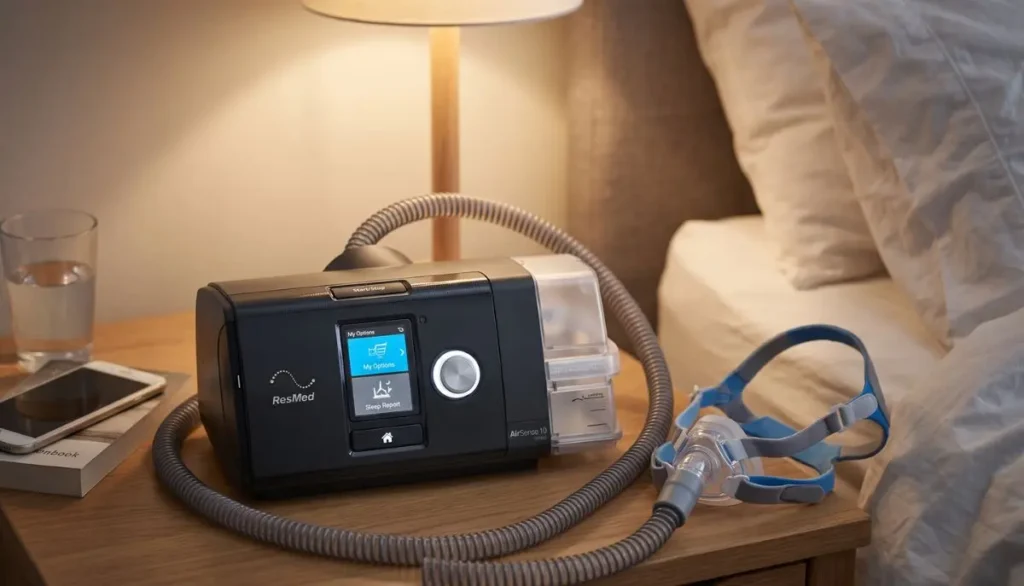
AirSense 10 models have fixed-pressure and AutoSet models. Fixed-pressure CPAP machines will deliver the pressure you set and AutoSet models will self adjust to the pressure set in the treatment range.
The basic system includes:
- AirSense 10 machine
- Power supply and power cord
- Air tubing
- CPAP mask
- Humidifier and water tub, if included with your model
- Air filter
- Optional heated tubing, such as ClimateLineAir
The machine is used to blow air into the tubing and into the mask. If your device has a humidifier, humidifier will help make therapy more comfortable by adding moisture to the air flow.
How to Use AirSense 10 CPAP Machine Step by Step
Learning how to use AirSense 10 CPAP machine becomes much easier when you follow the same routine each night.
Step 1: Place the AirSense 10 on a Stable Surface
First, set the machine on a level, stable surface, close to your bed.
Place it in an area that will circulate air around it. Do not place blankets, clothing or other materials over the machine.
The power outlet should also be within easy reach so the power cord can be safely plugged in.
As part of the set up, ResMed suggests that the device be set up on a stable level surface.
Step 2: Connect the Power Supply
Plug power connector into the back of the AirSense 10.
Next plug the power cord into the power supply and into a suitable electrical outlet.
After giving power to the machine, the display should be available.
Do not use a damaged power cord or damaged electrical parts.
Step 3: Connect the CPAP Tubing
Get your air tubing and firmly connect one end to the air hole on the back of the machine.
The bond needs to be strong, yet not strained.
Connect the second end of the tubing to your CPAP mask set-up.
ResMed’s rapid set-up instructions explicitly advise to attach the tubing securely to the machine and then attach the end of the tubing to the completed mask.
Step 4: Fill the Humidifier, If Your Machine Has One
If the AirSense 10 is with the HumidAir humidifier, either remove or open the water tub as per the user guide.
Fill with water to the max water level mark.
Please do not fill the water tub more than half full. When the humidifier is overfilled it can cause water to enter the machine or tubing.
Close the water tub and insert it into the device.
Humidification can help alleviate some problems experienced by some CPAP users, including a dry nose, dry throat or nasal congestion.
Please use the water recommendations in the user guide for your machine and location.
Step 5: Put on Your CPAP Mask
Make up your mask ahead of time following the instructions in the mask.
Cover nose with the mask (or nose and mouth for face mask)
Fit the mask in a way that it fits and feels comfortable to wear.
One of the common mistakes is to tie it too tightly. If the mask is too tight, it could get uncomfortable and may cause leakages.
Strive for a comfortable fit, but don’t make the straps as tight as possible.
ResMed advises to try out the masks and get comfortable with them before starting routine therapy.
Step 6: Start Your AirSense 10
Therapy can begin once the mask is in place and connected to the tubing and is comfortably seated on the face.
Press the Start/Stop button.
With AirSense 10 setups that are compatible, therapy may start when you inhale through the mask. The exact behavior can differ, depending on your mask and settings, if you have SmartStart enabled.
Therapy will start when the air will be moving through the tubing and the mask.
For most people, the airflow sounds strange the first few nights you use CPAP. Allow yourself some time to get used to the sensation.
Step 7: Use Ramp or AutoRamp for Easier Sleep
Ramp Time is one of the helpful Airsense 10 features.
The machine automatically starts at a lower pressure and climbs towards the target pressure in Ramp. This can be helpful for some to sleep.
Some AirSense 10 models also come with AutoRamp.
If you have trouble falling asleep or have an uncomfortable experience with Ramp or AutoRamp, talk to your healthcare professional, and don’t adjust the clinical pressure setting.
Step 8: Adjust Humidity for Comfort
If you have a humidifier in your AirSense 10, it may be possible to change the humidity in My Options.
Depending on the configuration, ResMed says AirSense 10’s Humidity Level can be adjusted from Off to level 8.
The rule of thumb to use when creating a comfort guide is:
Dry nose or dry mouth: More humidity may be required.
Poorly fitting the mask or tubing: A different tubing or mask may need to be used.
This precipitation is known as “rainout.”
ClimateControl is available to help control the humidity and tube temperature automatically, if ClimateLineAir heated tubing is used. In addition, AirSense 10 setups are compatible and offer a manual Climate Control mode on the ResMed.
Avoid changing the amount of medication pressure you’re on unless you’re advised by a professional.
Step 9: Sleep With the Machine
After starting therapy, attempt to sleep as normal as possible.
Don’t let the tubing become too bent or wrap around your body.
Turn while sleeping, allow the tubing to move as you turn.
Taking time to get used to CPAP therapy can take several nights – or more! This doesn’t necessarily indicate that the treatment isn’t working.
If the mask continues to leak, is painful to wear or interferes with your sleep, reach out to your CPAP supplier or health care professional to assist you in fitting the mask or choosing a different device.
Step 10: Stop Therapy in the Morning
Remove mask when waking up.
Press Start/Stop to end therapy.
With SmartStart/SmartStop on, therapy may be terminated automatically after removing the mask, depending on the device settings. ResMed’s user documentation explains how to stop and restart it manually as well as how to stop it automatically if SmartStart is activated.
Once therapy has been discontinued, check the machine’s sleep report, if available.
The report can provide information such as usage hours and mask seal information.
How to Clean an AirSense 10 CPAP Machine
AirSense 10 CPAP machine knowledge entails also how to maintain the machine.
Cleaning on a regular basis will help maintain your CPAP system.
Pay particular attention to:
- CPAP mask and cushion
- Air tubing
- Humidifier water tub
- Air filter
- Connections and seals
Use the cleaning instructions provided with your machine, mask, tubing and humidifier.
Inspect tubing for cracks, holes or damage on a regular basis. ResMed recommends replacing tubing if it becomes damaged. The manufacturer also suggests air filter replacement every six months or as needed if it becomes dirty or clogged.
The water tub should be checked on a regular basis, too. If the tub is cracked, is leaking, has cloudy water or is damaged, it might need replacing.
What If My AirSense 10 Is Too Loud?
Although the AirSense 10 is designed to operate quietly, sometimes the mask, tubing or connections produce the noise and not the machine.
If you notice unusual noise:
- Check that the tubing is properly connected.
- Inspect the tubing for cracks or holes.
- Check the mask seal.
- Make sure the water tub is correctly installed.
- Check the air filter.
- Contact your equipment supplier if the problem continues.
Do not ignore a sudden change in machine performance or unusual mechanical noise.
What If My Mask Is Leaking?
One of the most frequent complaints of CPAP users is mask leaks.
Always ensure that the mask is properly fitted.
Then slowly increase the headgear. Do not tighten all straps as soon as possible.
Alternatively, the Sleep Report or the mask-seal information can be accessed on compatible AirSense 10 devices.
If the leakage persists you might need to use a different mask size, a different cushion or a different type of mask.
There are various mask styles available for ResMed AirSense 10 systems; compatibility and the correct setting of the machine to use a mask type should be checked for your mask and device.
Can You Track AirSense 10 Therapy?
Most AirSense 10 machines can be connected to ResMed’s digital platform, myAir.
myAir can present information about therapy, as well as a daily score, therapy data, reports, and personalized coaching. Compliant Air10 machines can automatically upload therapy information to myAir.
Monitoring can help you and your health care provider know how often you are using your CPAP machine.
Keep in mind that a score or app report is not a substitute for medical care.
Common Mistakes to Avoid With AirSense 10
When learning how to use AirSense 10 CPAP machine, avoid these common mistakes:
1. Filling the water tub above the maximum line
Excessive water may cause the humidifier and tubing issues.
2. Over-tightening the mask
Excessive water may cause the humidifier and tubing issues.
3. Ignoring mask leaks
Therapy may be uncomfortable if there are small leaks or they become frustrating.
4. Changing prescribed pressure without professional guidance
Your treatment pressure is an integral part of your treatment. Ask your healthcare professional before making clinical setting changes.
5. Forgetting regular cleaning
Mask cushions, tubing, humidifier components, and filters need routine care.
6. Continuing to use damaged equipment
Cracked tubing, damaged seals, or a damaged water tub should be replaced as appropriate.
How to Make AirSense 10 CPAP Therapy More Comfortable
Getting used to CPAP is a process. Be patient with yourself.
Try these simple habits:
- Put your mask on while relaxing before bedtime.
- Practice breathing with the machine while awake.
- Keep your tubing positioned comfortably.
- Use humidification if dryness is a problem.
- Check your mask seal before sleeping.
- Clean your equipment regularly.
- Keep a consistent bedtime routine.
- Talk to your healthcare provider about ongoing problems.
If the discomfort is ongoing, the air leakages are more than normal, breathing is difficult, there is heavy nasal irritation or other issues, reach out to your healthcare professional or CPAP equipment provider.
Final Thoughts: How to Use AirSense 10 CPAP Machine
Learning how to use AirSense 10 CPAP machine is mostly about creating a simple, repeatable nighttime routine.
Place the machine correctly, connect the power and tubing, prepare the humidifier if you use one, fit your mask comfortably, and press Start/Stop to begin therapy. In the morning, stop therapy, remove your mask, and take care of your equipment.
The first few nights may feel different. That is normal for many new CPAP users. With the right mask fit, comfortable humidity, regular cleaning, and consistent use, CPAP can become a much more natural part of your bedtime routine.
At Alfa Healthcare Supply Inc., we understand that choosing and using respiratory equipment can raise practical questions. A qualified medical equipment supplier can help you understand your equipment, replacement supplies, mask options, and everyday CPAP care.
For the most accurate instructions, always refer to the user guide for your exact AirSense 10 model and follow the treatment plan provided by your healthcare professional.
Frequently Asked Questions About How to Use AirSense 10 CPAP Machine
Do I have to use water in my AirSense 10?
If you are using the HumidAir humidifier, water is used for humidification. However, ResMed states that the device can operate without water in the tub when the humidification function is turned off and the water tub is properly inserted.
Follow your specific model’s instructions.
Should I turn on my AirSense 10 before putting on my mask?
You can prepare your mask and connect the tubing first. Once the mask is comfortably fitted, press Start/Stop to begin therapy. Some configurations may support automatic starting when you breathe into the mask.
Why does my AirSense 10 start with low pressure?
If Ramp or AutoRamp is enabled, the machine may begin with lower airflow and gradually increase toward the prescribed treatment pressure.
How often should I clean my CPAP equipment?
Follow the cleaning instructions for your specific AirSense 10, mask, humidifier, and tubing. Regular cleaning is an important part of CPAP equipment care.
Can I change the pressure on my AirSense 10?
Do not change your prescribed therapeutic pressure on your own. If your pressure feels too strong or too weak, speak with your healthcare professional or equipment provider.
Can I use a different CPAP mask with AirSense 10?
Many CPAP masks can be used with AirSense 10 systems, but you should confirm compatibility and the correct mask setting for your particular machine and mask. ResMed provides compatibility information for its masks and AirSense systems.
Medical disclaimer: This article is for general educational purposes and is not a substitute for medical advice, diagnosis, or treatment. If you have questions about your CPAP pressure, symptoms, mask problems, or sleep-apnea treatment, speak with your healthcare professional.
This ResMed ClimateLineAir Heated Tube is meant to be used with AirSense 10 and AirCurve 10 CPAP machines.
It’s much more comfortable to use a CPAP or bilevel machine nightly when it feels comfortable. Humidification can help many people, and it’s a problem that many people face: condensation can form inside the CPAP tubing. It’s also known as CPAP rainout.
The ResMed ClimateLineAir heated tube for AirSense 10 and AirCurve 10 CPAP machine is intended to assist in addressing this issue while keeping the CPAP machine and mask warm as the humidified air circulates between the humidifier and the mask.
The ClimateLineAir heated tube is included in ResMed’s Climate Control system for Air10 devices such as AirSense 10 and AirCurve 10 series. ResMed says the heated tube is used to keep the temperature of the humidified air warm as it circulates through the tubing.
A heated tube might appear to be a minor addition for the individual who already has an AirSense 10 or an AirCurve 10. In reality, it could be a significant factor in making a more comfortable therapy area.
What is the ResMed ClimateLineAir Heated Tube?
The ResMed ClimateLineAir heated tube is a specialised CPAP tube for use with compatible ResMed Air10 therapy devices.
The ClimateLineAir tube is different from the normal CPAP tubing and has heating and temperature sensing technology. It is used for a uniform air temperature when air flow through the tube to the mask is humidified.
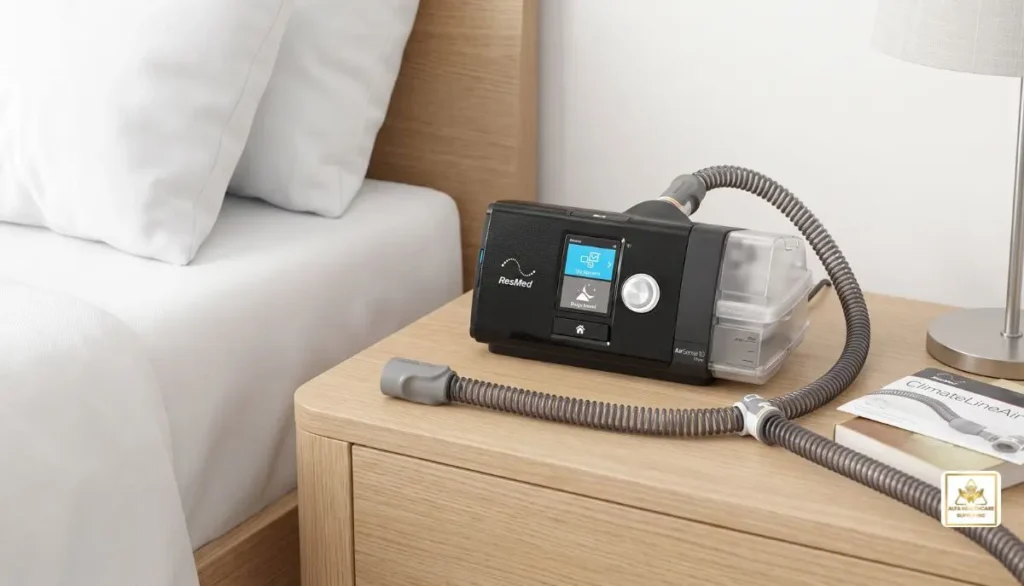
The device is part of the AirCurve 10 and AirSense 10 Climate Control system, ResMed says.
Combined with the machine’s humidification system, the tube will help maintain comfortable airflow and minimize the risk of condensation building up in the tubing.
In simple terms
Think of it this way:
CPAP machine → humidifier → heated ClimateLineAir tube → mask → you
During the flow to the mask the humidified air is kept at a controlled temperature by the heated tube.
This may be helpful when the room is cool or when the higher humidification settings result in water droplets forming in the standard tubing.
Why Use a Heated CPAP Tube?
A common CPAP tube connects the CPAP device to the mask. Does not actively control the temperature of the air.
When the warm, humidified air is passed through a colder tube, the air may cool. It can then condense to form water droplets.
This is commonly known as rainout.
You may notice:
- Water droplets inside the tubing
- A damp or wet CPAP mask
- Gurgling sounds during therapy
- Water reaching the mask
- A cold feeling from the airflow
- Interrupted sleep because of moisture
ResMed is specifically referring to ClimateLineAir as a solution that can help control the temperature of humidified air and reduce rainout.
Heated tube ≠ feeling hot. Instead, the system is intended to control and maintain a comfortable and controlled temperature.
ResMed ClimateLineAir Heated Tube Compatibility
Before buying replacement CPAP tubing, one of the most crucial factors to take into account is compatibility.
The ClimateLineAir heated tube is made for ResMed Air10 devices such as compatible AirSense 10 and AirCurve 10 machines. ResMed’s information is specific to the accessories and does distinguish between ClimateLineAir tubing for Air10 machines and ClimateLineAir 11 tubing for Air11 machines.
Compatible device families include:
- ResMed AirSense 10
- ResMed AirSense 10 Elite
- ResMed AirSense 10 AutoSet
- ResMed AirSense 10 AutoSet for Her
- ResMed AirCurve 10 VAuto
- ResMed AirCurve 10 S
- ResMed AirCurve 10 ASV
- Compatible AirCurve 10 models that support ClimateLineAir
ResMed’s product documentation lists ClimateLineAir with multiple AirSense 10 and AirCurve 10 configurations.
Important: AirSense 10 vs. AirSense 11
The names can be confusing.
ClimateLineAir is intended for compatible Air10 devices.
ClimateLineAir 11 is designed for compatible Air11 devices.
ResMed states that ClimateLineAir and ClimateLineAir Oxy work with AirSense 10 and AirCurve 10, and ClimateLineAir 11 and ClimateLineAir 11 Oxy are designed to be used with Air11 products.
If you own an AirSense 10 or AirCurve 10, please ensure that you are not buying a tube that claims to be “ClimateLineAir” but is not an Air10 tube.
Key Features of the ResMed ClimateLineAir Heated Tube
The ClimateLineAir has been built with the focus on comfort, temperature management and the ability to work with ResMed’s Climate Control system.
1. Designed for AirSense 10 and AirCurve 10
The tube is specifically designed for compatible ResMed Air10 therapy devices.
This makes it a convenient replacement or upgrade for users who already have a compatible AirSense 10 or AirCurve 10 setup.
2. Heated Tubing Technology
Heating technology is built into the tubing to assist in keeping humidified air at the correct temperature while working its way towards the mask.
One of the greatest differences is between ClimateLineAir tubing and normal non-heated tubing for CPAP’s.
3. Helps Reduce CPAP Rainout
When the condensation is an issue, such as when it is water collecting inside the tube or mask, it can be a frustrating experience.
ClimateLineAir has been developed to help mitigate this by providing the air flow with a humidified temperature control.
4. Temperature Monitoring
The ClimateLineAir tube has a temperature sensor located close to the end of the tube that is connected to the mask.ResMed’s ClimateLineAir tube features a temperature sensor located close to the end of the tube attached to the mask. The system is designed to track temperature and in conjunction with the Climate Control algorithm. ResMed says the temperature of the tube is programmable from around 60°F (16°C) to 86°F (30°C).
5. Slim and Flexible Design
ClimateLineAir tubing is made slim to offer flexibility and minimize tube drag while sleeping. According to ResMed, the tubing is made to be flexible and comfortable to sleep on.
6. Works With Climate Control
Climate Control can automatically control the temperature and humidity settings when the right HumidAir humidifier and the right ClimateLineAir tubing are paired with the right AirSense 10 or AirCurve 10.
ResMed states that Climate Control Auto is able to automatically control the temperature and humidity for a comfortable therapy.
ClimateLineAir vs. Standard CPAP Tubing
A common question is whether heated tubing is really different from standard tubing.
Yes.
Standard tubing
Standard tubing simply carries air from the CPAP machine to the mask.
It does not actively heat the air or work with the machine’s Climate Control system in the same way.
ClimateLineAir heated tubing
ClimateLineAir combines tubing with temperature monitoring and heating technology.
This helps maintain a controlled temperature for humidified airflow and can reduce condensation.
| Feature | Standard CPAP Tubing | ClimateLineAir |
| Carries CPAP airflow | Yes | Yes |
| Heated | No | Yes |
| Temperature monitoring | No | Yes |
| Designed for Climate Control | No | Yes |
| Helps reduce condensation | Limited | Yes |
| Compatible with AirSense 10 | Depends on tubing | Yes, when compatible |
| Compatible with AirCurve 10 | Depends on tubing | Yes, when compatible |
The exact accessories supplied with a machine can vary by model and configuration, so always verify the device and tubing connection before ordering a replacement.
How Climate Control Works With ClimateLineAir
A great feature of an Air10 set up that is compatible is Climate Control.
The idea is to ensure the temperature and humidity match, so that the air that reaches the mask is as comfortable as possible, but not with too much condensation.
If Climate Control Auto is programmed and activated, the humidification and tube temperature can be controlled automatically by the Climate Control Auto.
AirSense10 and AirCurve10 machines with ClimateLineAir can provide automatic temperature and humidity management with Climate Control Auto, ResMed says.
Many users take the plunge into automatic control first.
However, comfort is personal. What feels comfortable to one person, may feel too hot or too cold to another.
How to Set Up the ClimateLineAir Heated Tube
Changing the CPAP tubes is typically simple, however adhering to the guidelines provided with your personal CPAP support and machine is important.
A basic setup involves the following steps.
Step 1: Turn off the CPAP machine
Switch off therapy and allow the machine to stop operating before disconnecting the tubing.
Step 2: Remove the existing tube
Carefully disconnect the current tube from the machine.
Avoid pulling aggressively on the tubing or connectors.
Step 3: Connect the ClimateLineAir
Connect the ClimateLineAir heated tube to the appropriate air outlet on the compatible ResMed Air10 device.
The electrical connector is designed for the device side of the tubing. ResMed’s documentation specifically notes that the electrical connector end should be connected to the device air outlet and not attached to the mask.
Step 4: Connect the mask
Attach the other end of the tubing to the CPAP mask.
Make sure the connection is secure.
Step 5: Check the tubing
Before starting therapy, check the tube for obvious damage, cracks, or loose connections.
Step 6: Adjust Climate Control
If your device supports Climate Control, select the appropriate setting according to your comfort and the manufacturer’s instructions.
If you are unsure about the correct settings, speak with your healthcare provider or qualified sleep-care professional.
How to Reduce CPAP Rainout With ClimateLineAir
Ever had condensation on the air tubing of your CPAP machine?
Humidified air can condense inside the tubing, causing rainout.
ClimateLineAir is particularly useful in fighting this problem.
ResMed recommends the use of Auto Climate Control as a point of reference for compatible AirSense 10 and AirCurve 10 systems. Once condensation persists, ResMed claims, users can switch to the Climate Control Manual function and raise the temperature of the tube. A decrease in humidity might help if the air becomes too warm and continues to condense.
A practical approach is:
Too much water → check humidity and tube temperature
Dry nose or throat → consider whether more humidification is appropriate
Air feels too warm → consider lowering the tube temperature
Do not make major therapy-pressure changes yourself. Pressure settings are different from comfort settings and should be managed according to your clinician’s instructions.
What If My CPAP Air Feels Too Warm?
The heated tube is not intended to make the air too hot to handle.
The ClimateLineAir system is designed to keep the temperature controlled and ResMed offers a temperature range of about 60°F to 86°F (16°C to 30°C) for the tube setting.
If the air getting into the machine is too warm, check the tube-temperature and Climate Control settings on your machine.
If you are not sure of the setting, contact your equipment supplier or health care worker.
What If My Nose or Throat Feels Dry?
Dryness can have several causes.
CPAP users sometimes experience:
- Dry mouth
- Dry nose
- Nasal irritation
- Nasal congestion
Some users will find pressurized air more comfortable if it can be humidified.
According to ResMed, humidification increases the moisture in the air and may relieve dryness.
But not all dryness is caused by a humidifier.
Mouth breathing, room conditions, a mask leak or any other reason may be a contributing factor.
Discuss the issue with your sleep-care professional or healthcare provider if any level of reasonable humidification is not effective in preventing dryness.
ClimateLineAir Heated Tube Specifications
According to ResMed documentation, the ClimateLineAir is a heated air tubing for compatible AirSense 10 and AirCurve 10 products.
The ResMed AirSense 10 user documentation lists the ClimateLineAir with:
- Length: approximately 2 meters
- Inner diameter: 15 mm
- Material: flexible plastic and electrical components
On the documentation, it mentions a cut-out for the temperature of the heated air tubing of ≤ 41°C.
The HCPCS code (A4604) is mentioned in ResMed’s product information for the U.S. market, specifically in the ClimateLineAir Heated Tube (part number: 37296) product documentation.
Specifications may differ depending on regional product documentation, please refer to product packaging and the latest manufacturer’s information when ordering.
ClimateLineAir vs. ClimateLineAir Oxy
Another point that can cause confusion is the difference between ClimateLineAir and ClimateLineAir Oxy.
ClimateLineAir
The standard ClimateLineAir heated tube is designed for compatible Air10 therapy devices.
ClimateLineAir Oxy
For users who need supplemental oxygen, there is a related heated tubing called ClimateLineAir Oxy. According to ResMed, the Oxy version is 19 mm in diameter.
These products should not automatically be considered interchangeable.
If you are using supplemental oxygen during your therapy, check with your health professional or oxygen equipment supplier that the tubing is set up properly.
How Often Should You Replace CPAP Tubing?
There is no single replacement schedule that fits every CPAP user.
Tubing condition is more important than simply counting months.
Inspect the tube regularly for:
- Cracks
- Holes
- Stiff or damaged sections
- Discoloration
- Persistent moisture
- Damaged connectors
- Loose connections
- Signs of wear
In the case of damage, replace the tubing.
ResMed’s product information recommends that the air tubing be washed weekly with warm water and mild detergent for cleaning.
Always clean and replace as directed by the manufacturer of your equipment.
How to Clean ClimateLineAir Tubing
Cleaning of the CPAP equipment is an essential component of the equipment care.
For the tubing:
- Disconnect the tubing from the machine and mask.
- Wash it using warm water and mild detergent according to the manufacturer’s instructions.
- Rinse thoroughly.
- Allow it to dry completely before reconnecting it.
- Inspect the tubing for signs of damage.
Never use cleaning methods or chemicals not recommended for use with your equipment.
Additionally, do not immerse or clean electrical connections that might damage electrical components.
Signs That Your ClimateLineAir Tube May Need Replacement
Your heated tube may need replacement if you notice physical damage or changes in performance.
Look for:
1. Visible cracks
A cracked tube can cause an air leak.
2. Loose connectors
The tubing should connect securely to the machine and mask.
3. Damaged electrical connection
The electrical connection should be intact and free from visible damage.
4. Excessive condensation
Some condensation can be related to settings or room conditions, but persistent problems may justify inspecting the tubing and humidification setup.
5. Unusual airflow
Unexpected airflow changes can have multiple causes. Check the tubing first for obvious damage, but seek professional assistance if the problem continues.
Choosing the Right Heated Tube for Your ResMed Machine
Before purchasing replacement tubing, take a moment to identify your machine.
If you have:
AirSense 10
Look for compatible ClimateLineAir tubing.
AirCurve 10
Look for compatible ClimateLineAir tubing.
AirSense 11
Look for ClimateLineAir 11 tubing.
AirCurve 11
Look for ClimateLineAir 11 tubing.
The model number matters because Air10 and Air11 accessories are not simply interchangeable based on appearance or product naming. ResMed’s current accessory information separates ClimateLineAir for Air10 devices from ClimateLineAir 11 for Air11 devices.
Why the Correct CPAP Tubing Matters
CPAP tubing may look like a simple accessory, but the correct tube can affect how the overall humidification system operates.
Using the right tubing helps ensure:
- Proper machine connection
- Appropriate temperature control
- Correct Climate Control operation
- Better management of condensation
- Comfortable airflow
- Correct accessory compatibility
When ordering online, compare the machine model, tubing name, connector type, and manufacturer part number rather than relying only on a product photo.
Buying ResMed ClimateLineAir Heated Tube
If you are looking for a ResMed ClimateLineAir heated tube for AirSense 10 and AirCurve 10 CPAP machine, start by confirming your exact device model.
A reliable purchase process should include:
- Confirm the machine model.
- Confirm that you need Air10 tubing.
- Check whether you need standard ClimateLineAir or an Oxy configuration.
- Verify the product part number when applicable.
- Purchase from a reputable medical equipment supplier.
- Follow the manufacturer’s instructions for installation and cleaning.
For customers looking for CPAP and home medical equipment supplies, Alfa Healthcare Supply provides medical supply products and equipment information through its website.
When purchasing medical equipment or replacement accessories, customers should also confirm prescription, insurance, and supplier requirements that may apply to their specific product and location.
A Simple Way to Think About ClimateLineAir
CPAP therapy is not only about pressure.
Comfort matters too.
You may have a properly fitted mask and the correct therapy settings, but if the air feels too cold or water repeatedly collects in the tube, your nightly experience may become frustrating.
The ClimateLineAir heated tube addresses one part of that experience by helping maintain the temperature of humidified air between the machine and mask.
For compatible AirSense 10 and AirCurve 10 systems, it can work together with ResMed’s Climate Control technology to help balance temperature and humidity.
That is why a small replacement tube can make a noticeable difference in the overall CPAP setup.
Final Thoughts: ResMed ClimateLineAir Heated Tube for AirSense 10 and AirCurve 10 CPAP Machine
The ResMed ClimateLineAir heated tube for AirSense 10 and AirCurve 10 CPAP machine is more than ordinary CPAP tubing. It is a specialized heated accessory designed to work with compatible ResMed Air10 devices and Climate Control humidification.
Its main purpose is to help maintain the temperature of humidified airflow as it travels to the mask and reduce problems associated with condensation or CPAP rainout. ResMed specifically identifies ClimateLineAir as compatible with AirSense 10 and AirCurve 10 devices.
If your current tube is damaged, worn, or you are dealing with repeated condensation, checking whether ClimateLineAir is appropriate for your machine may be worthwhile.
Most importantly, verify your exact ResMed device and choose the tubing designed for that device. If you have questions about therapy settings, oxygen use, persistent discomfort, or equipment compatibility, speak with your healthcare provider or qualified medical equipment professional.
Frequently Asked Questions About the ResMed ClimateLineAir Heated Tube
Is ClimateLineAir compatible with AirSense 10?
Yes. ResMed identifies ClimateLineAir as compatible with AirSense 10 devices when used with the appropriate setup.
Is ClimateLineAir compatible with AirCurve 10?
Yes. ResMed identifies ClimateLineAir as part of the Climate Control solution for AirCurve 10 devices as well.
Does ClimateLineAir help prevent rainout?
It is designed to help reduce condensation by maintaining the temperature of humidified air as it travels through the tube.
Is ClimateLineAir the same as regular CPAP tubing?
No. ClimateLineAir contains heating and temperature-monitoring technology designed to work with compatible ResMed Climate Control systems.
Can I use ClimateLineAir with AirSense 11?
ClimateLineAir is intended for Air10 devices. ResMed identifies ClimateLineAir 11 as the tubing for Air11 devices.
Does ClimateLineAir work without humidification?
The heated tube’s primary benefit is associated with maintaining the temperature of humidified airflow and Climate Control. For the intended Climate Control setup, use it according to ResMed’s device and accessory instructions.
What is the ClimateLineAir part number?
ResMed’s U.S. product documentation identifies the ClimateLineAir heated tube as part number 37296.
What temperature can the ClimateLineAir tube be set to?
ResMed states that the tube temperature can be set between approximately 60°F and 86°F (16°C and 30°C).
Does a heated tube make CPAP therapy more comfortable?
It can. The heated tube is designed to help maintain comfortable temperature and humidity conditions and reduce condensation. Comfort is personal, so the appropriate settings can differ between users.
Can I wash ClimateLineAir tubing?
ResMed’s product information provides cleaning instructions that include washing the air tubing in warm water with mild detergent. Follow the manufacturer’s current cleaning instructions for your specific tube.