


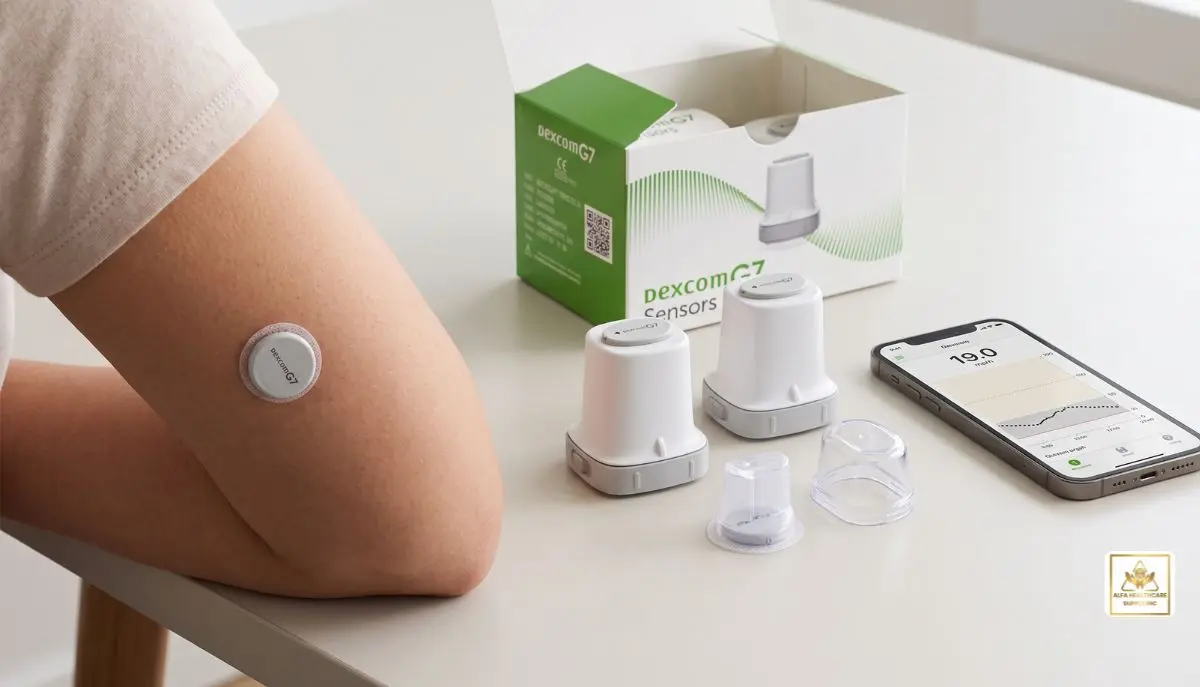
Should you have extras of continuous glucose monitoring (CGM) devices at home, you may consider the Dexcom G7 sensor and ask yourself, do Dexcom G7 sensors go bad if not used? The answer is a resounding yes! The Use By date is printed on an unused Dexcom G7 sensor, and Dexcom urges users not to begin using a sensor after that date.
This is crucial because one of the unopened sensors is not identical to a sensor that has already been activated. Use By date when printed is for unused product, sensor’s wear date is from when a valid sensor was started.
Having reliable glucose information is important for individuals with diabetes on a daily basis. That’s why it’s important to look at the date on your Dexcom G7 packaging before putting your Dexcom in.
Alfa Healthcare Supply Inc. provides an explanation of expiration dates, how to store unused Dexcom G7 sensors, what happens if a sensor is past its date and how to manage Dexcom G7 supplies more safely.
Do Dexcom G7 Sensors Expire If Not Used?
Yes. If not used, do Dexcom G7 sensors expire? The manufacture date is given for an unused Dexcom G7 sensor.
According to Dexcom’s G7 User Guide, users should never initiate a sensor after the Use By date as it may provide inaccurate results. A Dexcom new sensor can be used from as early as its Use By date, and the user will receive the entire sensor wear period, according to Dexcom.
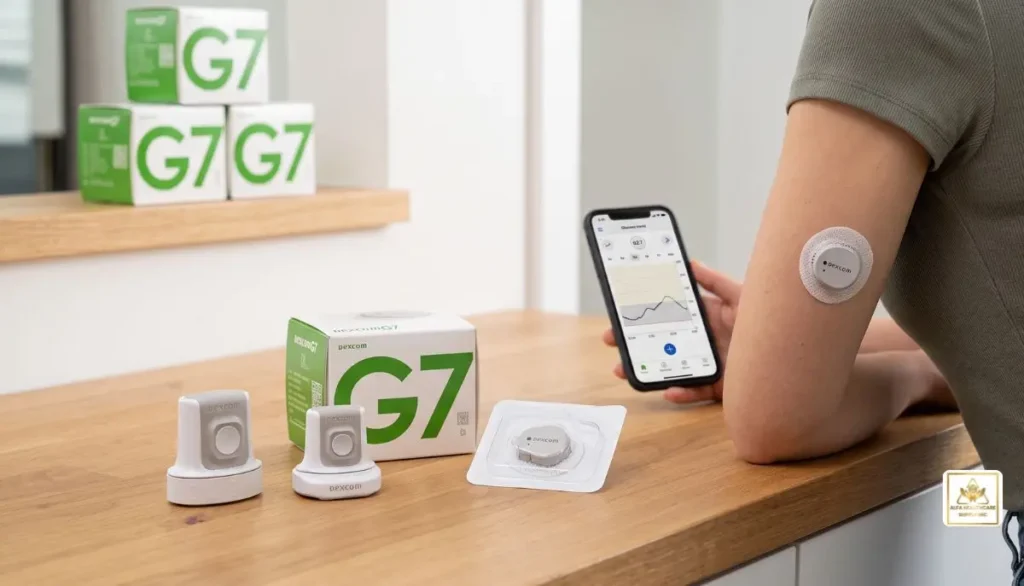
This does not imply the use of an unopened sensor can be stored in perpetuity.
Even if:
- The box looks clean
- The package has never been opened
- The sensor has been stored in a drawer
- The applicator appears undamaged
- The sensor looks completely normal
you should still check the date before using it.
The date printed on the package is so that the manufacturer can specify the period of time for which they expect the product to be used within the specifications given on the label.
Why Do Unused Dexcom G7 Sensors Have an Expiration Date?
Medical devices come with expiry dates. The Dexcom G7 is a sensor that has components engineered to function properly given specific storage conditions.
If a sensor isn’t opened, this doesn’t necessarily mean that all of its parts are perfect for life.
Dexcom offers instructions on how to store the G7. The sensor should be kept in its sterile packaging until it is time to use, and the manufacturer states it can be stored between 2°C and 30°C (35.6°F to 86°F). The sensor should NOT be frozen.
The instructions below are to be followed to help protect the sensor before use, but do not extend the manufacturer’s stated Use By date for proper storage.
Imagine that:
Proper storage will ensure that the product is protected for the specified shelf life. Does not convert an expired sensor to a new sensor.
What Is the Difference Between an Expired Sensor and a Finished Sensor?
This is where many people become confused.
When someone says, “My Dexcom G7 sensor is expired,” they could mean two completely different things.
1. The unused sensor is past its Use By date
This is the date the sensors are printed in the unopened packaging.
If this date has elapsed, the sensor should not be started. Dexcom cautions that beginning use of a sensor after the Use By date may lead to inaccurate reading.
2. Your active sensor has reached the end of its wear period
The standard Dexcom G7 sensor is designed for up to 10 days of wear, followed by a 12-hour grace period.
The grace period gives you additional time to replace the sensor.
These are not the same type of expiration.
Package expiration = when you can start an unused sensor.
Sensor session expiration = when an already-started sensor reaches the end of its approved wear period.
Understanding this difference can prevent unnecessary confusion when managing your CGM supplies.
How Long Can a Dexcom G7 Sensor Be Stored?
The actual shelf life will depend on the Use By date given on the packaging. Do not use a general number of months or years, but rather review each individual sensor package.
This is particularly helpful if you have multiple boxes of CGM supplies.
Imagine if you got a bunch of Dexcom G7s from a supplier. You want to consider the sensor date of the individual packages and arrange your supplies accordingly, putting the oldest date sensors first.
A waste reducing system could be in place with a simple first-expiring, first-used system.
In your storage area, you may store newer sensors behind the older, unexpired sensors.
How Should Unused Dexcom G7 Sensors Be Stored?
Proper storage is an important part of protecting an unused CGM sensor.
According to Dexcom’s G7 User Guide:
- Keep the sensor in its sterile packaging until you are ready to use it.
- Store the sensor between 2°C and 30°C.
- Do not freeze the sensor.
- Keep storage conditions within the recommended humidity range.
- Do not open the package until you are ready for insertion.
A cool, dry indoor location is generally more appropriate than places exposed to temperature extremes.
Avoid extreme heat
Avoid deliberately leaving CGM supplies in places where they can become extremely hot, for example, in a car, in direct sunlight or near a heat source.
Avoid freezing
“Dexcom expressly states that the sensor should not be stored in a freezer.”
Keep the package intact
Never take off the sterile cap or open the applicator until you are going to insert the sensor.
Additionally, Dexcom cautions against use when the sterile cap or applicator is damaged or has been opened as this may result in an infection risk.
Can You Use a Dexcom G7 Sensor After Its Expiration Date?
Dexcom G7 sensors that have been unused and have reached past the printed Use By date should not be started.
This is not just because the sensor could fail to turn on.
Dexcom says the sensor could be faulty if you start it after its Use By date.
A CGM is used to give glucose data that can impact diabetes-management choices. Therefore, it should not be taken lightly to use a sensor beyond the recommended use time.
When it is discovered that a sensor is no longer usable, consult the supplier or manufacturer about options, and don’t start it.
What If the Dexcom G7 Sensor Is Only Slightly Past the Date?
You might ask yourself if a sensor that’s just a few days or weeks past its date is still usable.
That’s not the best way to make that decision considering the distance from the date.
For instance, a sensor with a recent expiry date is not acceptable just because of its recent expiration date. Dexcom’s guidelines make a clear statement that it is not recommended to begin use of a sensor past its Use By time as it may not produce accurate results.
The best way is to use an unexpired sensor and follow the instructions given with your product.
Does an Unopened Sensor Last Longer Than an Opened Sensor?
Unused sensors keep in their sterile packaging until they are to be inserted. This is different from a sensor that has already been turned on.
After starting a valid Dexcom G7 sensor session, the sensor comes with a set amount of wear time.
The sensor will stay active for up to 10 days (for the standard Dexcom G7), with a 12-hour grace period after that.
The grace period is NOT for an unused sensor.
It’s just another minute at the end of a working sensor session for you to swap out the sensor with the replacement sensor.
What About the Dexcom G7 15 Day Sensor?
In addition, Dexcom has also introduced the Dexcom G7 15 Day system; a system that is quite distinct from the Dexcom G7 10 Day system.
Dexcom claims the G7 15 Day sensor is intended to last for 15 days with a 12-hour grace period.
The packaging includes the designation of the G7 15 Day system, so make sure to know which product you are using before assuming the wear time.
The main thing to remember is that the Use By date on the package is different from the wear period after activation.
What Happens If You Start an Expired Dexcom G7 Sensor?
Don’t assume that if a sensor is “on” the data are accurate, if you inadvertently start the sensor and realize that the package has already passed the Use By date.
Dexcom cautions users against initiating use of a sensor after its Use By date as this can result in inaccurate data.
If this situation applies to you, read the Dexcom Instructions and consult Dexcom technical support or your health care professional for instructions that apply to you.
If your blood glucose readings are not in line with your symptoms or expectations, use a blood glucose meter to assist in treatment decisions, Dexcom recommends.
Get proper medical care if you have symptoms of a serious glucose issue or other medical emergency.
How Can You Avoid Letting Dexcom G7 Sensors Expire?
A little organization can make a big difference.
Check dates when supplies arrive
When you receive a new shipment, look at the Use By dates before putting the sensors away.
Use older supplies first
If you have multiple unexpired sensors, consider using the sensor with the earliest Use By date first.
Keep a small supply record
You can write down:
- Number of sensors
- Use By date
- Date received
- Date used
This can be especially helpful if you regularly receive several sensors at once.
Do not overstock unnecessarily
Having backup supplies can be helpful, but storing more sensors than you can reasonably use before their dates can lead to unnecessary waste.
Store supplies correctly
Keep sensors within Dexcom’s recommended temperature and storage conditions.
Does the Dexcom G7 Sensor Need to Be Refrigerated?
Don’t take it for granted that refrigeration is needed.
Dexcom’s storage instructions state the sensor should be stored at temperatures between 2°C and 30°C, and that freezing the sensor is not recommended.
So you should adhere to the storage instructions provided with your particular Dexcom G7 product, and not store the sensor in an extreme cold freezer or using extreme cold to extend the length of time it can last.
The idea is to ensure that the sensor remains in the manufacturer’s recommended conditions until you are ready to use it.
How Do You Check a Dexcom G7 Expiration Date?
Checking the date is easy.
Before opening a new sensor:
- Take the sensor package from storage.
- Look for the Use By date printed on the package.
- Confirm that the date has not passed.
- Check that the package and applicator are intact.
- If everything is appropriate, proceed according to the current Dexcom insertion instructions.
Do this before removing the sterile cap.
Making the date check part of your normal sensor routine takes only a few seconds.
Why This Matters for Everyday Diabetes Management
A CGM sensor is more than a little electronic gadget for a person reliant on CGM data.
It’s a habit.
Glucose information can be used during the process of working, exercising, eating, sleeping, traveling, and treatment decisions. That is the reason why it’s important to use the product as per the instructions.
A used sensor that has not been used could appear entirely normal. But just because it looks it doesn’t mean that it will run as expected.
It’s for this reason that the one simple question of “do Dexcom G7 sensors expire if not used?” has an important practical answer: yes, check and respect the Use By date before putting the sensor into use.
Dexcom G7 Expiration: Quick Reference
| Question | Answer |
| Do Dexcom G7 sensors expire if not used? | Yes. Check the Use By date on the package. |
| Can I start a sensor after its Use By date? | Dexcom says not to; it may give incorrect results. |
| How long does the standard G7 sensor last after starting? | Up to 10 days, plus a 12-hour grace period. |
| Is the 12-hour grace period shelf life? | No. It applies to an active sensor session. |
| Should I keep the sensor in its package until use? | Yes. |
| Can I freeze a Dexcom G7 sensor? | No. |
| Can proper storage extend the Use By date? | No. Follow the printed date and storage instructions. |
| What if the sensor readings don’t match how I feel? | Follow Dexcom’s guidance and use a blood glucose meter for treatment decisions. |
Final Thoughts
So, do Dexcom G7 sensors expire if not used? Yes. Every unused sensor should be checked against its Use By date before insertion.
The easiest routine is:
Check the date → Check the package → Check storage conditions → Use an unexpired sensor → Follow Dexcom’s instructions.
Keeping your sensors organized and using them before their Use By dates can help reduce waste and support a more reliable CGM routine.
For diabetes supplies and CGM-related products, Alfa Healthcare Supply Inc. provides medical supply resources and support for customers looking for dependable healthcare products. Visit Alfa Healthcare Supply to explore available diabetes and medical supply options.
Frequently Asked Questions
Do Dexcom G7 sensors expire if not used?
Yes. An unused Dexcom G7 sensor has a Use By date printed on its packaging. Dexcom advises not starting a sensor after that date because it may give incorrect results.
Can I use an unopened Dexcom G7 after the expiration date?
You should not start an unused sensor after its Use By date. Use a sensor that is still within its labeled date and properly stored.
How long does a Dexcom G7 last once I start it?
The standard Dexcom G7 is designed for up to 10 days of wear, followed by a 12-hour grace period.
Does the 12-hour grace period apply to an unused sensor?
No. The grace period applies after an active sensor reaches the end of its sensor session. It does not extend the expiration date of an unused sensor.
Can heat affect an unused Dexcom G7 sensor?
Improper storage conditions can affect medical-device performance. Dexcom recommends storing the sensor between 2°C and 30°C and avoiding freezing.
What should I do with an expired Dexcom G7 sensor?
Do not start it. Contact your supplier or Dexcom for appropriate guidance about the expired product.
Can I restart a Dexcom G7 sensor?
Dexcom identifies its G7 sensors as single-use disposable supplies. Once the approved sensor session has ended, the sensor should not be reused or restarted.
Medical information note: This article is for general educational purposes and is not a substitute for medical advice. Always follow the instructions supplied with your Dexcom product and speak with your healthcare professional when you have questions about glucose readings, treatment decisions, or your CGM system.