


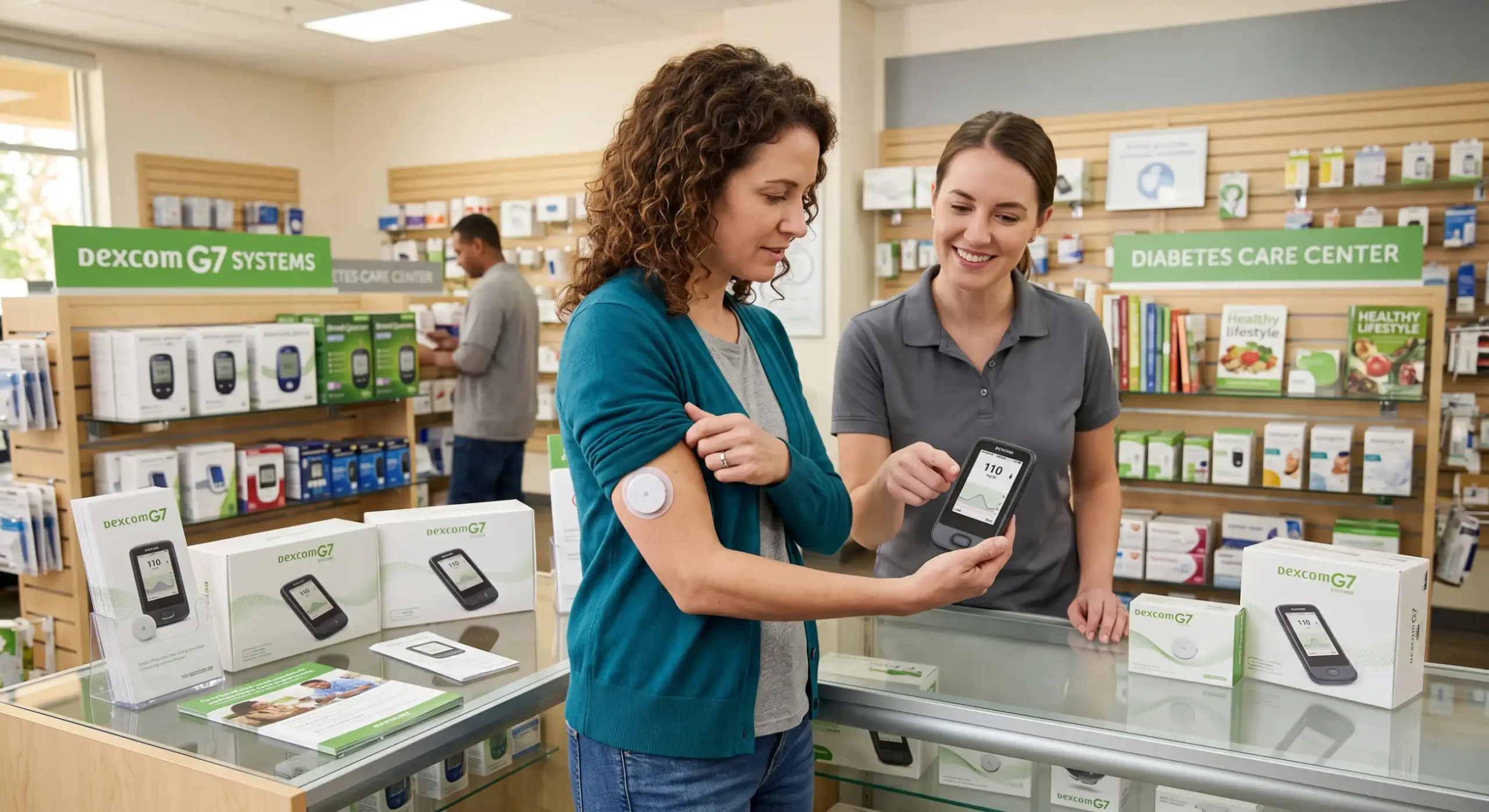
If you are considering the Dexcom G7 continuous glucose monitoring (CGM) system, one of the first questions you may have is: do you need a Dexcom G7 receiver?
The short answer is not necessarily. The Dexcom G7 system can display glucose information through the Dexcom G7 mobile app on a compatible smartphone, or through a Dexcom G7 receiver. You can also use both options in situations where that fits your routine and care plan.
For many people, this choice comes down to something very practical: Do I want to use my phone for glucose monitoring, or would I rather have a separate device?
There isn’t one option that is right for everyone. Factors such as your smartphone compatibility, insurance coverage, diabetes management setup, personal preferences, and other connected devices can all play a role in determining which choice works best for you.
In this guide from Alfa Healthcare Supply Inc., we will explain what the Dexcom G7 receiver does, when you may need one, how it compares with using a smartphone, and what to consider before choosing a display device.
Important: This article is for general educational information and does not replace advice from your doctor, diabetes care team, pharmacist, or the manufacturer’s instructions.
The Dexcom G7 is a continuous glucose monitoring system designed to provide ongoing glucose information without requiring you to manually check your glucose every time you want a reading.
The system uses a wearable sensor to measure glucose in interstitial fluid. The information is then sent wirelessly to a compatible display device, such as the Dexcom G7 mobile app or Dexcom G7 receiver.
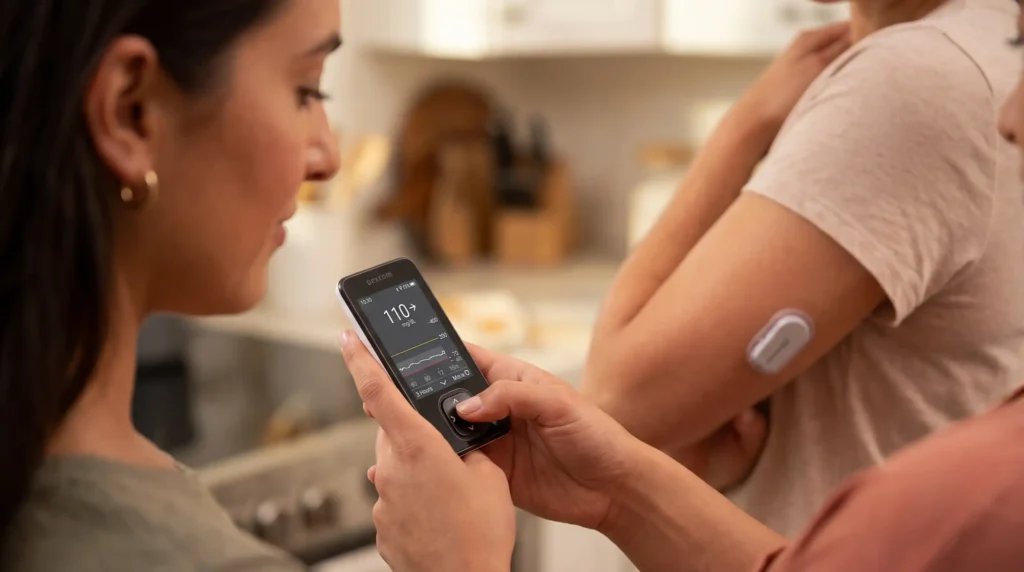
Instead of repeatedly reaching for a traditional glucose meter, a person using a CGM can see glucose readings, trends, and alerts through their selected display device.
The Dexcom G7 system includes:
Dexcom states that the system requires a compatible display device. That display can be the G7 mobile application on a compatible iOS or Android device or the G7 receiver.
This is an important distinction.
You need a display device, but you do not automatically need a separate receiver.
No, not everyone needs a Dexcom G7 receiver.
If you have a compatible smartphone, you may be able to use the Dexcom G7 mobile app as your primary display device.
Dexcom specifically says users have the option to use:
This gives users some flexibility when setting up their CGM routine.
For someone who already carries a compatible smartphone everywhere, using the app may be convenient. There is no need to carry another dedicated device simply to view glucose information.
On the other hand, some people prefer a dedicated receiver because it separates glucose monitoring from their everyday phone.
That simple separation can make diabetes management feel easier and more predictable.
Although a receiver isn’t automatically required for every user, there are several situations where having one may be helpful.
One of the most obvious reasons to consider a receiver is that your smartphone may not be compatible with Dexcom G7.
Dexcom regularly updates its list of compatible smart devices. If your phone isn’t supported, a Dexcom receiver can provide another way to view your CGM information.
Before purchasing or starting the system, check the current compatibility information for your specific smartphone.
Some people simply don’t want their glucose information tied to their personal smartphone.
A dedicated receiver can provide a straightforward alternative.
For example, you may prefer:
For some users, this can be particularly helpful when they don’t want text messages, social media, calls, or other phone notifications mixed into their glucose-monitoring routine.
Insurance coverage is one of the most important considerations.
For example, Dexcom states that Medicare requires use of a receiver for CGM coverage. Dexcom’s provider information says Medicare patients are required to use the receiver, and its Medicare guidance specifies that the receiver is required for all patients under this coverage pathway.
That means the answer to “do you need a Dexcom G7 receiver?” may be different depending on how your CGM is being covered.
Insurance requirements can change and may differ by plan, so check with your insurance provider, Medicare guidance, healthcare provider, or medical equipment supplier before making assumptions about coverage.
Yes.
If your smartphone is compatible with the Dexcom G7 system, you can use the Dexcom G7 mobile app as your display device.
Dexcom says the G7 system can use a compatible smart device with the Dexcom G7 app.
This can be a convenient option because most people already carry their smartphone.
Your phone can potentially provide access to glucose information and other compatible Dexcom features without requiring you to carry a separate receiver.
However, smartphone compatibility is important.
Don’t assume that every iPhone or Android phone will work.
Phone models, operating systems, and compatibility requirements can change. Always check the current Dexcom compatibility information before relying on your phone as your CGM display.
The basic purpose of both devices is similar: they provide a place where you can view information from your Dexcom G7 system.
But the everyday experience can be different.
| Feature | Dexcom G7 Receiver | Compatible Smartphone |
| Displays glucose information | Yes | Yes |
| Dedicated medical device | Yes | No |
| Requires compatible smartphone | No | Yes |
| Easy to carry separately | Yes | Usually |
| Smartphone apps/features | Limited | Yes |
| Phone calls and notifications | No | Yes |
| May be useful without a compatible phone | Yes | No |
| Can be preferred for a separate glucose display | Yes | Depends on user |
| Insurance requirements may apply | Yes | Requirements vary |
The best choice depends on your circumstances rather than simply choosing the device with the most features.
Not necessarily.
“Better” depends on what you value.
If you enjoy using your smartphone and already have a compatible model, the Dexcom G7 app may be the simplest choice.
If you prefer a dedicated device, the receiver may be more comfortable.
Think about your daily routine.
Do you always have your phone nearby?
Do you want diabetes information on the same screen as your other apps?
Would you rather have a separate device?
Do you find smartphones confusing or distracting?
Your answers can make the decision much easier.
A dedicated receiver can have several practical advantages.
The receiver is designed specifically for the Dexcom system. You don’t need to open your regular phone every time you want to check your glucose information.
If you don’t have a compatible smartphone, the receiver can provide a display option for the CGM system.
Some people prefer having one device specifically for glucose monitoring. This can reduce the feeling of mixing diabetes management with everyday smartphone activities.
As discussed earlier, Medicare coverage has specific receiver requirements. Always verify your own coverage requirements before ordering equipment.
Some users appreciate having a separate device rather than depending entirely on their personal smartphone.
However, “backup” should not be interpreted as meaning that every person should automatically purchase both. Your healthcare and insurance requirements should guide that decision.
The smartphone approach can also be very convenient.
If you already carry your compatible phone throughout the day, using the app means fewer separate devices.
Many people are already comfortable using smartphone apps.
The Dexcom ecosystem can provide additional connected features through compatible apps and services. Dexcom states that G7 works with Dexcom Clarity and Follow.
For someone who likes to travel light, using a smartphone can eliminate the need to carry a separate receiver.
Yes, Dexcom says users can use the app, receiver, or both.
However, using both does not automatically mean that both are necessary.
Whether both are appropriate depends on your specific setup, healthcare needs, compatible devices, insurance requirements, and other connected diabetes technology.
If you are using an insulin pump or another automated insulin delivery system, pay especially close attention to the manufacturer’s compatibility instructions.
This is an important consideration that can easily be overlooked.
CGM systems can interact with insulin pumps and automated insulin delivery systems, and those systems may have their own compatibility requirements.
For example, Dexcom states that Omnipod 5 requires the Dexcom G7 mobile app rather than the Dexcom G7 receiver for its setup and automated mode.
This means you should not assume that choosing a receiver is always the best option simply because you prefer a dedicated device.
If you use an insulin pump, ask your diabetes care team which display configuration is compatible with your particular system.
This is another common question.
Do not assume that your old Dexcom G6 receiver will work with G7.
Dexcom states that G6 components are not universally compatible with the G7 system, and the older G6 receiver may not work with G7.
Dexcom has also described different generations of receivers, including a newer receiver that may be upgraded for G7 compatibility in certain circumstances.
Therefore, if you are switching from G6 to G7, check the exact receiver model rather than relying on its appearance or assuming that all Dexcom receivers are interchangeable.
When in doubt, verify compatibility with Dexcom or your healthcare provider before starting a new sensor.
Not automatically.
A compatible iPhone can potentially be used with the Dexcom G7 app.
The important word is compatible.
Having an iPhone doesn’t automatically mean that every iPhone model and software configuration is supported.
Check Dexcom’s current compatibility list before starting your system.
The same principle applies to Android phones. Dexcom says G7 supports many popular Android devices as well as current Apple devices, while compatibility can change as new devices and software versions become available.
Again, not necessarily.
If your Android device meets the current Dexcom compatibility requirements, you may be able to use the Dexcom G7 app.
If it isn’t compatible, a receiver may be a practical alternative.
Rather than buying a receiver simply because you have Android, check your exact phone model and operating system against the current Dexcom compatibility information.
Before purchasing a receiver, consider these questions.
If yes, you have the option of using the Dexcom G7 app.
This is especially important for Medicare beneficiaries.
Some people feel more comfortable separating glucose monitoring from their personal smartphone.
Check compatibility requirements before selecting your display device.
A dedicated receiver may appeal to someone who doesn’t want to navigate a smartphone.
Consider which device fits more naturally into your travel routine.
Your diabetes care team can help you determine which configuration is appropriate for your individual circumstances.
Imagine two people starting Dexcom G7.
Sarah carries a compatible smartphone everywhere.
She is comfortable with apps and wants fewer devices in her bag.
For Sarah, the Dexcom G7 app may be a convenient display option.
John has a compatible phone but prefers keeping glucose monitoring separate from his personal phone.
A dedicated receiver may make more sense for his daily routine.
Michael is using Medicare coverage for his CGM.
Because Medicare has specific receiver requirements, he needs to follow the applicable coverage rules rather than assuming the smartphone alone is sufficient.
These examples show why there isn’t one universal answer to do you need a Dexcom G7 receiver.
No.
The receiver and sensor serve different purposes.
The sensor collects glucose information.
The display device shows the information to you.
A Dexcom G7 system needs the sensor and at least one compatible display device. The display can be the mobile app or receiver.
Think of it this way:
Sensor = collects information
Receiver/app = displays information
You cannot simply purchase a receiver and expect it to function as a complete CGM system by itself.
No.
This is probably the most important takeaway from this article.
For many users, a compatible smartphone and Dexcom G7 app can serve as the display device.
For other users, a receiver may be preferred or required.
Your decision may depend on:
Dexcom itself describes the G7 receiver as an optional display option for patients using a compatible smartphone, while also noting specific insurance circumstances where a receiver is required.
Diabetes management can involve a lot of technology.
There may be a CGM sensor, smartphone, glucose meter, insulin supplies, pump, medication, and other equipment.
For some families, having a dedicated receiver makes the setup easier to understand.
For example, a parent or caregiver may prefer having a device specifically associated with glucose monitoring rather than handing over a personal smartphone.
Likewise, someone who is less comfortable with smartphone apps may find a dedicated medical device easier to use.
Technology should make diabetes management more manageable—not more stressful.
Dexcom G7 is indicated for people as young as 2 years old, according to Dexcom’s provider information.
For children, families should consider the complete monitoring arrangement, including:
Parents and caregivers should follow the manufacturer’s instructions and their child’s diabetes care plan.
Not necessarily.
Smartphones are incredibly useful, but they also bring distractions.
A phone can ring during a glucose check.
Notifications can appear.
The battery can run low.
A software update can change the user experience.
And sometimes, people simply want one device that is dedicated to one task.
That’s where a receiver can have a practical advantage.
On the other hand, carrying an additional device can also be inconvenient.
The right choice is the one that fits your lifestyle and medical requirements.
A CGM is a powerful diabetes management tool, but it is still important to pay attention to how you feel and follow the instructions provided with your system.
Dexcom notes that fingerstick blood glucose testing may be necessary for treatment decisions when symptoms or expectations do not match CGM readings.
If you experience symptoms that don’t match the displayed glucose information, follow your healthcare provider’s instructions and the Dexcom instructions for use.
Do not make major changes to insulin or other diabetes treatment simply because of information in an online article.
If you have determined that a receiver is appropriate for your situation, speak with your healthcare provider, insurance provider, or authorized medical equipment supplier about availability and coverage.
Alfa Healthcare Supply Inc. provides medical supply and durable medical equipment services and can be a resource for patients looking for diabetes-related medical equipment.
For product availability, insurance questions, delivery options, and specific equipment requirements, contact the supplier directly and provide your prescription or insurance information when requested.
So, do you need a Dexcom G7 receiver?
For many people, no.
If you have a compatible smartphone, the Dexcom G7 app can provide your glucose information without requiring a separate receiver.
But a receiver can still be a valuable option if:
The most important thing is not choosing the device with the longest feature list. It’s choosing a setup that you can comfortably and consistently use as part of your diabetes management routine.
At Alfa Healthcare Supply Inc., we understand that medical equipment isn’t simply about products—it is about helping people find equipment that fits into real life. If you are considering a Dexcom G7 receiver, take the time to check compatibility, coverage, and your personal needs before making a decision.
Not everyone needs one. A compatible smartphone running the Dexcom G7 app can be used as the display device. A receiver is another available option.
Yes. If you have a compatible smartphone, you can use the Dexcom G7 app as the display device.
Yes. Dexcom states that users can use only the receiver as their display option.
Yes. Dexcom says you can use both the app and receiver.
Dexcom states that Medicare requires use of the receiver for CGM coverage. Specific coverage rules should always be verified for your situation.
Do not assume so. Dexcom states that G6 components are not generally compatible with G7, although certain newer receiver hardware may have upgrade compatibility. Verify the exact receiver model.
Not necessarily. If your iPhone is compatible with Dexcom G7, you may use the Dexcom G7 app instead.
Not necessarily. Many Android devices are compatible, but you should check the current Dexcom compatibility list for your exact device.
Neither option is automatically better. The receiver provides a dedicated display, while a smartphone can be convenient if you already carry a compatible device.
It depends on the specific pump and integration. Some systems have specific display requirements. For example, Dexcom says Omnipod 5 requires the Dexcom G7 mobile app rather than the receiver.
No. The receiver is a display device. The sensor collects the glucose information.
First check your smartphone compatibility, insurance requirements, diabetes technology setup, and healthcare provider’s recommendation. You may not need to purchase one separately.