


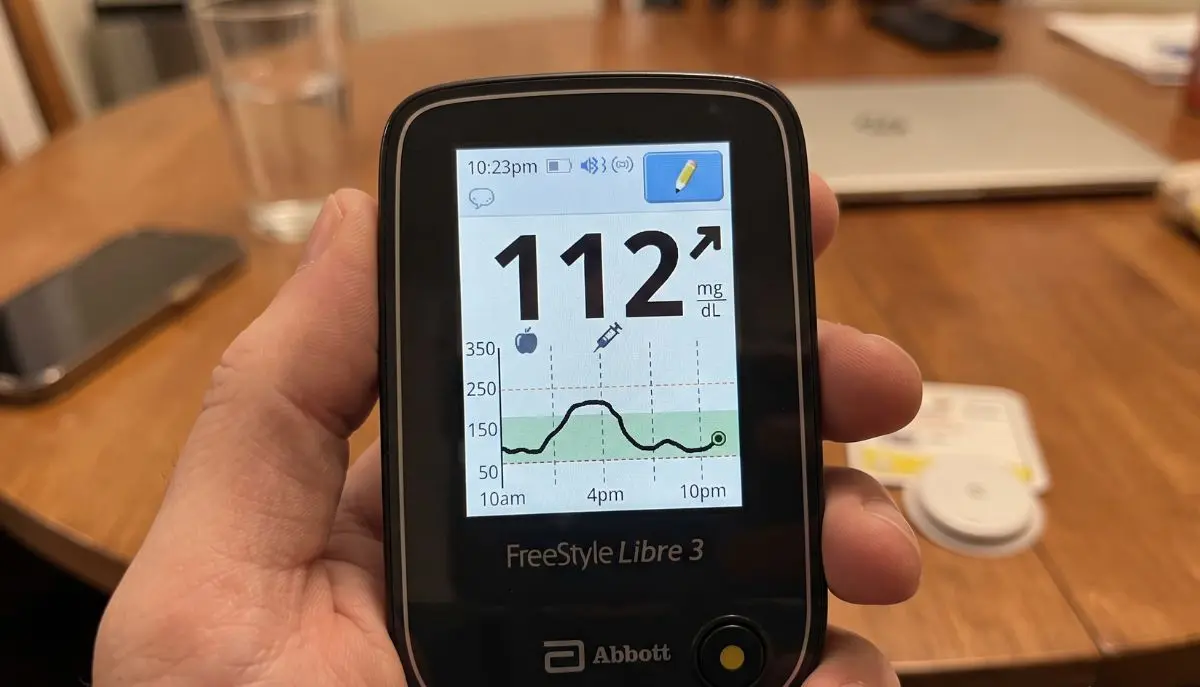
FreeStyle Libre 3 Reader Set Up
It can be confusing to setup a new glucose monitoring system, particularly the first time. Fortunately, the FreeStyle Libre 3 reader set up process is supposed to be easy. Once you have the proper sensor, reader and some easy steps to follow, you can set up your system and start monitoring your glucose.
The FreeStyle Libre 3 Reader for a person who doesn’t want to use a smartphone might be a convenient option. Abbott offers reader specific quick start/reader guides and the specific features may differ depending on the market and device version.
This guide from Alfa Healthcare Supply Inc. describes the set up process for the freestyle libre 3 reader in simple terms and offers some helpful hints on how to get your new sensor up and running and avoid common pitfalls.
What Is the FreeStyle Libre 3 Reader?
The FreeStyle Libre 3 Reader is a dedicated reader for use with the compatible FreeStyle Libre 3 system sensors. The user won’t need to rely solely on the smartphone and will be able to communicate with the user’s compatible sensor to see glucose data.
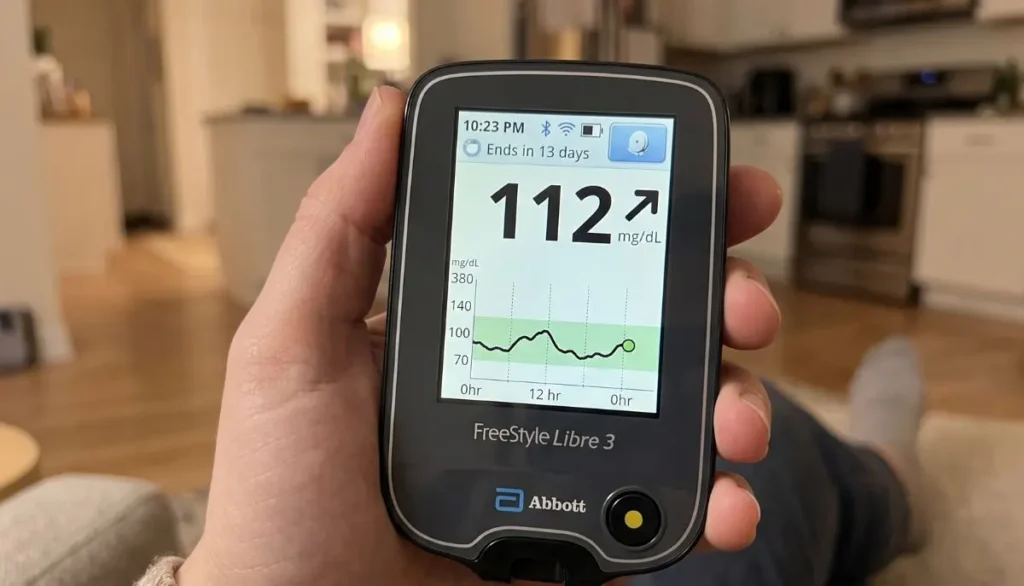
Ensure that you have the correct FreeStyle Libre 3 reader and sensor before starting to set up freestyle libre 3 reader. Note that not all generations of FreeStyle Libre products are compatible, please refer to the product labels and the most up-to-date Abbott compatibility information.
Abbott also offers a separate FreeStyle Libre 3 Reader Quick Start Guide, Quick Reference Guide and User Manual.
What You Need Before FreeStyle Libre 3 Reader Set Up
A little preparation can make the freestyle libre 3 reader set up much easier.
You should have:
- A compatible FreeStyle Libre 3 Reader
- A compatible FreeStyle Libre sensor
- The sensor applicator
- A clean, dry application area
- The reader sufficiently charged or ready for use
- The instructions supplied with your specific product
Sensor package should also be inspected prior to use. If it seems damaged or the product is out of date, do not use a sensor.
Please be aware that not every sensor is compatible with the reader you have; if you are uncertain, please review the manufacturer’s instructions or please contact Abbott Support prior to installation.
Step 1: Prepare the FreeStyle Libre 3 Reader
The first step of setting up the freestyle libre for reading is to prepare the reader.
Press the Home button to turn on the reader. Depending on the device’s state, you might be taken through initial setup steps on the screen.
Carefully follow the directions on the screen. Don’t rush through set-up, as the reader may have to choose or confirm some information to perform normal operations.
Failure to turn on will require the reader to be connected to an appropriate power source and given time to charge as directed by the manufacturer.
A simple tip
Keep the reader and sensor together while completing your setup. This makes it easier to follow each step without having to search for the equipment later.
Step 2: Prepare Your Skin
The next step in the freestyle libre 3 reader set up is to prepare the sensor application site.
Abbott’s general guidelines for the application of FreeStyle Libre sensors include choosing a suitable place on the back of the upper arm, cleansing skin with plain soap and water and drying the skin well. This can then be cleaned using an alcohol wipe and left to air dry.
Do not apply to damaged, irritated or unsuitable skin. Follow the instructions included with your particular sensor.
The skin must be dry before applying the sensor. Moisture, lotion or oily products may not adhere.
Step 3: Apply the Sensor
After the skin has been prepared, use the instructions provided for the sensor applicator.
Set the applicator over the area to be treated, and apply with pressure as directed. After the sensor is applied, gently press around the edge to make sure it is secure.
Abbott says to prepare the upper arm in the back and follow the manufacturer’s instructions for the use of the sensor.
Give yourself plenty of time at this stage. The sensor attachment can be reinforced with a well-prepared application site, which will help ensure its secure attachment during normal daily activities.
Step 4: Start a New Sensor
Now comes one of the most important parts of the freestyle libre 3 reader set up.
Turn on the reader and select “Start New Sensor” when prompted.
For compatible FreeStyle Libre 3 system configurations, Abbott’s instructions describe starting the sensor by using the reader to scan the sensor. Hold the reader so that its screen touches the sensor as instructed. A successful activation can produce a beep when sounds are enabled.
If the reader does not successfully scan the sensor, follow the prompt on the screen and try again.
Do not repeatedly move the reader quickly over the sensor. Hold it in the recommended position and follow the reader’s instructions.
Step 5: Wait for the Sensor Warm-Up
After activation, the sensor needs a warm-up period before glucose information is available.
Abbott states that the sensor can be used to check glucose after a 60-minute warm-up period for the applicable FreeStyle Libre system instructions.
This waiting period is normal.
You do not need to assume that something is wrong simply because glucose information is not immediately available after activation.
A good habit is to keep the reader nearby while the sensor is warming up.
Step 6: Check Your First Glucose Reading
After the warm up period, follow the instructions from the reader to see glucose information.
Depending on the system and reader setup, you might be able to view your current glucose reading and/or trend data.
Listen to the information about the number as well as to the information being provided by the system. If your reading is not congruent with how you feel, follow the instructions for safe use of your device, and talk to your healthcare provider when appropriate.
In some cases, such as when the system shows a Check Blood Glucose symbol or if blood glucose levels do not match symptoms and expectations, Abbott says that fingerstick testing might be necessary to make treatment decisions.
Setting Up Glucose Alarms
Yet another helpful aspect of your freestyle libre 3 reading system setup can be glucose alarms.
The types of alarms (or the lack of alarms) that are available vary based on the specific software version, sensor, and reader.
If there are alarms on your system, use the reader’s instructions to set the alarms as recommended by your healthcare professional.
Please do not use glucose alarm limits for convenience. Your health care provider can help set your personal diabetes management goals.
FreeStyle Libre 3 Reader Set Up: Common Problems
Even when the freestyle libre 3 reader set up is simple, users can sometimes experience problems.
The reader does not scan the sensor
If the reader fails to scan:
- Check that the reader is turned on.
- Select the appropriate option to start a new sensor.
- Hold the reader in the correct position against the sensor.
- Keep it steady while scanning.
- Follow any instructions displayed on the reader.
Abbott’s instructions indicate that if a sensor is not successfully scanned within the specified period, the reader can prompt the user to try scanning again.
The sensor is still warming up
A warm-up period is expected. For the applicable FreeStyle Libre 3 setup instructions, the sensor requires approximately 60 minutes before glucose readings can be checked.
The sensor does not stay attached
Skin preparation is important. Wash and dry the skin properly and allow alcohol to completely air dry before application. Avoid applying the sensor over lotions or other products that can affect adhesion.
The reader shows an error
Read the message carefully before trying random troubleshooting steps. Different error messages can have different solutions.
For persistent sensor or reader problems, use Abbott’s official FreeStyle Libre support resources or contact the manufacturer’s customer support.
Reader vs. Smartphone: Which Is Better?
A benefit that people value in a dedicated reader is the convenience.
If you want to use an app, a smartphone might help or if you want a separate device to monitor your glucose, a reader is helpful.
It will rely on your individual needs, compatible equipment, and health care plan.
Please keep in mind that the reader and smartphone application might not be identical. Abbott points out that the FreeStyle Libre apps and readers may be different enough and yet be the same.
Tips for a Smooth FreeStyle Libre 3 Reader Set Up
Here are a few simple habits that can make the freestyle libre 3 reader set up easier:
- Read the sensor instructions before opening the package.
- Check the expiration date.
- Keep your reader ready before applying the sensor.
- Wash and completely dry the application area.
- Avoid applying the sensor over damaged or irritated skin.
- Follow the reader’s on-screen instructions.
- Allow the complete sensor warm-up period.
- Keep the reader available when you first activate a sensor.
- Do not ignore unexpected error messages.
- Contact Abbott or your healthcare professional if you need product-specific help.
Why Correct Setup Matters
Correct freestyle libre 3 reader set up is more than simply turning on the reader and scanning a sensor. These steps ensure that the sensor/reader is connected and ready to provide glucose information.
Extra minutes in the set up process can help eliminate needless frustration down the road.
If someone has a CGM on a daily basis, it might be easier to establish a routine for changing sensors.
Final Thoughts
Once you have mastered the steps of preparing the reader, your skin, the sensor, and then starting the sensor with the reader, and waiting for the warm-up time, the freestyle libre 3 reader set up process is much easier.
For Alfa Healthcare Supply Inc., we know that medical equipment can seem complicated at times when you’re using it for the first time. Working through the setup a step at a time can make it more comfortable.
Always rely on the instructions provided in the user manual provided with your FreeStyle Libre system, and on Abbott’s official support resources for the most accurate and up-to-date instructions. Abbott now offers specific information on the FreeStyle Libre 3 Reader, such as quick-start and user guides.
Frequently Asked Questions
How long does FreeStyle Libre 3 Reader set up take?
The basic reader setup and sensor activation can be completed fairly quickly, but the sensor itself requires a warm-up period. Abbott’s applicable instructions specify a 60-minute warm-up before the sensor can be used to check glucose.
How do I start a new sensor with the FreeStyle Libre 3 Reader?
Turn on the reader, select Start New Sensor, and follow the on-screen instructions. Abbott’s instructions describe holding the reader against the sensor to activate it.
Can I use the FreeStyle Libre 3 Reader instead of a phone?
A compatible FreeStyle Libre 3 Reader can provide a dedicated way to interact with the compatible sensor. However, features can vary between the reader and smartphone applications.
Why isn’t my glucose reading available immediately?
The sensor requires a warm-up period after activation. For the applicable FreeStyle Libre 3 system instructions, this period is 60 minutes.
Where can I find the FreeStyle Libre 3 Reader manual?
Abbott provides a FreeStyle Libre 3 Reader User Manual, Quick Start Guide, and Quick Reference Guide through its official support resources.
What should I do if my sensor or reader does not work?
Start by reading the exact error message and checking the official instructions for your device. If the problem continues, contact Abbott support. Do not make treatment decisions based on unreliable or unexpected readings.
Important: This article is for general educational purposes and is not a substitute for instructions from the manufacturer or advice from your healthcare professional. Always follow your prescribed diabetes-management plan.