


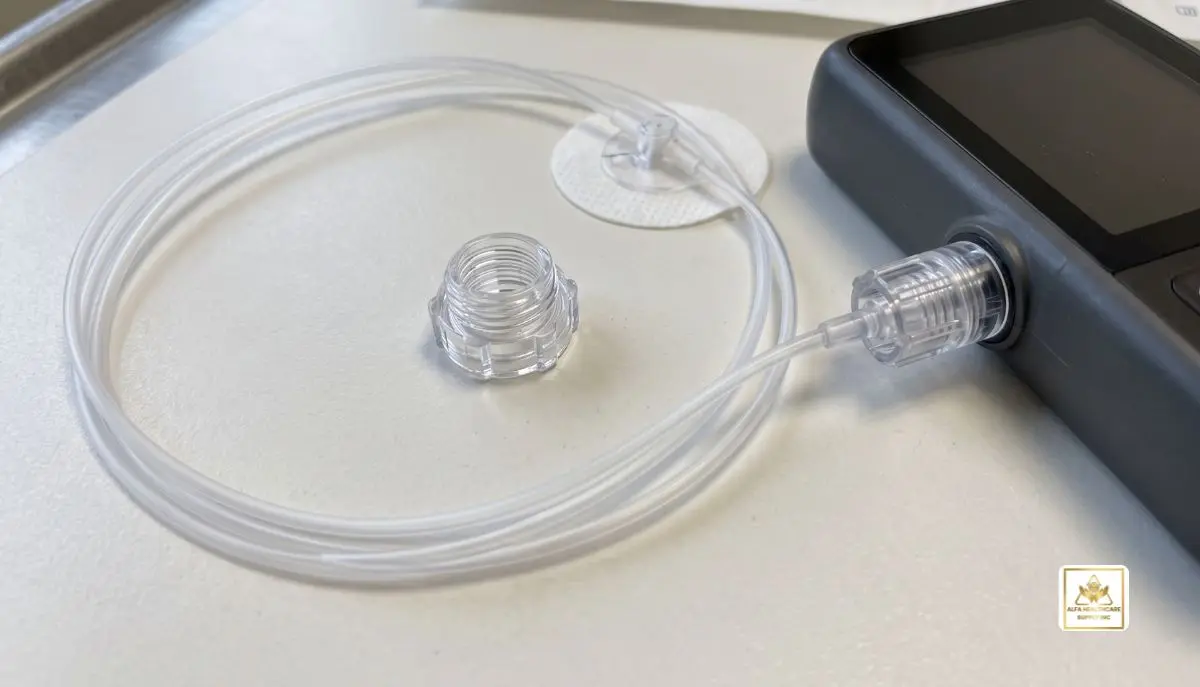
iLet Luer Lock:
Living with diabetes requires numerous decisions every day—for checking blood sugar, for example, or keeping diabetes supplies on hand. If you are using the iLet Bionic Pancreas System, selecting the proper insulin infusion set is crucial to your use. The iLet Luer Lock infusion set is for those who require a match between their insulin delivery system and infusion set.
At Alfa Healthcare Supply Inc., we know that getting the proper diabetes supplies should be easy. Patients and carers need clear information to enable them to understand the compatibility of products, their daily use, and how to ensure safe supply.
This guide clarifies what an iLet Luer Lock infusion set is, how it connects, what to consider when selecting one and how to keep a good diabetes care routine.
What is an iLet Luer Lock Infusion Set?
The iLet Luer Lock infusion set is an insulin delivery accessory compatible with the iLet insulin pump configurations. It links the insulin delivery system to tubing and cannula that are inserted under the skin and release insulin.
A Luer Lock connector is a connector with a threaded locking mechanism to assist in connecting compatible parts. This design can provide a secure connection in normal use when properly connected as per the manufacturer’s instructions.
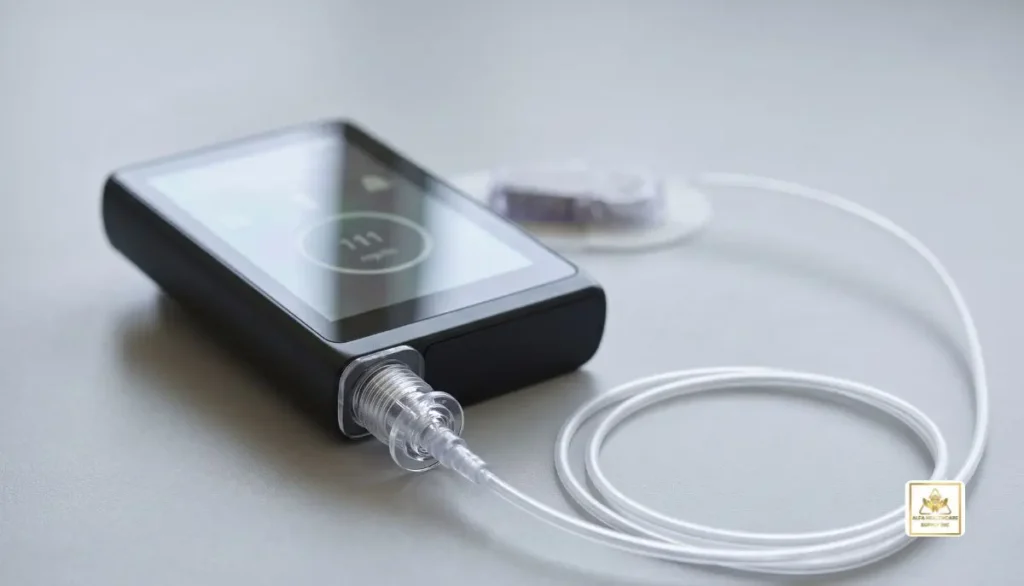
iLet system made by Beta Bionics. Compatible infusion sets include all iLet Inset, iLet Inset 30 and iLet Contact Detach infusion sets with Luer Lock connectors (as described in the manufacturers’ system documentation).
The type of infusion set is important because it will vary depending on the type of insulin pump accessory. Be sure to read the product label before buying any iLet Luer Lock product and ensure it is suitable for your pump configuration.
How Does an iLet Luer Lock Connector Work?
Although the connector is a small part, it is very important when it comes to insulin delivery. Assists in the proper attachment of tubing or infusion set parts to the compatible insulin delivery system.
Here is a simple overview of its purpose:
- Secure connection: The threaded connector helps hold compatible components together.
- Insulin delivery pathway: The connected tubing carries insulin toward the infusion site.
- Everyday convenience: A correctly fitted connection supports routine use of the infusion system.
- Compatibility: The connector must match the specific equipment and instructions provided by the manufacturer.
Never try to attach an iLet Luer Lock connection to an incompatible component. If a connector doesn’t fit, then stop and see the product manual or reach out to the manufacturer’s support team.
Key Features to Consider
When shopping for an iLet Luer Lock infusion set, consider the following product characteristics.
1. Compatible Connector Design
The first thing to look for is compatibility. An iLet Luer Lock set is designed for use with a compatible iLet configuration which will fit the designated connector. Just because the connector is similar in appearance does not mean that your pump will accept an infusion set.
2. Tubing Length
Infusion sets can come in varying lengths of tubing. It depends on the type of product, equipment setup and recommendations from your healthcare professional.
The length of tubing is not uniform for all iLet Luer Lock sets, be sure to check the package label.
3. Cannula Type
The small piece of the cannula inserted under the skin to deliver insulin is known as the cannula. Different infusion sets may be inserted, made of different materials, and have different designs.
Select a suitable product that is appropriate for your system and your health care provider’s recommendations. Not all cannula styles are compatible with all iLet configurations!
4. Sterile, Single-Use Packaging
Insulin infusion sets are provided with the manufacturer’s instructions for use. Before using inspect the packaging for sterility, expiration date and for damages.
Do not use product if packaging is damaged or do not use reusable disposable infusion set.
5. Clear Instructions
The first step to a good product experience is to have a grasp of the instructions provided. Check manufacturer’s instructions for preparation, connection, insertion, disconnection, and replacement prior to use of a new iLet Luer Lock set.
Benefits of Choosing the Correct iLet Luer Lock Set
Selecting a compatible infusion set can make routine diabetes management easier to organize.
A connection designed for the system: The correct iLet Luer Lock model helps ensure that the connection matches the supported equipment configuration.
A more organized routine: Keeping compatible replacement sets available can help reduce last-minute supply problems.
Greater confidence in product selection: Checking the model number, tubing length, connector type, and packaging helps patients and caregivers avoid ordering the wrong item.
Support for ongoing insulin delivery: An appropriate, correctly used infusion set is an important part of the insulin delivery system. However, no connector can guarantee uninterrupted delivery, so regular checks remain essential.
The most important benefit is knowing that the product you select matches your prescribed equipment and is being used according to its instructions.
How to Select the Right iLet Luer Lock Product
Before ordering an iLet Luer Lock infusion set, take a few minutes to verify the product details.
Step 1: Check your pump configuration. Confirm the model and connector requirements in your iLet documentation.
Step 2: Identify the infusion set. Review the exact product name, model number, and cannula style.
Step 3: Confirm the tubing length. Choose only from the compatible options specified for your system.
Step 4: Review the packaging. Check the expiration date, sterile packaging, and product condition when your order arrives.
Step 5: Ask questions if anything is unclear. Your healthcare professional or the manufacturer’s support team can help confirm compatibility.
If you are unsure whether an iLet Luer Lock set is the correct choice, do not rely on appearance alone. Verify the model before opening or using the product.
Everyday Care and Safe Use
Using the right supplies is only one part of maintaining an insulin delivery routine. Correct handling and regular checks are also important.
Follow the Manufacturer’s Instructions
Use the iLet Luer Lock set exactly as directed in the product instructions and your training materials. If you are new to the system, obtain the required training before use.
Inspect the Tubing and Connections
Check the tubing and connections regularly for visible leaks, air bubbles, kinks, disconnections, or other problems. These issues can interrupt insulin delivery.
If you suspect a problem, follow the iLet troubleshooting guidance and your healthcare professional’s diabetes care plan.
Follow the Replacement Schedule
Replace the infusion set according to its specific manufacturer instructions. Different products may have different requirements, so avoid assuming that one replacement schedule applies to every model.
Keep Backup Supplies Available
Unexpected supply problems can happen. Keep the replacement infusion sets and other backup diabetes supplies recommended by your healthcare professional available when needed.
Know When to Seek Help
If glucose levels remain high despite the system appearing to operate normally, or if you notice leaking, dislodgement, or another possible infusion-site problem, follow your established troubleshooting plan promptly.
Seek urgent medical assistance for severe symptoms or a suspected medical emergency. Do not make unplanned insulin adjustments without following your prescribed care instructions.
Why Product Compatibility Matters for the iLet System
The iLet Bionic Pancreas System is designed to use compatible equipment to automate aspects of insulin delivery. But the system requires the right supplies and the right use.
Delivering and connection issues may arise from an incompatible iLet Luer Lock infusion set. The physical fit of a set may not meet the requirements for your configuration.
Before making a purchase, confirm:
- The exact iLet-compatible infusion set model.
- The connector type specified by the manufacturer.
- The tubing length and cannula design.
- The product’s intended use and replacement instructions.
- Any prescription, insurance, or supplier requirements that apply to your order.
The official Beta Bionics infusion set resources provide manufacturer instructions and support materials for compatible infusion sets.
iLet Luer Lock vs. Other Infusion Set Options
The connections and insertion of different infusion sets may vary. If you know these differences, you’ll know how to ask the right questions when ordering supplies.
| Feature | What to check |
| Connector | Confirm the exact Luer Lock or other specified connection |
| Cannula | Check the approved style and insertion method |
| Tubing | Verify the length shown on the package |
| Compatibility | Confirm approval for your specific iLet configuration |
| Replacement | Follow the instructions for the individual product |
A Luer Lock product should not be treated as interchangeable with every infusion set. Your pump documentation and the manufacturer’s compatibility information should guide your selection.
Buying iLet Luer Lock Supplies from Alfa Healthcare Supply Inc.
Alfa Healthcare Supply Inc. is a medical supplies and durable medical equipment company that helps patients, the caregivers and healthcare professionals. This company provides services to customers throughout New York State, including Westchester, Long Island, Brooklyn, the Bronx, and Queens.
It’s important for customers to check the product when ordering an iLet Luer Lock infusion set and ensure it’s compatible with their needs.
Check out medical supplies at Alfa Healthcare Supply Inc. or call the company to see if the product is available.
Make sure to know the name or model number of the product you’re ordering. This can help to make it easier to provide details such as connector type, tubing specifications, etc. Availability, coverage and ordering requirements will depend on the product and individual circumstances.
Conclusion: Make the Right Choice for Your Diabetes Routine
The first step to selecting an iLet Luer Lock infusion set is being familiar with compatibility. When choosing supplies for use in insulin delivery systems, many factors come into play, including the connector, tubing, cannula, and replacement instructions.
Minimizing and avoiding ordering errors and maintaining an organized daily routine can be the difference in preventing ordering errors for patients and caregivers. Read the package thoroughly, follow the directions given by the manufacturer and seek professional advice when necessary.
Alfa Healthcare Supply Inc. is dedicated to providing the medical supplies of customers and clear product information and service. If you are interested in buying iLet Luer Lock infusion sets, check their compatibility and model details before ordering.
Frequently Asked Questions About iLet Luer Lock
1. What is an iLet Luer Lock infusion set?
It is a compatible insulin infusion set that uses a Luer Lock connector for the specified iLet insulin delivery configuration. It connects the appropriate components that carry insulin to the infusion site.
2. Is every Luer Lock infusion set compatible with the iLet?
No. The connector alone does not establish compatibility. Always check the exact infusion set model against the manufacturer’s approved equipment and instructions.
3. What should I check before buying an iLet Luer Lock set?
Confirm the pump configuration, product model, connector, tubing length, cannula type, and packaging details. Ask your healthcare professional or the manufacturer if you are uncertain.
4. How often should an iLet Luer Lock infusion set be changed?
Follow the replacement schedule supplied with the specific infusion set and the instructions for your system. Do not assume that every model has the same replacement interval.
5. Can I reuse an infusion set?
Do not reuse a disposable infusion set. Follow the manufacturer’s directions for single-use products and safe disposal.
6. What should I do if the tubing leaks or becomes disconnected?
Follow the manufacturer’s troubleshooting instructions and your diabetes care plan promptly. Check the connection and tubing as directed, and replace affected supplies when instructed. Seek professional help if you cannot resolve the issue safely.
Medical disclaimer: This article is for general educational purposes only. It does not replace medical advice, product instructions, or hands-on training. Always follow your healthcare professional’s guidance and the manufacturer’s current instructions for your insulin delivery system.