


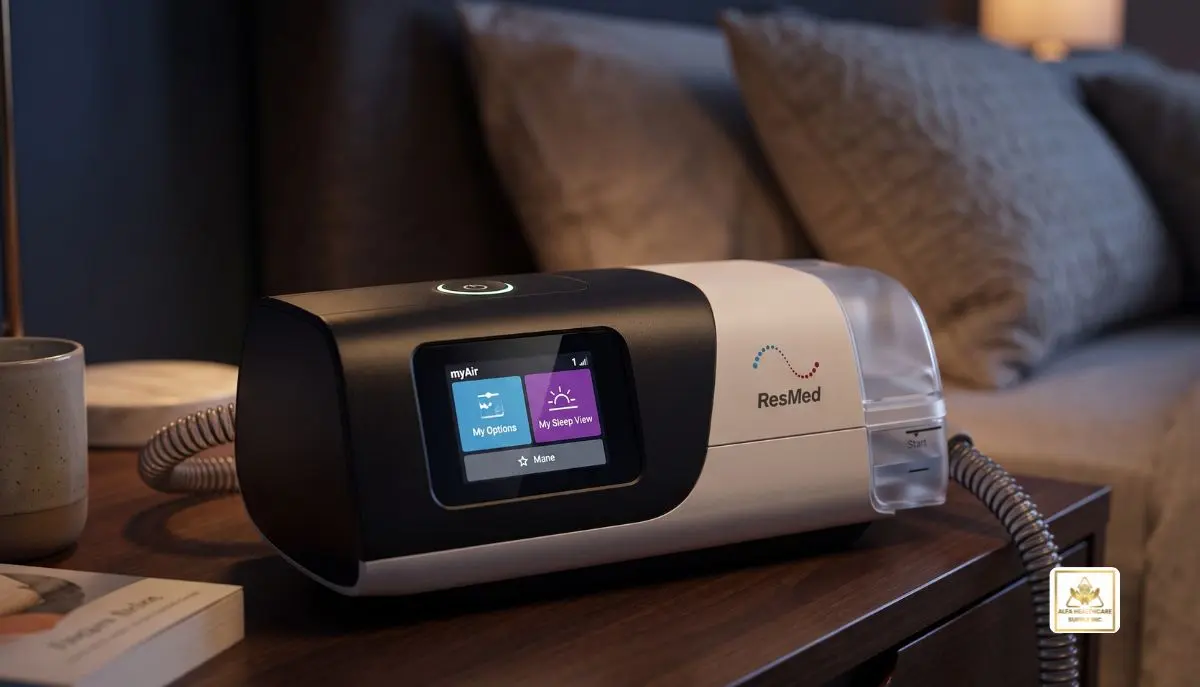
ResMed AirSense 11:
You can improve your day to day life by having a good night’s sleep. But for those with OSA, getting a restful sleep may be hard. This may cause loud snoring, breathing pauses, headaches in the morning and fatigue during the day, which is not only uncomfortable but also impairs health.
The ResMed AirSense 11 is a state-of-the-art positive airway pressure (PAP) therapy machine, made specifically to assist individuals with obstructive sleep apnea. Its intuitive touchscreen, inbuilt humidifier and digital support capabilities strive to render sleep therapy more straightforward to begin and keep.
As an Alfa Healthcare Supply Inc. user, you know that you don’t have to understand the respiratory equipment selection process from cover-to-cover, particularly when the CPAP therapy is new to you. This guide provides a straightforward explanation of the ResMed AirSense 11, including its features, benefits, available models, cleaning guidelines and important considerations when purchasing.
What is the ResMed AirSense 11?
The ResMed AirSense 11 is a line of CPAP and automatic positive airway pressure (APAP) devices created by ResMed to treat obstructive sleep apnea. It provides pressurized air via a tube and a mask to keep the airways open while sleeping.
In an OSA patient, the airway collapses or narrows repeatedly during sleep. This may cause breathing problems and lead to poor sleep. PAP therapy prevents them from occurring by keeping the airway open.
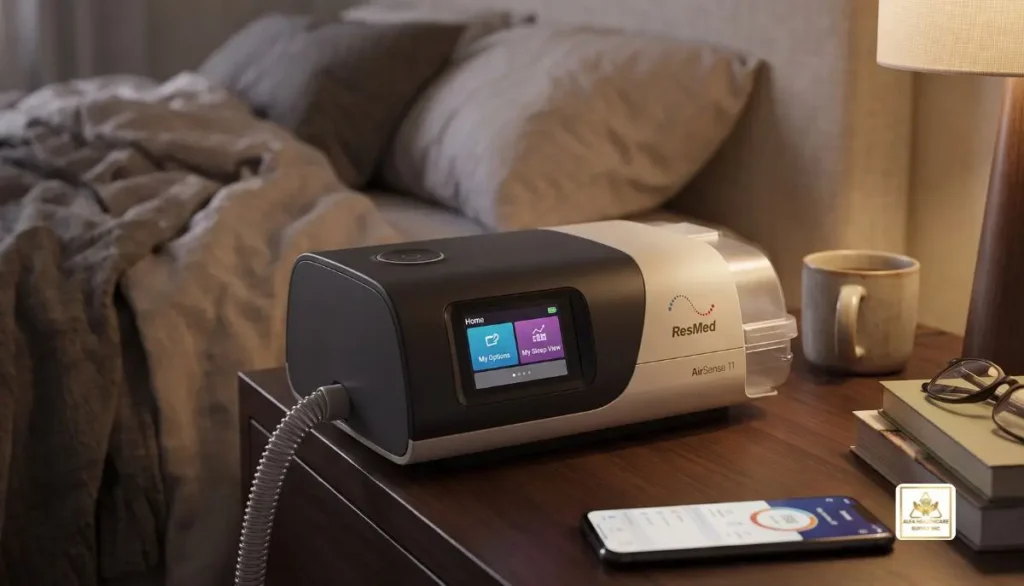
The ResMed AirSense 11 is a sophisticated and effective sleep therapy device that has been designed to be even more user-friendly. The machine can provide a set pressure or adjust pressure automatically depending on the model to fit the breathing requirements.
The device is designed to be used under proper medical supervision. Your healthcare provider can tell if it’s right for your diagnosis and set the proper treatment parameters.
Key Features of the ResMed AirSense 11
Understanding the main features can help you decide whether this machine fits your sleep therapy needs.
1. Easy-to-Use Touchscreen
The ResMed AirSense 11 features a colour touchscreen with available settings and/or basic device information on display. It’s user-friendly, which may make it useful for those who aren’t familiar with CPAP machines.
Users can move through the available options directly on the screen, rather than using complicated controls.
2. Built-In Heated Humidifier
Some PAP users may experience dryness in their nose, mouth or throat due to the dry air during PAP therapy.
HumidAir heated humidifier comes as a built-in feature of the ResMed AirSense 11 to humidify the air flow. Humidity levels may be changed based on comfort and by following the instructions of the device.
With the compatible ClimateLineAir heated tubing, Climate Control Auto can help to control both temperature and humidity.
3. AutoRamp Feature
There are some people who have difficulties sleeping if they begin therapy at the recommended pressure.
AutoRamp will ramp-up from a lower pressure towards the prescribed treatment pressure when sleep is detected.
This feature can help ease the beginning of therapy. It is not a substitute for the pressure settings recommended by the healthcare professional.
4. Expiratory Pressure Relief
It may take some practice to get used to blowing your breath out while maintaining a steady airflow.
The ResMed AirSense 11 is fitted with Expiratory Pressure Relief (EPR) to help decrease pressure during exhalation based on settings. May assist some to exhale more easily.
The settings available will vary by model and manufacturer.
5. myAir App Support
The ResMed AirSense 11 works with ResMed’s myAir patient support program in supported markets. The app may include details about therapy, tracking progress, education and starting advice.
Other versions include Personal Therapy Assistant and coaching functionality. Availability, connectivity and features per app may differ from country to country and depend on the device configuration.
6. Quiet Operation
It has a low noise level, which may be beneficial for those who share a room with a spouse or family member.
Actual sound levels may vary by mask, air flow, equipment condition and sleeping environment.
7. Wireless Connectivity
Supported ResMed AirSense 11 configurations allow for cellular connection for transfer of therapy data and may enable software updates. These functions can be affected by network availability and service support in the region.
Wireless capabilities may further enable healthcare providers to view therapy information remotely, if the required services and permissions are enabled.
Understanding the ResMed AirSense 11 Models
All ResMed AirSense 11 devices are not created equal. It’s important to understand the difference between fixed-pressure and automatic pressure therapy before you buy.
ResMed AirSense 11 AutoSet
The ResMed AirSense 11 AutoSet is an automatic adjusting pressure machine. It is capable of adjusting the delivered pressure according to the breathing pattern within the allowed range of treatment.
It might be suitable for patients with clinicians who are prescribing auto-adjusting PAP therapy.
ResMed AirSense 11 CPAP or Elite
Fixed-pressure versions of the ResMed AirSense 11 family provide a continuous flow of air at a fixed pressure. The specific model name will differ depending on the market; the Elite model is found in some regions, and the U.S. model range includes an AirSense 11 CPAP model.
Which machine has more features is not necessarily the right choice for the clinician’s treatment plan.
Important: Confirm the exact model, region, therapy mode, and included accessories before ordering. Auto-adjusting and fixed-pressure devices are not interchangeable for every patient.
Benefits of Using the ResMed AirSense 11
The ResMed AirSense 11 offers several practical features that may help make regular sleep therapy more manageable.
- Support for sleep apnea treatment: Helps keep the airway open when used as prescribed.
- Comfort-focused humidification: Adds moisture to airflow to help reduce dryness for some users.
- Simple controls: The touchscreen makes common functions easier to access.
- Guided setup support: Compatible myAir features can help users learn how to operate their equipment.
- Therapy tracking: Available digital tools can help users review progress and discuss concerns with their care team.
- Everyday convenience: The integrated humidifier and compact bedside design bring important functions together in one device.
The benefits a person experiences depend on the diagnosis, treatment settings, mask fit, and consistency of use. A CPAP machine does not guarantee that every user will experience the same improvement.
How to Set Up the ResMed AirSense 11
Correct setup is an important part of comfortable and effective therapy. Always follow the manufacturer’s user guide and instructions from your healthcare professional.
Step 1: Choose a Suitable Location
Place the machine on a stable, level surface near your bed. Keep the air intake clear and position the device so it cannot easily fall to the floor.
Step 2: Check the Humidifier
If you plan to use humidification, remove the water tub according to the user guide and fill it with the type and amount of water specified by the manufacturer. Do not exceed the marked fill line.
Reinstall the tub securely before use.
Step 3: Connect the Tubing
Attach the compatible air tubing to the machine and connect the other end to your CPAP mask. Check that the connections are secure and that the tube is not kinked or blocked.
Step 4: Fit Your Mask
Use the mask prescribed or recommended for your therapy setup. Adjust the headgear so the mask fits comfortably without excessive tightening.
An unsuitable mask size or poor seal may cause air leaks and discomfort.
Step 5: Review Your Settings
Follow the prescribed settings and the user guide when configuring comfort features. Do not change therapeutic pressure settings without advice from your healthcare professional.
Step 6: Begin Therapy
Put on your mask, get comfortable, and press Start or use the available automatic-start function if it is enabled. Check that air is flowing normally and that the mask feels secure.
If you experience persistent discomfort, significant air leaks, or difficulty tolerating treatment, contact your care team for guidance.
Cleaning and Maintenance Tips
Regular cleaning helps keep the ResMed AirSense 11 and its accessories in suitable working condition.
- Water tub: Empty and clean it according to the manufacturer’s instructions. Allow it to dry completely.
- Air tubing: Clean and air-dry the tubing as directed in the user guide.
- Mask and cushion: Clean the components using the recommended method for your specific mask.
- Air filter: Inspect it regularly and replace it according to the manufacturer’s guidance.
- Device exterior: Disconnect power before cleaning the machine. Use only an appropriate cleaning method specified by ResMed.
- Replacement parts: Use compatible components and follow the recommended replacement schedule.
Do not immerse the main machine in water or use unapproved cleaning chemicals. Follow the official instructions for the exact model and accessories you own.
Who May Benefit From the ResMed AirSense 11?
The ResMed AirSense 11 may be suitable for adults and other eligible patients diagnosed with obstructive sleep apnea, depending on the device’s approved indications and the clinician’s recommendations.
It may be worth discussing with a healthcare professional if you:
- Have been diagnosed with obstructive sleep apnea.
- Have been prescribed CPAP or APAP therapy.
- I want a machine with an integrated humidifier.
- Prefer a touchscreen interface.
- I would like access to compatible digital therapy support tools.
The device is not a substitute for a sleep study, medical evaluation, or professional treatment plan. People with certain medical conditions may require special assessment before using positive airway pressure therapy.
What Should You Check Before Buying a ResMed AirSense 11?
Before ordering a ResMed AirSense 11, review the following details:
Prescription requirements: In the United States, CPAP devices are generally prescription-required medical devices. Have your prescription available and confirm the supplier’s requirements.
Exact model: Check whether you need a fixed-pressure CPAP device or an automatic-pressure AutoSet model.
Included accessories: Confirm whether the package includes the humidifier tub, tubing, power supply, travel bag, and filters. A mask may be sold separately.
Mask compatibility: Check that your mask and tubing connect correctly to the selected machine.
Replacement supplies: Ask about compatible filters, water tubs, tubing, and mask components.
Insurance coverage: Coverage, eligibility, documentation, and out-of-pocket costs vary by insurer and individual plan. Confirm benefits before placing an order.
Warranty and support: Review the supplier’s return policy, warranty terms, and options for getting help with equipment questions.
At Alfa Healthcare Supply Inc., our goal is to help customers understand their healthcare supply options and identify the equipment and accessories appropriate for their needs.
Visit Alfa Healthcare Supply Inc. to explore available medical supplies and find information about the products offered.
Final Thoughts: ResMed AirSense 11
The ResMed AirSense 11 is a sleep apnea treatment with sleep comfort and convenience features. It comes with a touchscreen, inbuilt humidifier, comfort features and digital support tools which can be helpful for those who begin or continue prescribed PAP therapy.
Treatment involves selection of the proper model, mask size that fits the face correctly, maintenance of the equipment and adherence to instructions from your clinician.
We at Alfa Healthcare Supply Inc. see medical equipment as a source of knowledge to help you make informed decisions. Before you make your purchase, check the AirSense 11 model specifications and the equipment supplied, and discuss the option with your health care professional that is most suitable for your treatment.
Frequently Asked Questions About the ResMed AirSense 11
1. What is the ResMed AirSense 11 used for?
The ResMed AirSense 11 is a positive airway pressure device used to treat obstructive sleep apnea by delivering pressurized air through a mask to help keep the airway open during sleep.
2. Is the ResMed AirSense 11 an automatic CPAP machine?
Some models are automatic. The ResMed AirSense 11 AutoSet adjusts pressure according to breathing needs within prescribed limits. Fixed-pressure versions deliver a pressure selected by the healthcare professional.
3. Does the ResMed AirSense 11 have a humidifier?
Yes. The ResMed AirSense 11 includes a built-in HumidAir heated humidifier. Compatible heated tubing can provide additional temperature and humidity control.
4. Can I use my existing CPAP mask with the ResMed AirSense 11?
Many compatible CPAP masks can be used, but you should confirm the connector, tubing, and mask requirements for your setup. A healthcare professional or equipment supplier can help verify compatibility.
5. Does the ResMed AirSense 11 connect to a mobile app?
Yes, compatible configurations can connect with ResMed’s myAir support program. Availability and features depend on the device, region, network access, and app support.
6. How often should I clean the ResMed AirSense 11?
Clean the water tub, tubing, and mask at the intervals specified in the user guide. Inspect the filter regularly and replace components according to the manufacturer’s recommendations.
7. Can I change the pressure settings myself?
You should not change therapeutic pressure settings without guidance from your healthcare professional. If the airflow feels uncomfortable, ask your care team to review your treatment and comfort settings.
8. Is the ResMed AirSense 11 suitable for travel?
The device can be used for travel when the power supply, destination requirements, and transport arrangements are appropriate. Check the official travel guidance and airline requirements before your trip.
Medical information note: This article is for general educational purposes and is not a substitute for professional medical advice. Always follow the device user guide and your healthcare professional’s instructions.