


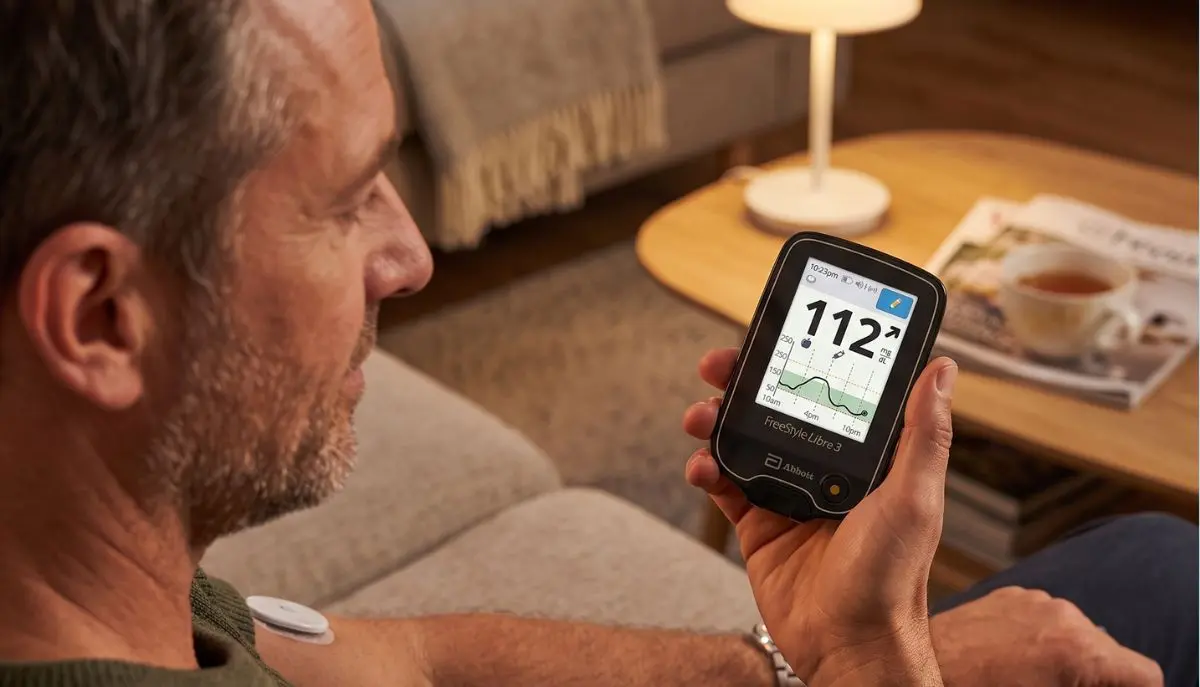
If you are using a FreeStyle Libre 3 sensor for continuous glucose monitoring, one of the first questions you may have is: where can I put my Libre 3 sensor on my body?
It is an important question because sensor placement can affect comfort, adhesion, and how well the system performs. You may see people online wearing glucose sensors in different places, but that does not necessarily mean every location is approved for the FreeStyle Libre 3 system.
For the FreeStyle Libre 3, Abbott recommends placing the sensor on the back of the upper arm. The application area should generally remain flat during normal activities. Abbott also advises avoiding scars, moles, stretch marks, lumps, and areas close to insulin injection sites.
This guide from Alfa Healthcare Supply Inc. explains where to place your Libre 3 sensor, how to prepare your skin, which areas to avoid, and practical tips to help you get a more comfortable sensor-wearing experience.
The recommended and approved location for the FreeStyle Libre 3 sensor is the back of the upper arm.
The sensor should be placed on an area that:
Abbott specifically states that the sensor may not function properly if it is placed somewhere other than the approved application area.
The back of the upper arm provides a suitable area for the sensor to remain attached while you go about your normal day.
A good application site should not experience excessive bending, folding, friction, or repeated pressure. Choosing an appropriate location can also help reduce the chance of accidentally catching the sensor on clothing, furniture, or other objects.
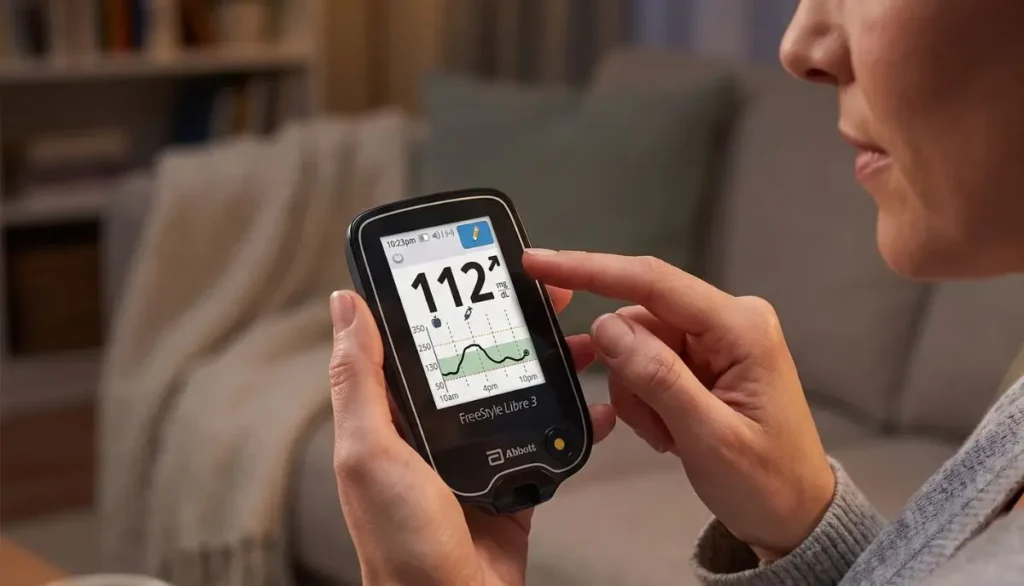
Think of sensor placement as more than simply finding an open patch of skin. You want an area where the sensor can stay securely attached and remain comfortable throughout everyday activities.
You may see other CGM users wearing sensors on their abdomen or other areas of the body.
However, you should not assume those locations are approved for your FreeStyle Libre 3 sensor.
Abbott’s guidance for the Libre 3 specifies the back of the upper arm as the application site. Placement on other parts of the body may cause the sensor to work improperly or produce inaccurate readings.
If you are considering an alternative location because the upper arm is uncomfortable, difficult to reach, or causing skin problems, speak with your healthcare professional before changing the recommended placement.
The thigh is another location sometimes discussed by people who use continuous glucose monitors.
However, the FreeStyle Libre 3 is not approved for placement on the thigh according to Abbott’s U.S. safety guidance. The recommended site is the back of the upper arm.
Even if another person has successfully worn a sensor on their thigh, that does not establish that the location is appropriate for your specific sensor.
For accurate and safe use, follow the application instructions supplied with your Libre 3 system.
The same principle applies to the chest, abdomen, lower back, or other body locations.
The recommended Libre 3 application site is the back of the upper arm.
Avoid experimenting with alternative sites simply because they seem more convenient. The sensor’s performance has been evaluated according to its approved placement instructions.
If your usual arm placement is difficult because of skin sensitivity, limited mobility, occupational activities, or another concern, ask your healthcare provider for guidance.
Finding the right spot is relatively simple, but taking a few extra moments before applying the sensor can make a difference.
Look for an area that is:
Choose skin that stays relatively flat when you move your arm.
Avoid areas that crease, fold, or experience frequent movement.
The skin should be clean and intact.
Avoid areas with:
Abbott specifically recommends avoiding scars, moles, stretch marks, and lumps when selecting a sensor site.
Place the sensor at least 1 inch away from areas where you inject insulin.
This helps prevent placing the sensor directly in an area that is being used for injections.
Think about your normal routine.
Will your clothing repeatedly rub against the location? Will a backpack strap or sports equipment hit it? Do you frequently lean that part of your arm against a chair?
A location that feels fine when you apply the sensor may become irritating if it experiences repeated friction.
Correct skin preparation can help the sensor stay attached.
Abbott recommends cleaning the application area before applying the sensor. The general preparation process includes washing the area with plain, non-moisturizing, fragrance-free soap and water, drying the skin, cleaning it with an alcohol wipe, and allowing it to air dry completely.
Start with clean hands before handling the sensor and applicator.
Use plain, non-moisturizing, fragrance-free soap and water.
Avoid leaving lotions, creams, oils, or other products on the application area.
Pat the area dry with a clean towel.
Your skin should be completely dry before application.
Clean the area with an alcohol wipe as directed.
Allow the area to air dry completely before applying the sensor.
Once the skin is properly prepared, follow the instructions supplied with your FreeStyle Libre 3 sensor and applicator.
Do not improvise the application process. If you are unsure about any step, refer to the manufacturer’s instructions or ask your healthcare professional.
Either the left or right upper arm can be used as long as you follow the recommended application location.
One useful approach is to alternate arms between sensors. Moving the sensor to a different location gives the previous area time to recover and may help reduce repeated irritation. Abbott recommends changing the application site between sensors.
For example:
Sensor 1: Back of right upper arm
Sensor 2: Back of left upper arm
Sensor 3: Back of right upper arm, using a different suitable spot
If your skin becomes irritated, painful, swollen, or unusually sensitive, stop and speak with your healthcare professional.
Sometimes the problem isn’t sensor placement itself—it is skin preparation or everyday friction.
Here are practical ways to help your sensor stay in place.
Moisture, lotion, oils, and residue can interfere with adhesion. Properly cleaning and drying the application site before installation is important.
Try not to catch the sensor when putting on or removing shirts, jackets, or other clothing.
When drying yourself, gently pat around the sensor rather than aggressively rubbing over it.
If you exercise frequently, choose a suitable upper-arm location that minimizes repeated impact or rubbing.
Once applied, avoid repeatedly touching, pulling, or playing with the sensor.
These small habits can help reduce accidental removal.
It is best to avoid scars when selecting your application site.
Abbott recommends choosing healthy skin and specifically advises avoiding scars, moles, stretch marks, and lumps.
If you have extensive scarring on both upper arms and are having trouble finding an appropriate location, ask your healthcare professional for advice rather than selecting an unapproved body site yourself.
No. Abbott advises avoiding moles when choosing the sensor application area.
Look for a smooth, healthy section of skin on the back of the upper arm instead.
Excessive hair can make sensor adhesion more difficult.
If you have significant hair at the intended application location, Abbott’s application guidance notes that shaving the application area may be considered to improve adhesion.
If you do shave, avoid irritating or damaging the skin. Do not apply a sensor to freshly irritated skin.
The FreeStyle Libre system is designed to be worn during normal activities, including bathing and swimming, subject to the specific product’s instructions and limitations.
However, water exposure does not mean you should ignore sensor care. Be gentle when drying your skin and avoid catching the sensor with a towel or clothing.
Always check the instructions that came with your specific sensor because product versions and approved wear times can differ.
A small amount of discomfort, bruising, or bleeding can occur with sensor insertion.
However, significant pain or persistent irritation should not simply be ignored. The sensor inserts a small filament under the skin, so skin condition and proper placement matter.
Contact your healthcare professional if you experience concerning symptoms such as:
If you suspect the sensor is not functioning correctly, follow the troubleshooting instructions provided with your system.
A CGM reading is useful, but there can be situations where sensor glucose and blood glucose readings differ.
Abbott notes that differences can occur because CGMs measure glucose in interstitial fluid rather than directly measuring capillary blood. Differences may be more noticeable when glucose levels are changing rapidly, such as after eating, exercising, or taking insulin.
If your sensor reading does not match your symptoms or expectations, follow the instructions provided with your Libre system regarding blood glucose testing and treatment decisions.
Do not change medication or insulin doses based solely on an unexpected reading without following your healthcare provider’s treatment plan.
Just because another CGM user wears a sensor somewhere else doesn’t mean the location is approved for your Libre 3.
Better approach: Use the back of the upper arm as directed by Abbott.
Lotions and creams can leave residue on the skin.
Better approach: Apply the sensor to properly cleaned and completely dry skin.
These areas may not be appropriate for sensor placement.
Better approach: Select healthy, relatively flat skin.
Abbott recommends keeping the sensor at least 1 inch away from insulin injection sites.
Repeatedly using the same location can contribute to discomfort or irritation.
Better approach: Rotate application sites between sensors.
Before applying your next sensor, ask yourself:
☐ Am I using the back of my upper arm?
☐ Is the area relatively flat?
☐ Is the skin healthy and free of irritation?
☐ Is the area free of scars, moles, stretch marks, and lumps?
☐ Is it at least 1 inch away from an insulin injection site?
☐ Have I cleaned the skin properly?
☐ Is the skin completely dry?
☐ Am I rotating locations between sensors?
If you can answer yes to these questions, you are following the major placement principles recommended by Abbott.
A continuous glucose monitor becomes part of your daily routine. You may sleep with it, exercise with it, work with it, shower with it, and wear it under your clothing.
That means the application location needs to be practical—not simply convenient for the first few minutes.
Choosing the recommended location can help you:
For many people, the best sensor placement is simply the location that follows the manufacturer’s instructions while fitting comfortably into their everyday life.
If you have been wondering, “where can I put my Libre 3 sensor on my body?”, the answer is straightforward: the back of your upper arm is the recommended application site.
You don’t need to search for a complicated alternative location. Instead, focus on finding a healthy, relatively flat area on the back of your upper arm, preparing your skin correctly, staying away from scars and other unsuitable areas, and rotating your application sites.
At Alfa Healthcare Supply Inc., we understand that medical equipment is not just about the product itself. It is also about knowing how to use that product comfortably and confidently as part of everyday life.
If you have questions about diabetes supplies, CGM products, diabetic equipment, or other home healthcare supplies, speak with a qualified healthcare professional for advice specific to your needs.
The FreeStyle Libre 3 sensor should be applied to the back of the upper arm, according to Abbott’s guidance. Other locations are not approved and may affect sensor performance.
The stomach is not the recommended application location for the FreeStyle Libre 3. Use the back of the upper arm unless your healthcare professional gives you different instructions.
The thigh is not the approved application site for the Libre 3. Abbott recommends the back of the upper arm.
Yes. Rotating between suitable areas on the upper arms can help give your skin time to recover. Abbott recommends changing application sites between sensors.
Yes. Abbott recommends selecting an area on the back of the upper arm that generally stays flat during normal daily activities.
It is recommended to avoid scars when selecting your sensor site.
Avoid applying lotion or cream to the sensor application area. The skin should be clean and dry before sensor application.
Abbott recommends keeping the sensor at least 1 inch (2.5 cm) away from insulin injection sites.
The sensor may not function properly or may provide inaccurate readings if used at an unapproved site. Follow the manufacturer’s placement instructions.
Yes. Proper placement can help with sensor adhesion, comfort, and use according to the manufacturer’s instructions.
Medical Disclaimer: This article is intended for general educational purposes and is not a substitute for professional medical advice, diagnosis, or treatment. Always follow the instructions supplied with your specific FreeStyle Libre system and consult your healthcare professional if you have questions about sensor placement, readings, skin reactions, medications, or diabetes management.