


Should you have extras of continuous glucose monitoring (CGM) devices at home, you may consider the Dexcom G7 sensor and ask yourself, do Dexcom G7 sensors go bad if not used? The answer is a resounding yes! The Use By date is printed on an unused Dexcom G7 sensor, and Dexcom urges users not to begin using a sensor after that date.
This is crucial because one of the unopened sensors is not identical to a sensor that has already been activated. Use By date when printed is for unused product, sensor’s wear date is from when a valid sensor was started.
Having reliable glucose information is important for individuals with diabetes on a daily basis. That’s why it’s important to look at the date on your Dexcom G7 packaging before putting your Dexcom in.
Alfa Healthcare Supply Inc. provides an explanation of expiration dates, how to store unused Dexcom G7 sensors, what happens if a sensor is past its date and how to manage Dexcom G7 supplies more safely.
Do Dexcom G7 Sensors Expire If Not Used?
Yes. If not used, do Dexcom G7 sensors expire? The manufacture date is given for an unused Dexcom G7 sensor.
According to Dexcom’s G7 User Guide, users should never initiate a sensor after the Use By date as it may provide inaccurate results. A Dexcom new sensor can be used from as early as its Use By date, and the user will receive the entire sensor wear period, according to Dexcom.
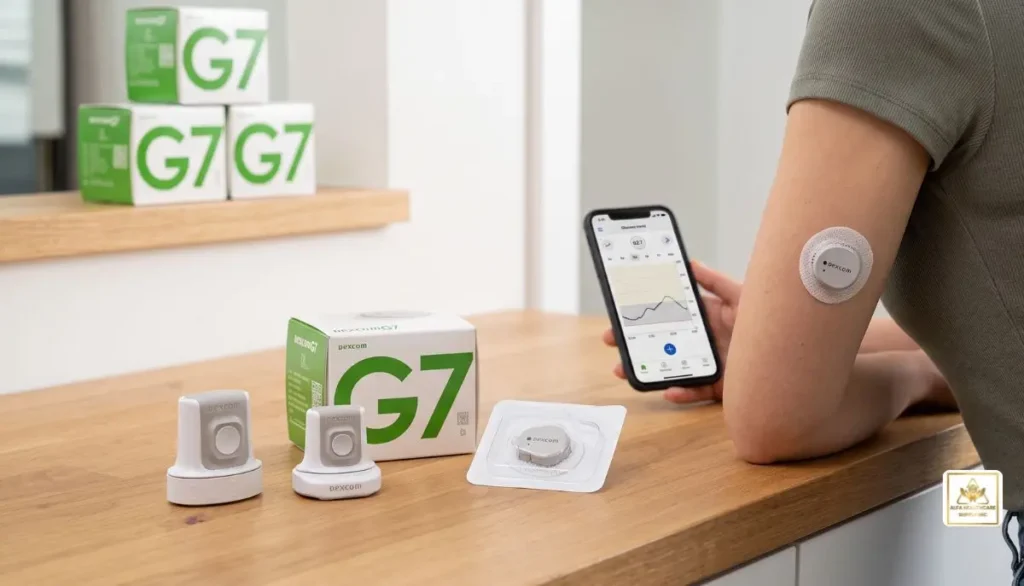
This does not imply the use of an unopened sensor can be stored in perpetuity.
Even if:
- The box looks clean
- The package has never been opened
- The sensor has been stored in a drawer
- The applicator appears undamaged
- The sensor looks completely normal
you should still check the date before using it.
The date printed on the package is so that the manufacturer can specify the period of time for which they expect the product to be used within the specifications given on the label.
Why Do Unused Dexcom G7 Sensors Have an Expiration Date?
Medical devices come with expiry dates. The Dexcom G7 is a sensor that has components engineered to function properly given specific storage conditions.
If a sensor isn’t opened, this doesn’t necessarily mean that all of its parts are perfect for life.
Dexcom offers instructions on how to store the G7. The sensor should be kept in its sterile packaging until it is time to use, and the manufacturer states it can be stored between 2°C and 30°C (35.6°F to 86°F). The sensor should NOT be frozen.
The instructions below are to be followed to help protect the sensor before use, but do not extend the manufacturer’s stated Use By date for proper storage.
Imagine that:
Proper storage will ensure that the product is protected for the specified shelf life. Does not convert an expired sensor to a new sensor.
What Is the Difference Between an Expired Sensor and a Finished Sensor?
This is where many people become confused.
When someone says, “My Dexcom G7 sensor is expired,” they could mean two completely different things.
1. The unused sensor is past its Use By date
This is the date the sensors are printed in the unopened packaging.
If this date has elapsed, the sensor should not be started. Dexcom cautions that beginning use of a sensor after the Use By date may lead to inaccurate reading.
2. Your active sensor has reached the end of its wear period
The standard Dexcom G7 sensor is designed for up to 10 days of wear, followed by a 12-hour grace period.
The grace period gives you additional time to replace the sensor.
These are not the same type of expiration.
Package expiration = when you can start an unused sensor.
Sensor session expiration = when an already-started sensor reaches the end of its approved wear period.
Understanding this difference can prevent unnecessary confusion when managing your CGM supplies.
How Long Can a Dexcom G7 Sensor Be Stored?
The actual shelf life will depend on the Use By date given on the packaging. Do not use a general number of months or years, but rather review each individual sensor package.
This is particularly helpful if you have multiple boxes of CGM supplies.
Imagine if you got a bunch of Dexcom G7s from a supplier. You want to consider the sensor date of the individual packages and arrange your supplies accordingly, putting the oldest date sensors first.
A waste reducing system could be in place with a simple first-expiring, first-used system.
In your storage area, you may store newer sensors behind the older, unexpired sensors.
How Should Unused Dexcom G7 Sensors Be Stored?
Proper storage is an important part of protecting an unused CGM sensor.
According to Dexcom’s G7 User Guide:
- Keep the sensor in its sterile packaging until you are ready to use it.
- Store the sensor between 2°C and 30°C.
- Do not freeze the sensor.
- Keep storage conditions within the recommended humidity range.
- Do not open the package until you are ready for insertion.
A cool, dry indoor location is generally more appropriate than places exposed to temperature extremes.
Avoid extreme heat
Avoid deliberately leaving CGM supplies in places where they can become extremely hot, for example, in a car, in direct sunlight or near a heat source.
Avoid freezing
“Dexcom expressly states that the sensor should not be stored in a freezer.”
Keep the package intact
Never take off the sterile cap or open the applicator until you are going to insert the sensor.
Additionally, Dexcom cautions against use when the sterile cap or applicator is damaged or has been opened as this may result in an infection risk.
Can You Use a Dexcom G7 Sensor After Its Expiration Date?
Dexcom G7 sensors that have been unused and have reached past the printed Use By date should not be started.
This is not just because the sensor could fail to turn on.
Dexcom says the sensor could be faulty if you start it after its Use By date.
A CGM is used to give glucose data that can impact diabetes-management choices. Therefore, it should not be taken lightly to use a sensor beyond the recommended use time.
When it is discovered that a sensor is no longer usable, consult the supplier or manufacturer about options, and don’t start it.
What If the Dexcom G7 Sensor Is Only Slightly Past the Date?
You might ask yourself if a sensor that’s just a few days or weeks past its date is still usable.
That’s not the best way to make that decision considering the distance from the date.
For instance, a sensor with a recent expiry date is not acceptable just because of its recent expiration date. Dexcom’s guidelines make a clear statement that it is not recommended to begin use of a sensor past its Use By time as it may not produce accurate results.
The best way is to use an unexpired sensor and follow the instructions given with your product.
Does an Unopened Sensor Last Longer Than an Opened Sensor?
Unused sensors keep in their sterile packaging until they are to be inserted. This is different from a sensor that has already been turned on.
After starting a valid Dexcom G7 sensor session, the sensor comes with a set amount of wear time.
The sensor will stay active for up to 10 days (for the standard Dexcom G7), with a 12-hour grace period after that.
The grace period is NOT for an unused sensor.
It’s just another minute at the end of a working sensor session for you to swap out the sensor with the replacement sensor.
What About the Dexcom G7 15 Day Sensor?
In addition, Dexcom has also introduced the Dexcom G7 15 Day system; a system that is quite distinct from the Dexcom G7 10 Day system.
Dexcom claims the G7 15 Day sensor is intended to last for 15 days with a 12-hour grace period.
The packaging includes the designation of the G7 15 Day system, so make sure to know which product you are using before assuming the wear time.
The main thing to remember is that the Use By date on the package is different from the wear period after activation.
What Happens If You Start an Expired Dexcom G7 Sensor?
Don’t assume that if a sensor is “on” the data are accurate, if you inadvertently start the sensor and realize that the package has already passed the Use By date.
Dexcom cautions users against initiating use of a sensor after its Use By date as this can result in inaccurate data.
If this situation applies to you, read the Dexcom Instructions and consult Dexcom technical support or your health care professional for instructions that apply to you.
If your blood glucose readings are not in line with your symptoms or expectations, use a blood glucose meter to assist in treatment decisions, Dexcom recommends.
Get proper medical care if you have symptoms of a serious glucose issue or other medical emergency.
How Can You Avoid Letting Dexcom G7 Sensors Expire?
A little organization can make a big difference.
Check dates when supplies arrive
When you receive a new shipment, look at the Use By dates before putting the sensors away.
Use older supplies first
If you have multiple unexpired sensors, consider using the sensor with the earliest Use By date first.
Keep a small supply record
You can write down:
- Number of sensors
- Use By date
- Date received
- Date used
This can be especially helpful if you regularly receive several sensors at once.
Do not overstock unnecessarily
Having backup supplies can be helpful, but storing more sensors than you can reasonably use before their dates can lead to unnecessary waste.
Store supplies correctly
Keep sensors within Dexcom’s recommended temperature and storage conditions.
Does the Dexcom G7 Sensor Need to Be Refrigerated?
Don’t take it for granted that refrigeration is needed.
Dexcom’s storage instructions state the sensor should be stored at temperatures between 2°C and 30°C, and that freezing the sensor is not recommended.
So you should adhere to the storage instructions provided with your particular Dexcom G7 product, and not store the sensor in an extreme cold freezer or using extreme cold to extend the length of time it can last.
The idea is to ensure that the sensor remains in the manufacturer’s recommended conditions until you are ready to use it.
How Do You Check a Dexcom G7 Expiration Date?
Checking the date is easy.
Before opening a new sensor:
- Take the sensor package from storage.
- Look for the Use By date printed on the package.
- Confirm that the date has not passed.
- Check that the package and applicator are intact.
- If everything is appropriate, proceed according to the current Dexcom insertion instructions.
Do this before removing the sterile cap.
Making the date check part of your normal sensor routine takes only a few seconds.
Why This Matters for Everyday Diabetes Management
A CGM sensor is more than a little electronic gadget for a person reliant on CGM data.
It’s a habit.
Glucose information can be used during the process of working, exercising, eating, sleeping, traveling, and treatment decisions. That is the reason why it’s important to use the product as per the instructions.
A used sensor that has not been used could appear entirely normal. But just because it looks it doesn’t mean that it will run as expected.
It’s for this reason that the one simple question of “do Dexcom G7 sensors expire if not used?” has an important practical answer: yes, check and respect the Use By date before putting the sensor into use.
Dexcom G7 Expiration: Quick Reference
| Question | Answer |
| Do Dexcom G7 sensors expire if not used? | Yes. Check the Use By date on the package. |
| Can I start a sensor after its Use By date? | Dexcom says not to; it may give incorrect results. |
| How long does the standard G7 sensor last after starting? | Up to 10 days, plus a 12-hour grace period. |
| Is the 12-hour grace period shelf life? | No. It applies to an active sensor session. |
| Should I keep the sensor in its package until use? | Yes. |
| Can I freeze a Dexcom G7 sensor? | No. |
| Can proper storage extend the Use By date? | No. Follow the printed date and storage instructions. |
| What if the sensor readings don’t match how I feel? | Follow Dexcom’s guidance and use a blood glucose meter for treatment decisions. |
Final Thoughts
So, do Dexcom G7 sensors expire if not used? Yes. Every unused sensor should be checked against its Use By date before insertion.
The easiest routine is:
Check the date → Check the package → Check storage conditions → Use an unexpired sensor → Follow Dexcom’s instructions.
Keeping your sensors organized and using them before their Use By dates can help reduce waste and support a more reliable CGM routine.
For diabetes supplies and CGM-related products, Alfa Healthcare Supply Inc. provides medical supply resources and support for customers looking for dependable healthcare products. Visit Alfa Healthcare Supply to explore available diabetes and medical supply options.
Frequently Asked Questions
Do Dexcom G7 sensors expire if not used?
Yes. An unused Dexcom G7 sensor has a Use By date printed on its packaging. Dexcom advises not starting a sensor after that date because it may give incorrect results.
Can I use an unopened Dexcom G7 after the expiration date?
You should not start an unused sensor after its Use By date. Use a sensor that is still within its labeled date and properly stored.
How long does a Dexcom G7 last once I start it?
The standard Dexcom G7 is designed for up to 10 days of wear, followed by a 12-hour grace period.
Does the 12-hour grace period apply to an unused sensor?
No. The grace period applies after an active sensor reaches the end of its sensor session. It does not extend the expiration date of an unused sensor.
Can heat affect an unused Dexcom G7 sensor?
Improper storage conditions can affect medical-device performance. Dexcom recommends storing the sensor between 2°C and 30°C and avoiding freezing.
What should I do with an expired Dexcom G7 sensor?
Do not start it. Contact your supplier or Dexcom for appropriate guidance about the expired product.
Can I restart a Dexcom G7 sensor?
Dexcom identifies its G7 sensors as single-use disposable supplies. Once the approved sensor session has ended, the sensor should not be reused or restarted.
Medical information note: This article is for general educational purposes and is not a substitute for medical advice. Always follow the instructions supplied with your Dexcom product and speak with your healthcare professional when you have questions about glucose readings, treatment decisions, or your CGM system.
What is CONTOUR NEXT Test Strips?
If you have a blood glucose meter at home, you might have come across the term CONTOUR NEXT test strip and not known exactly what they are, how they function and whether they work with your blood glucose meter. Knowing what your supplies are can make taking your blood glucose easier.
So, what is CONTOUR NEXT test strips? Simply put, CONTOUR NEXT test strips are blood glucose testing strips that can be used with CONTOUR NEXT blood glucose meters. A small amount of blood is put on the strip and the meter will analyse the blood sample to display the blood glucose reading.
Understanding the CONTOUR NEXT test strip and proper storage and use is critical for individuals who regularly check their blood glucose level.
We at Alfa Healthcare Supply Inc. believe that health supplies should be easy to understand. This guide provides detailed information on what CONTOUR NEXT test strips are, how they work, which meters use them, how to deal with them, and what to look for when buying them.
Important: Be sure to use the test strips and instructions that come with your CONTOUR NEXT meter. This article is intended to provide general information for education purposes only and should not be used as a substitute for medical advice obtained from your health care professional.
What is CONTOUR NEXT Test Strips?
What do the “CONTOUR NEXT test strips” measure? They are one-time blood glucose test strips for use with the compatible blood glucose meters, CONTOUR NEXT.
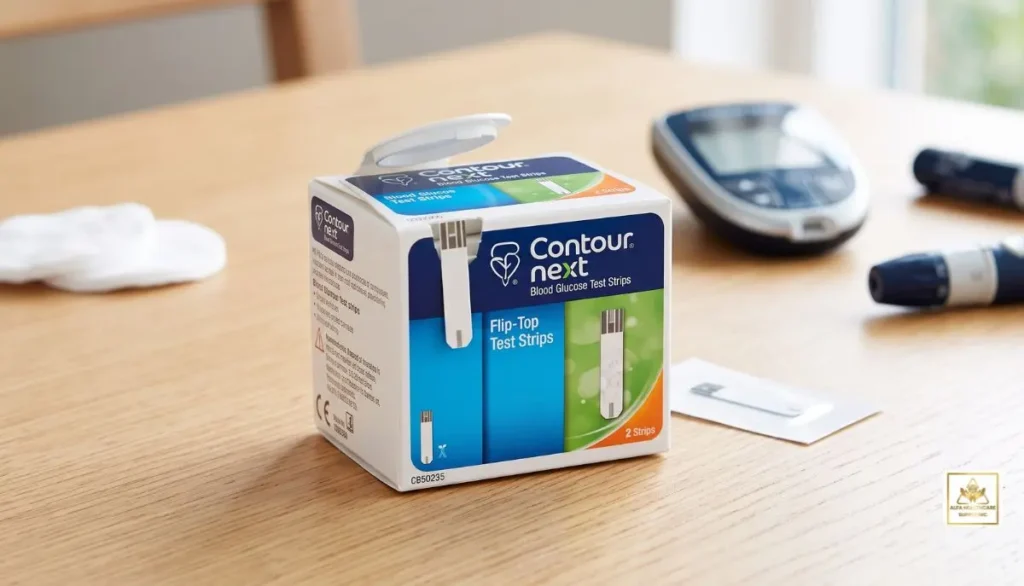
A small amount of blood is applied to the blood glucose test strip to conduct a blood glucose test. The compatible meter then evaluates the sample and provides an output of the blood glucose.
The process is generally straightforward:
- Wash and dry your hands.
- Insert a compatible CONTOUR NEXT test strip into the meter.
- Obtain a small blood sample with a lancing device.
- Apply the blood to the test strip.
- Allow the meter to process the sample.
- Read the blood glucose result.
Some test strips are compatible with CONTOUR NEXT systems. Not all glucose test strips will fit into all blood glucose meters.
How Do CONTOUR NEXT Test Strips Work?
Knowing how the strip relates to the meter makes it easier to understand what is CONTOUR NEXT test strips.
The strip that the blood sample is placed on is called the test strip. After inserting the strip into a compatible CONTOUR NEXT meter, the meter is ready for testing. The meter takes a reading of the glucose level in the sample when the blood is placed on the right zone of the strip and works out a reading based on the measured glucose level.
The specifications may include a small sample requirement, and a short testing time, depending on the system in question for the CONTOUR NEXT. For instance, the current documentation for the CONTOUR NEXT system mentions a sample volume of 0.6 μL and a countdown of 5 seconds for some systems that are compatible with the CONTOUR NEXT system.
This can be a rapid testing process, so there’s still a chance of getting it done right.
Which Meters Use CONTOUR NEXT Test Strips?
The most crucial thing to know about CONTOUR NEXT test strips is that compatibility is key.
CONTOUR NEXT test strips are designed for compatible CONTOUR NEXT blood glucose meters. Examples within the CONTOUR NEXT family include:
- CONTOUR NEXT ONE
- CONTOUR NEXT GEN
- CONTOUR NEXT EZ
- Other compatible CONTOUR NEXT systems
For example, the CONTOUR NEXT ONE is specifically designed to use CONTOUR NEXT blood glucose test strips.
The CONTOUR NEXT EZ also uses CONTOUR NEXT blood glucose test strips.
Make sure you read the exact model name on your meter and understand it is the same model on the test-strip’s package.
Why Does Compatibility Matter?
There are several meters and test strips that are alike. But, they aren’t always interchangeable.
The use of the wrong test strip can render the meter ineffective or may yield an inaccurate result. That’s why it’s important to know the model of your meter before buying.
If you still don’t know what is CONTOUR NEXT test strips or which strips you need, please refer to your meter user guide or consult your healthcare professional or pharmacist.
Key Features of CONTOUR NEXT Test Strips
Now that we have explained what is CONTOUR NEXT test strips, let’s look at some features associated with compatible CONTOUR NEXT systems.
1. Small Blood Sample
Some CONTOUR NEXT systems are developed to use a small sample of blood. The manufacturer’s documentation for the current CONTOUR NEXT systems documents a sample volume of 0.6 μL.
If you’re testing on a regular basis, it’s easier to manage if you need less blood.
2. No Coding Technology
Some CONTOUR NEXT meters are equipped with a No Coding Technology. This eliminates the need for the user to manually enter a code when using test strips which are compatible with it.
If possible, fewer steps in the manual process can make it easier to follow for everyday testing.
3. Second-Chance Sampling
Second-Chance Sampling is available with some compatible CONTOUR NEXT systems. This feature may be used to apply extra blood if insufficient when the meter says so.
This can help minimise strip wastage.
4. Fast Results
Some CONTOUR NEXT systems can give a result in about five seconds. Specifications may differ for each meter model so consult your individual product manual.
How to Use CONTOUR NEXT Test Strips
Knowing what is CONTOUR NEXT test strips is only the first step. Correct use is also important.
Step 1: Wash Your Hands
Wash your hands with soap and water and dry them completely.
Wet fingers can dilute a blood sample, while substances left on your fingers may affect testing.
Step 2: Take Out One Test Strip
Remove one CONTOUR NEXT test strip from its container or package.
If your strips are supplied in a bottle, close the bottle promptly after removing the strip. Keeping strips protected from moisture is important.
Step 3: Check the Expiration Date
Before using the strip, check its expiration date.
Do not use expired test strips. If you notice damaged packaging or strips that appear compromised, follow the manufacturer’s instructions rather than using them.
Step 4: Insert the Strip
Insert the appropriate end of the test strip into your compatible CONTOUR NEXT meter.
Wait until the meter indicates that it is ready for a blood sample.
Step 5: Obtain a Blood Sample
Use your lancing device according to its instructions to obtain a small blood sample.
Never share a lancing device with another person because of the risk of bloodborne infection.
Step 6: Apply Blood to the Strip
Touch the test strip to the blood sample according to the instructions for your meter.
The strip draws in the sample, allowing the meter to analyze it.
Step 7: Read the Result
Wait for the meter to complete the test and display the blood glucose result.
If the reading seems unusual or does not match how you feel, follow your healthcare professional’s instructions for checking or responding to the result.
How Should CONTOUR NEXT Test Strips Be Stored?
Proper storage is an important part of understanding what is CONTOUR NEXT test strips and how to use them correctly.
Test strips should be protected from conditions that can affect their performance.
For example, manufacturer documentation for certain CONTOUR NEXT systems specifies test-strip storage between 41°F and 86°F with 10%–80% relative humidity. Always follow the storage requirements printed on your specific product packaging because specifications can vary.
Helpful habits include:
- Keep strips in their original container when applicable.
- Close the container promptly after removing a strip.
- Protect strips from excessive heat and humidity.
- Do not use expired strips.
- Avoid using damaged strips.
- Follow the storage instructions on the package.
A simple storage routine can help protect your testing supplies.
Common Mistakes to Avoid
When learning what is CONTOUR NEXT test strips, it is also useful to know what can interfere with testing.
Using Wet Hands
Always dry your hands completely after washing.
Using Expired Strips
Check the expiration date before testing.
Leaving the Container Open
Moisture can affect test strips. Close the container according to the manufacturer’s instructions.
Buying the Wrong Strips
Check your meter model before purchasing replacement strips.
Applying Too Little Blood
Follow your meter’s instructions for obtaining and applying the blood sample.
Ignoring Repeated Unexpected Results
If you repeatedly receive readings that seem unusual, follow your healthcare professional’s guidance and check your testing technique and supplies.
Are CONTOUR NEXT Test Strips Accurate?
People often ask about accuracy after searching what is CONTOUR NEXT test strips.
CONTOUR NEXT test strips are designed to provide blood glucose measurements when used with compatible meters and according to the manufacturer’s instructions. However, the result can be affected by several factors, including the meter, strip condition, storage, blood sample, testing technique, and environmental conditions.
Manufacturer documentation provides specific performance and operating requirements for individual CONTOUR NEXT systems.
For this reason, correct testing technique is just as important as choosing the right test strip.
How to Choose the Right CONTOUR NEXT Test Strips
If you are shopping for CONTOUR NEXT test strips, take a few moments to check:
1. Your Meter Model
Look carefully at your meter. Confirm whether it is a CONTOUR NEXT ONE, CONTOUR NEXT GEN, CONTOUR NEXT EZ, or another model.
2. Test-Strip Compatibility
Make sure the product specifically states compatibility with your meter.
3. Package Quantity
Different packages may contain different numbers of strips. Choose a quantity that fits your testing routine and healthcare plan.
4. Expiration Information
Check the expiration date and package condition when you receive your supplies.
5. Storage Requirements
Read the manufacturer’s storage instructions and store the strips appropriately.
At Alfa Healthcare Supply Inc., customers can explore diabetic supplies and other healthcare products while checking product information before ordering.
Why Having the Right Test Strips Matters
For someone who checks blood glucose regularly, test strips are not simply accessories. They are an important part of the blood glucose testing system.
A compatible meter and test strip work together to produce the reading. If the wrong strip is used, the testing process may not work as intended.
That is why the simple answer to what is CONTOUR NEXT test strips is more than just “a piece of paper used for a glucose test.” They are specialized testing components designed to work with compatible blood glucose meters.
CONTOUR NEXT Test Strips: A Simple Daily Routine
For many people, blood glucose testing becomes easier when it follows the same routine each time.
Think of it as:
Wash → Dry → Insert → Sample → Apply → Wait → Read
Keeping your supplies organized can also help. Store your meter, test strips, lancets, and other testing supplies in a convenient place according to their storage instructions.
When the process becomes familiar, testing can feel less complicated.
Final Thoughts: What Is CONTOUR NEXT Test Strips?
So, what is CONTOUR NEXT test strips? They are specialized, disposable blood glucose testing strips designed to work with compatible CONTOUR NEXT meters. They allow the meter to analyze a small blood sample and provide a blood glucose reading.
For everyday diabetes testing, the basics are important: use the correct strips, check the expiration date, store them properly, wash and dry your hands, follow the meter instructions, and use the strips only with compatible equipment.
If you are looking for CONTOUR NEXT test strips or other diabetic supplies, Alfa Healthcare Supply Inc. provides healthcare and medical supply products for everyday needs.
Choosing the right testing supplies does not have to feel complicated. Start by checking your exact meter model and confirming that the test strips are compatible.
Alfa Healthcare Supply Inc. is committed to making healthcare supply information easier to understand so customers can make informed choices about the products they use.
Frequently Asked Questions
What is CONTOUR NEXT test strips?
CONTOUR NEXT test strips are disposable blood glucose testing strips designed for use with compatible CONTOUR NEXT blood glucose meters. A small blood sample is applied to the strip, and the meter analyzes the sample to provide a glucose reading.
What meter uses CONTOUR NEXT test strips?
Compatible CONTOUR NEXT meters, including models such as CONTOUR NEXT ONE, CONTOUR NEXT GEN, and CONTOUR NEXT EZ, use CONTOUR NEXT blood glucose test strips. Always confirm compatibility with your exact meter model.
Do CONTOUR NEXT test strips require coding?
Compatible CONTOUR NEXT systems may use No Coding technology, which removes the need for manual coding. Features vary by meter model.
How much blood is needed for CONTOUR NEXT test strips?
Certain compatible CONTOUR NEXT systems specify a 0.6 μL blood sample. Check the user guide for your particular meter and test strips.
How fast do CONTOUR NEXT systems provide results?
Certain CONTOUR NEXT systems provide a glucose result in about five seconds. Exact performance depends on the meter model.
Can I use any glucose test strip with a CONTOUR NEXT meter?
No. You should use the test strips specified for your particular CONTOUR NEXT meter. Always check compatibility before purchasing.
How should I store CONTOUR NEXT test strips?
Store them according to the manufacturer’s instructions and protect them from excessive heat, cold, humidity, and moisture. Keep containers closed when applicable.
Can I use expired CONTOUR NEXT test strips?
Expired test strips should not be used. Check the expiration date before testing and follow the manufacturer’s instructions.
This article is for educational purposes only and does not replace professional medical advice. Always follow the manufacturer’s instructions and your healthcare professional’s recommendations for blood glucose monitoring.
If you’re searching for an easy method to measure your blood glucose at home, you might have heard about the CONTOUR NEXT blood glucose monitoring system. However, what exactly is it, how does it function and why is the CONTOUR NEXT family different from other blood glucose meters?
CONTOUR NEXT blood glucose monitoring system is an Ascensia Diabetes Care blood glucose testing system. The system may consist of a CONTOUR NEXT meter, CONTOUR NEXT blood glucose test strips and include Bluetooth and the CONTOUR Diabetes app depending on the specific model. The FDA has approved several OTC blood glucose testing devices called CONTOUR NEXT systems.
Frequent blood sugar measurement can be helpful for people who have diabetes to know how blood sugar levels are fluctuating and to adhere to a diabetes-care plan they have been supplied from their healthcare provider.
At Alfa Healthcare Supply Inc. we know that selecting diabetes supplies can sometimes be confusing. It provides a description of the CONTOUR NEXT system in plain language, helping to better understand what it is, what you need, and how it can fit into your daily blood glucose monitoring routine.
What is CONTOUR NEXT Blood Glucose Monitoring System?
So, what is CONTOUR NEXT blood glucose monitoring system?
CONTOUR NEXT blood glucose monitoring system is a series of blood glucose monitoring systems for measurement of glucose in a blood sample for people with diabetes. A system typically includes a blood sample (usually from a single fingerstick) and a compatible CONTOUR NEXT blood glucose test strip.
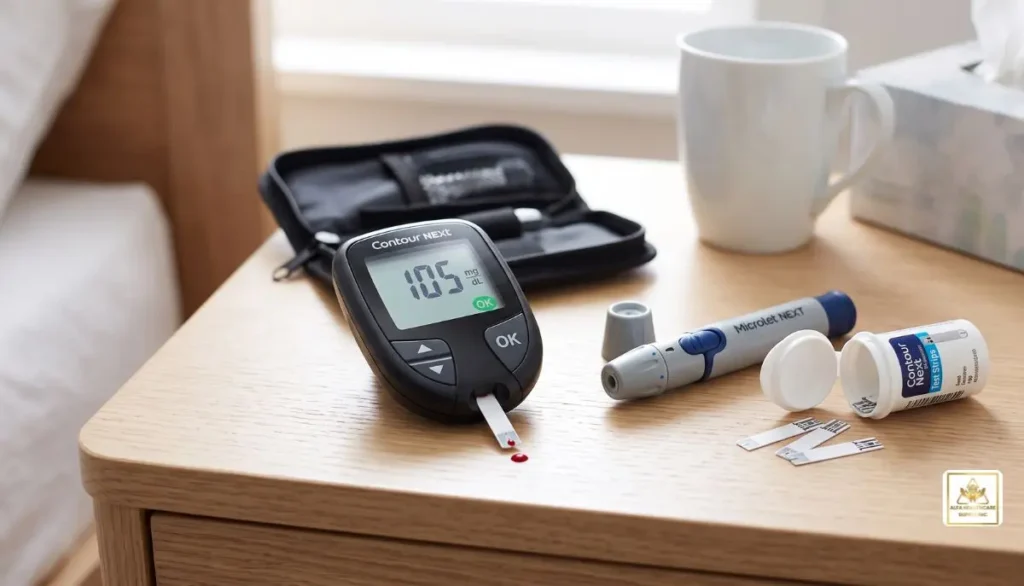
The exact features depend on the model. The latest CONTOUR NEXT models are the CONTOUR NEXT GEN, CONTOUR NEXT ONE and CONTOUR NEXT EZ. According to Ascensia’s comparison information, these meters utilize No Coding technology and CONTOUR NEXT test strips; some even have Bluetooth connectivity, smartLIGHT feedback and larger memory capacity.
What is important to note is that the CONTOUR NEXT name is not referring to a single meter, but rather a product family.
How Does the CONTOUR NEXT System Work?
Understanding what is CONTOUR NEXT blood glucose monitoring system becomes easier when you look at the basic testing process.
A typical blood glucose test involves:
- Wash and dry your hands.
- Prepare your lancing device according to its instructions.
- Insert a compatible CONTOUR NEXT test strip into the meter.
- Wait for the meter to indicate that it is ready for blood.
- Obtain a small blood sample according to the meter instructions.
- Apply the blood to the test strip.
- Wait for the meter to display the glucose result.
- Record or review the result as appropriate for your diabetes-care plan.
CONTOUR NEXT test strip has been designed to draw the blood sample into the test strip through capillary action. According to FDA documentation, the system is a blood glucose testing system for self-testing by a person with diabetes “for in-vitro use.”
Be sure to consult the user’s guide for respective meter as test procedures and features may differ from one meter to another.
What Comes With a CONTOUR NEXT Blood Glucose Monitoring System?
The exact contents depend on the model and package you purchase.
A CONTOUR NEXT system can include:
- CONTOUR NEXT blood glucose meter
- CONTOUR NEXT blood glucose test strips
- Lancing device
- Lancets
- Batteries
- User instructions
- Control solution, depending on the package
- Access to the CONTOUR diabetes app with compatible meters
For instance, the CONTOUR NEXT ONE system is composed of the meter, CONTOUR NEXT test strips and the CONTOUR Diabetes app.
When ordering replacement parts, make sure to verify the meter model. It is important to use a compatible CONTOUR NEXT test strip with your CONTOUR NEXT meter.
CONTOUR NEXT Meter Models
When researching what is CONTOUR NEXT blood glucose monitoring system, it is important to know that several models are available.
CONTOUR NEXT GEN
The CONTOUR NEXT GEN includes features such as:
- No Coding technology
- Second-Chance Sampling
- smartLIGHT target-range indicator
- Bluetooth connectivity
- CONTOUR Diabetes app compatibility
- Storage for up to 800 results
Ascensia states that the CONTOUR NEXT GEN uses CONTOUR NEXT test strips and provides on-screen messages in multiple languages.
CONTOUR NEXT ONE
The CONTOUR NEXT ONE is another model of the CONTOUR NEXT family. It is compatible with Bluetooth with mobile devices and is compatible with the CONTOUR Diabetes app.
It’s also packed with smartLIGHT technology that gives color-coded feedback on the meter’s set target range.
CONTOUR NEXT EZ
The CONTOUR NEXT EZ is designed to emphasize simple blood sugar measurement. It features No Coding technology and CONTOUR NEXT test strips. Ascensia’s user guide states that the meter automatically codes itself when a compatible test strip is inserted.)
It is important to remember that the new connected models of the CONTOUR NEXT have different functions than older connected models, so do not assume that all CONTOUR NEXT meters will have the same functions.
What is No Coding Technology?
Understanding the No Coding technology of the CONTOUR NEXT blood glucose monitoring system is one of its useful features.
Some blood sugar meters might need a coding or calibration process for each new strip container. Designed to remove the manual coding step, CONTOUR NEXT models with No Coding technology feature a unique design that provides users with an advanced alternative to the traditional coding method.
The CONTOUR NEXT portfolio, Ascensia says, features No Coding technology in all three of its models – CONTOUR NEXT GEN, CONTOUR NEXT ONE and CONTOUR NEXT EZ.
Less set up, easier testing every day, especially for a person who tests his or her glucose regularly.
What is Second-Chance Sampling?
Some CONTOUR NEXT meters also have the capability of Second-Chance Sampling.
A meter sometimes may not have enough blood in the sample to perform a test. Second-Chance Sampling: Using compatible CONTOUR NEXT meters, blood can be added to the same test strip within a set time, rather than discarding the strip right away.
According to the current CONTOUR NEXT GEN user guide, this feature enables a larger sample volume to be added to the same strip if the initial sample is too small.
This can be useful as it does not mean you have to begin the test anew with a new strip if there is not enough of the first sample.
What is smartLIGHT?
Some CONTOUR NEXT meters, including the CONTOUR NEXT GEN and CONTOUR NEXT ONE, include smartLIGHT.
The feature provides a color-based indication of whether a result is within, above, or below the meter’s configured target range.
For example, the CONTOUR NEXT ONE documentation describes:
- Green: within target
- Amber: above target
- Red: below target
These indicators are intended to make the displayed result easier to understand at a glance.
Remember that a target range is personal. Your healthcare professional may recommend a different range depending on your circumstances.
Can CONTOUR NEXT Connect to a Smartphone?
Some CONTOUR NEXT models can connect with a compatible smartphone through Bluetooth.
For example, the CONTOUR NEXT ONE can communicate with the CONTOUR Diabetes app. Blood glucose results can be transferred to a compatible mobile device for viewing and management.
The CONTOUR Diabetes app can help users review and organize glucose information. However, smartphone compatibility can change, so it is wise to check the current compatibility requirements before relying on app connectivity.
How Accurate Is the CONTOUR NEXT System?
Accuracy is one of the most important questions people ask when researching what is CONTOUR NEXT blood glucose monitoring system.
Ascensia describes its CONTOUR NEXT meters as providing highly accurate results, and the FDA has reviewed the relevant devices through its medical-device clearance process.
However, no home glucose meter should be treated as a replacement for professional medical care.
Several factors can affect a blood glucose reading, including:
- Incorrect testing technique
- Contaminated or wet hands
- Damaged test strips
- Improperly stored test strips
- Expired test strips
- Environmental temperature or humidity
- An inadequate blood sample
- Problems with the meter or test strip
For example, the CONTOUR NEXT EZ instructions emphasize keeping test strips in their original container, closing the container promptly, and not using expired or damaged strips.
Why Proper Test Strip Storage Matters
The meter is only one part of the blood glucose monitoring system. The test strips are equally important.
CONTOUR NEXT test strips should be handled according to the manufacturer’s instructions. Keep them protected from environmental exposure and close the test-strip container immediately after removing a strip.
Never use a test strip that appears damaged or is past its expiration date.
This is a small daily habit that can help support reliable testing.
Is CONTOUR NEXT the Same as a Continuous Glucose Monitor?
No.
The CONTOUR NEXT system is a blood glucose meter system that uses a blood sample for individual glucose measurements.
A continuous glucose monitor, or CGM, uses a sensor worn on the body to measure glucose continuously or at frequent intervals.
For example, a person using a CONTOUR NEXT meter typically performs a test when they need a blood glucose reading. A CGM provides glucose information from its sensor according to that system’s design.
Neither type should automatically be considered appropriate for every person. The right monitoring method depends on the individual’s diabetes-management plan and healthcare professional’s recommendations.
Who May Use a CONTOUR NEXT Blood Glucose Monitoring System?
The specific intended use depends on the model.
FDA documentation for CONTOUR NEXT systems describes them as over-the-counter blood glucose testing devices for people with diabetes to perform self-testing and monitor the effectiveness of a diabetes-control program.
The devices are not intended to independently diagnose diabetes. For example, FDA documentation for CONTOUR NEXT ONE states that the system is not intended for diagnosis or screening of diabetes.
If you are concerned about your blood glucose level or have symptoms that worry you, speak with a healthcare professional rather than relying on a home meter alone.
CONTOUR NEXT Blood Glucose Monitoring System at Alfa Healthcare Supply Inc.
At Alfa Healthcare Supply Inc., our goal is to make everyday healthcare supplies easier to understand and access.
We provide diabetes-related supplies as part of our broader medical supply offerings. When selecting a blood glucose meter or replacement test strips, it is important to check the exact model and strip compatibility before ordering.
If you are searching for what is CONTOUR NEXT blood glucose monitoring system, remember that the system is more than just the meter. The meter, compatible test strips, testing technique, proper storage, and regular monitoring habits all work together.
Final Thoughts
Understanding what is CONTOUR NEXT blood glucose monitoring system does not have to be complicated. In simple terms, it is a family of blood glucose testing systems designed to help people with diabetes measure and track glucose using compatible test strips.
Different models offer different features. CONTOUR NEXT GEN and CONTOUR NEXT ONE add features such as smartLIGHT and Bluetooth connectivity, while CONTOUR NEXT EZ emphasizes straightforward testing. Across the family, No Coding technology and CONTOUR NEXT test-strip compatibility are important features.
For the best experience, use the meter and test strips according to their instructions, store your supplies properly, check expiration dates, and discuss your glucose results with your healthcare professional when needed.
Frequently Asked Questions
What is CONTOUR NEXT blood glucose monitoring system?
The CONTOUR NEXT blood glucose monitoring system is a family of blood glucose meters and compatible CONTOUR NEXT test strips designed for self-testing by people with diabetes. Depending on the model, features may include No Coding, Second-Chance Sampling, smartLIGHT, Bluetooth, and app connectivity.
What test strips does CONTOUR NEXT use?
Compatible CONTOUR NEXT meters use CONTOUR NEXT blood glucose test strips. Always verify the exact meter and strip compatibility before purchasing.
Does CONTOUR NEXT require coding?
The CONTOUR NEXT GEN, CONTOUR NEXT ONE, and CONTOUR NEXT EZ include No Coding technology according to Ascensia’s product comparison information.
Can CONTOUR NEXT connect to a phone?
Some models, including CONTOUR NEXT ONE and CONTOUR NEXT GEN, support Bluetooth connectivity and work with the CONTOUR Diabetes app on compatible devices.
What is Second-Chance Sampling?
Second-Chance Sampling allows additional blood to be applied to the same test strip when the initial blood sample is insufficient, subject to the meter’s instructions and timing requirements.
Is CONTOUR NEXT a CGM?
No. CONTOUR NEXT is a blood glucose meter system that measures glucose from a blood sample. It is different from a continuous glucose monitoring system.
Can I use expired CONTOUR NEXT test strips?
No. The manufacturer’s instructions say not to use expired test strips. Proper storage and handling are also important.
Can I share my CONTOUR NEXT meter?
The applicable FDA documentation describes these systems for single-person use. Do not share a blood glucose meter between people.
Medical disclaimer: This article is for general educational purposes and is not a substitute for medical advice, diagnosis, or treatment. Follow the instructions supplied with your specific CONTOUR NEXT meter and speak with your healthcare professional about your individual blood glucose targets and treatment plan.
FreeStyle Libre 3 Reader Test Strips:
When looking for freestyle libre 3 reader test strips, you might be wondering if the FreeStyle Libre 3 reader requires test strips, what type, and how these strips would be different from the FreeStyle Libre 3 sensor.
This is important as the FreeStyle Libre 3 system has two methods of glucose information retrieval. The wearable sensor streams glucose information to the compatible reader throughout use and the reader has an integrated blood glucose meter with compatible blood glucose test strips. The FreeStyle Libre 3 Reader has this built-in meter, Abbott says.
When distinguishing between sensor and freestyle libre 3 test strips for those who suffer from diabetes, it can make their lives so much easier.
This simple guide to Alfa Healthcare Supply Inc. reveals the secrets of the reader in simple words, the purpose of testing strips, the difference between the test strips and the CGM sensor, and what to look for when buying the materials.
What Are FreeStyle Libre 3 Reader Test Strips?
The Freestyle libre 3 reader test strips are blood glucose test strips to be used with the blood glucose meter integrated in the Freestyle libre 3 Reader.
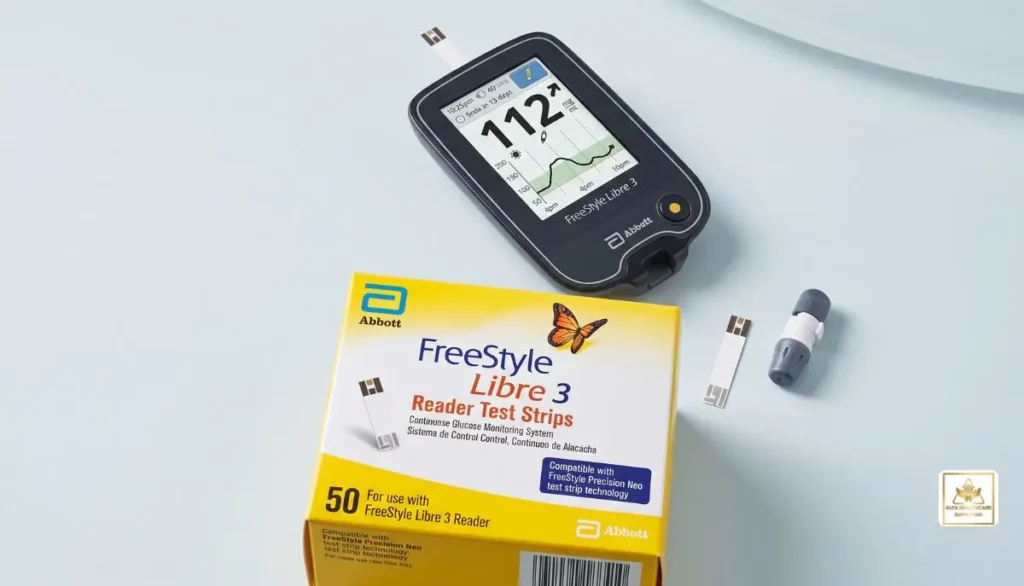
The FreeStyle Libre 3 Reader is more than just a device to read CGM readings. Abbott’s U.S. product information describes the built-in blood glucose testing meter in the reader as well. The use of that meter requires patients to have blood glucose test strips, control solution, a lancing device and lancets. They will not be provided with the reader kit but must be purchased separately.
This means the reader can support two different types of glucose monitoring:
- CGM sensor readings from the FreeStyle Libre 3 sensor
- Blood glucose testing using the reader’s built-in meter and compatible test strips
These two methods serve different purposes.
Do You Need Test Strips With a FreeStyle Libre 3 Reader?
Not all of the time when you take a blood sugar test.
The FreeStyle Libre 3 system is designed to provide glucose information through its sensor. Once the compatible sensor is in use, the reader will be able to read the glucose level off the sensor without having to prick a finger for each reading. Abbott says the glucose data from the sensor is transmitted to the compatible reader via the FreeStyle Libre 3 sensor.
There are occasions however, when a blood glucose test may be required.
For example, Abbott’s product information states that fingerstick testing is required for treatment decisions when the system displays the Check Blood Glucose symbol or when glucose readings or alarms do not match your symptoms or expectations.
That is where freestyle libre 3 reader test strips can become useful.
In simple terms:
Sensor = continuous glucose information
Test strip + blood sample = blood glucose measurement
Having the appropriate supplies available can give you another way to check glucose when your healthcare professional or the system instructions indicate that a blood glucose test is appropriate.
What Test Strips Work With the FreeStyle Libre 3 Reader?
Abbott’s U.S. product information states that FreeStyle Precision Neo blood glucose test strips are designed for use with the FreeStyle Libre 3 Reader, which has an integrated meter.
It is an essential consideration to make when purchasing freestyle libre 3 reader test strips.
Don’t assume that all glucose test strips are the same just because they are used to measure blood glucose. The test strips and meters are engineered as pairs, for good reason.
Before purchasing, check:
- The exact reader model.
- The test strip name.
- Compatibility with the built-in meter.
- The expiration date.
- The manufacturer’s instructions.
- Any prescription or insurance requirements that apply.
If you are unsure, ask your healthcare professional or medical supply provider before opening a package.
FreeStyle Libre 3 Sensor vs. Test Strips
One of the easiest ways to understand freestyle libre 3 reader test strips is to compare them with the FreeStyle Libre 3 sensor.
FreeStyle Libre 3 Sensor
The sensor is worn on the body and continually gathers glucose information from interstitial fluid. This information can be shared with a compatible reader or app.
The sensor is designed for continuous glucose monitoring and offers a visual representation of glucose levels over time
Blood Glucose Test Strips
The reader’s blood glucose meter is used in conjunction with test strips.
Fingerstick blood sample placed on the correct test strip, meter measures blood glucose.
Why Have Both?
CGM and blood glucose testing are two different types of information.
A CGM sensor provides continuous glucose monitoring and trends. A blood glucose test provides a measurement from a blood sample at that particular time.
The two numbers do not necessarily have to be the same. The glucose in the blood may not be the same as the glucose in the interstitial fluid, especially if the glucose levels are rapidly changing, explains Abbott.
It is important to have an understanding of the function of each testing method for this reason.
How Do FreeStyle Libre 3 Reader Test Strips Work?
Using freestyle libre 3 reader test strips involves a traditional blood glucose testing process.
The basic process generally includes:
1. Prepare the Meter
Ensure your FreeStyle Libre 3 Reader is in good working order and use the instructions this device comes with.
2. Prepare the Test Strip
Follow manufacturer’s instructions for using the appropriate compatible test strip.
Examine strip container and expiration dates before use.
3. Obtain a Blood Sample
Follow manufacturer’s and healthcare professional instructions for use of the lancing device and lancet.
4. Apply the Blood to the Strip
Follow the reader and test-strip instructions for applying the blood sample.
5. Wait for the Result
Use the reader and test-strip instructions to apply blood sample.
6. Follow Your Diabetes Care Plan
Follow the instructions from your health care professional for use.
Never adjust insulin or other medication doses with a general reference in an online article.
Are FreeStyle Libre 3 Reader Test Strips Included With the Reader?
No.
According to Abbott, the blood glucose test strips, control solution, lancing device and lancets are not part of the FreeStyle Libre 3 Reader kit. These need to be purchased individually.
This can easily be overlooked while you are buying a reader.
The reader is the re-usable device. The test strips are separate supplies that are purchased as needed.
When ordering a reader for the first time you should consider asking your supplier if you require a compatible test strip, lancing device, control solution and lancets.
When Might You Use FreeStyle Libre 3 Reader Test Strips?
Your health care worker or the device instructions may tell you to take a blood glucose test under certain circumstances.
One of the most critical instances is if the reader shows a Check Blood Glucose message or symbol.
The other is when the glucose level is not reflected in the way you feel.
If your CGM reading is unusually high or low and your symptoms do not seem to correlate with your CGM reading, follow the manufacturer’s safety instructions and your healthcare professional’s advice.
Abbott points out that when there is a discrepancy between the test reading, reading alarms, and symptoms or expectations, fingerstick testing may be necessary to make treatment decisions.
Why Is It Important to Choose the Correct Test Strips?
It is important to select the right freestyle libre 3 reader test strips because they are not interchangeable.
One test strip can not be used with a different meter.
If the wrong strip is used, an error can result or an unreliable result might be obtained.
Check the model of the reader before purchasing test strips and verify the particular strip that is recommended for that reader.
Abbott’s FreeStyle Libre 3 Reader is configured to use Abbott’s FreeStyle Precision Neo blood glucose test strips in the built-in meter in the U.S.
Outside the U.S. the availability and labeling of the products may vary. Please refer to the instructions as per your country and device.
FreeStyle Libre 3 Reader Test Strips vs. CGM Readings
Sometimes it can be confusing if there is a difference between a blood glucose reading and a CGM reading.
Keep in mind that the FreeStyle Libre sensor measures glucose levels in interstitial fluid and a blood glucose test measures glucose in blood.
There may be a time difference between measuring interstitial and blood glucose, especially if glucose is changing rapidly (increasing or decreasing). Abbott explains this physiological difference in its educational materials.
Therefore, do not automatically assume that a difference means one device is broken.
Instead:
- Follow the manufacturer’s instructions.
- Look for any Check Blood Glucose message.
- Consider whether glucose is changing rapidly.
- Pay attention to your symptoms.
- Follow your healthcare professional’s guidance.
Important Tips When Buying FreeStyle Libre 3 Reader Test Strips
If you are looking for freestyle libre 3 reader test strips, keep these simple tips in mind.
Check the Exact Product
Don’t buy just because of the term “FreeStyle Libre.
The reader, sensor and blood glucose test strips are all separate products.
Check Compatibility
Ensure that the test strips are for your FreeStyle Libre 3 Reader’s built in test strip holder.
Check Expiration Dates
Never use test strips that are out of date. Use the instructions for storage and handling provided with the strips.
Store Strips Correctly
Store test strips as directed on the container; always keep in the original container.
Do not expose the strips to moisture, heat or other conditions that might impact the strips.
Keep Backup Supplies Available
Be sure to have sufficient blood glucose testing supplies (which your health care professional has recommended) available.
Can the FreeStyle Libre 3 Reader Be Used Without Test Strips?
Yes.
The primary CGM function of the reader is compatible with a compatible FreeStyle Libre sensor. The FreeStyle Libre 3 sensor will give the FREE WRITE sensor reader a glucose reading, explains Abbott.
The test strips are related to the built-in blood glucose meter of the reader.
Let’s assume that the reader has two helpful jobs to do:
CGM reader: Device that obtains glucose data from CGM sensor.
Blood glucose meter is a device that requires blood glucose test strips and blood sample.
The pairing can make the device useful for those who would like a reader that they can use but also have access to a traditional blood glucose test if necessary.
Where Can You Get FreeStyle Libre 3 Reader Supplies?
The FreeStyle Libre 3 Reader will be available through participating durable medical equipment suppliers and retail pharmacies, available as needed, according to Abbott.
Alfa Healthcare Supply Inc. also offers the FreeStyle Libre 3 Reader and FreeStyle Libre 3 Sensor for diabetics.
If you need medical supplies, it’s good to have your prescription and insurance details on hand (if applicable). The exact reader and sensor combination can also be verified prior to ordering.
Please check product availability and compatibility with current versions before ordering, as product versions and availability can change.
FreeStyle Libre 3 Reader Test Strips: A Simple Buying Checklist
Before placing an order, ask yourself:
- Do I have a FreeStyle Libre 3 Reader?
- Do I need blood glucose testing supplies?
- Are the test strips compatible with my reader’s built-in meter?
- Are the strips within their expiration date?
- Do I also need lancets?
- Do I need a lancing device?
- Do I need a control solution?
- Does my insurance cover the supplies?
- Do I have a prescription if one is required?
- Have I checked the current manufacturer’s instructions?
A few minutes of checking can help prevent ordering the wrong product.
Final Thoughts: FreeStyle Libre 3 Reader Test Strips
Understanding freestyle libre 3 reader test strips is easier once you separate the two functions of the reader.
The FreeStyle Libre 3 sensor provides continuous glucose information, while the reader’s built-in meter can perform a blood glucose test using compatible test strips. Abbott identifies FreeStyle Precision Neo blood glucose test strips for this built-in meter in the U.S.
You do not normally need a test strip for every CGM reading. Instead, test strips provide an additional blood glucose testing option when required by the system instructions or your healthcare professional.
Before purchasing freestyle libre 3 reader test strips, always confirm the exact reader, compatible strip, expiration date, storage requirements, and current manufacturer instructions.
For patients and caregivers, that simple compatibility check can make diabetes monitoring more straightforward and help avoid purchasing the wrong supplies.
About Alfa Healthcare Supply Inc.
Alfa Healthcare Supply Inc. is a medical supply and DME supplier serving patients and caregivers with diabetic supplies and other home healthcare products. Its online diabetic-supplies category currently lists FreeStyle Libre products.
Frequently Asked Questions: FreeStyle Libre 3 Reader Test Strips
What are FreeStyle Libre 3 Reader test strips?
Freestyle libre 3 reader test strips are blood glucose test strips used with the built-in blood glucose meter in the FreeStyle Libre 3 Reader. Abbott identifies FreeStyle Precision Neo blood glucose test strips for this purpose in its U.S. product information.
Does the FreeStyle Libre 3 Reader have a built-in glucose meter?
Yes. Abbott’s support information confirms that the FreeStyle Libre 3 Reader includes a built-in blood glucose meter.
Does the FreeStyle Libre 3 Reader require test strips for CGM readings?
No. The CGM sensor provides glucose information to the compatible reader. Test strips are used separately for blood glucose testing with the reader’s built-in meter.
Are test strips included with the FreeStyle Libre 3 Reader?
No. Abbott states that compatible blood glucose test strips, control solution, a lancing device, and lancets are obtained separately.
What test strips are used with the FreeStyle Libre 3 Reader?
For the U.S. version, Abbott identifies FreeStyle Precision Neo blood glucose test strips for the reader’s built-in blood glucose meter. Always verify compatibility for your specific device and market.
Can I use any blood glucose test strip?
No. Test strips should be compatible with the meter being used. Check the manufacturer’s instructions and the exact reader model before purchasing.
Why might my CGM reading and blood glucose reading be different?
The CGM sensor measures glucose in interstitial fluid, while a blood glucose meter measures glucose in blood. Differences can occur, especially when glucose levels are changing rapidly.
When should I perform a fingerstick test?
Follow the instructions for your specific system and your healthcare professional’s recommendations. Abbott states that fingerstick testing is required for treatment decisions when the Check Blood Glucose symbol appears or when readings or alarms do not match symptoms or expectations.
Can the FreeStyle Libre 3 Reader work with other Libre sensors?
Compatibility depends on the specific sensor and reader. Abbott states that the FreeStyle Libre 3 sensor is designed to work with the FreeStyle Libre 3 Reader or compatible Libre app, rather than other Libre CGM readers.
Medical disclaimer: This article is for general educational purposes and is not a substitute for medical advice. Follow the instructions supplied with your specific FreeStyle Libre system and consult your healthcare professional for treatment decisions.
When you look for ‘Can You Buy Libre 3 Sensor Over the Counter’, you likely want the answer to be ‘yes’.
The answer for the prescription FreeStyle Libre 3 system is no in the United States. Abbott says that the FreeStyle Libre 3 system is prescription-only. The system can be supplied by pharmacies that elect to participate as well as some durable medical equipment (DME) suppliers, and a prescription is required.
The other big update is in 2026. According to Abbott, the original FreeStyle Libre 3 sensor will no longer be sold, and people using the original sensor should talk with their health care provider about switching to the FreeStyle Libre 3 Plus sensor.
Libre 3 Diabetes Guide from Alfa Healthcare Supply Inc. covers all you need to know about Libre 3 sensors, Libre 3 prescriptions, Libre 3 pharmacies, Libre 3 DME suppliers, Libre 3 cash payment, Libre 3 insurance, and the new option of Libre 3 Plus.
Can You Buy Libre 3 Sensor Over the Counter?
In most cases, you will not be able to purchase libre 3 sensor over the counter in the USA without a prescription.
The FreeStyle Libre 3 system is a prescription Continuous Glucose Monitoring (CGM) system. Abbott’s official support information says that the FreeStyle Libre 3 system requires a valid prescription.
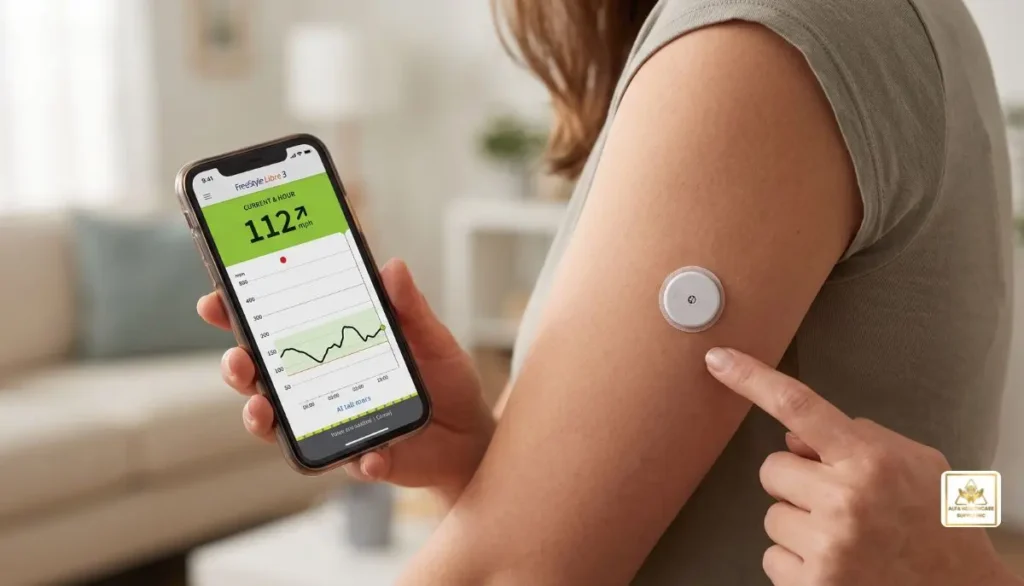
This does not imply that the sensor will be available on the pharmacy counter, so that you can buy one just like any other over the counter medicine like bandages, lancing devices or some blood glucose meters.
The sensor can be purchased or provided by a pharmacy or medical supply company, but typically requires a qualified prescription to receive a prescription CGM.
Why Does Libre 3 Require a Prescription?
A Continuous Glucose Monitor (CGM) offers glucose data which is used for diabetes management. Since the readings from CGM can affect health decisions, healthcare providers can assist in making decisions about the need for a CGM and the type of CGM that should be used.
A prescription also ensures that the patient receives the right product and the proper instructions for utilizing the system.
For example, a healthcare provider may consider:
- Your diabetes diagnosis
- Your current diabetes treatment
- Your glucose-monitoring needs
- Whether you use insulin
- Your insurance requirements
- Which CGM model is appropriate
- Whether your phone or reader is compatible
The prescription process can also help prevent confusion between different Libre products.
Can You Buy Libre 3 Sensor Over the Counter at a Pharmacy?
Many are looking for can you buy libre 3 sensor over the counter because they think that the sensor will be available at a local pharmacy.
The key difference is between the sale of the product and whether or not it is an over-the-counter product.
Libre 3 and Libre 3 Plus sensors and readers are available via participating retail pharmacies and some DME suppliers, Abbott says.
However, availability through a pharmacy does not make the product OTC.
You may need to:
- Talk with your healthcare provider.
- Obtain a valid prescription.
- Send the prescription to a participating pharmacy or supplier.
- Confirm insurance coverage or cash-pay pricing.
- Pick up or receive the sensor.
Abbott’s current information also directs patients to work with their healthcare provider for prescriptions for the newer Libre 3 Plus sensor.
Can You Pay Cash for a Libre 3 Sensor?
Another frequently asked question regarding can you buy libre 3 sensor over the counter is, can you just pay for cash if your insurance doesn’t cover it?
Paying cash and buying OTC are two different things.
In some cases, a prescription medication may be obtainable cash for insurance coverage. Prescription requirement may still apply.
Patients should check with the participating pharmacies and suppliers for out-of-pocket costs, Abbott says. In addition, it points out that the cost might differ from pharmacy to pharmacy, supplier to supplier, and store to store.
Thus, if insurance does not pay for your CGM, inquire at your pharmacy or DME provider about the current cash price and any manufacturer programs available.
What About Buying From a Medical Supply Company?
DME suppliers and medical supply companies can be another option for obtaining diabetes monitoring supplies.
Alfa Healthcare Supply Inc. is a diabetic supply provider and the FreeStyle Libre 3 Sensor is currently on its diabetic supply’s catalog page with Alfa Healthcare Supply Inc. as is the FreeStyle Libre 3 Reader. These products are identified as prescription products on the website.
It is essential for those who are looking for can you buy libre 3 over the counter.
The product could be sold by a medical supply company but this does not imply a prescription is not required.
Before placing an order, check:
- Whether a prescription is required
- Which Libre sensor your prescription specifies
- Whether the supplier accepts your insurance
- Whether the product is currently available
- Whether your reader and sensor are compatible
- Whether you are receiving the original Libre 3 or Libre 3 Plus
An Important 2026 Update: Libre 3 Is Being Discontinued
When you are looking for a particular item, like you can buy libre 3 sensor over the counter, then in 2026 there is another issue to deal with.
Abbott has announced its plans to discontinue the original FreeStyle Libre 3 sensor. The current Libre 3 users should reach out to their healthcare provider to discuss switching to the FreeStyle Libre 3 Plus sensor, Abbott says.
The Libre 3 Plus sensor belongs to Abbott’s new generation of Libre sensors.
Abbott’s current U.S. website calls the Libra 3 Plus a 15-day real-time CGM sensor and notes it requires a prescription.
Therefore, if you already have an older Libre 3 prescription, it may be wise to consult your health care provider prior to ordering another sensor.
Your provider will be able to decide if you need or want more inventory from the Libre 3 or a new prescription for Libre 3 Plus.
Is the Libre 3 Plus Sensor Available Without a Prescription?
No. The Libre 3 Plus sensor is also an FDA-prescribed CGM in the U.S.
Abbott specifically states that patients should ask their healthcare provider for a prescription for the Libre 3 Plus sensor.
Your answer to “can you buy a Libre 3 sensor over the counter” should not be taken to mean “is it OK to buy a newer Libre sensor?”
However, the newer Libre 3 Plus sensor still adheres to prescription requirements.
What Is the Difference Between OTC and Cash Pay?
This distinction is very confusing.
Over-the-counter
Typically, an OTC product does not require a prescription.
Cash pay
You will still need a prescription for cash-pay product but the purchase price will be charged directly to you, not insurance.
For example, someone could have a prescription for a CGM but choose to pay the supplier directly if their insurance does not cover the product.
Therefore:
Prescription + cash payment does not equal OTC.
This is especially useful to remember when researching can you buy libre 3 sensor over the counter online.
How Do You Get a Libre Sensor?
Switching to Libre CGM may be fairly simple if you are looking to get there.
Step 1: Talk With Your Healthcare Provider
Ask if it’s a good idea to use a FreeStyle Libre CGM.
Your provider will decide which version is best for you.
Step 2: Get the Correct Prescription
Libre CGM systems are prescription products and must have the correct prescription.
If you’re currently taking the original Libre 3, ask yourself if you require a new prescription for Libre 3 Plus.
Abbott is urging people to “talk to their healthcare provider” about transition.
Step 3: Choose a Pharmacy or DME Supplier
Your prescription is usually able to be sent to a suitable participating pharmacy or supplier.
Libre products can be found at participating retail pharmacies and some DME suppliers, Abbott says.
Step 4: Check Insurance
Insurance coverage varies.
Ask your insurance company or supplier:
- Is the CGM covered?
- Is prior authorization required?
- Which Libre model is covered?
- Is there a preferred pharmacy?
- What will my copay be?
- Can I use a DME benefit?
Step 5: Confirm the Product Before Ordering
This is especially critical when switching from Libre 3 to Libre 3 Plus.
Before ordering, please verify the product name, sensor version, reader compatibility and prescription.
Can You Buy Libre 3 Sensors Online?
Yes, prescription Libre products are available online and also can be purchased online from medical supply firms but online availability does not remove the requirement for prescription.
If buying online, check for a legitimate medical supply or pharmacy and check prescription process.
If the manufacturer requires a prescription for the CGM, be careful using sites that sell one without a prescription.
Trading in expired, improperly stored, counterfeited, or wrong market products can be extremely cheap, but not necessarily good.
When purchasing medical devices, it’s essential that you use a reputable supplier as an important measure of protection.
What Should You Check Before Buying?
If you are searching can you buy libre 3 sensor over the counter, don’t only look at the price.
Before purchasing a sensor, check these details:
1. Exact Sensor Model
Determine if you require an original Libre 3 or a newer version, Libre 3 Plus.
2. Prescription
Ensure that the product you are getting matches your prescription.
3. Compatibility
Ensure that your smartphone or reader functions with the sensor.
4. Expiration Date
Please use the sensor within the date of the package.
5. Package Condition
Avoid using a sensor if it is damaged or broken in any way.
6. Authorized Supplier
Avoid using a sensor if it is damaged or broken in any way.
7. Insurance or Cash Price
Ask about your final out-of-pocket cost before ordering.
What If You Do Not Have Insurance?
Having no insurance doesn’t automatically mean you won’t be able to use a Libre CGM.
Check with the participating pharmacy or supplier to see if cash pay options or manufacturer savings programs are available for you.
Abbott offers details on the out-of-pocket cost and savings, but eligibility and pricing may vary.
A few programs are subject to eligibility conditions; check the latest conditions.
Can You Get a Free Libre Sensor?
Abbott currently offers a FreeStyle Libre sensor trial program for eligible people.
According to the program information, qualifying patients can follow the necessary steps, get a prescription from their doctor and then go to a participating pharmacy with the voucher and prescription.
Some eligibility requirements may apply, so don’t assume that everyone is eligible.
It should not be interpreted that the Libre system is now an OTC product because of a free-sensor offer.
What About the Libre 3 Reader?
The reader and sensor are not one and the same.
Abbott’s support information notes that the FreeStyle Libre 3 reader does need a prescription.
If you don’t use a compatible smartphone, check to see if the reader is compatible with the sensor version you intend to use.
This is particularly true when rolling out to newer Libre products.
Why Buying the Correct Sensor Matters
CGM products can be similar, but it is not always possible to switch from one generation to another in the same product.
When a patient clicks on “Libre 3 sensor”, it could be a mistake and they may order a different Libre product.
Before ordering, confirm:
Sensor: Which exact Libre sensor?
Reader: Which reader are you using?
App: Which Libre app is supported?
Prescription: Does your prescription specify the correct product?
Supplier: Is the supplier legitimate?
Abbott’s support resources also note that the FreeStyle Libre 3 app is being phased out and recommend transitioning to the Libre app with the next sensor.
Final Thoughts: Can You Buy Libre 3 Sensor Over the Counter?
So, can you buy libre 3 sensor over the counter? In the United States, the answer is no for the prescription FreeStyle Libre 3 system. A valid prescription is required.
You may be able to obtain the sensor through a participating pharmacy, DME supplier, or medical supply company, and cash-pay options may be available. However, these options do not make the CGM an OTC product.
There is also an important 2026 consideration: Abbott says the original FreeStyle Libre 3 sensor is being discontinued and recommends speaking with your healthcare provider about the newer FreeStyle Libre 3 Plus sensor.
If you are considering a Libre CGM, start by confirming the exact sensor your healthcare provider recommends. Then check prescription requirements, compatibility, insurance coverage, availability, and total cost before ordering.
For patients and caregivers in the U.S., Alfa Healthcare Supply Inc. provides access to a range of diabetic supplies and lists FreeStyle Libre products in its diabetic-supplies catalog.
Frequently Asked Questions
Can you buy Libre 3 sensor over the counter?
In the United States, the prescription FreeStyle Libre 3 system is not an OTC product. Abbott states that the FreeStyle Libre 3 system requires a valid prescription.
Can I buy Libre 3 at a pharmacy?
Participating pharmacies may provide Libre sensors, but a prescription is required for the prescription CGM system. Availability varies by retailer.
Can I pay cash for Libre 3?
Cash payment may be possible when a prescription is required. Paying cash does not remove the prescription requirement. Abbott advises patients to contact participating pharmacies or suppliers for current out-of-pocket pricing.
Is Libre 3 still available in 2026?
Abbott says the original FreeStyle Libre 3 sensor is being discontinued and recommends transitioning to the Libre 3 Plus sensor. Availability of remaining Libre 3 inventory can vary.
Does Libre 3 Plus require a prescription?
Yes. Abbott states that a prescription is required for the Libre 3 Plus sensor.
Can I order a Libre sensor online?
Prescription Libre sensors may be available from participating online pharmacies or DME suppliers. You should verify the supplier and prescription requirements before ordering.
Should I switch from Libre 3 to Libre 3 Plus?
Abbott recommends that current Libre 3 users discuss the transition with their healthcare provider. Your healthcare professional can determine which product is appropriate for your needs.
Medical disclaimer: This article is for general educational purposes and is not a substitute for professional medical advice. Always follow your healthcare professional’s instructions and the manufacturer’s current product information for your specific CGM system.
Managing diabetes can involve many daily decisions. Checking glucose, understanding trends, keeping track of medications, planning meals, and staying active can all become part of a person’s routine. Continuous glucose monitoring (CGM) technology has made it possible to follow glucose information throughout the day without relying only on traditional fingerstick testing.
If you are searching for a Dexcom G7 sensor USA, you may be looking for a convenient way to monitor glucose, understand glucose trends, and stay informed about changes between routine checks.
The Dexcom G7 Continuous Glucose Monitoring System is a real-time CGM designed for people with diabetes. The current U.S. Dexcom information states that the G7 is indicated for people age 2 and older with diabetes.
For patients, caregivers, and families, the most important thing is understanding what the sensor does, how long it lasts, where it can be worn, what equipment is needed, and where to obtain genuine supplies.
This guide explains the Dexcom G7 sensor USA in straightforward language and provides practical information to help you understand the product before purchasing or using it.
Medical information note: This article is for general education. Always follow the official Dexcom instructions and the recommendations of your healthcare professional for your individual diabetes care.
What is the Dexcom G7 Sensor?
The Dexcom G7 sensor is a wearable component of the Dexcom G7 continuous glucose monitoring system.
Instead of requiring you to manually check glucose every time you want information, the G7 system continuously collects glucose data and sends information to a compatible display device.
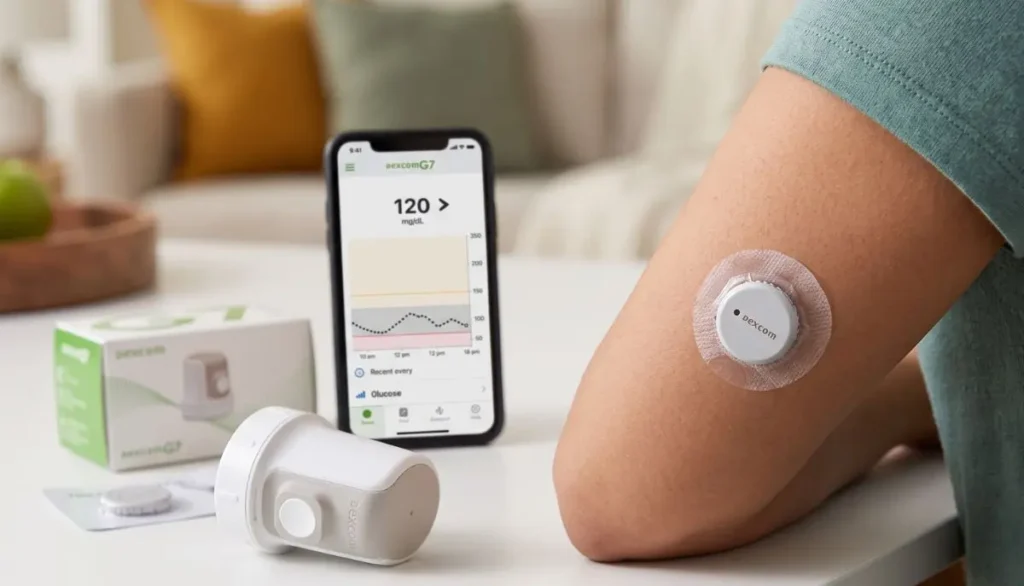
Dexcom describes G7 as a real-time CGM that provides glucose information to a compatible smart device or receiver.
The system can help users see:
- Current glucose information
- Glucose trends
- High and low glucose alerts
- Changes in glucose levels over time
- Information that can support conversations with a healthcare professional
The sensor is worn on the body and communicates wirelessly with a compatible display.
This can make glucose monitoring feel less like a series of separate checks and more like having ongoing information available throughout the day.
Why Are People Searching for a Dexcom G7 Sensor USA?
The search phrase “dexcom g7 sensor USA” can have several meanings.
Someone may be looking for:
- A Dexcom G7 sensor available in the United States
- A U.S. medical supply company carrying Dexcom G7 supplies
- Information about Dexcom G7 sensor availability
- How long the sensor lasts
- Where to insert the sensor
- Whether a receiver is required
- How to replace a sensor
- How to purchase replacement sensors
- Information about prescriptions and insurance
- A reliable source for diabetes supplies
Because CGM products are medical devices, it is important to check the exact product, intended use, compatibility, and current manufacturer instructions before ordering.
For example, Alfa Healthcare Supply Inc. currently lists the Dexcom G7 Sensor among its diabetic supplies and also lists the Dexcom G7 Receiver.
How Does the Dexcom G7 Sensor Work?
The Dexcom G7 sensor measures glucose in the fluid beneath the skin and communicates glucose information to a compatible display device.
The display can be a compatible smartphone running the Dexcom G7 app or an optional Dexcom G7 receiver. Dexcom states that the G7 system requires sensors, the sensor overpatch, and a compatible display device.
This distinction is useful because the sensor and receiver are not the same thing.
The sensor
The sensor is the wearable part placed on the body.
The app
The Dexcom G7 app can provide glucose information on a compatible smartphone.
The receiver
The receiver is a separate handheld display option for people who choose not to rely on a smartphone or who have another reason to use a dedicated receiver.
Understanding these components can make the purchasing process easier.
How Long Does a Dexcom G7 Sensor Last?
One of the most common questions about the Dexcom G7 sensor USA is how frequently it needs to be replaced.
According to Dexcom, the standard Dexcom G7 sensor is indicated for up to 10 days of wear, followed by a 12-hour grace period.
After the grace period, the sensor needs to be replaced to continue receiving glucose readings and alerts.
Dexcom also states that the standard G7 sensor cannot simply be restarted after its session ends.
What does this mean in everyday life?
A user may organize their supplies around their sensor replacement schedule.
For example:
Sensor starts → approximately 10 days of use → 12-hour grace period → replace sensor
Having replacement supplies available before the current sensor expires can help avoid unnecessary interruptions.
Dexcom G7 Sensor vs. Dexcom G7 15 Day
It is important not to confuse the standard Dexcom G7 sensor with the Dexcom G7 15 Day system.
Dexcom currently provides separate information for these products.
The standard Dexcom G7 is indicated for up to 10 days, plus a 12-hour grace period.
The Dexcom G7 15 Day sensor is indicated for up to 15 days, plus a 12-hour grace period, and has different age and use specifications.
Therefore, when searching for a Dexcom G7 sensor USA, pay attention to the exact product name.
Do not assume that every Dexcom G7 listing represents the same sensor version.
Where Is the Dexcom G7 Sensor Placed?
Proper placement is important.
According to current Dexcom instructions, the standard Dexcom G7 sensor can be inserted on the back of the upper arm for people age 2 and older. For children ages 2 through 6, the upper buttocks is also an indicated location.
Dexcom recommends choosing an area that:
- Has sufficient tissue
- Is away from areas likely to be bumped or pressed
- Is away from irritated skin
- Is away from scars
- Is away from tattoos
- Is away from areas where the sensor may be compressed during sleep
- Is at least 3 inches from an insulin infusion or injection site
The exact placement instructions should always come from the current Dexcom product instructions.
Why placement matters
A sensor may be worn for many days, so choosing a comfortable and appropriate site matters.
It is also recommended to change the insertion site with each new sensor so that the skin has an opportunity to recover.
How Do You Apply the Dexcom G7 Sensor?
The Dexcom G7 system uses an applicator designed to simplify sensor insertion.
A general process includes:
- Wash and dry your hands.
- Select an appropriate sensor location.
- Clean the skin according to the manufacturer’s instructions.
- Allow the area to dry.
- Prepare the G7 applicator.
- Position the applicator correctly.
- Insert the sensor according to the Dexcom instructions.
- Apply and secure the overpatch as instructed.
- Pair the sensor with the compatible display device.
- Complete the sensor warm-up period.
Dexcom’s official setup instructions explain that the G7 has a warm-up period of approximately 30 minutes.
Always read the current product instructions before applying a new sensor.
Does the Dexcom G7 Require a Receiver?
No, a separate receiver is not automatically required.
Dexcom states that the G7 system can use a compatible smart device with the Dexcom G7 app, while an optional receiver is also available.
This gives users different display options.
Smartphone option
You may use a compatible smartphone and the Dexcom G7 app.
Receiver option
You may use the Dexcom G7 receiver as a dedicated display device.
Why might someone choose a receiver?
A receiver may be useful for people who:
- Prefer a dedicated medical device
- Do not want to depend entirely on a smartphone
- Have compatibility limitations with their phone
- Want a separate screen for glucose monitoring
Before purchasing a receiver, check the current Dexcom compatibility information and your healthcare professional’s recommendations.
Dexcom G7 Sensor USA: What Should You Check Before Buying?
When purchasing a Dexcom G7 sensor USA, it is worth taking a few minutes to verify the product.
1. Check the exact product name
Make sure the listing specifically identifies the product you need.
Standard Dexcom G7 and Dexcom G7 15 Day are different products.
2. Check whether a prescription is required
Medical-device purchasing requirements can depend on the product, supplier, insurance arrangement, and applicable regulations.
If a prescription is required, make sure it is available before ordering.
3. Check compatibility
If you plan to use the smartphone app, check whether your phone and operating system are supported.
Dexcom recommends checking its current compatibility information for supported smart devices.
4. Check the sensor expiration information
Look at the packaging and expiration information supplied with your product.
5. Purchase from a legitimate medical supply source
Medical supplies should come from a reliable supplier that handles products appropriately.
6. Check what is included
Make sure you understand whether you are purchasing a sensor, receiver, or another component.
This prevents a common mistake: ordering one part of the system while expecting another component to be included.
Is the Dexcom G7 Sensor Reusable?
No.
Dexcom identifies its sensors as single-use, disposable supplies.
Once a sensor reaches the end of its approved wear period, it should not be reused or restarted.
If a sensor fails before the expected end of its life, Dexcom recommends contacting its technical support team. Dexcom has a sensor replacement policy for confirmed product failures.
What If Your Dexcom G7 Sensor Falls Off?
A sensor can sometimes become loose or come off because of:
- Sweat
- Friction from clothing
- Exercise
- Accidental bumps
- Skin preparation
- Adhesive problems
Dexcom recommends using the overpatch supplied with the G7 sensor as instructed. The overpatch is intended to help keep the sensor in place during the sensor session.
If your sensor comes off unexpectedly, do not simply reattach it and assume that it will function normally.
Instead, follow the current Dexcom instructions and contact Dexcom support when appropriate.
Dexcom G7 Sensor Warm-Up Time
The G7 has a relatively short warm-up period.
Dexcom states that the G7 has a 30-minute warm-up time.
During this period, the sensor is establishing communication and preparing to provide readings.
A person starting a new sensor should plan accordingly.
For example, if you know your current sensor is approaching the end of its session, having the replacement sensor ready can make the transition easier.
Understanding Dexcom G7 Alerts
One of the useful parts of a CGM system is the ability to receive alerts.
Dexcom’s G7 system provides alerts for glucose conditions, including high and low glucose situations.
These alerts can be especially useful because glucose levels can change while a person is:
- Sleeping
- Working
- Exercising
- Traveling
- Eating
- Going through a normal daily routine
However, alerts should be understood as part of an overall diabetes management plan.
If an alert appears and you are unsure what it means or what action to take, follow your healthcare professional’s instructions.
Can Dexcom G7 Replace Fingersticks?
The answer depends on the specific clinical situation, instructions, and device use.
Dexcom describes G7 as a real-time CGM designed to provide glucose information without the need for routine scanning.
However, users should always follow the current Dexcom instructions regarding situations where a blood glucose meter or additional testing may be appropriate.
Never ignore symptoms simply because a CGM reading appears normal or because an alert has not appeared.
If your symptoms do not match your CGM reading, follow the manufacturer’s instructions and seek appropriate medical guidance.
Dexcom G7 Sensor USA for Everyday Diabetes Management
For many people, CGM technology is not simply about seeing a glucose number.
The bigger benefit is understanding patterns.
For example, someone may begin to notice that glucose behaves differently:
- After breakfast
- After physical activity
- During the night
- During stressful periods
- After certain meals
- When medication timing changes
This information can give patients and healthcare professionals more context during diabetes-management discussions.
The Dexcom G7 is designed to provide continuous glucose information throughout the day and night.
It does not replace professional medical advice, but it can provide useful information that becomes part of a broader care plan.
Why Genuine Medical Supplies Matter
When purchasing a Dexcom G7 sensor USA, authenticity and proper sourcing deserve attention.
A CGM sensor is a medical device, not a general consumer electronic accessory.
When purchasing, consider:
- Supplier reputation
- Product identification
- Packaging condition
- Expiration information
- Prescription requirements
- Storage and handling
- Return policies
- Customer support
- Insurance considerations
Avoid purchasing products with unclear origins or questionable packaging.
If something about a sensor appears unusual, contact the manufacturer or your medical supply provider before using it.
Buying Dexcom G7 Sensor in the USA
Alfa Healthcare Supply Inc. provides diabetic supplies and lists the Dexcom G7 Sensor and Dexcom G7 Receiver among its diabetes-related products.
View Alfa Healthcare Supply’s Diabetic Supplies
For someone searching for dexcom g7 sensor USA, Alfa Healthcare Supply Inc. can be one option to consider when looking for medical supply support.
Before placing an order, customers should confirm:
- The exact Dexcom product needed
- Current product availability
- Prescription requirements
- Insurance or payment information
- Delivery details
- Compatibility requirements
Product availability and requirements can change, so verify the current information before ordering.
Dexcom G7 Sensor USA and Insurance
Insurance coverage for CGM supplies can vary significantly.
Coverage may depend on factors such as:
- Insurance plan
- Diagnosis
- Medical necessity
- Prescriber documentation
- Eligibility requirements
- Durable medical equipment benefits
- Pharmacy benefits
- Individual plan policies
Do not assume that every insurance plan covers the Dexcom G7 in the same way.
If you are using insurance, contact your insurance provider or medical supply company before ordering to understand your current coverage.
How to Store Dexcom G7 Sensors
Always follow the manufacturer’s storage instructions printed on the product packaging and in the current instructions for use.
Do not use a sensor if:
- Packaging is damaged
- The product appears compromised
- The sensor is expired
- The product has been stored incorrectly
- You have concerns about its condition
Proper storage is part of maintaining the quality of medical supplies.
If you have questions about storage requirements, contact Dexcom or your healthcare supply provider.
What Makes a Good Dexcom G7 Sensor Buying Experience?
Finding a sensor is only one part of the process.
A good medical supply experience should also make it easier to understand what you are buying.
Look for a supplier that provides clear information about:
Product details
You should be able to identify the exact product.
Prescription requirements
The supplier should clearly explain whether a prescription is needed.
Ordering
The ordering process should be straightforward.
Delivery
Understand where the product will be shipped and the expected delivery process.
Support
It should be clear who to contact if you have questions about your order.
Product condition
Medical supplies should arrive appropriately packaged and in acceptable condition.
These details can make a significant difference when you depend on regular supplies.
Common Mistakes to Avoid When Buying Dexcom G7 Sensors
Mistake 1: Buying the wrong product
Do not assume every Dexcom G7 listing is identical.
Check whether you need the standard G7 or G7 15 Day product.
Mistake 2: Forgetting about compatibility
If using the app, check your smartphone compatibility before purchasing.
Mistake 3: Waiting until the last sensor expires
Keep your replacement schedule in mind.
Mistake 4: Ignoring the expiration date
Always check the product packaging.
Mistake 5: Buying from an uncertain source
Choose a legitimate medical supply provider.
Mistake 6: Ignoring manufacturer instructions
CGM systems should be used according to the current manufacturer’s instructions.
Dexcom G7 Sensor USA: A Simple Replacement Routine
A simple routine can make sensor changes easier.
Before the current sensor expires
Check that your replacement sensor is available.
Prepare the new sensor
Read the current instructions and make sure everything needed is ready.
Choose a new site
Use an approved location and avoid irritated or unsuitable skin.
Apply the sensor
Follow the manufacturer’s insertion instructions carefully.
Apply the overpatch
Use the included overpatch as instructed.
Pair the sensor
Connect it with the compatible display device.
Complete warm-up
Allow the approximately 30-minute warm-up period.
Continue monitoring
Once the sensor is active, use the available glucose information and alerts according to your care plan.
This simple routine can help make sensor replacement feel less stressful.
Final Thoughts: Finding the Right Dexcom G7 Sensor USA
Searching for a Dexcom G7 sensor USA should be about more than finding a product listing.
It is important to understand the exact sensor version, wear duration, insertion location, compatible display options, prescription requirements, and replacement schedule.
The standard Dexcom G7 is designed to provide continuous glucose information for up to 10 days, with a 12-hour grace period. It can communicate with a compatible smartphone or an optional receiver, giving users flexibility in how they view their glucose information.
For people who depend on CGM supplies as part of their diabetes routine, planning ahead can make sensor replacement much easier.
If you are looking for Dexcom G7 supplies in the USA, Alfa Healthcare Supply Inc. offers diabetic supplies and currently lists the Dexcom G7 Sensor and Dexcom G7 Receiver.
The most important step is to choose the correct product for your prescribed or recommended CGM system and follow the latest manufacturer’s instructions and guidance from your healthcare professional.
Frequently Asked Questions About Dexcom G7 Sensor USA
How long does a Dexcom G7 sensor last?
The standard Dexcom G7 sensor is indicated for up to 10 days, followed by a 12-hour grace period.
Can I restart a Dexcom G7 sensor?
No. Dexcom states that the G7 sensor cannot be restarted after its sensor session ends.
Where can I wear the Dexcom G7 sensor?
For the standard G7, Dexcom indicates the back of the upper arm for people age 2 and older. For children ages 2–6, the upper buttocks is also an indicated location.
Does Dexcom G7 require a receiver?
No. A compatible smartphone can be used with the Dexcom G7 app. A receiver is an optional display device.
How long is the Dexcom G7 warm-up?
Dexcom states that the G7 has a 30-minute warm-up.
Is Dexcom G7 reusable?
No. Dexcom identifies G7 sensors as single-use, disposable supplies.
What should I do if my sensor fails early?
If a sensor fails before its expected life, Dexcom recommends contacting its technical support team. Confirmed product failures may qualify for replacement under Dexcom’s sensor replacement policy.
Can I buy Dexcom G7 sensors in the USA?
Yes, Dexcom G7 sensors are available through U.S. medical supply channels, subject to applicable product and prescription requirements. Alfa Healthcare Supply Inc. currently lists the Dexcom G7 Sensor among its diabetic supplies.
Is the Dexcom G7 approved for children?
The FDA’s current information identifies the Dexcom G7 CGM System as indicated for management of diabetes in people 2 years and older.
Dexcom G7 Sensor Where to Buy
If you are searching for dexcom g7 sensor where to buy, you are not alone. Many people using continuous glucose monitoring (CGM) want a simple and reliable way to find their next Dexcom G7 sensor without spending hours comparing pharmacies, insurance options, and medical supply providers.
The good news is that Dexcom G7 sensors are available through several channels in the United States. Depending on your insurance coverage and prescription, you may be able to obtain Dexcom G7 supplies through a local pharmacy or an insurance-designated medical equipment supplier.
For customers looking for a dependable medical supply source, Alfa Healthcare Supply Inc. can be a convenient place to explore diabetes and durable medical equipment supplies.
Visit Alfa Healthcare Supply Inc.
This guide explains where to buy Dexcom G7 sensors, what you may need before ordering, how insurance can affect your purchase, and what to check before choosing a supplier.
Important: Dexcom G7 is a prescription CGM system in the United States. Your healthcare provider can help determine whether a Dexcom G7 system is appropriate for you and provide the prescription needed to obtain it.
What is the Dexcom G7 Sensor?
The Dexcom G7 is a continuous glucose monitoring system designed to help people monitor glucose levels without relying only on traditional fingerstick testing.
The sensor is worn on the body and communicates glucose information to a compatible display device, such as a compatible smartphone or receiver. The system can provide glucose readings and alerts that may help users and their healthcare teams understand glucose patterns.
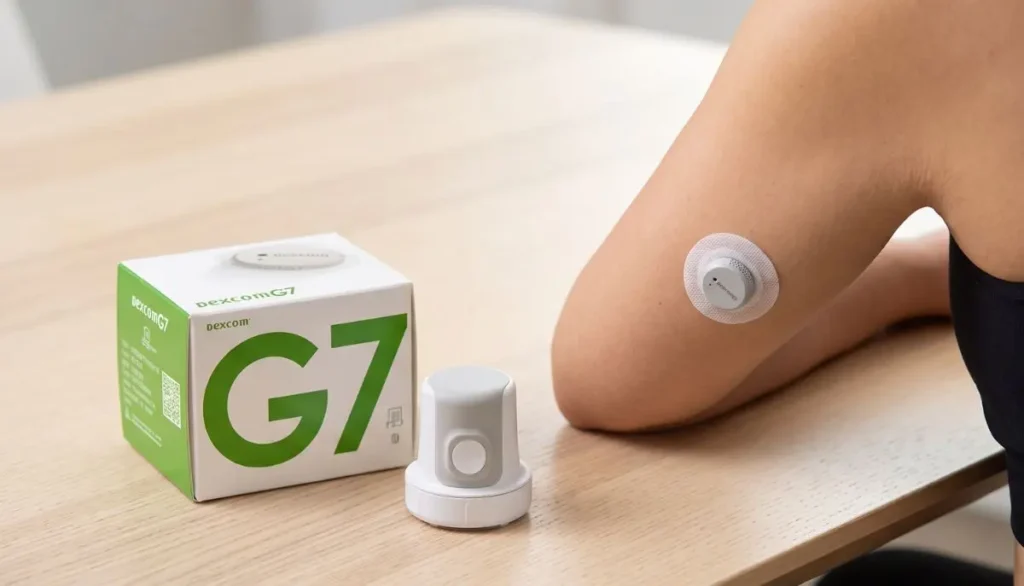
Dexcom currently offers both the Dexcom G7 and Dexcom G7 15 Day systems in the United States. Product availability, eligibility, coverage, and prescribing requirements can vary by patient and plan.
If you are specifically looking for the original Dexcom G7 rather than the newer G7 15 Day system, check the product name carefully when ordering.
Dexcom G7 Sensor Where to Buy
When searching for dexcom g7 sensor where to buy, there are several options worth considering.
1. Local Pharmacies
One of the most straightforward options is your local pharmacy.
Dexcom states that patients may have pharmacy coverage for Dexcom CGM supplies. If your insurance covers Dexcom through the pharmacy benefit, your healthcare provider can send a prescription to your preferred pharmacy.
Before visiting the pharmacy, it can be helpful to:
- Confirm that the pharmacy carries Dexcom G7.
- Ask whether your insurance covers the sensor.
- Confirm that your prescription is current.
- Ask whether the product is currently in stock.
- Check your expected copay or out-of-pocket cost.
Calling ahead can save you a trip, especially if you need the sensor quickly.
2. Medical Supply and DME Suppliers
Another option is a medical supply or durable medical equipment (DME) supplier.
Some people obtain CGM supplies through an insurance-designated distributor instead of a retail pharmacy. Dexcom explains that patients whose G7 system is not covered through their pharmacy benefit may continue to receive supplies through their insurance-designated distributor.
For customers looking for diabetes supplies and other home medical equipment, Alfa Healthcare Supply Inc. is a medical supply company serving customers in the United States.
You can visit the website to explore available diabetes and medical supply options:
If you are trying to obtain Dexcom G7 through insurance, check with your insurance plan and healthcare provider to determine which supplier is approved for your benefits.
3. Dexcom’s Official Get Started Process
If you are new to Dexcom, another option is to start through Dexcom’s official process.
Dexcom says new users can complete its Get Started process, which can include a benefits check to help determine available coverage and next steps.
This can be useful if you are not sure whether your insurance covers Dexcom G7 or whether your supplies should be obtained through a pharmacy or another distributor.
4. Retail Pharmacy With a Dexcom Prescription
For many people, the pharmacy route is simple.
Your healthcare provider sends the Dexcom G7 prescription to your selected pharmacy. The pharmacy then processes the prescription and checks your insurance coverage.
Dexcom recommends obtaining a prescription from your healthcare professional and checking with your pharmacy regarding availability.
If you already use Dexcom G6 through a pharmacy, your healthcare provider can provide a Dexcom G7 prescription so you can begin the process of switching systems.
Do You Need a Prescription for Dexcom G7?
Yes. In the United States, Dexcom G7 requires a prescription.
If you are purchasing through a pharmacy, your healthcare provider can send the prescription directly to the pharmacy. If you receive your CGM supplies through a distributor, the distributor may work with your provider to obtain or update the prescription.
This is an important step when searching for dexcom g7 sensor where to buy.
Be cautious of websites that claim to sell prescription CGM products without following appropriate prescription requirements.
How to Buy Dexcom G7 Sensor With Insurance
Insurance coverage can make a significant difference in the price you pay.
Your coverage may depend on:
- Your insurance company
- Your specific insurance plan
- Whether Dexcom is covered under your pharmacy benefit
- Whether it is covered under your medical or DME benefit
- Your eligibility requirements
- Your deductible and copay
- Whether prior authorization is required
- The supplier or pharmacy used
Dexcom notes that individual pricing can vary based on insurance coverage.
A simple process
Step 1: Talk with your healthcare provider
Ask whether Dexcom G7 is appropriate for you and request a prescription if your provider recommends it.
Step 2: Contact your insurance company
Ask whether Dexcom G7 is covered and whether it is handled through your pharmacy or DME benefit.
Step 3: Confirm your supplier
Your insurer may tell you which pharmacy or medical equipment supplier you should use.
Step 4: Submit the prescription
Your healthcare provider can send the prescription to the selected pharmacy or supplier.
Step 5: Confirm your cost
Ask about your deductible, copay, coinsurance, and any other applicable charges before completing the order.
Can You Buy Dexcom G7 at a Pharmacy?
Yes. Dexcom confirms that eligible patients may obtain Dexcom CGM supplies through pharmacies when covered through their pharmacy benefit.
However, pharmacy availability can vary.
A pharmacy may have the product available one day and need to order it the next. That is why it is useful to call before visiting.
You can ask:
“Do you currently have Dexcom G7 sensors available, and can you process my prescription through my insurance?”
This simple question can help you understand availability and coverage before making a trip.
Can I Buy Dexcom G7 Online?
Depending on the supplier and your insurance arrangement, Dexcom G7 supplies may be available through online ordering or fulfillment.
However, the important point is not simply finding a website that lists Dexcom G7.
You should verify:
- The seller is a legitimate medical supply provider or pharmacy.
- A prescription is handled appropriately.
- The product is intended for the U.S. market if you are purchasing in the United States.
- The package is sealed and authentic.
- The sensor has not expired.
- Your insurance or payment method is accepted if applicable.
- You understand the supplier’s shipping and return policies.
When purchasing medical products online, a low price should not be the only consideration.
Why Buy From a Medical Supply Company?
A medical supply company can be helpful when you need more than one healthcare product.
For example, someone managing diabetes may also need:
- Blood glucose meters
- Test strips
- Lancets
- Pen needles
- Alcohol prep pads
- CGM supplies
- Diabetes-related accessories
- Other home medical equipment
A supplier that carries multiple categories of healthcare products can make routine ordering more convenient.
For customers exploring diabetes and medical supply products, Alfa Healthcare Supply Inc. provides an online medical supply shopping resource.
Explore Alfa Healthcare Supply Inc.
What Should You Check Before Ordering a Dexcom G7 Sensor?
Finding dexcom g7 sensor where to buy is only the first step. Before placing an order, check the details carefully.
1. Check the Exact Product
Make sure the product is actually the Dexcom G7 system you need.
Dexcom now also offers the Dexcom G7 15 Day system. These are different product versions, and a prescription for one may not automatically serve as a prescription for the other. Dexcom states that a new prescription is required for the G7 15 Day system.
2. Check the Expiration Date
Before using any CGM sensor, inspect the package and expiration information.
Do not use a product that is expired or has damaged packaging.
3. Check the Packaging
The box should be sealed and appear undamaged.
If the packaging looks unusual, damaged, opened, or tampered with, contact the supplier before using the product.
4. Confirm Compatibility
Your smartphone or receiver needs to be compatible with the Dexcom system you are using.
Dexcom provides compatibility information for supported devices.
5. Verify Your Prescription
Make sure the supplier or pharmacy has the correct prescription.
A delay in prescription processing can prevent your order from being filled.
Dexcom G7 Sensor vs. Receiver: What Is the Difference?
One common mistake is assuming the sensor and receiver are the same thing.
They are not.
Dexcom G7 Sensor
The sensor is the wearable component placed on the body according to the manufacturer’s instructions. It collects glucose information and communicates with a compatible display device.
Dexcom Receiver
The receiver is a separate display device that can be used with compatible Dexcom systems.
Some users choose to use a compatible smartphone, while others may use a receiver depending on their situation and device compatibility.
If you only need replacement sensors, make sure you are ordering the sensor component rather than a receiver.
How Long Does a Dexcom G7 Sensor Last?
The standard Dexcom G7 sensor is designed for up to 10 days of use, according to Dexcom’s current pharmacy information.
Dexcom also offers the G7 15 Day system, which is a separate product designed for up to 15 days of wear.
Because the products have different wear durations, check the exact product name before ordering.
If your prescription specifies Dexcom G7, do not assume that a G7 15 Day sensor is automatically interchangeable.
How Much Does a Dexcom G7 Sensor Cost?
There is no single price that applies to every customer.
The amount you pay can depend on your insurance plan, pharmacy benefit, deductible, copay, supplier, and eligibility.
Dexcom states that pricing varies according to individual insurance coverage and also offers savings programs for eligible customers.
For this reason, it is better to compare your final out-of-pocket cost rather than simply comparing the advertised retail price.
Before ordering, ask:
- What is the cash price?
- What is my insurance price?
- Is my deductible applied?
- What is my copay?
- Is the supplier in network?
- Are there shipping charges?
- Is a savings program available to me?
What If My Insurance Does Not Cover Dexcom G7?
Not having insurance coverage does not necessarily mean you have no purchasing options.
Dexcom currently provides a pharmacy savings program for eligible customers who do not have CGM coverage or have high out-of-pocket costs. Eligibility and terms apply.
Dexcom also lists other access programs and benefits-check options.
If your insurance denies coverage, consider asking your healthcare provider or insurance company:
- Why was coverage denied?
- Is prior authorization required?
- Is Dexcom covered under another benefit?
- Is a specific supplier required?
- Is there an alternative coverage pathway?
- Are there savings or assistance programs for which you qualify?
Keep copies of insurance correspondence and prescription information. It can make future orders easier.
What If My Pharmacy Does Not Have Dexcom G7 in Stock?
This is a common practical issue.
A pharmacy may accept your prescription but not have the sensor immediately available.
If this happens, ask:
- When will the product be available?
- Can the pharmacy order it?
- Can the prescription be transferred to another location?
- Does another nearby pharmacy have it?
- Is there an approved mail-order option through my insurance?
- Can my insurance-designated DME supplier fill the order?
Dexcom itself recommends calling ahead to confirm pharmacy stock before visiting.
Choosing a Dexcom G7 Supplier: What Matters?
When deciding where to purchase your CGM supplies, look beyond price.
A reliable supplier should make it reasonably clear:
Product Information
The product name, description, and specifications should be easy to understand.
Prescription Requirements
The supplier should clearly explain how prescriptions are handled.
Customer Support
You should know how to contact the supplier if you have an order question.
Shipping Information
Look for clear information about shipping, delivery, and order processing.
Insurance Information
If insurance is accepted, ask whether the supplier is in network with your specific plan.
Product Authenticity
Medical products should come from legitimate distribution channels.
Why People Search “Dexcom G7 Sensor Where to Buy”
The search phrase dexcom g7 sensor where to buy usually reflects a very practical need.
Someone may have:
- Just received a new Dexcom prescription.
- Recently switched from another CGM.
- Used their last sensor.
- Changed insurance.
- Moved to a new pharmacy.
- Experienced a pharmacy stock issue.
- Started using Dexcom G7 for the first time.
- Needed to find an insurance-approved supplier.
In each situation, the goal is similar: find a legitimate source and obtain the correct product without unnecessary delays.
That is why checking your prescription, insurance, product version, and supplier before ordering can make the process much easier.
Dexcom G7 Buying Checklist
Before you place an order, use this quick checklist.
Prescription
☐ I have a current Dexcom G7 prescription.
Product
☐ I am ordering Dexcom G7 and not accidentally selecting another Dexcom product.
Coverage
☐ I checked whether my insurance covers the product.
Supplier
☐ The pharmacy or medical supply company is legitimate.
Availability
☐ I confirmed the product is available or can be ordered.
Cost
☐ I know my expected out-of-pocket cost.
Package
☐ I will check the package condition and expiration date when it arrives.
Compatibility
☐ My smartphone or receiver is compatible with my Dexcom system.
This checklist takes only a few minutes and can prevent common ordering mistakes.
Where to Buy Dexcom G7 Sensor Near You
If you need a Dexcom G7 sensor, start by checking the options available through your healthcare and insurance network.
A local pharmacy may be the easiest option when Dexcom is covered under your pharmacy benefit.
A DME or medical supply supplier may be appropriate when your insurance processes the CGM through its medical equipment benefit.
For customers looking for diabetes and medical supplies online, you can also explore Alfa Healthcare Supply Inc.:
Always confirm current product availability, prescription requirements, and insurance participation before placing an order.
Final Thoughts: Finding the Right Place to Buy Dexcom G7
Searching for dexcom g7 sensor where to buy does not have to be complicated.
Start with your healthcare provider and insurance company. Confirm whether Dexcom G7 is covered through your pharmacy benefit or DME benefit. Then choose an appropriate pharmacy or medical supply supplier and verify product availability before ordering.
If you are looking for diabetes and medical supplies online, Alfa Healthcare Supply Inc. is another resource you can explore.
Visit Alfa Healthcare Supply Inc.
Most importantly, make sure you order the correct Dexcom system, use a valid prescription, and follow the manufacturer’s instructions for use. Your healthcare provider can also answer questions about whether Dexcom G7 is appropriate for your individual diabetes management needs.
A little preparation before ordering can make the process smoother—and help you spend less time searching for your next sensor and more time focusing on your everyday routine.
Frequently Asked Questions About Dexcom G7 Sensor Where to Buy
Where can I buy a Dexcom G7 sensor?
Dexcom G7 may be obtained through participating pharmacies or an insurance-designated medical supply/DME supplier, depending on your coverage. Dexcom recommends checking with your pharmacy and healthcare provider about availability and coverage.
Do I need a prescription for Dexcom G7?
Yes. Dexcom G7 requires a prescription in the United States.
Can I buy Dexcom G7 at a local pharmacy?
Yes. Eligible patients may obtain Dexcom G7 through pharmacies when it is covered through their pharmacy benefit.
Can I buy Dexcom G7 online?
Online fulfillment may be available through legitimate pharmacies and medical supply providers, depending on your prescription and insurance. Always verify the seller and prescription requirements.
How long does a Dexcom G7 sensor last?
The standard Dexcom G7 sensor is designed for up to 10 days of use. Dexcom also offers a separate G7 15 Day system.
Is Dexcom G7 covered by insurance?
Coverage varies by insurance plan and eligibility. Dexcom recommends checking benefits and working with your healthcare provider or supplier.
What if my pharmacy does not have Dexcom G7?
Ask whether the pharmacy can order it, check another participating pharmacy, or contact your insurance-designated supplier. Calling ahead can help confirm availability.
What is the difference between Dexcom G7 and G7 15 Day?
They are separate Dexcom CGM systems with different wear durations. The standard G7 sensor is designed for up to 10 days, while the G7 15 Day system is designed for up to 15 days.
Can I use a smartphone with Dexcom G7?
A compatible smartphone can be used with Dexcom G7, subject to Dexcom’s current compatibility requirements. Check the official compatibility list before purchasing or switching devices.
Can I buy only replacement sensors?
Your ability to order replacement sensors depends on your prescription, insurance coverage, and supplier. If you are already using Dexcom, contact your pharmacy or supplier before your current supply runs out.
How to Use the FreeStyle Libre 3 Reader:
If you are using a continuous glucose monitoring (CGM) system for the first time, learning how to use a new reader can feel a little confusing. The good news is that the FreeStyle Libre 3 Reader is designed to make checking glucose simple and convenient.
This guide from Alfa Healthcare Supply Inc. explains how to use the FreeStyle Libre 3 Reader in easy-to-understand language, from preparing and starting a sensor to checking glucose readings, understanding trend information, reviewing your history, and replacing the sensor.
Important: The FreeStyle Libre system is a medical device. Always follow the instructions supplied with your specific sensor and reader, and follow your healthcare professional’s advice for treatment decisions. Product instructions can vary by country and sensor version.
What Is the FreeStyle Libre 3 Reader?
The FreeStyle Libre 3 Reader is a handheld device designed to work with compatible FreeStyle Libre 3 sensors. It allows you to view glucose information from your sensor without needing to rely on a smartphone.
Abbott’s support materials provide a dedicated FreeStyle Libre 3 Reader quick-start guide, quick-reference guide, and user manual.
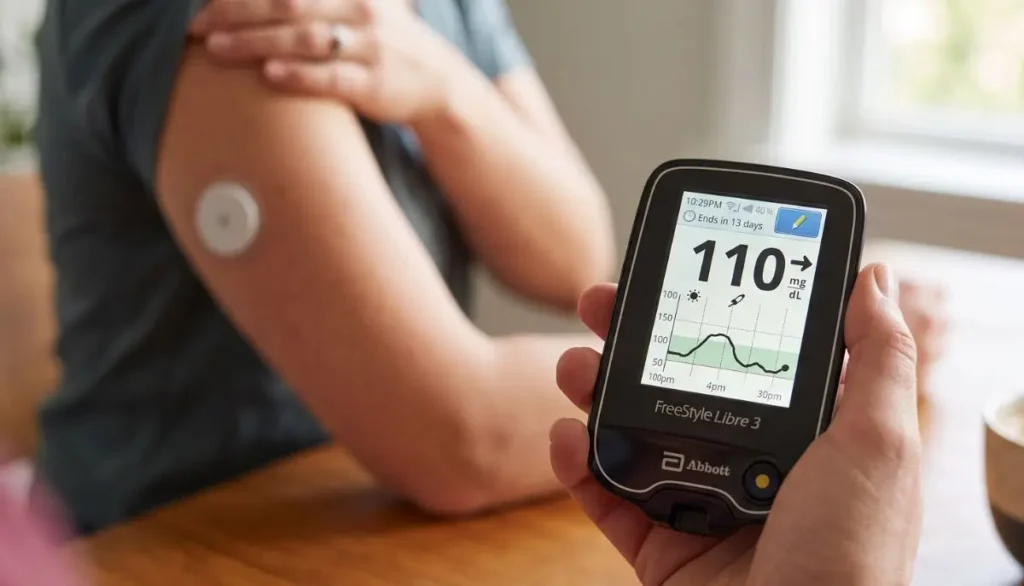
The sensor is worn on the back of the upper arm and collects glucose information. Depending on the system and market, the reader is used to activate the sensor and access glucose information.
One important point is that the reader and app should not be assumed to work interchangeably once a sensor has been started. Abbott’s reader guidance states that the FreeStyle Libre 3 Reader cannot be used simultaneously with the FreeStyle Libre 3 app for the same sensor.
How to Use the FreeStyle Libre 3 Reader
The basic process can be remembered as:
Prepare → Apply → Start → Wait → Check → Review
Let’s walk through each step.
Step 1: Prepare Your FreeStyle Libre 3 Sensor
Before you start, have your sensor, applicator, reader, and the other supplies recommended in your sensor instructions ready.
Choose the appropriate sensor application area.
Abbott’s instructions identify the back of the upper arm as the sensor application site. The skin should be clean and dry before application.
Clean the skin
A simple preparation routine is:
- Wash the selected area with plain soap and water.
- Dry the skin completely.
- Clean the area with an alcohol wipe.
- Allow the skin to air dry.
- Avoid applying the sensor to wet skin.
Clean, dry skin can help the sensor adhesive stay properly attached.
Step 2: Apply the FreeStyle Libre 3 Sensor
Follow the instructions supplied with your specific sensor applicator.
Generally, the applicator is positioned over the prepared area on the back of the upper arm and pressed firmly according to the manufacturer’s instructions.
After application, gently press around the edge of the sensor to help secure it.
Abbott’s instructions emphasize following the sensor-specific application procedure and allowing the sensor to properly adhere before beginning use.
A helpful everyday tip
Try not to rush this step.
If you are applying a new sensor before work, school, travel, or bedtime, give yourself a few extra minutes to properly clean and dry the skin. A little preparation can make the rest of the process easier.
Step 3: Turn On the FreeStyle Libre 3 Reader
Once the sensor has been applied, turn on the reader.
Press the Home button on the FreeStyle Libre 3 Reader.
If you are using the reader for the first time, follow the setup instructions shown on the screen.
Abbott’s professional training material gives the basic sequence as:
Press Home → Touch Start New Sensor → Hold the reader near the sensor.
Step 4: Start a New Sensor
On the reader screen, select:
Start New Sensor
The reader will instruct you to bring it near the sensor.
Hold the reader close to the sensor and move it slowly if necessary until the sensor is detected.
Abbott’s guide states that the reader should be held near the sensor to start it.
When the sensor has been successfully activated, the reader may provide an audible or vibration confirmation if those functions are enabled.
Does the reader need to touch the sensor?
No.
The reader is held close to the sensor. Abbott’s practical guide specifies keeping the reader within approximately 4 cm of the sensor during activation.
Step 5: Wait for the Sensor Warm-Up Period
After activation, the sensor does not provide usable glucose information immediately.
The FreeStyle Libre 3 system requires a 60-minute warm-up period before the sensor can be used to check glucose.
This is normal.
You do not need to repeatedly scan the sensor during the warm-up period.
Think of this first hour as the sensor’s preparation time.
Step 6: Check Your Glucose With the Reader
Once the warm-up period is complete, you can use the reader to view your glucose information.
The reader provides information that can help you see:
- Your current glucose reading
- Glucose trends
- Recent glucose information
- Historical glucose information available on the device
- Relevant system notifications or alarms, depending on the specific system and settings
The exact screens and available functions can vary depending on the sensor version, reader software, and country.
Understanding the Glucose Trend
One useful part of a CGM system is that the number alone is not the entire story.
A glucose reading can be accompanied by a trend arrow, which provides information about the direction glucose is moving.
For example, the trend information can indicate that glucose is:
- Moving upward
- Moving downward
- Remaining relatively steady
This can give you more context than looking at a single glucose number.
However, do not make medication or insulin changes simply because you see a trend arrow unless your healthcare professional has given you a plan for using CGM information to make treatment decisions.
How Often Should You Check the Sensor?
Follow the instructions for your particular FreeStyle Libre system.
For the FreeStyle Libre 3 Sensor, Abbott’s safety information says the system uses available glucose data and recommends scanning the sensor at least once every 8 hours for the most accurate performance.
Your healthcare professional may give you additional instructions based on your individual diabetes management plan.
How to Review Your Glucose History
The FreeStyle Libre 3 Reader is more than a device for looking at your current glucose number.
You can also use it to review previously recorded glucose information.
Looking at historical information can help you and your healthcare professional recognize patterns, such as changes around:
- Meals
- Physical activity
- Sleep
- Medication
- Daily routines
Rather than focusing on one isolated number, reviewing trends over time can provide a broader picture of glucose management.
Abbott explains that Libre systems can provide glucose information and trend information that help users understand how glucose changes throughout the day.
Can You Use the FreeStyle Libre 3 Reader Instead of a Smartphone?
Yes, where the reader is compatible with the sensor and system being used.
One reason some people prefer a dedicated reader is convenience. You may not want to depend on a smartphone every time you need to check your glucose.
A handheld reader can also be useful for someone who:
- Does not regularly use a smartphone
- Prefers a dedicated medical device
- Wants a separate device for glucose monitoring
- Finds a reader easier to understand
However, always confirm that your particular sensor is compatible with your reader before starting it.
Important: Reader vs. FreeStyle Libre App
This is one of the most important things to understand before starting a new sensor.
Do not automatically assume that you can start the same sensor with the reader and then switch freely between the reader and smartphone app.
Abbott’s FreeStyle Libre 3 reader guidance states that the reader cannot be used simultaneously with the FreeStyle Libre 3 app.
The device you use to start the sensor matters.
Before starting a new sensor, decide which compatible device you intend to use and follow the instructions for that system.
If you are unsure whether your reader, smartphone, and sensor are compatible, check Abbott’s current compatibility information or speak with your healthcare professional.
What Happens When the Sensor Reaches the End of Its Wear Period?
Sensors are designed for a specific wear period.
For the FreeStyle Libre 3 Sensor, Abbott’s current safety information specifies up to 14 days of wear.
At the end of the wear period, the sensor stops collecting glucose data and needs to be removed.
Abbott explains that the reader can notify users as the sensor approaches the end of its wear period.
Do not attempt to reuse a sensor.
Abbott’s safety information states that the sensor and applicator are designed for single use.
How to Remove the FreeStyle Libre 3 Sensor
When the sensor has reached the end of its approved wear period, remove it carefully.
A basic approach is:
- Find the adhesive edge.
- Gently lift the edge.
- Slowly peel the sensor away from the skin.
- Dispose of the used sensor appropriately.
- Follow the instructions for applying a new sensor if you are continuing CGM use.
Abbott recommends slowly peeling the adhesive from the skin when removing a sensor.
If the adhesive is difficult to remove, Abbott notes that a soft moisturizer may help with removal.
Common Questions About Using the FreeStyle Libre 3 Reader
Do I need to scan the sensor every time I want a reading?
Follow the instructions for the specific FreeStyle Libre 3 configuration you are using.
The reader is used to access glucose information from the compatible sensor. Abbott’s materials distinguish the sensor activation scan from ongoing glucose monitoring.
How long does a new FreeStyle Libre 3 Sensor take to start?
The sensor has a 60-minute warm-up period after activation before you can use it to check glucose.
Where should I place the FreeStyle Libre 3 Sensor?
Abbott’s instructions specify the back of the upper arm for sensor application.
Always follow the application instructions supplied with your particular sensor.
Can I shower while wearing the sensor?
The applicable FreeStyle Libre system is designed for normal activities such as bathing, swimming, and exercise, subject to the specific sensor’s labeling and instructions.
Follow the water-exposure limitations in your sensor’s user manual.
What if my sensor becomes loose?
If the sensor starts to loosen, pay attention to the manufacturer’s instructions.
Abbott’s safety information notes that intense exercise, sweat, and movement can contribute to sensor loosening.
Do not attempt to reinsert a sensor that has come out of the skin.
Can I reuse a FreeStyle Libre 3 Sensor?
No.
The sensor is designed for single use. Abbott specifically states that FreeStyle Libre 3 Sensors should not be reused.
What if the reader does not detect my sensor?
First, make sure you are following the activation instructions for your specific sensor.
You can try holding the reader close to the sensor and moving it slowly to help establish communication. Abbott’s reader instructions describe holding the reader near the sensor during activation.
If the problem continues, consult the manufacturer’s support information or your healthcare professional.
FreeStyle Libre 3 Reader Troubleshooting Tips
Sometimes the issue is simple.
If the sensor is not detected
Check:
- The sensor has been properly applied.
- You selected Start New Sensor.
- The reader is close enough to the sensor.
- You are using a compatible reader and sensor.
- You are following the correct activation process.
If the sensor is still warming up
Wait until the full warm-up period has finished.
For the FreeStyle Libre 3 system, this is approximately 60 minutes.
If the sensor becomes loose
Do not try to push the sensor back into the skin.
Follow Abbott’s instructions for a sensor that has loosened or fallen off.
If the glucose reading does not match how you feel
Pay attention to Abbott’s safety instructions and your healthcare professional’s guidance. In situations where a sensor reading does not seem consistent with symptoms, confirmatory blood glucose testing may be appropriate according to your system’s labeling and your healthcare professional’s instructions.
Important Safety Information
A CGM can be a helpful tool, but it should not replace appropriate medical care.
For the FreeStyle Libre 3 Sensor, Abbott’s safety information includes several important considerations, including sensor wear duration, skin reactions, sensor loosening, and factors that may affect readings.
For example, Abbott states that some people may experience sensitivity to the sensor adhesive. If significant irritation develops around or under the sensor, the sensor should be removed and use should be stopped while the person contacts a healthcare professional before continuing.
Also, certain substances or medical situations can affect sensor readings. Follow the current labeling for your specific sensor rather than relying on general online advice.
Never use an online article as a substitute for your healthcare professional’s instructions about insulin, medication, or diabetes treatment.
Tips for a Better FreeStyle Libre 3 Reader Experience
Once you understand the basic process, using the reader can become part of your normal daily routine.
1. Keep the reader somewhere easy to find
Choose one regular location at home so you are not searching for it when you need it.
2. Keep the device charged
A reader with a low battery may be inconvenient when you need to check your glucose.
3. Keep your sensor supplies together
Store new sensors and related supplies according to their package instructions.
4. Check your sensor before exercise
Make sure it is firmly attached before activities that involve significant movement or sweating.
5. Pay attention to trends
Do not look only at the glucose number. Trend information can add useful context.
6. Keep your healthcare team involved
Bring relevant glucose information to appointments when your healthcare professional asks you to do so.
Why the FreeStyle Libre 3 Reader Can Be Helpful
For many people, the biggest advantage of a dedicated reader is simplicity.
You do not necessarily need to unlock a phone, open an application, or navigate through several menus just to access glucose information. A dedicated reader gives you a separate device specifically intended for glucose monitoring.
For someone managing diabetes day after day, that simplicity can matter.
At breakfast, before exercise, during a busy workday, or before going to bed, having a familiar routine can make glucose monitoring feel less complicated.
Buying a FreeStyle Libre 3 Reader
If you are looking for a FreeStyle Libre 3 Reader, it is important to verify the exact product and compatibility before purchasing.
Consider checking:
- The exact sensor you use
- Reader compatibility
- Product version
- Country-specific labeling
- Whether your healthcare professional has recommended the system
- Prescription requirements where applicable
- Manufacturer instructions
- Availability from a reputable medical supply provider
Alfa Healthcare Supply Inc. provides medical supplies and durable medical equipment for customers seeking healthcare products and support.
You can explore available diabetes supplies through Alfa Healthcare Supply Inc..
Final Thoughts: How to Use the FreeStyle Libre 3 Reader With Confidence
Learning how to use the FreeStyle Libre 3 Reader does not have to be difficult.
The process is straightforward:
Prepare the skin → Apply the sensor → Turn on the reader → Start a new sensor → Wait for the warm-up period → Check your glucose → Review your information → Replace the sensor when required.
The most important thing is to follow the instructions for your exact FreeStyle Libre sensor and reader combination. Abbott’s current support resources include the reader quick-start guide, quick-reference guide, and user manual for more detailed instructions.
For people managing diabetes, a simple and consistent monitoring routine can make everyday glucose tracking feel more manageable. If you have questions about your readings, treatment decisions, sensor problems, or whether this system is appropriate for you, speak with your healthcare professional.
Alfa Healthcare Supply Inc. is committed to helping patients and caregivers find medical supplies and durable medical equipment from trusted manufacturers. For diabetes-related supplies and other home healthcare products, visit Alfa Healthcare Supply Inc..
Frequently Asked Questions
What is the first step when using the FreeStyle Libre 3 Reader?
Apply the compatible sensor according to its instructions. Then turn on the reader and select Start New Sensor.
How do I activate the FreeStyle Libre 3 Sensor with the reader?
Turn on the reader, select Start New Sensor, and hold the reader near the sensor until it is detected.
How long does FreeStyle Libre 3 take to warm up?
The sensor requires approximately 60 minutes after activation before it can be used to check glucose.
Can I use the FreeStyle Libre 3 Reader and app at the same time?
Abbott’s reader guidance states that the FreeStyle Libre 3 Reader cannot be used simultaneously with the FreeStyle Libre 3 app.
How long can I wear a FreeStyle Libre 3 Sensor?
The FreeStyle Libre 3 Sensor is designed for up to 14 days of wear.
Where is the FreeStyle Libre 3 Sensor applied?
Abbott’s instructions specify the back of the upper arm.
Does the FreeStyle Libre 3 Reader require a fingerstick for every reading?
The FreeStyle Libre system is designed to provide glucose information from the sensor rather than requiring routine fingersticks for every reading. However, follow the safety instructions for your specific sensor, particularly when readings do not match your symptoms or when the system indicates that confirmation is needed.
What should I do when the sensor expires?
Remove the sensor and replace it according to the manufacturer’s instructions if continued CGM use has been recommended. Do not reuse the old sensor.
FreeStyle Libre 3 Reader Nearby:
When you search for “FreeStyle Libre 3 reader nearby,” you are probably looking for a convenient way to get a compatible glucose-monitoring reader without making the search more complicated than it needs to be.
For people who use continuous glucose monitoring (CGM), having the right device available can make everyday glucose management feel much easier. A reader can provide access to glucose information without depending entirely on a smartphone, which can be helpful for people who prefer a dedicated handheld device.
At Alfa Healthcare Supply Inc., we understand that finding diabetes supplies is not just about locating a product. You also want to know whether the product is compatible with your system, whether a prescription is required, how you can obtain it, and where to get dependable support.
This guide explains what to know when looking for a FreeStyle Libre 3 reader nearby, how the reader works with the FreeStyle Libre 3 system, what to check before buying, and how to make the purchasing process easier.
Important: The FreeStyle Libre 3 system is a prescription medical device in the United States. Product availability, insurance coverage, and eligibility can vary. Always follow your healthcare professional’s instructions and the manufacturer’s current guidance.
What is a FreeStyle Libre 3 Reader?
The FreeStyle Libre 3 reader is a handheld device designed to work with compatible FreeStyle Libre 3 sensors.
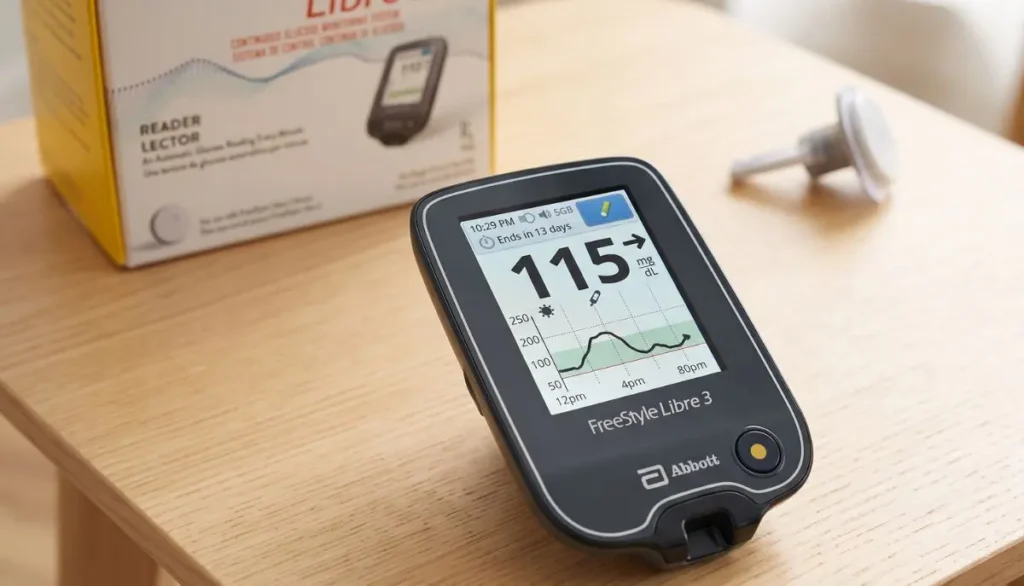
Instead of relying only on a smartphone, the reader gives users another way to view glucose information from their sensor. Abbott describes the reader as a lightweight handheld device with a backlit color touchscreen. It can also provide glucose alarms and store approximately 90 days of glucose history and notes.
This can be useful if you:
- Prefer a dedicated medical device
- Do not want to depend completely on a smartphone
- Need a reader prescribed by your healthcare provider
- Want to keep your CGM information in one handheld device
- Are looking for a compatible reader for your FreeStyle Libre 3 system
The important part is compatibility. The FreeStyle Libre 3 reader is designed for the FreeStyle Libre 3 system and should not simply be treated as a universal glucose reader.
Searching for a FreeStyle Libre 3 Reader Nearby
A search for “FreeStyle Libre 3 reader nearby” can bring up pharmacies, durable medical equipment (DME) suppliers, medical supply stores, and online suppliers.
However, the closest result is not always the right result.
Before purchasing, consider these questions:
- Is the supplier authorized or reputable?
- Does the supplier carry the correct FreeStyle Libre 3 reader?
- Is the reader compatible with your sensor?
- Do you have a prescription if one is required?
- Does your insurance cover the product?
- Is the product currently available?
- Can the supplier help with ordering or documentation?
- Are you purchasing a reader or a complete CGM system?
Abbott states that the FreeStyle Libre 3 reader can be purchased through participating DME suppliers and retail pharmacies, although participating locations and availability can change. Abbott also recommends contacting its Customer Care Team for a list of participating DME suppliers.
That means your search should go beyond simply typing a product name into a map.
Why People Search for a FreeStyle Libre 3 Reader Nearby
There are several reasons someone may want to find a reader locally.
1. You want a dedicated device
Some people simply prefer having a separate reader instead of using their phone for glucose monitoring.
A dedicated reader can be convenient because it is designed specifically for the CGM system.
2. Your smartphone is not compatible
Not every smartphone or operating system is compatible with every FreeStyle Libre app.
Abbott provides a compatibility checker for supported smartphones and operating systems. Abbott also notes that people without a supported smartphone can use a doctor-prescribed Libre systems reader to view sensor readings.
3. You want a replacement
A reader may need to be replaced because of loss, damage, malfunction, or other circumstances.
Before purchasing a replacement, check whether the device you are considering is the correct reader for your sensor.
4. You want to avoid waiting for shipping
When you need diabetes equipment, waiting several days may not be convenient. A nearby medical supply store or participating DME supplier may provide another purchasing option.
5. You are starting a new CGM system
Someone starting FreeStyle Libre for the first time may want to understand whether they need the reader, the app, or both.
Is the FreeStyle Libre 3 Reader the Same as the FreeStyle Libre 3 Sensor?
No.
This is one of the most important things to understand when searching for a FreeStyle Libre 3 reader nearby.
The sensor is the small wearable component that is applied to the body.
The reader is the handheld device used to receive and display glucose information from a compatible sensor.
They work together, but they are different products.
Abbott’s current FreeStyle Libre 3 information describes the system as including the sensor, compatible apps, and the FreeStyle Libre 3 reader.
If you search for a reader but accidentally purchase a sensor, you have not purchased the same thing.
Always read the product title and description carefully before ordering.
How Does the FreeStyle Libre 3 Reader Work?
Once a compatible sensor is activated, the sensor can send glucose information to the compatible FreeStyle Libre 3 reader.
Unlike the older FreeStyle Libre 2 scanning process, Abbott explains that the FreeStyle Libre 3 sensor automatically sends real-time glucose readings to the FreeStyle Libre 3 reader after the sensor is active.
The basic experience is designed to be simple:
Apply compatible sensor → Start sensor → Complete warm-up → Receive glucose information on compatible reader
Abbott’s current product information states that a 60-minute warm-up is required when starting the sensor.
Always follow the current user manual supplied with your specific product.
Can You Use a FreeStyle Libre 3 Reader With Other Libre Sensors?
Compatibility matters.
Abbott states that the FreeStyle Libre 3 sensor works with the FreeStyle Libre 3 reader or compatible FreeStyle Libre apps. It is not a universal reader for every FreeStyle Libre CGM.
This is why you should check the exact product name before ordering.
For example, don’t assume that:
- FreeStyle Libre reader
- FreeStyle Libre 2 reader
- FreeStyle Libre 3 reader
are interchangeable.
Different generations of Libre products can have different compatibility requirements.
FreeStyle Libre 3 Reader Nearby: What Should You Check Before Buying?
Finding a supplier is only the first step.
Before completing your purchase, check the following.
1. Check the exact model
Look carefully for the words FreeStyle Libre 3 reader.
Do not rely only on a product photograph.
Product names can look very similar online.
2. Confirm sensor compatibility
If you already have a sensor, check whether your reader is designed to work with it.
Abbott’s compatibility information should be used when you are uncertain.
3. Ask whether a prescription is required
The FreeStyle Libre system is a prescription product in the United States.
Your supplier may request prescription information before completing an order.
If you are unsure, contact the supplier before placing the order.
4. Ask about insurance
Insurance coverage can vary.
Medicare and other payer criteria may apply, and Abbott notes that coverage and out-of-pocket costs can vary.
A medical supply supplier can explain what documentation may be needed for your order.
5. Check availability
A supplier may list a product online but have limited inventory.
If you need the reader quickly, ask whether it is currently in stock and what purchasing options are available.
6. Check the return or warranty information
Medical devices should be handled carefully.
Abbott currently provides limited warranty information for the FreeStyle Libre 3 reader, with specific conditions and exclusions.
Keep your purchase documentation and follow the manufacturer’s warranty instructions.
FreeStyle Libre 3 Reader vs. Smartphone
One common question is whether you actually need a reader if you already have a smartphone.
The answer depends on your circumstances and the compatible app and device requirements.
A smartphone may offer convenient access to your glucose information through a compatible Libre app. However, not every smartphone is supported.
Abbott provides a device compatibility checker for its Libre apps.
A reader can be useful for someone who:
- Does not have a compatible smartphone
- Prefers a dedicated device
- Wants a separate CGM device
- Has been prescribed a Libre reader
- Wants another way to access sensor readings
Talk with your healthcare provider if you are unsure which option fits your treatment plan.
What Can the FreeStyle Libre 3 Reader Do?
The reader provides more than simply displaying a number.
Abbott’s product information states that the reader can:
- Receive glucose readings from the compatible sensor
- Provide glucose alarms
- Display information on a color touchscreen
- Store approximately 90 days of glucose history and notes
- Connect with LibreView for data management
The reader also includes a built-in blood glucose meter, according to Abbott’s product information. Separate compatible blood glucose testing supplies are required for that function.
This makes it important to understand the difference between CGM readings and traditional blood glucose testing.
Can the FreeStyle Libre 3 Reader Connect With LibreView?
Yes.
Abbott confirms that the FreeStyle Libre 3 reader is compatible with LibreView.
LibreView is a cloud-based diabetes data management platform designed to help people with diabetes and healthcare professionals review historical glucose information.
This can make it easier to discuss glucose patterns with your healthcare team.
However, digital glucose reports should not replace professional medical advice.
Where Can I Find a FreeStyle Libre 3 Reader Nearby?
If you are searching locally, consider several types of suppliers.
Medical Supply Stores
Medical supply stores may carry diabetes supplies and other durable medical equipment.
A local supplier can be useful when you want to speak with someone about product availability, documentation, insurance, or ordering.
DME Suppliers
DME suppliers are another important option.
Abbott specifically states that participating DME suppliers can provide the FreeStyle Libre 3 reader.
Retail Pharmacies
Some participating retail pharmacies may also carry the reader.
However, availability can change, so it is a good idea to confirm before traveling to the store.
Online Medical Supply Suppliers
Online suppliers can be convenient when you already know which product you need.
If ordering online, carefully check:
- Product name
- Compatibility
- Prescription requirements
- Supplier information
- Shipping details
- Return policies
- Insurance options
Why Choose a Medical Supply Supplier?
A medical supply supplier can provide more than a product listing.
For many customers, the purchasing process involves questions such as:
“Is this the right device?”
“Will it work with my sensor?”
“Does my insurance cover it?”
“Do I need a prescription?”
“Can it be delivered to my home?”
Having access to a knowledgeable supplier can make these questions easier to address.
That human support can be especially helpful when you are purchasing diabetes equipment for yourself, a parent, spouse, child, or another family member.
FreeStyle Libre 3 Reader Nearby From Alfa Healthcare Supply Inc.
Alfa Healthcare Supply Inc. is a medical supply and DME supplier serving customers from Floral Park and surrounding areas.
The company offers medical equipment and healthcare supplies for patients and caregivers.
For customers looking for diabetes products, working with a medical supply provider can be a practical way to ask questions about product availability, ordering requirements, and delivery.
If you are searching for a FreeStyle Libre 3 reader nearby, you can contact Alfa Healthcare Supply to ask about current availability and ordering requirements.
Visit Alfa Healthcare Supply Inc.
Because product availability can change, it is best to confirm the exact FreeStyle Libre product you need before ordering.
FreeStyle Libre 3 Reader Nearby in New York
For customers in New York, local access can be particularly useful.
Alfa Healthcare Supply Inc. serves customers in and around:
- Floral Park
- Queens
- Long Island
- Brooklyn
- Bronx
- Manhattan
- Westchester
- Greater New York
If you live nearby and need a FreeStyle Libre product, contact the supplier first to confirm availability.
For people who prefer delivery, ask about current delivery options and service areas.
What If You Cannot Find a Reader Nearby?
Don’t worry if your first search does not produce a convenient result.
Try expanding your search.
Instead of searching only:
“FreeStyle Libre 3 reader nearby”
you can also search:
- FreeStyle Libre 3 reader near me
- FreeStyle Libre 3 reader supplier
- FreeStyle Libre 3 reader DME supplier
- FreeStyle Libre 3 reader medical supply store
- FreeStyle Libre 3 reader pharmacy
- FreeStyle Libre 3 reader USA
- FreeStyle Libre 3 reader supplier near me
You can also contact Abbott directly for information about participating DME suppliers. Abbott’s current FAQ lists Customer Care at 1-844-330-5535 for participating DME information.
FreeStyle Libre 3 Reader Availability Can Change
One important point about online searches is that availability is not permanent.
A store that has a reader today may not have one tomorrow.
Likewise, a product that appears on a website may have different shipping or prescription requirements depending on the supplier.
This is why calling or contacting the supplier before placing an order can save time.
Ask:
“Do you currently have the FreeStyle Libre 3 reader available?”
Then confirm:
“Is it compatible with my FreeStyle Libre sensor?”
These two simple questions can prevent an incorrect purchase.
What About the FreeStyle Libre 3 Plus Sensor?
This is especially important when researching FreeStyle Libre products today.
Abbott’s current information highlights the FreeStyle Libre 3 Plus sensor, which can be worn for up to 15 days and is compatible with the FreeStyle Libre 3 reader and compatible Libre apps.
Abbott also states on its support page that the original FreeStyle Libre 3 sensor is being discontinued and recommends asking a healthcare provider about moving to the FreeStyle Libre 3 Plus sensor.
Therefore, if you are searching for a FreeStyle Libre 3 reader nearby, it is worth confirming which sensor you currently use or expect to use.
Product availability can change over time, so always check the latest manufacturer information.
Common Mistakes When Searching for a FreeStyle Libre 3 Reader Nearby
Mistake 1: Buying the first product that appears
Search results can contain different Libre products.
Read the complete product name before purchasing.
Mistake 2: Assuming all Libre readers are interchangeable
They are not necessarily interchangeable.
Check compatibility with your specific sensor.
Mistake 3: Ignoring prescription requirements
The FreeStyle Libre system is prescription-only in the United States.
Mistake 4: Not checking smartphone compatibility
If you are considering the app instead of a reader, check whether your phone and operating system are supported.
Mistake 5: Forgetting to ask about insurance
Coverage varies by plan and individual circumstances.
Mistake 6: Not confirming inventory
Call or contact the supplier before making a trip if you need the product immediately.
A Simple Way to Find the Right Reader
If you are searching for a FreeStyle Libre 3 reader nearby, don’t make the process harder than it needs to be.
Use this simple checklist:
Step 1: Confirm the exact sensor you use.
Step 2: Search for a FreeStyle Libre 3 reader.
Step 3: Find a participating DME supplier, pharmacy, or medical supply provider.
Step 4: Confirm current availability.
Step 5: Ask about prescription requirements.
Step 6: Check insurance coverage if applicable.
Step 7: Confirm compatibility before ordering.
Step 8: Follow the manufacturer’s instructions when setting up and using the device.
This approach can help you avoid buying the wrong product.
Why the Right Supplier Matters
A glucose-monitoring device is part of your healthcare routine.
You should be able to ask questions and understand what you are purchasing.
A reliable medical supply company can help make that process more straightforward by providing product information, ordering assistance, and delivery options when available.
At Alfa Healthcare Supply Inc., our goal is to make access to medical supplies easier for patients and caregivers.
If you are searching for a FreeStyle Libre 3 reader nearby, contact us to ask about the product, current availability, ordering requirements, and delivery options.
Final Thoughts: Finding a FreeStyle Libre 3 Reader Nearby
Searching for a FreeStyle Libre 3 reader nearby is often about more than finding the closest store.
You want the correct reader, compatible with your CGM system, from a supplier you can contact when you have questions.
Before purchasing, confirm the exact product, sensor compatibility, prescription requirements, insurance information, and current availability.
Abbott’s official resources should remain your primary reference for the latest compatibility, safety, and product information.
And if you are located in or around New York, Alfa Healthcare Supply Inc. can be another option to contact when looking for diabetes supplies and medical equipment.
When it comes to diabetes supplies, a little preparation can make the buying process much easier.
Looking for a FreeStyle Libre 3 reader nearby? Start by confirming the exact product you need, then contact a trusted medical supply provider to check availability and ordering requirements.
Frequently Asked Questions About FreeStyle Libre 3 Reader Nearby
Where can I buy a FreeStyle Libre 3 reader?
Abbott states that the FreeStyle Libre 3 reader may be purchased through participating DME suppliers and retail pharmacies. Availability can vary.
You can also contact a medical supply provider such as Alfa Healthcare Supply Inc. to ask about current availability.
Do I need a prescription for the FreeStyle Libre 3 reader?
The FreeStyle Libre 3 system is prescription-only in the United States. Your supplier may require prescription information before completing your order.
Can I use my phone instead of the reader?
A compatible smartphone and operating system may allow you to use a Libre app. Abbott provides a compatibility checker for supported devices.
Does the FreeStyle Libre 3 reader need scanning?
The FreeStyle Libre 3 sensor automatically sends real-time glucose readings to the compatible FreeStyle Libre 3 reader after the sensor is active, so routine scanning is not required in the same way it is with FreeStyle Libre 2.
How long does the FreeStyle Libre 3 sensor take to start?
Abbott states that a 60-minute warm-up is required when starting the sensor.
Can the FreeStyle Libre 3 reader store glucose information?
Yes. Abbott’s product information states that the reader can store approximately 90 days of glucose history and notes.
Does the FreeStyle Libre 3 reader work with LibreView?
Yes. Abbott confirms that the FreeStyle Libre 3 reader is compatible with LibreView.
Can I use the FreeStyle Libre 3 reader with other Libre sensors?
You should not assume compatibility. Abbott states that the FreeStyle Libre 3 sensor works with the FreeStyle Libre 3 reader or compatible Libre apps.
Is the FreeStyle Libre 3 reader available at pharmacies?
Abbott says the reader can be purchased at participating retail pharmacies and DME suppliers. Availability varies by location and retailer.
What should I do if I cannot find a FreeStyle Libre 3 reader nearby?
Contact Abbott or a participating DME supplier to ask about availability. You can also contact a medical supply company such as Alfa Healthcare Supply Inc. to ask about ordering options.